LG TVs on Noon UAE: payment method — checkout checklist
To finalize an LG TV purchase on Noon UAE, you must verify every detail before you hit the payment button.
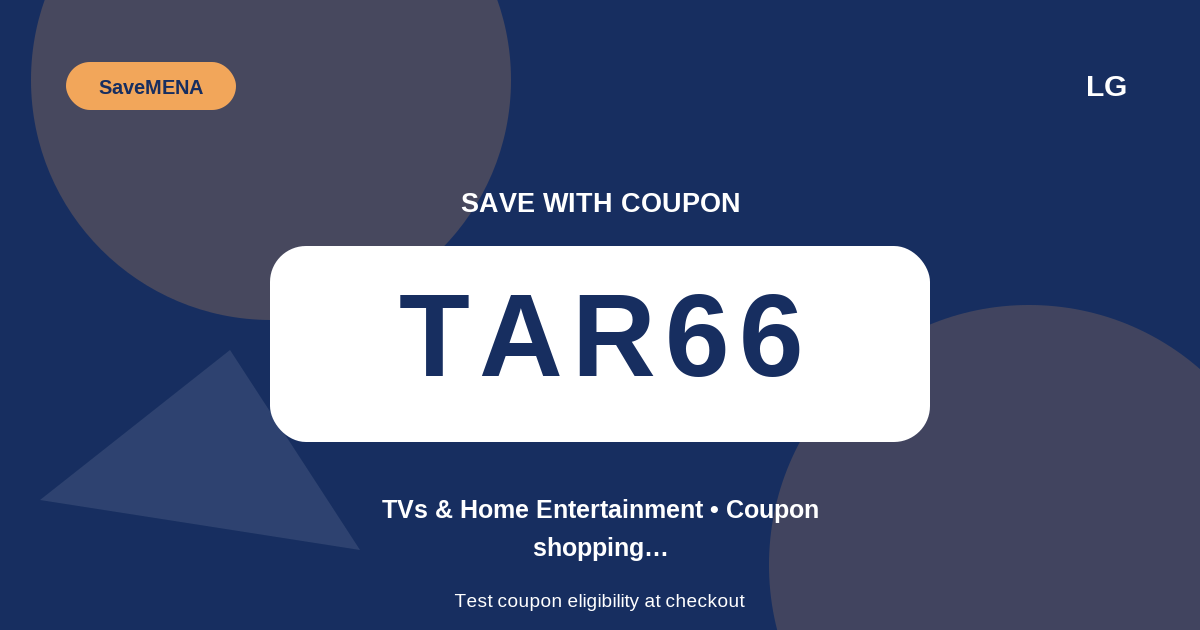
Codes available to try while comparing
These codes are not guaranteed for the article topic or listed brands; test them at checkout and use the live result.
1. Product Accuracy: Model and Variant Confirmation
Begin by double‑checking the specific LG TV model you intend to purchase. Verify that the screen size, resolution, and feature set match your preference, as Noon UAE offers several LG iterations. The listing page will show manufacturer details and variant options—select the one you desire. Pay close attention to packaging details displayed in the product image gallery; any differences could affect your viewing experience. Confirm that the variant supports the HDR, QLED, or OLED features you want, as these are not interchangeable.
Once the correct variant is chosen, re‑visit the product description to ensure that the warranty terms and service coverage are clearly stated. Check for any additional accessories that may be required, such as wall mounts or soundbars, and add them to your cart if necessary. This step ensures you arrive at checkout with a complete view of what you will receive, preventing later adjustments that might delay delivery or incur additional costs.
2. Cart Verification and Coupon Eligibility Check
Navigate to your shopping cart to confirm that all items, including accessories, are present and correctly priced. Add the Noon UAE coupon code TAR66 in the designated field; the interface will indicate whether the code applies. Note that the coupon’s applicability is determined automatically and may vary by item and seller. If the code does not work on the LG TV or associated accessories, the cart will display a non‑applicability notice. This real‑time verification helps you decide whether to modify your selection or proceed without the coupon.
Make sure the cart total reflects the most recent prices, as some sellers update costs periodically. If there are additional taxes or regional charges, these will be appended during the checkout step. Confirm that no hidden fees are present before moving forward. Curating your cart meticulously ensures zero surprises when the payment method is applied.
3. Delivery Timing and Shipping Preferences
Check the delivery information for your location, as Noon UAE uses several carriers. The estimated arrival window will appear on the cart page once your first name and address are entered. If you require a specific delivery date, review the seller’s shipping options; some may offer expedited delivery at an extra cost that could be offset by the coupon. Verify the delivery method supports “cash on delivery” or pre‑payment options, as some premium models limit payment methods for safety.
If you prefer a pickup point or an alternative address, select it early in the checkout process. The system will recalculate any potential shipping costs or restrictions. Confirm that the chosen location is within the seller’s service area to avoid last‑minute complications. Accurate delivery planning complements a seamless payment journey.
4. Payment Method Evaluation: Loyalty Points and Wallets
Noon UAE offers multiple payment options such as credit/debit cards, PayPal, Noon Wallet, or subscription services like Noon Pay. Evaluate each method’s approval rate, processing time, and associated fees. For instance, Noon Wallet may offer a modest fee waiver, whereas a bank card might carry a small transaction charge. If you hold loyalty points or a credit limit that could save you money, consider using them to offset the payable total.
Examine the “payment method” section of the checkout page before finalizing. Ensure that the selected method appears as “available” and that any outstanding balances on your Noon wallet are cleared. If you’re using a gift card or promotional credit, confirm that this credit is applied correctly. Validating your payment method eliminates surprises such as declined transactions or sudden balance adjustments during payment.
5. Coupon Application Inside the Payment Method Flow
When you proceed to select your payment method, the coupon discount—if applicable—will be applied to the subtotal at that point. The interface will reiterate the final payable amount, showing any adjustments introduced by the coupon.A coupon is not guaranteed; verify its result at the retailer checkout. Avoid double‑clicking the payment button to prevent duplicate transactions.
Some payment methods, such as “cash on delivery,” trigger a different approval process than online card payment. In these scenarios, the coupon’s effect may be preserved, but the off‑line capture could require a verification step. Check the “payment confirmation” screen for any manual prompts before confirming the order.A coupon is not guaranteed; verify its result at the retailer checkout.
6. Post‑Payment Checkout Confirmation
After the payment is processed, you will receive a confirmation page displaying a unique order ID, the final payable amount, and the coupon status. Verify that the order ID appears in the email you receive from Noon UAE to confirm the order has been logged successfully. This email will also confirm the selected shipping address and payment method. Any discrepancy can be flagged immediately within the order details for rectification.
Cross‑check the order details against the cart snapshot: ensure your LG TV variant, quantity, and any accessories match. Any variation—in unit count, size, or color—must be reported promptly. If the coupon code is not reflected in the confirmation email, contact Noon support or check the FAQ section for troubleshooting steps. Early detection of mismatches saves time and prevents potential return or exchange hassles.
7. Tracking and Post‑Delivery Support
Once the delivery is confirmed, you can track the shipment via Noon UAE’s tracking portal or the carrier’s own system. The tracking status will update in real time, allowing you to align your receipt with the shipping window. If the delivery occurs later than expected, use the tracking information to follow up with the carrier directly. This reduces the need for manual inquiries and clarifies any delay in logistics.
In the event of a mismatch between the delivered product and the order confirmation—such as a different model or missing accessories—examine the invoice attached to the package. Should an error exist, open a service request on Noon UAE’s platform to report the issue. Attach photos and delivery receipts for verification. Prompt reporting ensures a swift resolution, whether it involves a replacement or a refund.
8. Review of Refund Policy and Authorised Return Window
Every Noon UAE order comes with a specified return window, typically a set number of days from delivery. Review the policy details specific to LG TVs and accessories, as premium electronics may have a shorter window or require first‑party inspection. If you encounter a defect or mismatch within this period, initiate a return request through the Noon UAE app or website before the deadline.
During return processing, confirm that the item is returned in original packaging and condition. Lack of proper packaging can affect the refund outcome. Keep track of the return shipping receipt to substantiate the return against your delivery confirmation.A coupon is not guaranteed; verify its result at the retailer checkout.
Related SaveMENA pages
Related articles
Official sources to check
Frequently asked questions
Can I combine the TAR66 coupon with other discount codes on Noon UAE?
Noon UAE typically allows only one coupon code per transaction. If you attempt to apply a second code, the system will reject it or replace the existing one.A coupon is not guaranteed; verify its result at the retailer checkout.
Will using a cash‑on‑delivery method affect the coupon's validity?
Cash‑on‑delivery transactions can still process the applied coupon if it is eligible for that payment method. The final payable amount will reflect the coupon discount on the checkout page before the cash‑on‑delivery confirmation step. Verify the final amount in the confirmation screen for accuracy.
What should I do if the order confirmation email doesn’t show the TAR66 coupon applied?
Check the order summary on Noon UAE’s website to confirm the coupon's status. If it shows no discount, contact customer support via the app or email. Provide the order ID, coupon code, and screenshot of the cart for reference. The support team can verify and rectify any discrepancy.
Is there a minimum purchase amount required to use the TAR66 coupon?
The coupon's applicability is assessed automatically during checkout. If your cart does not meet any minimum threshold, the order will continue without the discount.A coupon is not guaranteed; verify its result at the retailer checkout.