Philips TVs on Noon UAE: payment method — checkout checklist
When you’re about to seal your Philips TV purchase on Noon UAE, the last milestone is the checkout checklist before payment.
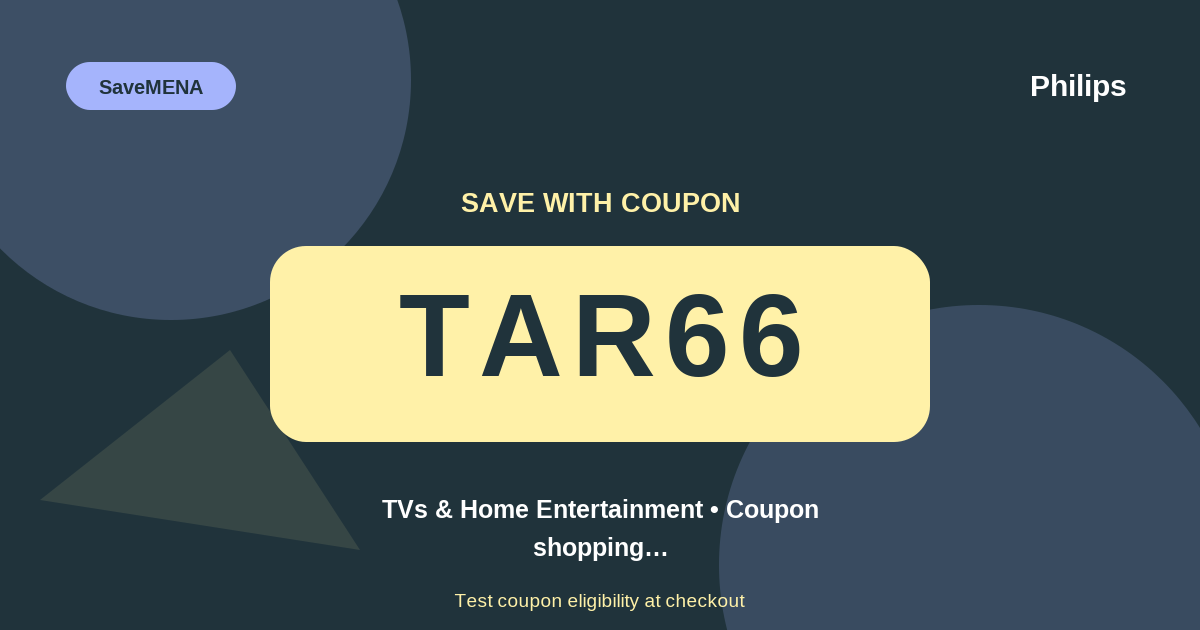
Codes available to try while comparing
These codes are not guaranteed for the article topic or listed brands; test them at checkout and use the live result.
1. Pinpoint the Philips TV Model You Want
Begin your journey by selecting the exact Philips model that matches your entertainment needs, whether it’s 4K Ultra HD, OLED, or Smart TV. Pay close attention to the product title, size, and feature list displayed on Noon’s product page. The exact variant will dictate availability, shipping windows, and potential coupon compatibility. If a particular model carries a distinctive SKU, no matter how subtle, keep a note of it, as it will be crucial later when you cross‑check coupon eligibility and seller reliability.
After finalizing the model, double‑check the product specifications once more to ensure you’re not overlooking critical differences such as screen size, HDR support, or integrated soundbar options. Footnotes on the page might highlight regional power standards or warranty variations, and you want your selected TV to meet UAE power requirements seamlessly. Whenever possible, navigate to the ‘Specifications’ tab and save a screenshot for reference; it protects you from selecting a version that may later be unavailable or mispriced.
2. Verify the Seller’s Authenticity
Noon UAE hosts multiple sellers, some of whom may offer Philips TVs at varying prices. To avoid counterfeit or aftermarket units, check the seller rating and listing history. A high rating coupled with a long-standing presence typically signals reliability. Avoid listings with minimal positive reviews or those recently launched without any buyer feedback.
Consult the product page’s ‘Seller Details’ section, noting the seller’s name, storefront link, and any provided contact information. If the seller offers a prominently displayed return policy or warranty claim procedure, this further confirms legitimacy. Should you have any uncertainty, reach out via Noon’s messaging feature before proceeding with your purchase so you can receive clarification on authenticity and after‑sale support.
3. Confirm Coupon Eligibility for Your TV
Not every coupon automatically applies to every Philips TV model. Hover over the ‘Coupon’ field on the payment screen to see if TAR66 is recognized for your selection. If the field responds with a green check‑mark after entering the code, the coupon has been linked successfully. If it remains inactive or shows an error, either the coupon is incompatible, or a step in the process has been missed.
To pre‑empt this, review the coupon information typically provided under the ‘Promo’ or ‘Discounts’ tab on Noon’s site. If the description mentions goods like “All electronics” or “All Philips products,” it’s a good indicator that the coupon is broadly applicable. Still, always double‑check the specific product at checkout, as the vendor’s system may enforce additional restrictions.
4. Scrutinize Delivery Options and Fees
The delivery method you choose can affect cost, timeliness, and even the coupon’s activation. Noon often offers free standard delivery for orders over a certain threshold; if your TV price is close to that threshold, verify whether adding a different item changes the eligibility. Use the live ‘Delivery Estimator’ to see the exact arrival window for your emirate.
Check for any item‑specific shipping conditions—such as weight limits or high‑value restrictions—that might trigger extra handling fees. Clearly read any footnotes or “Additional Charges” sections before proceeding. Having a clear shipping understanding at this point guards against surprise fees that could nullify your coupon savings.
5. Choose a Secure Payment Method on Noon UAE
Noon supports several payment options, including credit cards, debit cards, and digital wallets. If you plan to use the Philips payment method within Noon—such as a store‑specific card or a saved payment profile—make sure it’s activated in your account. Navigate to the ‘Payments’ tab and review available cards for expiration dates and credit limits.
Before saving a new card, test its quick‑pay validity by entering it during checkout without final submission. This ensures the card will process correctly and helps spot impending issues like lack of international processing or unverified accounts. For high‑value purchases like a TV, use a card with sufficient credit and clear security features such as 3D Secure for added confidence.
6. Apply TAR66 Coupon Step‑by‑Step
At checkout, after confirming shipping and before selecting your payment method, locate the coupon box labeled “Enter your code.” Type TAR66 in full, respecting case sensitivity, then click ‘Apply’. Look for an immediate visual cue—often a green check or a change in totals—that signals the coupon has been accepted.
If the field indicates the coupon is invalid or otherwise, revisit the coupon’s terms that Noon lists near the promo code entry. Make sure you’re on the correct page and that no hidden policies have shifted. If the coupon still rejects, acknowledge that joyfully, because vouchers are not guaranteed; you should proceed with the sale at the displayed price.
7. Final Checkout Review Checklist
Before hitting the final ‘Pay’ button, double‑check every line of the order summary: product model, seller, final price, shipping timeline, coupon application, and payment method. A quick glance should confirm no hidden fees have crept in, and the coupon savings should reflect in the ‘Total Payable’ figure.
Confirm your shipping address accuracy—especially the apartment or unit number—and verify the phone number for delivery notifications. Saving the order in your Noon wishlist or cart also allows you to revisit it for any last‑minute seat or vendor changes. If all elements align, proceed to the payment gateway to finalize the transaction.
8. Post‑Purchase Tracking and Support
After payment, Noon will provide an automated email and app notification offering a tracking number and estimated delivery date. Log into your Noon app, navigate to ‘Orders’, and click the delivered link to monitor progress. Flagging any delay or divergence from the original ETA improves chances of quick resolution.
Keep an eye on the support portal for warranty enrollment or return instructions specific to Philips TVs. Should you face a defect, contacting Noon’s customer service with order details and the coupon confirmation can help streamline repair or exchange processes. A proper post‑purchase log thus completes the cycle of a safe, informed TV acquisition.
Related SaveMENA pages
Related articles
Official sources to check
Frequently asked questions
What if TAR66 doesn’t show as valid at checkout?
If the coupon appears invalid or is not recognized, double‑check for typographical errors and confirm that it’s entered in the correct field. Some coupons may have regional restrictions or minimum spend clauses that are not explicitly stated, so reviewing Noon’s coupon details before applying is essential.
Can I use the same Noon UAE coupon for multiple orders?
Noon typically restricts coupon usage to a single transaction or limited quantity. Since coupon terms are not guaranteed, try the code on a new order only if the previous past checkout does not confirm usage at the time of transaction.
Will using a Noon payment method affect my warranty coverage for Philips TVs?
The payment method itself does not influence Philips warranty terms, which are defined by the manufacturer. However, purchasing through Noon can facilitate claim processing via the platform’s return or repair services.
What should I do if the delivery fee suddenly appears after I’ve paid?
Re‑open your order summary in the Noon app immediately after payment. If a fee appears, contact Noon customer support with your order ID and await confirmation. Typically, fees that appear post‑payment are addressed during the open‑shipment stage.