Calvin Klein Women’s Fashion on Noon UAE: payment method — checkout checklist · TAR84
If you’re shopping for women’s fashion on Noon UAE, the best way to save is to use a Noon UAE coupon—like TAR84—while you review your payment method before final
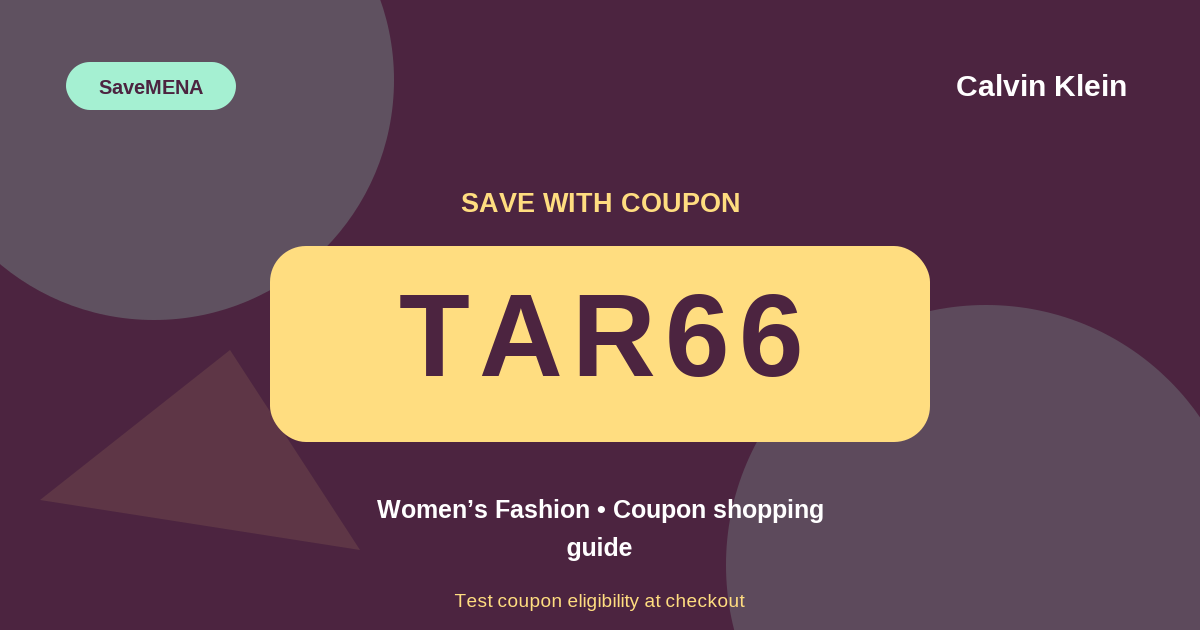
Codes available to try while comparing
These codes are not guaranteed for the article topic or listed brands; test them at checkout and use the live result.
1. Understanding Noon UAE Coupons for Women’s Fashion
Noon offers a range of coupons to help shoppers across the UAE enjoy brands such as Calvin Klein. The coupon code TAR84 is available for you to try; however, the system does not guarantee a specific discount. Before you hit “apply,” it pays to check whether the coupon shows a “coupon applied” notification on the cart page. This small confirmation means the code was accepted by the platform’s engine and may reduce your total when you hit the final payment step.
Coupons can only be applied once in your session and work automatically when the store’s discount rules match the applied code. If your cart contains a Calvin Klein item that belongs to a special collection, the coupon may still be accepted. Still, remember that the final deductable amount can shift slightly when you switch payment methods or add a new delivery location. Keep the coupon active in your cart until you reach the checkout screen, where the system will recalculate the final figure.
2. Calvin Klein Highlights in Noon’s Gigantic Collection
Calvin Klein attracts a wide range of women's fashion staples—jackets, trousers, denim, and dresses—collectively curated on Noon UAE. When you navigate to the brand page, you’ll notice filter options that let you narrow by style, season, or price. The platform keeps the brand’s lineup up to date, often featuring limited‑edition runs that appear only for a short time. This makes checking the exact model and size before you apply any coupon crucial.
While browsing, take note of the product’s return policy and delivery timeline, both of which can affect your final choice. The coupon code TAR84 can be active on these items, provided they fall under the coupon’s eligibility. Because coupons sometimes exclude clearance or exclusive showcases, double‑checking the product page for terms before proceeding ensures you won’t be disappointed once you reach the payment step.
3. Why Payment Method Matters in the Checkout Process
Payment methods on Noon UAE are grouped into cards, wallet, and various bank transfers, each carrying different transaction processing times and security layers. If you prefer the speed of a debit or credit card, you’ll see a direct deduction from your account. If you worry about online security, the wallet option can add an extra layer by keeping your card details stored behind a virtual token controlled by Noon. Choosing the right payment method can also affect how quickly you receive the order confirmation and track delivery.
Before the “pay now” button glows, you must validate that your selected card or wallet balance covers the final amount shown. Coupon codes can shift totals by a handful of dirhams, so double‑checking your margin is essential. Also, keep in mind that some payment options may trigger a small service fee, which some merchants list separately. Verify these details on the summary page to avoid any surprise charges after the payment is processed.
4. Step‑by‑Step: Adding a Noon UAE Coupon Before Payment
The process begins on the cart screen, where you’ll find a field labelled “Enter coupon code.” Type TAR84 into that slot and press the apply button. If the code is valid, the cart will refresh, showing the new total in real time. Make sure the “coupon applied” notice appears next to the code; if the system says anything else, such as “coupon not applicable,” you will have to accept the original price or search for another code.
Once the cart confirms the discount, scroll toward the payment section. The system will still display the entire breakdown—product price, tax, any shipping fee, and the reduced amount from the coupon. At this point you should read each line carefully, making sure the final figure matches your expectations given the coupon and the payment method you plan to use. After confirming the figures, proceed to the next step to select your payment method.
5. Checking Your Order Summary and Available Payment Options
The order summary screen is the last chance to catch any errors before the payment is processed. It contains a concise list: product names, quantities, exact price per unit, subtotal, tax, and the final amount after coupon deduction. Near this summary, you’ll see the selected shipping address and a note about the total delivery charge. All of these figures should be correct – if something looks off, revisit the cart or the coupon application step.
Below the summary, you’ll find the payment method selection bar. Today’s most popular options on Noon UAE include local credit/debit cards, the Noon wallet, and a few bank‑approved methods. Review the iconography and the brief description next to each option – this indicates whether the transaction is instant, the required document, or if it involves confirmation through your bank’s app. The brief description can help you decide quickly without venturing into additional sub‑menus.
6. Secure Payment Options Tailored to UAE Shoppers
Security is a top priority for the majority of women’s fashion buyers on Noon UAE. If you opt for a card, the payment gateway pix by Noon authenticates using tokenization, which obscures the actual card number from merchants. The Noon wallet’s tickets approach adds a 3‑D Secure step, requiring a one‑time password that is sent to your phone. These layers keep your private information out of direct reach.
Alternatively, if you prefer a bank transfer, the checkout will display your bank’s name and a unique reference code to place in the remarks section. City or branch selection may affect the processing speed, but the final vendor will notify you through SMS or email once the transfer clears. Since the system updates the order status after payment confirmation, you’ll have a fair amount of confidence that choosing a well‑known local payment method will reduce manual errors.
7. Finalizing Checkout: What to Look For in the Confirmation
After you click “pay now,” the system will perform a final reconciliation of the cart totals, the applied coupon, and the chosen payment method. The screen that follows will show a “payment accepted” status, a unique order number, and a summary of the expected delivery window. If you see any discrepancy in the number of items, total price, or shipping estimate, you should contact customer support before completing the transaction.
On the confirmation page, also verify the return policy details that are carried forward with the order. For many women’s fashion items, particularly those from Calvin Klein, a 30‑day return window may apply. If the policy terms look incomplete, call the support line provided in the confirmation to confirm the full return terms. Once verified, you can safely consider the order complete, knowing every element of the checkout checklist was addressed.
8. Post‑Purchase Tips and Customer Support Resources
After you finish payment, it is wise to check the app or web portal for any shipping updates. Noon UAE will timestamp each step of the order journey—from dispatch to delivery—enabling you to stay informed in real time. If a tracking number appears, copy it into the system and confirm the carrier’s estimated arrival date. Keeping track of your shipment gives you peace of mind, especially when shipping season or data errors could delay your fashion arrival.
Should you encounter any issue—whether it’s a wrong item, a missing coupon benefit, or a payment hiccup—reaching out through the app’s “support” tab or the dedicated phone line remains the fastest solution. The customer support team often receives inquiries about the coupon’s effectiveness and payment method details, so be prepared with your order number and a screenshot of the cart. A timely resolution keeps your shopping experience positive and encourages you to look back on Noon UAE for future wardrobe updates.
Related SaveMENA pages
Related articles
Official sources to check
Frequently asked questions
How do I apply a Noon UAE coupon before checking out?
Enter your coupon code—like TAR84—in the coupon field on the cart page. Once applied, the system refreshes the cart total. Verify the “coupon applied” notice before proceeding to payment, ensuring the discount reflects in the final amount.
Can I use my Noon wallet after applying a coupon?
Yes, you can select the Noon wallet after verifying the cart total. The payment gateway will then handle the transaction securely, and the final payable amount will include the coupon deduction, if applicable.
What should I verify in my order summary?
Check the list of items, quantities, unit prices, subtotal, tax, shipping fee, and the final total after the coupon. Confirm the numbers match your expectations before pressing the payment button.
A coupon is not guaranteed; verify its result at the retailer checkout.
Noon does not guarantee a specific discount with the TAR84 code; it is available for you to try. The payment system will apply the coupon only if it meets its eligibility conditions. Verify at checkout for confirmation.