Sony Gaming on Noon UAE: price changes — checkout checklist
Shopers should begin by opening Noon UAE and navigating to the Sony gaming section, then noting the displayed price of the desired console or accessory.
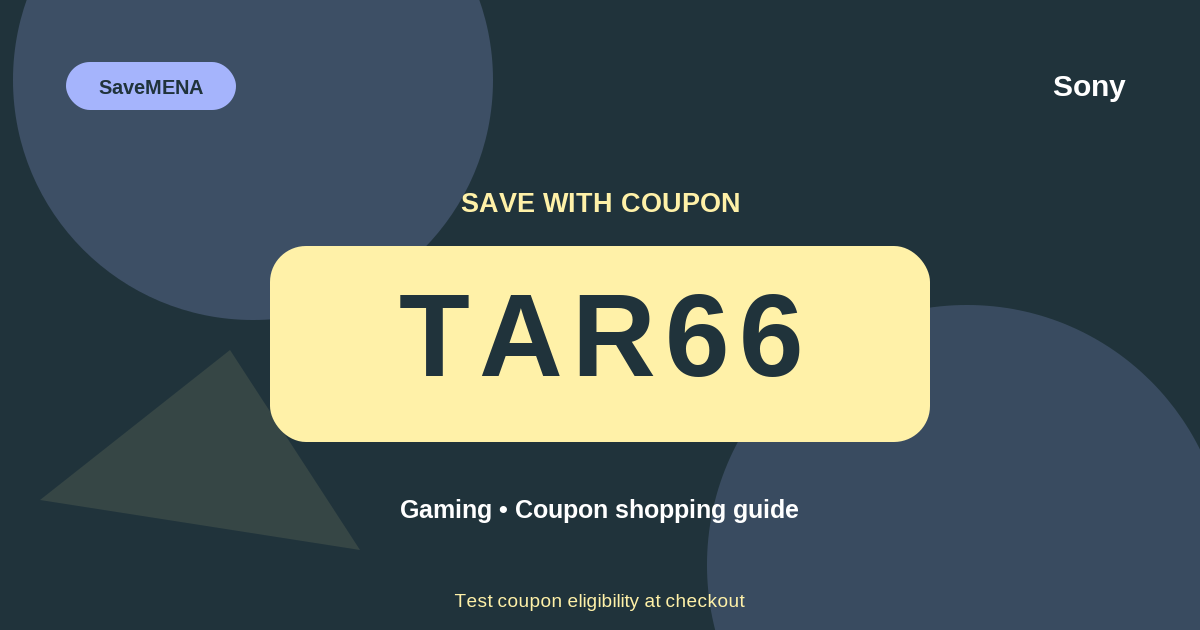
Codes available to try while comparing
These codes are not guaranteed for the article topic or listed brands; test them at checkout and use the live result.
1. Review Updated Sony Gaming Prices
Shopers should begin by opening Noon UAE and navigating to the Sony gaming section, then noting the displayed price of the desired console or accessory. Campaigns or flash sales may trigger a price change in the moments after you first view a listing. Bookmark the price in an external note or screenshot so you have a reference when you revisit the page later. If you notice a lower price after adding the product to your cart, simply remove it and re‑add the item at the new price to capture the discount before checkout.
Keep in mind that Noon’s system updates prices in real time across its platform. However, depending on your device’s cache, the price you see on the cart page may lag behind. To avoid this, refresh the cart page or clear your browser cache before comparing the cart price with the current listing. If there is still a discrepancy, reach out to Noon customer support to confirm which price will apply at payment time.
2. Verify Coupon Eligibility for Gaming Items
Penultimate to step one is ensuring the coupon code TAR66 is eligible for the gaming item in question. Input the code in the designated field on Noon’s checkout page before billing details are entered. The system will instantly confirm whether the coupon is applied or not. If it says “Coupon not eligible,” double‑check the coupon’s printout or email that came with the offer, as some coupons require a minimum purchase amount or a specific category tag.
Even if the coupon shows as applied, the discount may not be reflected in the final order summary until you confirm the purchase. As pricing can fluctuate further during the checkout flow, it’s possible the coupon will become inapplicable once the price changes. In such a scenario, Noon will display a warning, allowing you to either revert to an earlier price or proceed without the discount. Only after the confirmation panel shows the discounted total can you be assured the coupon has been honored.
3. Confirm Shipping Options and Fees Post‑Price Change
After price and coupon checks, look at the shipping section on the checkout page. Shipping costs are calculated based on delivery address, product weight, and any special handling. If the product price dropped after you added it to the cart, the shipping cost might also recalibrate. Scroll through the available shipping methods and note the fee and estimated delivery window for each.
Pay particular attention to express and standard shipping options that Noon offers. If you see a free shipping threshold, verify whether you qualify after applying the coupon. A price change can improve your chance to reach that threshold and save on shipping costs. Confirm the final shipping fee appears in the order summary before proceeding. If it isn’t clear, contact Noon’s help center for clarification before finalizing the purchase.
4. Cross‑Check Payment Method Compatibility
Before you type in your credit card or debit card details, confirm that the chosen payment method is accepted for the final transaction amount. Noon accepts a variety of cards and wallets, but some may have limit or regional restrictions. For UAE shoppers, ensure your Visa or Mastercard is enabled for online transactions overseas if the product is fulfilled from a non-UAE warehouse.
Read the payment section’s fine print for any fraud‑prevention rules. For instance, certain cards might prompt a 3‑D Secure authentication that could delay or block the transaction if the amount has shifted after coupon application. You should also verify that your payment agency offers a refund policy in case the final settled amount differs from what you expected. If your card shows a pending authorization, double‑check that the amount displayed matches the verified price after all discounts.
5. Ensure Product Availability in UAE Fulfilment Centers
Unofficially, stock availability can fluctuate due to high demand, especially for popular Sony gaming consoles. Noon’s website usually shows an “In Stock” or “Available for delivery” banner. When the cart opens, confirm that the item is still listed as available at a UAE‑based depot. The seller’s location field on the product page will indicate the warehouse; a UAE fulfillment label means quicker dispatch.
If the item moves to a foreign inventory, shipping times and costs may rise. This update might trigger a price clarification during checkout, which could undo the TAR66 coupon if the local price differs. Before finalizing the order, look for a final inventory confirmation on the checkout screen. If the product is no longer available, the system will typically offer a similar item or cancel the transaction promptly.
6. Double‑Check Quantity and Cart Totals After Coupon Application
On the final review page, scroll through the cart summary to ensure every quantity matches what you intended. A digital cart may accidentally combine similar items or add one extra if you added a bundle and selected a wrong option. The subtotal should reflect the price per unit multiplied by quantity, before shipping and any additional fees.
Observe the rotating total that updates instantly when you modify quantity or add a new coupon. After applying TAR66, Tuk, re‑confirm that the system applied the correct discount amount and that the final purchasable total exactly matches the sum indicated. Any discrepancy could mean the coupon was not accepted after all or a price dropped once the order was locked. If inconsistencies arise, choose to reload the cart and start the process anew to prevent payment errors.
7. Review Terms & Conditions of Noon’s Checkout for Gamers
Proceed to the “Terms & Conditions” or “Return & Refund Policy” link located near the checkout button. Shooters should specially look for segments covering digital goods, software, and gaming hardware. Check if the retailer allows full refunds or exchange for the product, and under what conditions. In case a price discrepancy appears after checkout, the policy will guide how to request a price match or cancellation.
Also, confirm the “Warranty” and “Support” offerings for Sony gaming products in the UAE. Some listings offer a limited warranty that only applies to items sold through Noon’s official seller. Take notes of warranty period, claim process, and contact information for Sony support in the UAE. Knowing this before you pay ensures you’re prepared for any post‑purchase service if needed.
8. Final Cart Review and Confirmation of Purchase
On the very last screen before clicking “Place Order,” read the order summary again. This is your one final chance to catch any hidden fees, mis‑applied coupons, or wrong shipping options. Confirm that the delivery address is correct, the expected delivery date aligns with your schedule, and that the email address for order confirmation is accurate.
Once satisfied, submit the order. You will receive a confirmation screen and a separate email with the order details. Keep that confirmation handy in case you need to reference it for returns, warranty claims, or disputes. And remember: if any final price changes are applied after the confirmation, Noon’s checkout will let you know in real time and give you the choice to accept or cancel. Only after this step do you become the official buyer of the Sony gaming product.
Related SaveMENA pages
Related articles
Official sources to check
Frequently asked questions
Can the TAR66 coupon be combined with other discounts?
No, coupon codes from Noon are typically used one at a time. If the coupon is not eligible or you attempt to apply multiple codes, the system will reject the second one in the checkout process.
Will my Sony gaming purchase be shipped within the UAE?
If the product is available from a UAE warehouse, Noon will deliver it domestically. Verify the seller’s location on the product page before adding to cart for the fastest delivery.
What should I do if my price changes after I hit payment?
During checkout any price change is displayed in the final order summary. You can accept the revised price, modify your cart, or cancel if it falls outside your budget.
Is there a warranty for Sony gaming consoles bought from Noon?
Check Noon’s return and warranty policy linked near the checkout button. Authorized sellers usually offer Sony’s standard warranty; confirm the details before purchase for up‑to‑date coverage information.