Nikon Cameras on Noon UAE: seller context — checkout checklist · TAR71
When you’re about to hit the final “Buy” button in your camera purchase, the last thing you want is to be caught off guard.
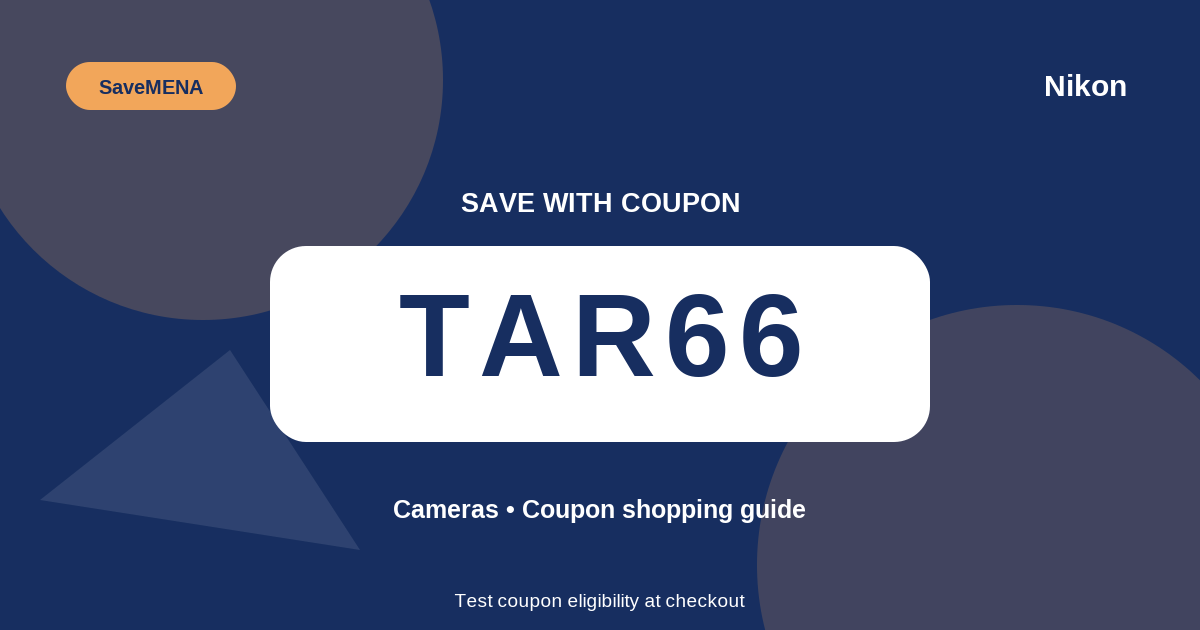
Codes available to try while comparing
These codes are not guaranteed for the article topic or listed brands; test them at checkout and use the live result.
1. Decoding the Coupon Code: What the 'TAR71' Tag Means in Context
Before you even reach the cart, understand that ‘TAR71’ is a promotional token offered through Noon UAE. It’s part of a broader partner initiative and is designed to give shoppers a possible discount when buying photography equipment, specifically within the camera category. Unlike baked‑in coupons on product pages, this code typically activates at the final checkout screen and may not apply to every seller or every variant of a Nikon camera. The key is recognizing that the coupon is only “available to try” and any outcome depends on the seller’s current agreement with Noon’s coupon engine.
When browsing a Nikon model from a dedicated seller, note that coupon codes are sometimes restricted by the item's category or brand. In this scenario, keep an eye on the discount field that appears just before you click “Review Order.” If the code rejects, check that you’re still within the camera category and that the seller is the one you intend to purchase from. If you’re unsure, the seller’s own listing page often lists supported promotions or checkout guidelines.
2. Selecting the Perfect Nikon Camera: Product Features vs. Usage Needs
Choosing a Nikon camera involves weighing sensor size, lens mount compatibility, and intended shooting scenarios. Whether you’re a hobbyist or a professional, align the camera’s resolution, ISO range, and autofocus system with your photography goals. For example, a DSLR model with an APS‑C sensor might be ideal for sports, whereas a mirrorless mirrorless body with a higher ISO ceiling better suits night work. Always verify the exact model number on the seller’s page to avoid ordering an older or lower‑spec version by mistake.
Beyond the body, consider bundled accessories. Many Nikon sellers on Noon UAE include optional memory cards, straps, or batteries. Check whether the bundle is part of the base price or added to the cart later. Since you’ll be applying a coupon that may or may not affect bundled items, confirm that all accessories are required before proceeding to the payment stage.
3. Seller Evaluation: Reliability, Stock, and Return Policies
Not all Nikon sellers on Noon UAE are created equal. Look for sellers with a history of quick restocking and a clear return policy that complies with UAE consumer rights. Pay attention to the seller ratings but treat them as a guideline rather than a guarantee. The checkout checklist should include a quick scan of the seller’s status, ensuring that they’re actively managing inventory for the chosen model.
When you open the product detail, the stock indicator tells you whether the item is in immediate supply or will arrive later. If you’re on a tight deadline, note the estimated delivery window. If the seller lists multiple delivery options—standard, express, or local pickup—add that to your pre‑payment notes. A seller that offers free return shipping or a warranty period may sway your final decision beyond the coupon benefit.
4. Verifying Stock Availability and Variant Choice
Once you know the seller, double‑check the specific variant you want—be it a particular lens mount, battery type, or color. A Nikon camera comes in numerous optional firmware versions or body colors that might affect price or availability. In the product page’s “Select Options” section, each variant should display its own real‑time stock status. Add the correct variant to your cart and watch the price adjust accordingly.
At checkout, a final “Review Order” screen will reiterate the variant details. Confirm that the listed SKU matches your intended choice. If there’s a discrepancy—perhaps the color changed or an extra feature was missing—abort the order before affixing payment details. This is a prime spot in the checklist to catch ordering errors that could later result in returns.
5. Shipping Fees, Delivery Times, and Regional Constraints
Shipping fees on Noon UAE can vary based on courier partnerships, weight tolerance, and destination. Some sellers provide free delivery for camera purchases, but this is not an automatic rule. In your cart, review the shipping cost line item; if it reads “Paid,” decide if the fee is acceptable compared to the total cost.
Delivery time estimates persist in the “Estimated Delivery” field. Check if the seller offers same‑day or next‑day delivery and how that aligns with your project timeline. The QR on your confirmation screen may reveal a special delivery code, but avoid trusting claims of expedited shipping where the price lines don't reflect it. Pre‑payment, keep a note of the chosen shipping method so you can reference it if your package delays.
6. Payment Methods and Confirmation of Vendor Acceptance
Noon UAE supports a range of payment options—credit/debit cards, Apple Pay, and the Noon Wallet. Ensure the payment method you choose is accepted by your selected seller; some vendor‑specific constraints might limit available financial routes. In the payment section, a dropdown menu lists accepted cards; a mismatch will produce an error message before you click “Complete Order.”
Also verify that the payment gateway’s “Secure Checkout” badge appears. This confirms that your financial details are encrypted. Keep an eye on the final total calculation which includes your selected shipping, taxes, and any applicable coupon adjustments. Double‑check that the amount matches your expectations before you hit the final button.
7. Applying the 'TAR71' Coupon at Checkout: Step‑by‑Step
When you’re ready to apply the coupon, locate the discount code textbox often positioned just above the payment method list. Enter ‘TAR71’ exactly as shown—case‑sensitive codes may fail if mistyped. Once submitted, the page should refresh to show any discount applied. If the code fails, the message will typically explain that it doesn’t apply to your cart; you may need to remove the item or check for seller restrictions.
After the discount field updates, a new subtotal appears. Verify that no hidden fees were added due to the coupon application. Preserve this snapshot for your records; you can compare it with the order confirmation email to spot discrepancies later.
8. Post‑Payment Confirmation and Handling Order Updates
Once the payment is processed, Noon UAE sends an order confirmation email. This email contains a summary of the product, chosen shipping, final price, and scanned coupon usage. If the coupon had no effect, the discount line will remain blank. Store this email in a separate folder for quick reference in case seller support is needed. Some sellers also provide a real‑time tracking portal; check the link in the confirmation for live updates.
Monitor the shipping notification journey. If the seller’s delivery estimate changes, you’ll receive an email. Should any discontent arise—like an unexpected delivery fee or missing accessory—contact the seller through Noon’s messaging platform before the UPC code expires. This final step of the checklist ensures a smooth, informed transaction completion.
Related SaveMENA pages
Related articles
Official sources to check
Frequently asked questions
What happens if the coupon ‘TAR71’ doesn’t apply at checkout?
If ‘TAR71’ doesn’t work, the discount field will reset and a message will indicate that the code is invalid or not applicable for your cart. Double‑check the camera category, seller, and product variant. If the issue persists, reach out to Noon customer support, as the problem may be due to a temporary system or seller restriction.
Can I change my shipping method after I applied the coupon?
At Noon, shipping method changes can usually be made before you finalize payment. Once the ‘Confirm Order’ button is clicked, the selected shipping option becomes fixed. If you need a change post‑payment, contact the seller quickly to arrange alternate delivery or initiate a return request as per their policy.
Will the COD (Cash on Delivery) option include the coupon discount?
For Cash on Delivery orders, the coupon is typically applied directly in the system, adjusting the amount you'd be asked to pay upon delivery. Ensure the order summary displays the same total you see on screen; if there's a mismatch, verify the code acceptance before finalizing. COD is an optional payment method not mandatory for every seller.
How do I verify that the seller actually supports the Nikon camera I want?
Open the product listing page for the Nikon model on Noon. The seller’s name appears near the top; clicking it will show their overall rating and seller policies. Confirm that the model specifications, such as sensor type and lens mount, match your preference. Additionally, check for a “Batteries Included” or “Warranty Period” notice in the description to ensure seller support.