Anker Computer Accessories on Noon UAE: seller context — checkout checklist · TAR71
Before you hit the “Place Order” button, a few quick checks can save you time, money, and hassle—especially when shopping for computer accessories from an Anker
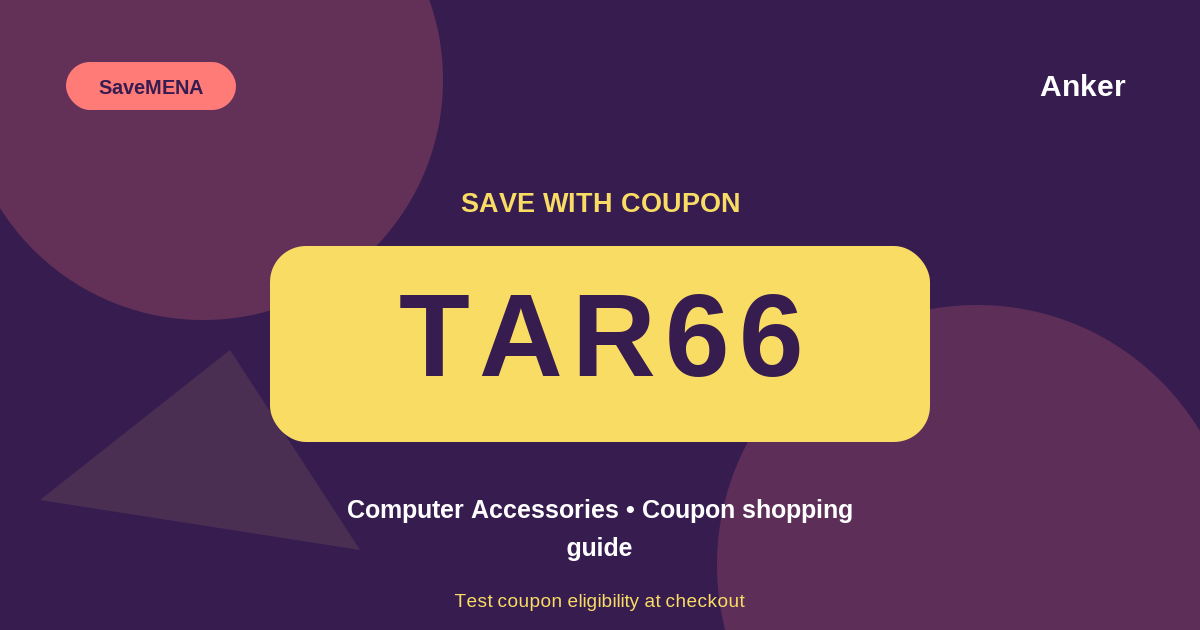
Codes available to try while comparing
These codes are not guaranteed for the article topic or listed brands; test them at checkout and use the live result.
Verify Product Details and Availability
Start by reviewing the item’s exact specifications—screen size, connectivity ports, power output, or any other technical feature that matters. Check the product description for included accessories, such as cables or adapters, and confirm the quantity you’re ordering. If the model number appears different in different listings, double‑check that you’re buying the same variant. This ensures your connection or power source will actually fit your device.
Next, confirm the product is in stock with the chosen seller. A listing might show “Available in 24h” or “Fast delivery,” but the status can change quickly. If the seller offers expedited shipping, make note of the estimated delivery window. If it says “Limited stock” or “Low quantity,” consider placing your order sooner rather than later to avoid back‑orders.
Ascertain Seller Reputation
Seller reputation matters particularly for tech accessories where quality and authenticity are key. Look for seller ratings, the number of positive reviews, and the percentage of buyers who rated the seller 5 stars. A higher rating typically indicates reliable customer service and accurate product listings. If you’re only seeing a handful of reviews, it might be worth looking for an alternative seller even if the price is slightly higher.
Another useful attribute is the seller’s responsiveness to customer messages. Try sending a quick question about the product’s compatibility or return policy. A prompt, helpful reply signals that the seller values customer experience—critical when you need support after delivery. Keep such conversations in the Noon chat for reference if issues arise.
Compare Delivery Options and Fees
Delivery costs vary across Noon sellers. Check if the Anker seller offers “Free Shipping” or a set delivery fee. The shipping time is equally important; select an option that balances cost and urgency. For example, a standard shipping slot may arrive in 3–4 days, while a premium slot could deliver within 24 hours for an added fee. Verify these details on the product page or during the cart review stage.
Some sellers charge a separate handling fee in addition to shipping. This fee is often displayed when you view the cart contents, not before. Make sure you record all additional fees before proceeding to payment, because these affect the final payable amount. If the combined shipping, handling, and product cost surpass your budget, you may need to adjust your order.
Scrutinize Product Warranty and Returns
Check the product’s warranty duration and scope. Anker accessories typically come with a limited warranty covering manufacturing defects, but the exact length can differ between models. The seller’s page should detail this information, or you can request clarification via the chat. A clear warranty statement reduces future hassle if a defect occurs.
Return policies also vary. Some sellers offer a “30‑day return” policy for electronics, while others restrict returns to original packaging or only for defects. Look for sections labeled “Return Policy” or “Prime Returns” to understand your rights. If the return window is short, double‑check the item’s condition or functionality before finalizing the purchase.
Confirm Coupon Applicability
To use a Noon UAE coupon, locate the “Apply Coupon” field on the checkout page. Enter the code TAR71 and press Apply. The system will validate the code automatically, presenting you with the new subtotal if it is accepted. If it isn’t accepted, a brief message will explain why—such as incompatibility with certain sellers or categories. Remember, this validation occurs during checkout, so be ready to adjust if needed.
Because we can’t confirm the coupon’s guarantee, keep a backup plan. If the code fails, proceed to pay your full price and consider contacting Noon customer support for assistance. In case the coupon works only with particular paid membership tiers, ensure your account meets any such requirements—though for TAN71, there are no additional membership stipulations.
Check Payment Method Compatibility
Ensure your chosen payment method is accepted by the Anker seller. Noon typically supports credit/debit cards, e‑wallets, and cash on delivery for some items. If you use a specific bank card, confirm it hasn’t been flagged for foreign transactions or special restrictions that might block the purchase.
Some sellers prefer certain payment methods for faster processing—particularly high‑value items. If the seller’s policy indicates “Instant Payment Required,” using a credit card or a service that protects against fraud may speed up your order. Verify this detail in the product page or seller’s FAQ before finalizing.
Evaluate Final Checkout Total
Before hitting the final confirm button, scroll through the checkout summary carefully. It should list the item price, any applicable discounts from the coupon, shipping & handling fees, and the final payable amount. If any line item appears inconsistent or if a coupon did not apply as expected, revisit the cart or contact seller support.
Check if any promotional or referral credits apply—those often appear as separate lines that reduce the final total. The final total displayed must match the amount your payment method will be debited. If the numbers differ, double‑check for hidden taxes or fees that might appear after payment, especially for electronics that sometimes carry import or service taxes in certain regions.
Take Final Steps Before Confirmation
With all details confirmed—product specs, seller rating, delivery terms, warranty, coupon validity, payment method, and total cost—you’re ready to place the order. Click the “Place Order” button with confidence, knowing that the system has hashed out all the final numbers. Keep a screenshot of the order confirmation or a page note; it will help if you need to refer to the order later.
After the order, monitor your Noon app or email for shipping updates. You’ll receive a tracking number once the seller dispatches the package. If any discrepancies arise—such as a delayed delivery or a missing item—contact the seller directly through Noon’s messaging system for prompt resolution. Satisfied that the process was thorough, enjoy your new computer accessory.
Related SaveMENA pages
Related articles
Official sources to check
Frequently asked questions
Can I use a Noon UAE coupon on Anker computer accessories?
Yes, you can enter the coupon code TAR71 during checkout for eligible Anker computer accessories sold by Anker sellers on Noon UAE. Whether the code applies depends on each product’s category restrictions and seller permissions, which are verified at checkout.
How do I verify the seller’s reputation before buying?
Check the seller’s overall rating, read recent buyer reviews, and test responsiveness by sending a quick query. A high rating and prompt replies typically indicate a trustworthy seller who values customer satisfaction.
Do I need a Noon membership to use the TAR71 coupon?
No membership is not required for this coupon. However, some sellers on Noon may have membership‑only policies for premium shipping or exclusive discounts, so review any such notes on the product page before applying the coupon.
What should I do if the coupon code is rejected during checkout?
Double‑check the code spelling, ensure you’re still eligible, and that the product category allows coupons. If it persists, contact Noon customer support or the seller for clarification, as the system will then verify eligibility under real‑time conditions.