Philips Electronics on Noon UAE: seller context — checkout checklist · TAR71
Make sure to mention focus keyword in intro maybe: "use a Noon UAE coupon Electronics Philips seller context" as a phrase. Use naturally.
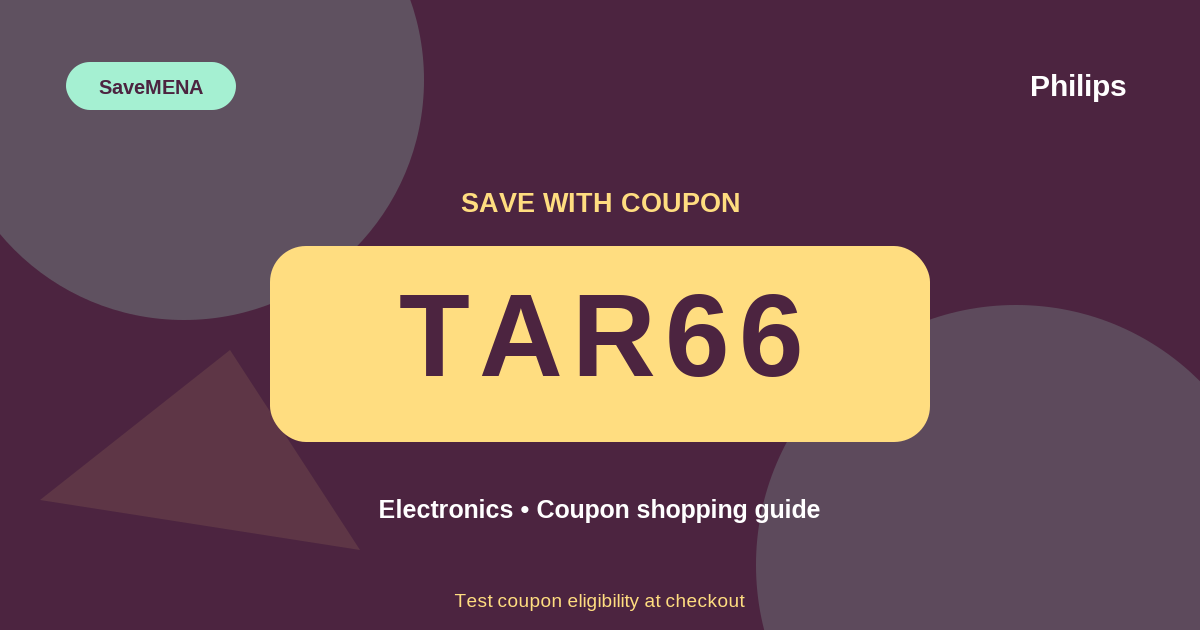
Codes available to try while comparing
These codes are not guaranteed for the article topic or listed brands; test them at checkout and use the live result.
Post-Purchase Actions and Customer Care
Make sure to mention focus keyword in intro maybe: "use a Noon UAE coupon Electronics Philips seller context" as a phrase. Use naturally.
When you’re about to hit the “Checkout” button on any electronics purchase, especially for a Philips item on Noon UAE, a careful last‑minute review can save you frustration and ensure you’re truly getting the best deal. Beginning with verifying the product details, confirming the seller reputation, and checking shipping policies are the core steps. Identify whether the TAR71 coupon can still apply, and confirm any extra fees such as delivery and taxes that might pop up at the final price screen. This concise checklist will guide UAE shoppers through every item of the checkout process, tailored for Philips electronics and the seller context found on Noon.
Confirming Product Specifics and Philips Compatibility
Start by verifying that the Philips model you’re adding to your cart matches your needs. Check the exact SKU, power rating, and any regional compatibility notes such as voltage and plug type. Even a single missing detail can lead to a return or mismatch in warranty coverage. A quick read of the product description and the manufacturer’s certifications will confirm you’re getting a genuine Philips unit rather than a knock‑off or older version.
Once the product details are approved, cross‑reference any previous reviews or forum posts specific to that Philips model in the UAE market. Look for mentions of charging speed, battery life, or country‑specific performance. If the product page lists a USA – 220V or UK – EU – 230V rating, verify that the model is indeed suited for UAE’s 240V supply, ensuring no future technical issues after purchase. This first touchpoint guarantees that what’s in your cart will work flawlessly in your environment before you spend a cent more.
Pinpointing the Seller’s Reputational Standing
Check the Seller Badge next to the item title. Noon’s marketplace displays ratings, years in operation and verified seller status. A high 4‑5 star rating, a large volume of completed sales, and frequent positive customer feedback are strong indicators that the seller will handle prepaid payments, dispatch, and after‑sales service responsibly. If a seller’s rating dips below 3.5 stars, especially with a small lifetime sales number, pause and look for alternatives.
Also review the seller’s Return Policy page on Noon. Does the seller offer a 14‑day return window, and what is the refund method? Some sellers are bound by Noon’s standard return guidelines; others add extra steps. When the seller’s return policy aligns with Noon’s baseline, you are assured that any potential mismatch at checkout will be manageable. Documenting these details before payment is critical to avoid disputes later.
Shipping Mechanics: Fees, Timeframes and Tracking</HEHEADING>
Navigate to the “Shipping” section of the cart. Note that Noon often picks a shipping option automatically; however, you can still see the delivery fee, estimated arrival window, and the carrier name. For high‑value electronics, some sellers waive shipping charges entirely, while others add a flat rate.A coupon is not guaranteed; verify its result at the retailer checkout.
The expected delivery window tells you when the Philips device will arrive. If the window extends beyond a week and you have an urgent need, consider an alternative seller or a “Same‑Day” flash offer if available. Additionally, look for the vendor’s tracking number once the order is confirmed; being able to follow the package in real time reduces confusion and confirms that the item is on its way.
Tax, Charges, and Final Price Breakdown
When you open the final price breakdown, you will see the product subtotal, applied coupon (if any), shipping fee and the VAT. UAE’s standard Value Added Tax rate is the discount shown at checkout and is automatically included in Noon’s calculations. If the TAR71 coupon is still valid, it will reduce the subtotal before VAT calculation, ensuring a lower total. If you don’t see the discount, either the coupon disqualified your cart or it was already used elsewhere.
Make sure to check for hidden fees such as “service charge”, “customs handling fee” or “funding fee”, depending on your payment method. These often surface only at this final walkthrough point. Record the final amount shown, and app‑select the payable amount if the system suggests converting once the coupon is applied. This will help you ascertain that you’re charging your card or e‑wallet correctly before you finalize the transaction.
Introducing the TAR71 Coupon to Your Checkout
At the checkout page, there is an option to “Enter a promo code.” Click that field and type the coupon “TAR71.” Noon will immediately validate the code against the cart’s eligible items, the seller, and your account status. Icons next to the promo field will indicate whether the coupon is applied, requires email verification, or has already been used.
If the coupon fails, double‑check its spelling and activation status. Occasionally, Noon’s auto‑applier disables coupons on specific sellers or brands. In that case, scroll to the verification link or contact Noon’s support via chat. If the code remains rejected, you may still have the chance to negotiate a smaller discount with the seller or choose another coupon to combine with TAR71.
Payment Methods and Fund Verification
Select the payment instrument that best fits the final price range that includes shipping, tax, and any additional fees. Noon UAE offers credit/debit cards, PayPal, Cash on Delivery (CoD) for certain sellers, and e‑wallets. CoD typically has a higher processing fee, so if the final amount is under a threshold that CoD is offered, verify if the coupon is still applicable to the order.
Before confirming payment, confirm that the amount displayed on your screen matches the bank’s pending amount. If you notice a discrepancy, the online system might have added a rounding adjustment or captured a fee from the payment provider that you’re not aware of. Reach out to Noon’s customer support or your card issuer to clarify before the final click.
The Final “Confirm Order” Button: Your Last Line of Defense
When you scroll to the “Confirm Order” button, validate that all previously checked details are still unchanged. Review the seller’s contact details, the exact product SKU, quantity, and the final price, which should now reflect the applied TAR71 coupon, tax, and shipping. A quick scroll of the order summary ensures that no hidden fees have crept in.
Once you press “Confirm Order,” your payment is authorized and the order becomes live. Noon simultaneously sends an order confirmation email and SMS to your registered contact. Keep that confirmation handy, as it contains the order number, payment receipt, estimated delivery window, and a link to track the shipment. Record the order ID for future inquiries and to confirm the sale has been processed by the seller as expected.
Related SaveMENA pages
Related articles
Official sources to check
Frequently asked questions
Does the TAR71 coupon apply automatically at checkout for Philips electronics?
The TAR71 coupon is available to try and may or may not be accepted depending on the seller and product. Enter the code in the promo field before finalizing payment. If it is rejected, double‑check spelling or contact Noon support for clarification.
How can I trust the seller’s ratings on Noon UAE?
Only view sellers with a high star rating and a substantial number of completed sales. Check the seller’s Return Policy and read recent customer reviews directly on the product page to ensure credibility and service quality.
Will the VAT be calculated after I apply my coupon?
Yes. Noon UAE adds the the discount shown at checkout VAT to the final subtotal after the coupon has been applied. This ensures you pay the correct tax amount on the discounted price, shipping, and any other fees.
Can I use the TAR71 coupon with a Cash on Delivery order?
Coupon compatibility with CoD depends on the seller and the order total. Enter the code before selecting payment to confirm if it is accepted; if the coupon is invalid, consider paying via card or an alternate payment method.