Gaming on Noon UAE: seller context — checkout checklist · TAR73
Check your game kit before you hit “pay” with this detailed checkout checklist, designed to keep you in control when shopping from a gaming seller on Noon UAE.
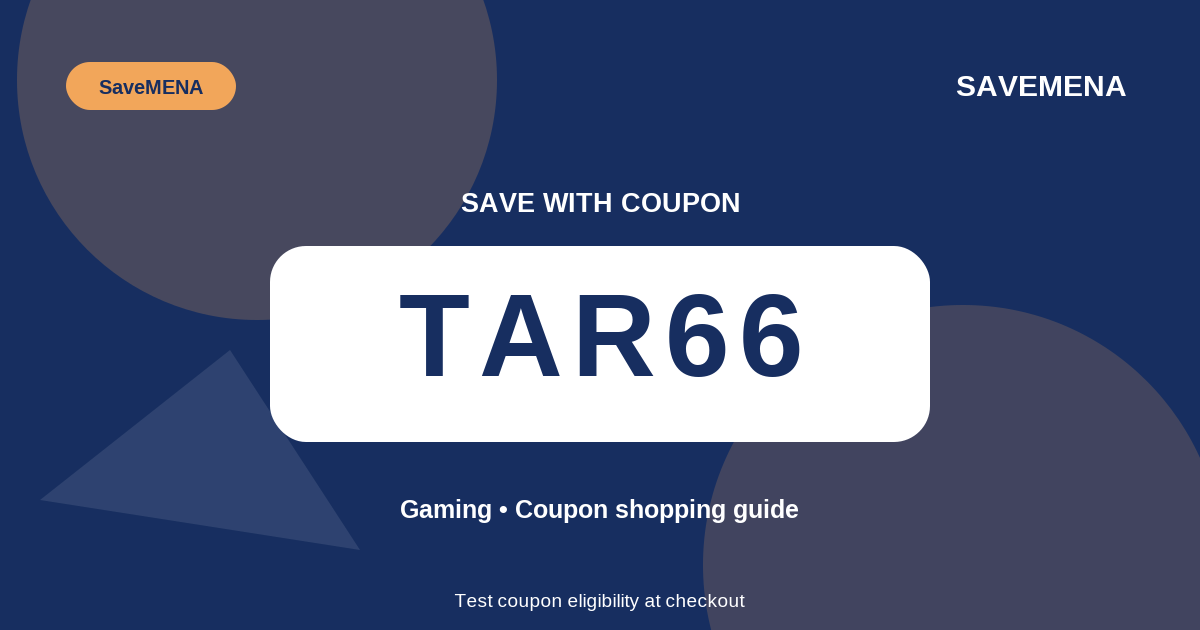
Codes available to try while comparing
These codes are not guaranteed for the article topic or listed brands; test them at checkout and use the live result.
Step 1: Confirm Product Availability with the Gaming Seller
Begin by reviewing the gaming seller’s product listings. Look for indicators that the item is in stock—such as a clear "in stock" status or a recent update timestamp. Pay attention to comments or Q&A sections where buyers may highlight delays or restock timelines, which help you determine whether the seller can fulfill your order promptly.
Double‑check that the specific variant (e.g., console model, color, or edition) you want is listed. Some sellers offer bundled packages or exclusive editions; verifying the exact variant ensures you won’t receive an alternate version unintentionally. This step cuts out late‑stage confusion that can delay delivery or require returns.
Step 2: Review the Seller’s Return & Refund Policy
Return procedures vary widely between sellers, especially for high‑value gaming gear. Examine the seller’s stated return window, whether returns are conditional on items being unopened, and the shipping cost responsibility. This information will save you trouble if the product arrives damaged or isn't what you need.
Check if the seller offers partial refunds for used accessories or a no‑questions‑asked guarantee on new releases. When policies mention free return shipping or a prepaid return label, be sure to note whether these apply only within the UAE or extend to other Gulf states, as this impacts what you’ll pay in case of a return.
Step 3: Verify Shipping Details and Handling Fees
Carefully scroll to the shipping section of the seller’s product page. Identify the expected delivery window—some sellers promise 2–5 days while others offer expedited shipping to meet launch windows. UAE shoppers should verify if the seller declares priority versus standard options.
Check whether free shipping thresholds apply or if there’s a handling fee, particularly for large game bundles. If the fee is listed as “fixed” or “depends on weight,” it may change at checkout. Knowing whether sellers charge extra for international express or local pickup will help you budget accurately before you proceed.
Step 4: Apply the Noon UAE Coupon and Check Eligibility
At checkout, locate the coupon input field and simply type TAR73. The system will instantly attempt to apply the discount to your order total. Pay close attention to any “– applied” notification or price reduction shown beside the coupon field.
If the coupon does not apply, examine the highlighted error message for clues. Common reasons include a mismatch between product categories, minimum spend requirements, or restrictions on promotional codes. Since the coupon is “available to try” and not guaranteed, you must confirm the discount’s application at checkout rather than assuming it will be automatically added.
Step 5: Check Seller’s Delivery Time and Tracking Options
Once the coupon applied, revisit the shipping details to confirm the updated total and delivery estimate. Sellers may provide real‑time tracking links or integration with third‑party logistics services. Ensure the tracking ID is active upon dispatch, as this allows you to monitor the package’s progress toward the UAE.
If the seller offers an in‑store pickup or a local hub option, compare this against home delivery costs. For gaming gear, store pickup might also mean you can get the product immediately upon arrival, reducing overall waiting time.
Step 6: Assess Payment Options & Security with the Seller
Before finalizing, review the available payment gateways listed by the gaming seller. UAE buyers often prefer credit cards, Apple Pay, or local digital wallets. Confirm that the chosen payment method remains active after the coupon deduction, as some platforms enforce minimum payable thresholds.
Verify whether the seller uses a secure payment processor, indicated by a lock icon or HTTPS URL. In the event of a payment dispute, the seller’s record of compliance with UAE consumer protection laws becomes relevant, especially for high‑value electronics.
Step 7: Review Order Summary Before Finalizing Checkout
In the order summary, cross‑check every line item: product name, seller name, quantity, unit price, seller’s discount (if any), coupon deduction, shipping cost, and any handling fees. A clear, item‑by‑item breakdown ensures no hidden charges surface after payment.
Confirm that the seller’s contact details and customer service links are present. This assists any post‑purchase queries, such as shipping delays, warranty claims, or technical support for gaming hardware. Having these ready at checkout can save time if you need quick assistance.
Step 8: Confirm Final Payable Total and Save with the Coupon
Read the final payable amount displayed after the coupon and shipping calculations. If the TAR73 discount reflects in the total, you’ll see a lower figure. If it doesn’t, the system will note an ineligibility message, and you’ll need to adjust your order or omit the coupon.
Once satisfied, proceed with payment. After the transaction, you should receive an email confirmation detailing the seller, order total, shipping details, and any expected delivery dates. Store this confirmation for reference, especially if you need to track returns or warranty services for the gaming item.
Related SaveMENA pages
Related articles
Official sources to check
Frequently asked questions
What should I do if the TAR73 coupon doesn’t apply at checkout?
Check for any error message explaining the reason. Common issues include category restrictions, minimum purchase thresholds, or seller-level limitations. If the cod is not accepted, consider contacting the seller for clarification or look for alternative discount options available on Noon UAE.
Can I use the TAR73 coupon for a bundle of multiple gaming items from the same seller?
When bundles are sold by the same seller and fall within the coupon’s eligibility criteria, the discount can apply after the bundle price is added to the cart.A coupon is not guaranteed; verify its result at the retailer checkout.
Will the seller’s shipping cost change after applying the coupon?
Generally, shipping fees are calculated before discounts. However, some sellers recalibrate the shipping fee after a coupon is applied if it affects the order’s overall value. Verify your final shipping cost in the order summary after using TAR73.
Is the seller’s return policy affected by using the coupon?
No. The return policy is determined by the seller and remains unchanged regardless of coupon usage. Review the policy during shopping, and ensure you understand any conditions such as return timeframes or condition requirements for your gaming product.