Sony Gaming on Noon UAE: seller context — checkout checklist · TAR71
When you plan to buy Sony gaming gear on Noon UAE, the first step is clear: use a Noon UAE coupon before adding items to your cart.
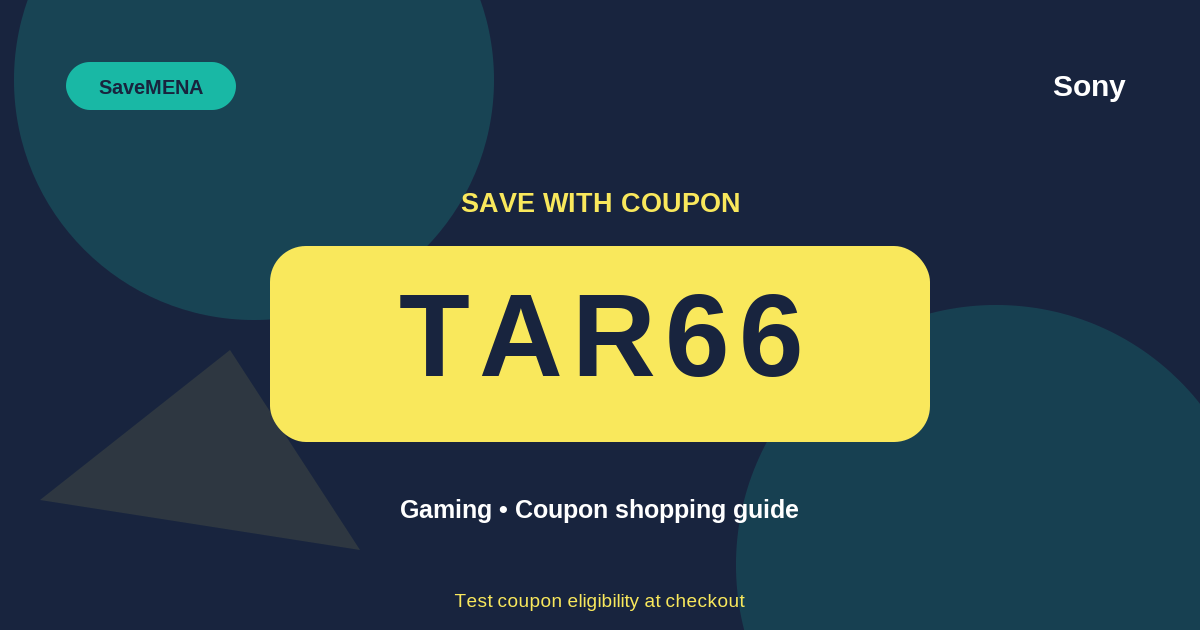
Codes available to try while comparing
These codes are not guaranteed for the article topic or listed brands; test them at checkout and use the live result.
1. Identify the Sony Gaming Seller on Noon UAE
The first move before checkout is confirming that the unit you want is sold by an authorized Nokia UAE seller. Look for the “Neon Shop” or “Sony Official Store” badge on the product listing. Authorized sellers tend to provide genuine Sony warranties and better return terms. If the listing shows a third‑party seller, verify that they have a strong rating and numerous orders, and read recent customer comments about product authenticity and shipping reliability.
In some cases, Noon hosts multiple Sony gaming bundles from different vendors. Compare seller profiles side‑by‑side: the owner name, establishment year, and the seller’s return policy icon. This evaluation helps you avoid counterfeit options. Remember, the checkout eligibility hinges on the seller’s credibility, so take the time now rather than later.
2. Verify Product Specifications and Compatibility
Once you’ve chosen the seller, delve into the product description. For Sony gaming consoles, confirm the region lock, storage capacity, and included accessories. Ensure that the console’s HDMI output matches your TV or monitor. If you’re eyeing a game, check the platform version—PS5 exclusive, PS4 backward compatible, or cross‑gen. Many sellers list the SKU in the product detail; use that to double‑check against your wishlist.
Testing giveaways are rare, so read user reviews for hints on hardware performance. Look for comments about the console’s connectivity and latency when paired with Sony controllers. If a discrepancy arises, reach out to the seller’s Q&A before adding the item to your cart. Doing so keeps the checkout configuration aligned with your gaming setup expectations.
3. Compare Seller Ratings and Customer Reviews
A strong seller rating on Noon UAE provides confidence in swift delivery and responsive support. While a seller may have a high overall score, review the specific feedback tied to Sony gaming products. This cross‑product rating can reveal how effectively the vendor handles returns for gaming hardware, critical if the console arrives harmed.
Coloring your decision lens around the seller means looking for patterns in complaints. For instance, if multiple buyers mention delayed shipping for Sony titles, flag that as a risk. Store suites often adjust their shipping fee tier after observing average order value, so higher seller credibility can translate to better fee terms for gaming bundles during checkout.
4. Understand Delivery Options, Timing and Fees
On the product page, choose your delivery slot. Sony gaming consoles usually come in heavier packages, which may trigger a delivery fee. Noon UAE offers free express and standard delivery; check if this fee is only for the first 5 kg or if it applies to larger shipments. The delivery fee appears at checkout; verify it once you add to cart.
If you need a time‑specific delivery—perhaps for a birthday gift—select the “Scheduled Delivery” option and confirm the date before proceeding. Orders placed close to a holiday or weekend often trigger additional handling charges. This step ensures that the final price in the checkout reflects your delivery choice, including any extra fees.
5. Check Return Policy and Warranty Coverage
Sony gaming consoles come with a standard one‑year firmware warranty, but the seller might add a longer period or an extended warranty plan. Look for the “Return Policy” badge and read its terms: a typical 14‑day return for electronics or a longer period tied to seller reputation. If a product is out of stock or delayed, the policy often differs; verify at checkout that you’re still covered.
To confirm warranty details, inspect the ‘Seller Guarantee’ section on the listing. The policy should state whether it includes defect repairs or water damage coverage. If you’re uncertain, contact the seller directly from the product page. Ensuring a clear return path protects you during the checkout and payment stages, especially if a discount code emerges later.
6. Validate Secure Payment Options and Checkout Security
When ready to proceed, choose a payment method that offers buyer protection. Noon UAE typically supports credit/debit cards, PayPal, and wallet payments. For larger amounts, consider a credit card with a three‑step verification. Ensure that the “Secure Order” padlock appears before entering details; this demonstrates encryption compliance.
If you opt for a card, some banks require pre‑authorization. Double‑check that the card used for the checkout will cover the final total, including any coupon or delivery fee. Avoid using public or shared devices for sensitive transactions—this keeps the checkout payment data safe from interception.
7. Apply the Noon UAE Coupon Code and Confirm the Discount
At the checkout page, locate the “Promo Code” field. Insert the coupon “TAR71” and press “Apply.” The platform will calculate the new amount, and you’ll see a line item for the discount. Observe the result carefully; the discount should reflect the coupon’s value and should be applied before tax and delivery fees.
Remember that coupons often carry certain conditions—minimum spend, specific seller, or product type. If you do not see the discount line, verify that the coupon is still active on the seller’s page. If the discount fails to apply, contact Noon’s support. Once confirmed, the final total on the payment screen should match the discounted price plus shipping, without hidden surprises.
8. Final Checkout Checklist Recap
Before you click “Pay,” step through the checklist: you have a verified Sony gaming seller, the product details match your needs, seller rating is strong, delivery option and fee are clear, return policy and warranty are confirmed, the payment method is secure, and the coupon code is active and visible. A final glance at the summary page should reassure you that no unexpected surcharge appears.
Only after satisfaction with the final visible total—indicating the “TAR71” discount, delivery fee, tax, and any other charges—do you confirm payment. Completing this precautionary process turns a potential shopping error into a smooth, confident purchase for your Sony gaming adventure in the UAE market.
Related SaveMENA pages
Related articles
Official sources to check
Frequently asked questions
Do I need to create a Noon UAE account to use the TAR71 coupon?
No account creation is necessary to try the TAR71 coupon. You can add the item to your cart and apply the promo code during checkout even as a guest. However, registering may provide added benefits like order tracking and return management.
Can I apply the TAR71 coupon after the checkout has begun?
Once the checkout page loads, you can usually add or edit the promo code in the dedicated “Promo Code” field. If the site’s flow restricts late changes, it’s safest to enter the code before the final payment step.
What if the SONY gaming product is out of stock?
Should the item be unavailable at checkout, Noon will prompt a back‑order option or suggest an alternative. Verify the expected delivery date and confirm that the product will arrive before any payment finalization.
Does the TAR71 coupon cover delivery fees?
Coupon coverage typically applies to the product price only. Delivery fees usually calculate after the discount is applied, but it depends on the seller’s policy. Check the final price line to see how fees are integrated post‑coupon.