Apple Headphones on Noon UAE: seller context — checkout checklist · TAR73
When shopping for headphones on Noon, the final moment before payment is as crucial as the gear you’re about to own.
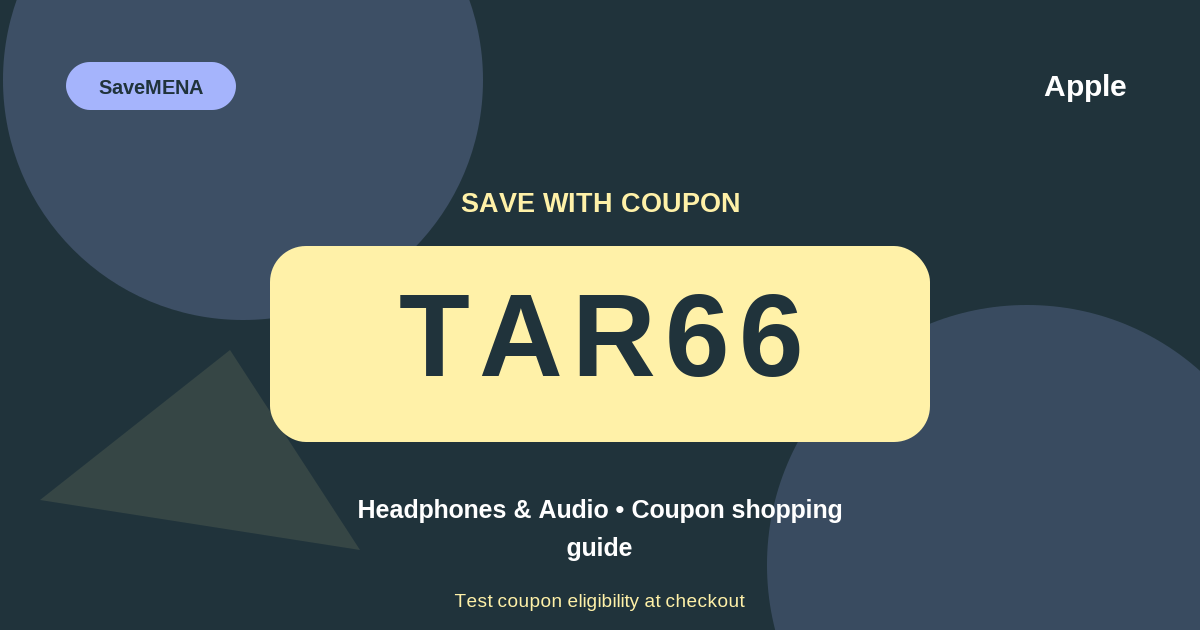
Codes available to try while comparing
These codes are not guaranteed for the article topic or listed brands; test them at checkout and use the live result.
Understanding Your Checkout Checklist for Headphones
Before you dive into any payment flow, prepare a mental checklist that covers the most common risks when buying headphones. Check product specifications, verify the brand and model, and compare the return policy—especially for high‑end headphones that often come with precise technical details. This stage protects you from similar models or clones that slip past the price spotlight. By watching these details, you’ll spot false promises or mismatches early, saving you time and frustration later on.
Next, prioritize seller context by confirming the seller’s identity on Noon. Search by the exact name, read customer reviews, and look at seller ratings from real buyers. Pay special attention to any feedback on delivery speed and handling. A respectable seller gives you confidence that the checkout will go smoothly and that the product’s authenticity is guaranteed. With these basic facts set, you move on to applying coupons without sacrificing clarity.
Identifying Trusted Noon UAE Sellers for Apple Headphones
Apple headphones and accessories are premium items, and counterfeit versions are a real risk. On Noon, find sellers that list themselves as authorized distributors or have official Apple branding. Verify the seller’s accreditations by checking their “Verified Seller” badge, if available, and cross‑checking their history of customer interactions. The stronger the trust signifiers, the more likely your headphone will match the advertised quality.
In addition to brand verification, focus on the seller’s geographic location. Sellers based in the UAE often benefit from faster, local deliveries and better return handling. If the seller’s address is outside the UAE, read their international shipping terms carefully; customs fees or longer transit could affect overall cost. By ensuring these seller characteristics align with your needs, you align the checkout with a reliable purchase experience.
Verifying Product Details and Seller Reputation Before Payment
Once you’ve selected a reputable seller, double‑check the product page for all technical specifications: model number, compatibility, battery life, and warranty length. For Apple headphones, this typically includes the generation (e.g., AirPods Pro 2nd Gen) and supported features such as spatial audio or adaptive EQ. Mislabeling can lead to disappointment after the item is opened.
Seller reputation also matters in the transaction step. Look at recent ratings—high satisfaction rates often indicate genuine customer support. Additionally, skim any seller-provided Q&A to surface common concerns voiced by past buyers. If a seller has negative feedback about late shipments, reconsider until you see a consistent value of on‑time delivery. These pre‑payment checks establish a safety net for the final cost.
Applying the TAR73 Coupon at Noon and Checking Eligibility
To use a Noon UAE coupon, simply locate the coupon section after adding the headphone to your cart. Enter the TAR73 code and watch the interface to confirm if it applies. The checkout system will calculate any discount on the order subtotal. If the coupon is eligible, you’ll see a revised total immediately—otherwise, a message will inform you it can’t be applied. The system reflects the most accurate pricing at checkout, ensuring no surprises.
Because coupons can be restricted by seller or category, double‑check that the chosen seller for your Apple headphone doesn’t explicitly block discount codes. Often, manufacturers or premium sellers enforce no‑discount rules. If the coupon doesn’t apply, explore other legitimate discount events or use alternative payment methods that may offer small rewards. Even without savings, this step keeps you informed of where promotions do or do not fall.
Confirming Shipping Options and Delivery Fees
Before hitting “Place Order,” review the shipping options shown by Noon. Select the fastest local delivery if you need the headphones promptly; compare it with standard shipping that could be cheaper but slower. Look at any delivery charges displayed; these inform the final payable total. On the checkout page, the shipping fee is typically itemized, giving you transparency for the length of stay of your product.
Additionally, check for any proactive shipping notifications from the seller. Some sellers include a “delivery date” estimate that aligns with their fulfillment center’s operation times. Verify that the shipping coverage includes your region within the UAE, especially if you’re ordering from a seller based in a different emirate. Accurate shipping confirmation ensures your payment reflects real delivery costs.
Reviewing Payment Methods and Secure Checkout Practices
When choosing a payment method, prioritize secure, traceable options. Card payments via Noon’s own payment gateway or reputable card processors supply buyer protection and fraud monitoring. If you prefer using a digital wallet, be sure the wallet’s terms align with Noon’s privacy policies. Note any additional processing fees that could affect the final amount.
Before closing the transaction, double‑check that your payment details match the buyer information on your Noon profile. The checkout system will confirm your email, shipping address, and phone number. These fields influence both delivery logistics and potential support interactions. A quick audit at this stage assures that no mismatch leads to a delayed shipment or mis‑delivered package.
Tracking Order Status and Seller Communication Post-Purchase
The Noon order confirmation page provides a tracking number and link to the seller’s shipment portal. Clicking this link sends you real‑time updates—from order received to out‑for‑delivery events. Understanding these stages removes guesswork and lets you manage expectations after payment.
Maintain active communication with the seller by replying to any messages in your Noon account or by using the platform’s chat feature. Sellers often share packing updates or expected delivery windows. Prompt responses from sellers also help resolve any post‑purchase concerns quickly. Keep a record of these interactions; they are useful if you need to file a claim or request a return later.
Utilizing SaveMENA Resources for Post‑Purchase Support
SaveMENA serves as an independent marketplace guide, offering insights into reputation, customer service, and complaint handling practices within the UAE’s e‑commerce scene. While not affiliated with Noon, SaveMENA aggregates user reviews that highlight common post‑purchase experiences with specific sellers. This knowledge can inform your choice in future transactions.
If you encounter any issues—delayed delivery, product discrepancy, or seller non‑responsiveness—use SaveMENA’s forums or community pages to seek advice. Community members often share how they dealt with similar problems, including any procedures they followed with Noon’s dispute resolution channels. Leveraging these collective experiences empowers you to act intelligently faster.
Related SaveMENA pages
Related articles
Official sources to check
Frequently asked questions
What happens if the TAR73 coupon doesn’t apply to my Apple headphone?
If the coupon is ineligible, the checkout page will keep the original price. You can still check the product and seller details. If discounts are essential, you might consider waiting for a sale event or using a different cashback or loyalty program that offers a guaranteed saving.
How can I verify that my chosen Noon seller is trustworthy?
Look for a “Verified Seller” badge, read recent product reviews, and check seller ratings. Ideal sellers will have high satisfaction scores and a history of on‑time deliveries. You can also search the seller’s page for any past disputes or negative feedback.
Will my delivery fee change after I’ve entered my shipping address?
Usually, the delivery fee remains consistent once you’ve selected a shipping option. However, you’ll see a final total at checkout that includes all fees. Verify that no extra charges appear before you confirm the purchase.
Can I use a credit card or digital wallet to apply the TAR73 coupon?
The coupon application process is independent of the payment method. You can enter TAR73 in the coupon box before completing payment. Any eligible discount will show on the checkout page regardless of whether you choose a card, digital wallet, or UPI payment.