Puma Men’s Fashion on Noon UAE: seller context — checkout checklist · TAR71
Begin by locating the Puma product listing that states the seller’s name. On Noon, different sellers can offer the same brand, and each seller may have distinct
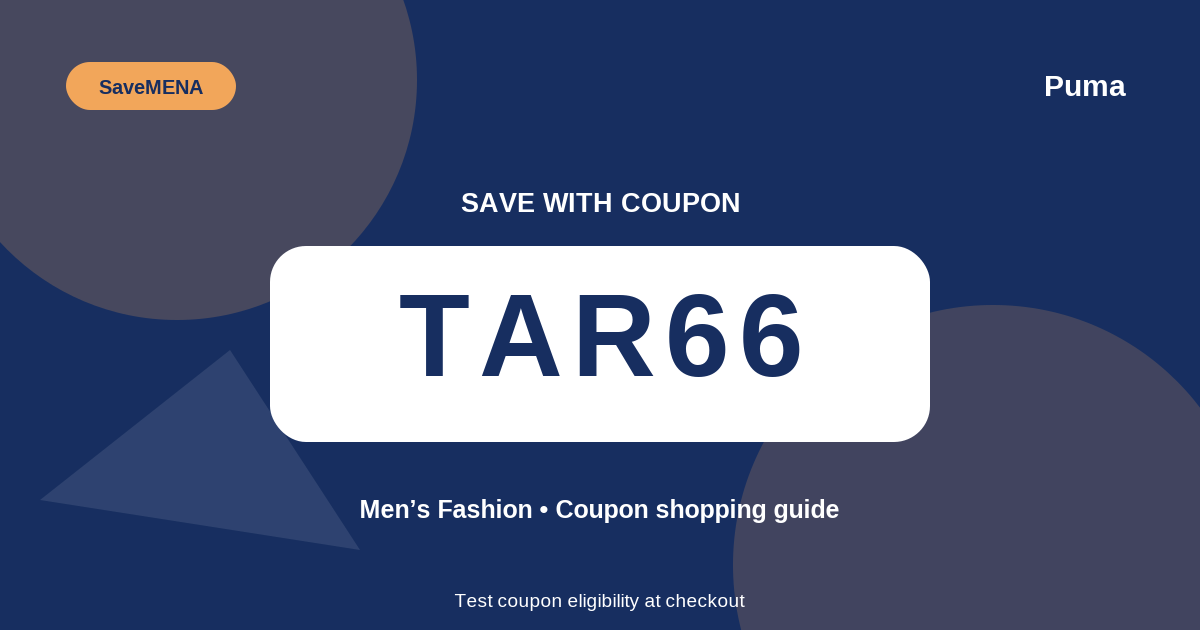
Codes available to try while comparing
These codes are not guaranteed for the article topic or listed brands; test them at checkout and use the live result.
1. Identify the Right Seller: The Seller‑Specific Verification
Begin by locating the Puma product listing that states the seller’s name. On Noon, different sellers can offer the same brand, and each seller may have distinct shipping terms or voucher eligibility. Confirm the seller’s displays a “Puma” badge and read through the Seller Information section to understand their return policy, delivery timeframe, and any additional local fees they might charge. This initial check sets the foundation for all subsequent steps in the checkout process.
Once the seller is confirmed, ensure you have scrolled to the bottom of the listing where seller reviews and ratings sit. Even though you cannot assume a rating, a higher score can indicate better handling of orders and vouchers. If the seller is a branded “Puma” partner, certain promotional offers may be more reliable, but this still requires verification at checkout as the coupon’s effectiveness can vary from seller to seller.
2. Confirm Product Details and Availability
Review the size, colour, and model number of the Puma item in question. Pay particular attention to the stock status indicator—if the product shows “Limited Stock” or “Out of Stock,” the coupon may not apply until restocking occurs. This is a critical seller‑centric observation because availability can shift rapidly, and a coupon may become invalid for an item no longer offered by that seller.
The product description often lists material specifications, washing instructions, and a size chart. Although you cannot assert any performance claims, verifying that the product meets your expectations reduces the risk of post‑purchase disputes. Align these details with the seller’s stated shipping policies, as some sellers may bundle shipping with certain product types or sizes, affecting how the coupon’s discount applies to the overall price.
3. Modalities for Payment and Verification of Coupon Eligibility
Navigate to the cart overview and click “Proceed to Checkout.” Here you’ll see a field labeled “Enter Promo Code” where you may enter TAR71. The system will automatically evaluate the code against the seller’s current promotions. However, as the coupon is “available to try,” it may still be rejected if the seller has not enabled it for that particular product or if the purchaser’s account does not meet certain eligibility conditions.
Before confirming payment, check the payment method options: credit card, debit card, and e-wallets. Some sellers may only allow certain payment types for coupon redemption, a detail only available during checkout. The final payable total will list any discounts applied and any additional fees or taxes. Verify that the final figure aligns with the expected seller price before you finalize the transaction.
4. Review Shipping Options, Fees, and Timeframes
In the shipping section, examine the available delivery methods. Sellers on Noon can select express or standard shipping, each with different cost structures. Verify whether the seller’s shipping fee is included in the total displayed after coupon application. If the seller offers free shipping for a particular range of orders, this condition may still be contingent on the product’s price after coupon reduction, which is a seller‑specific stipulation.
Timeframes listed by the seller—such as “Same‑Day Delivery” or “Within 3–5 Business Days”—should be cross‑checked against your own needs. Sellers sometimes offer expedited shipping only for certain regions, so confirm that the delivery address is supported under the seller’s chosen method. Remember that while the coupon may reduce the subtotal, any shipping fee remains subject to the seller’s policy and may not be waived automatically.
5. Inspect the Return Policy and Seller Reputation
Return policies on Noon are seller‑dependent. Look for a “Return Policy” link under the product detail page. A seller that supports a generous return window or free return shipping often reflects reliable service, which can be particularly reassuring if the coupon slightly changes the perceived value of the purchase. Access the policy by clicking the link; the page will detail steps for returns, time limits, and conditions for refund eligibility.
Additionally, examine the seller’s overall rating in the dashboard. While you should not assume a rating equates to quality, it offers a snapshot of the seller’s performance across all customer interactions. If the rating appears lower than expected, you might want to compare alternative sellers before finalising. However, the decision ultimately hinges on a balanced view of product fit, price after coupon, and seller credibility.
6. Assess Order Summary for Hidden Fees and Tax Inclusions
When the cart summary loads, confirm that the displayed tax—if any—enters the total correctly and is included or excluded as per the seller’s proxy. Some sellers differentiate VAT applicability based on the buyer’s residency, and this layer remains unaffected by the coupon. Verify that the order total displays each component: product price, any discount, shipping, tax, and final dials per the seller’s calculation.
If the seller offers a bundled fee for handling or processing, it typically appears in the breakdown of charges. Since the coupon’s guarantee is unclear, double-check that no unexpected import duties or additional service taxes sneak in after applying TAR71. An accurate order summary eliminates surprise charges during the payment step, enabling the most transparent checkout flow.
7. Finalise the Purchase: A Last‑Minute Checklist
Just before clicking “Place Order,” recapture every element of the order summary: the final price, applied coupon code, shipping method, delivery estimate, and return policy. This final shot ensures that the coupon’s impact and the seller’s terms have not shifted post‑confirmation, a common risk when interactions involve dynamic inventory and promotional updates.
If the coupon did not apply, the total will reflect the original price, and you can still proceed under the seller’s standard price structure. The decision lens here is seller‑centric: accept the seller’s presented terms and finalize the transaction, acknowledging that any post‑purchase negotiations must adhere to that seller’s conditions. This pause preserves the buyer’s stake in the seller’s final offer.
Related SaveMENA pages
Related articles
Official sources to check
Frequently asked questions
How do I apply the TAR71 coupon during checkout on Noon?
During the checkout process, locate the “Enter Promo Code” field on the payment page and type TAR71. The system will automatically check validity against the seller’s current promotions. If the code is accepted, you’ll see the discount reflected in the final total.
A coupon is not guaranteed; verify its result at the retailer checkout.
SaveMENA provides this coupon for potential use; however, its acceptance is not guaranteed. Effectiveness depends on the seller’s promotion settings and your account eligibility.A coupon is not guaranteed; verify its result at the retailer checkout.
What happens if the seller doesn’t accept the coupon?
If the chosen seller’s system rejects TAR71, the cart will display the original price. You can still place the order under the seller’s standard rate, or you may switch to a different seller offering the same Puma product with the coupon enabled.