Anker Mobile Accessories on Noon UAE: seller context — checkout checklist · TAR73
Seller context involves learning who is onhand with your chosen product and where they base their operations.
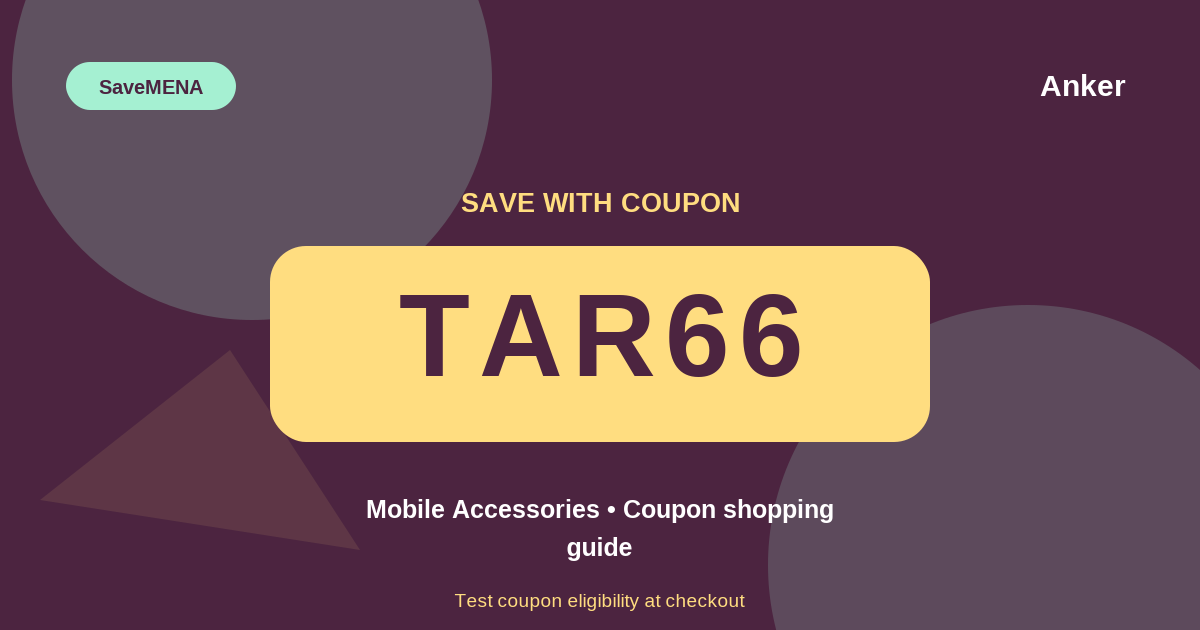
Codes available to try while comparing
These codes are not guaranteed for the article topic or listed brands; test them at checkout and use the live result.
Understanding Seller Context for Mobile Accessories
Seller context involves learning who is onhand with your chosen product and where they base their operations. For mobile accessories on Noon, many listings feature Anker as a direct seller, but third‑party sellers might also carry the brand. Knowing whether your product is shipped from a verified warehouse or a local distributor can affect both delivery times and return processes. The seller banner on the product page will indicate whether they are an official Anker partner or an approved reseller, and this label should be checked before adding items to the cart.
While browsing, notice the seller’s overall rating in the “Seller Reputation” section. This rating reflects customer trust and service quality, not the product itself. For mobile accessories, a high rating may be a sign of reliable customer support, especially if you have questions about compatibility or firmware updates. Double‑check the seller’s frequently asked questions section to confirm they handle five‑year replacement policies or hardware warranties typical for Anker products.
Reviewing Product Specifications and Ratings
Each mobile accessory listing should detail technical specs such as USB‑C compatibility, charging wattage, and cable length. For Anker chargers or cables, these specifications often include brand‑specific technologies, like PowerDelivery or Quick‑Charge. Verify that the listed specs match your handset’s requirements, especially for multi‑port chargers that support several devices simultaneously. The product description is usually drawn from the official manufacturer data sheet, so feel free to cross‑reference these details with Anker’s website for confirmation.
Product ratings offer insight into user experience. An average rating of four stars or higher suggests a pattern of customer satisfaction, but pay attention to recent reviews that highlight issues such as overheating or connector durability. Filtering reviews by the most recent can show if a new batch of items has improved. Also, check if the product has a firm “Verified Purchase” badge, indicating that the review came from a real buyer through Noon’s platform.
Choosing the Right Anker Product Package
When selecting an Anker package—whether it’s a single cable, a multi‑port charger, or a wall‑mounted organizer—consider how the parts fit into your daily routine. If you travel frequently, a compact travel kit may be more practical, while a home office setup might benefit from a hub that plugs into your PC. Each Anker product line often offers tiered models; for instance, the Anker 24‑hour charging power bank might have a 10,000‑mAh variant and a more powerful 20,000‑mAh model. Selecting the right capacity reduces the likelihood of needing to replace the accessory prematurely.
Packages that bundle multiple items, like a charging station with a cable and a stand, typically provide a small convenience benefit over items purchased separately. Yet, because bundled items sometimes come from a single seller, the checkout will show a single shipping fee, simplifying your payment. Be sure to read the bundle’s item list through Noon’s “Product Details” panel and verify that all components are actually part of the sale – some bundles advertise an extra item but only ship a subset.
Applying Your Noon UAE Coupon: Step‑by‑Step
After adding your chosen mobile accessory to your cart, navigate to the coupon field in the checkout or on the cart summary page. The coupon code “TAR73” is valid for free use on eligible items. Enter the code exactly as it appears, respecting capitalization and punctuation, and press the apply button. If the coupon is accepted, you will see a temporary deduction in the total line, but no percentage or amount will be specified until you reach the final verification screen.A coupon is not guaranteed; verify its result at the retailer checkout.
Coupon validity can depend on multiple factors such as item category, seller, or minimum purchase threshold. Because these specifics might vary, verify that the product remains visible under the discounted total. If after applying TAR73 you still see the original price, the seller may not qualify for this coupon, or the product may be excluded. In such a scenario, proceed to checkout without the coupon to avoid disappointment at the payment stage.
Verifying Delivery Options and Fees</HEHeading>
Delivered from the UAE portal, most mobile accessories via Noon list standard and expedited delivery times. Double‑check the estimated arrival date through the “Shipping Information” section on the cart page; accelerated delivery often incurs a separate shipping fee. If your purchase includes an Anker-certified service plan, ensure the plan’s coverage extends to the specific model you’re buying. Unpacking an internationally sourced product might also trigger customs documentation, depending on your current location within the UAE.
Should you need a same‑day delivery, confirm that the seller’s location permits it. Remember that free shipping is sometimes assembled into larger orders, so for a single mobile accessory you may see a nominal fee. Recording the shipping cost in the cart total provides a clear reference for your final payment, ensuring the amount on the payment screen matches what you expected.
Preparing for Payment: Payment Methods and Security
Prior to payment, review the payment options available on Noon. Popular methods include UAE credit cards, debit cards, and digital wallets such as Apple Pay or GCash (where applicable). Some sellers support after‑pay options, but these may not be combined with coupons or free shipping. Ensure the card’s currency is set to AED to avoid unnecessary foreign‑exchange conversion during processing.
Security features, such as two‑factor authentication, may appear during payment. When prompted for a verification code, confirm the code arrives via SMS or app notification instantly. Keep your device’s network connection stable, as any timeout could cause the transaction to be canceled. After successful payment, a receipt will be emailed, and a tracking number will be provided for delivery follow‑up.
Using Seller Metrics: Rating, Return Policy, and Support
In the final moments before confirming payment, revisit the seller’s ratings and reviews. High seller ratings often correlate with prompt responses to return disputes or product defects. For Anker products, return periods commonly span 30 days, but confirm the specific policy outlined in the seller’s return documentation. The return policy page will also detail whether a restocking fee applies, which can impact your final cost if the return is initiated.
Enable the seller’s support channel by noting the listed phone number or live chat link from the product page. If a charger malfunctions or the cable frays early, having a direct contact line speeds resolution. The contact information is also useful if a coupon seems invalid or you need clarification on a product’s warranty terms before or after purchase.
The Final Checkout Confirmation: What to Double‑Check
Before confirming the payment, read the final checkout confirmation screen. This screen aggregates the product price, any applied coupons, shipping charges, and taxes. Because Noon does not display cumulative savings percentages, your best reference is the individual numbers stacked beneath the total amount. Verify that the applied coupon code TAR73 is listed along the discount line; a missing code could indicate a processing error or incompatibility with the seller.
The last line of the checkout also indicates the final payable amount in AED. Compare this number against the cart totals you noted earlier, including delivery and offers. Once every figure aligns, proceed to the payment button. After the transaction, keep the confirmation email handy; it will serve as proof of purchase, particularly if you later need to claim a return or warranty service for your Anker mobile accessory.
Related SaveMENA pages
Related articles
Official sources to check
Frequently asked questions
Can I use multiple coupons on the same purchase?
No, Noon typically allows only one coupon to be applied per transaction. If you have a second coupon, you’ll need to complete the purchase with the first one before activating the next.
What happens if the coupon is not accepted at checkout?
If you see an error or the coupon code does not reflect a discount, the seller may not qualify for that coupon. In that case, proceed without it. You can still use the coupon for future orders that meet the eligibility criteria.
How can I confirm my payment was successful?
After payment, a confirmation screen will appear and an email note will be sent to your registered address. The email will contain a transaction ID, receipt, and tracking details if applicable.
Will the return policy differ between an Anker seller and a third‑party seller?
Return policies can vary; Anker’s official seller typically offers a set period and conditions that align with the brand’s warranty, while third‑party sellers may impose different terms. Review the policy page for each seller before purchasing.