Huawei Mobiles on Noon UAE: seller context — checkout checklist · TAR73
When you arrive at Noon’s product pages for Huawei mobiles, the first layer of information is the seller badge.
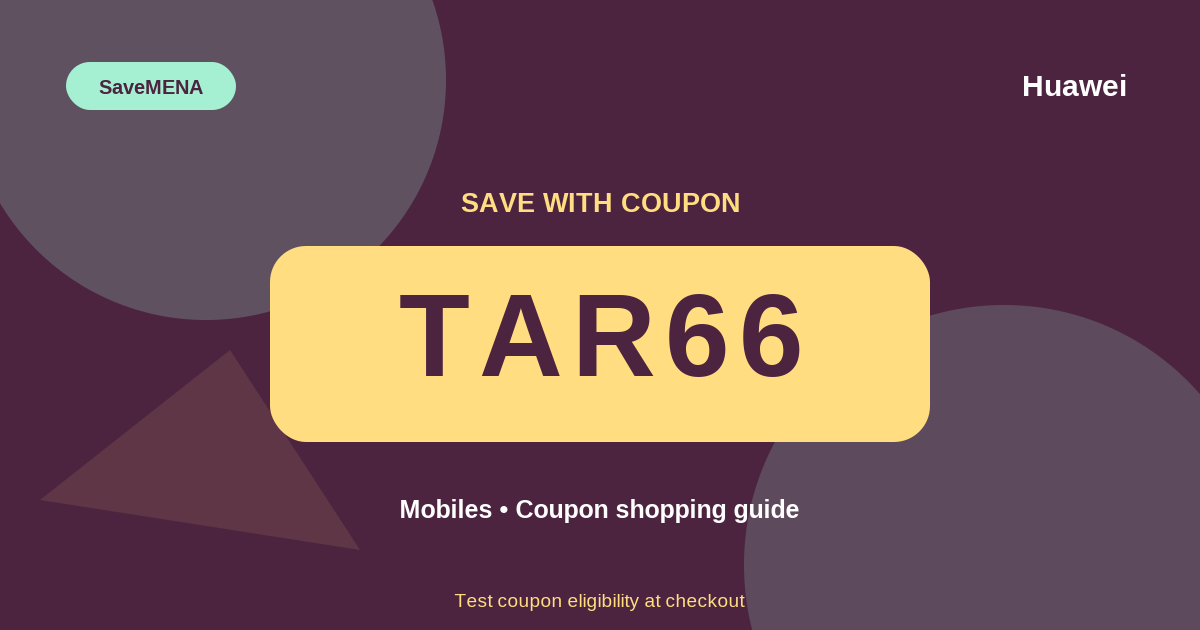
Codes available to try while comparing
These codes are not guaranteed for the article topic or listed brands; test them at checkout and use the live result.
Understanding the Seller Landscape on Noon UAE
When you arrive at Noon’s product pages for Huawei mobiles, the first layer of information is the seller badge. Sellers on Noon are independently operating merchants; their profiles display a rating, number of completed sales, and customer feedback that can provide insight into service quality. Verify that the seller has a substantial number of positive reviews and a visible star rating, as this often correlates with reliable order handling and timely communication. In addition, check whether the seller’s profile indicates a verified business status or showcases a history of verified product listings.
Another practical tip is to look at the seller’s response rate. A quick glance at the published metrics can reveal how promptly they answer queries or respond to order changes. If a seller’s response rate is low, or if their profile lists a recent history of customer complaints, consider exploring alternative listings for the same model. Assessing seller details early ensures that you are working with a merchant likely to deliver a smooth purchase experience.
Identifying Reliable Huawei Mobile Listings
After narrowing down sellers, focus on the product’s technical specifications. Huawei mobile listings typically include detailed information such as display size, camera resolution, battery capacity, and RAM/ROM configurations. Look for specification tables that match your intended use and compare them against similar models to avoid discounted or unauthorized variations. Pay particular attention to “Authenticity Certifications” or labels that indicate the phone is an original Huawei product. This helps you avoid counterfeit editions that may not offer genuine performance or service support.
Check the listing’s date of posting and any price changes. A listing that has been active for a long time may imply consistent seller activity, whereas a newly posted item might lack the same proven track record. It’s also wise to review any included description of the phone’s condition (new, refurbished, or used). Ensuring clarity about the device’s state will help you confirm that the item meets your purchase criteria before applying any coupon code.
Applying the Noon UAE Coupon Code Correctly
When you add the Huawei mobile to your cart, you’ll find a coupon code field within the checkout interface. Enter the supplied code TAR73 precisely as displayed – even a minor typing error could prevent its recognition. The system will process the code at the coupon validation step before you proceed to shipping and payment, ensuring that any applicable discount is applied to the total prior to final calculation.
It’s important to note that coupon eligibility remains dependent on the shop’s current promotion settings. While the coupon can be applied to many mobile listings, its validity may still rely on the seller’s participation in Noon’s discount program or the item’s compliance with the coupon’s terms.A coupon is not guaranteed; verify its result at the retailer checkout.
Verifying Product Details and Seller Credentials
Before proceeding to the shipping step, open your cart and review the product details. Confirm that the selected model name, color, and storage capacity exactly match your needs. Cross‑reference these details with the product page to avoid hidden variant changes that could appear at checkout, such as an alternate color or capacity.
Next, open the seller’s profile from within your cart. Look for signs of a verified seller badge, recent activity, and a high customer satisfaction score. This check will reinforce that the seller is trustworthy and has historically fulfilled orders accurately, reducing the risk of discrepancies between the listed product and what actually arrives.
Reviewing Shipping Options and Fees
Check the array of available shipping methods for the chosen Huawei mobile. Noon may supply several options ranging from standard to express delivery. Evaluate the expected delivery window – the time frame in which the item is supposed to arrive – and any service-level guarantees offered. For international or remote locations within the UAE, note that shipping costs may vary or be subject to local handling fees.
Verify that the shipping charges are automatically reflected in the cart after selecting your preferred option. If a seller charges a separate handling fee, it should appear distinctly in the order breakdown. This final check ensures that the sum you see before payment represents the actual cost you’ll pay, inclusive of shipping and any applied coupon reductions.
Inspecting Return and Warranty Policies
Read the return policy listed by the seller. Payment‑for‑return thresholds and allowable return windows are sometimes specific to mobile devices, especially those from high‑tier brands like Huawei. Ensure that you understand the conditions for returning the device, such as whether you have to provide evidence of damage or if returns are permitted for cosmetic issues only.
Warranty coverage is critical for mobile electronics. Locate the warranty information, commonly displayed as “Device Warranty” or “Manufacturer Warranty.” Confirm that the manufacturer’s warranty is in force, starting from the date of purchase, and check whether the seller participates in Noon’s extended warranty options, if any. Knowing these details beforehand protects you against unexpected out‑of‑pocket costs or complications post‑delivery.
Finalizing Payment and Selecting Secure Checkout Methods
At the Payment stage, verify that every figure in the order summary – item cost, applied coupon, shipping, taxes, and any additional fees – aligns with the amounts you expect. If the summary displays a discrepancy, revisit previous steps or make an adjustment to gate any errors from propagating to payment.
Choose a payment method that offers buyer protection, such as Credit Card or PayPal, and ensure that the method’s details are entered accurately. Once you confirm that the digital signature or confirmation prompt has been satisfied, the payment will be authorized and the order is officially submitted. The transaction confirmation page will give you the necessary reference number for future inquiries or tracking.
Post-Purchase Confirmation and Tracking Your Order
After submission, you should receive a confirmation email or notification from Noon that includes your order ID, a summary of the items purchased, and estimated delivery details. Keep this information organized, as it will be essential if you need to check the status or contact customer service.
Use the tracking link provided in the completion screen to monitor the progress of your Huawei mobile. Tracking updates typically detail the rider’s pickup, in‑transit, and delivery stages. If the shipment status does not reflect the expected timeline, you can initiate a support ticket through the Noon app, referencing the order ID and any shipping receipts that you have retained.
Related SaveMENA pages
Related articles
Official sources to check
Frequently asked questions
How does the coupon code TAR73 affect the total price for a Huawei mobile on Noon?
The coupon code is applied at checkout before final payment is authorized. Once entered, its discount updates the order total immediately in the cart, including item price and shipping. Confirm the new total in the order summary before proceeding to payment. If the code fails, re‑enter it or confirm eligibility according to seller settings.
What should I check about the seller before applying the coupon code?
Verify the seller’s rating, number of completed sales, and response rate. Ensure the seller’s profile indicates a verified business or high satisfaction score.A coupon is not guaranteed; verify its result at the retailer checkout.
Can I change the delivery address after I’ve already entered the coupon code?
Yes, you can modify the delivery address during the shipping step after the coupon has been applied. However, any address change should be confirmed before final payment so the shipping fees and estimated delivery time accurately reflect the new location.
If the Huawei mobile arrives damaged, does the Noon coupon still apply?
Coupon discounts are applied at the time of purchase and do not automatically influence return or refund processes. If you receive a damaged device, you should initiate a return according to Noon’s policy, referencing the order ID and any photographic evidence. The refund amount will consider the product’s condition, but the coupon credit remains attached to the original order’s final cost.