Pet Supplies on Noon UAE: seller context — checkout checklist · TAR73
When you are ready to purchase pet supplies on Noon UAE, the very first step is to confirm every element of the order before final payment.
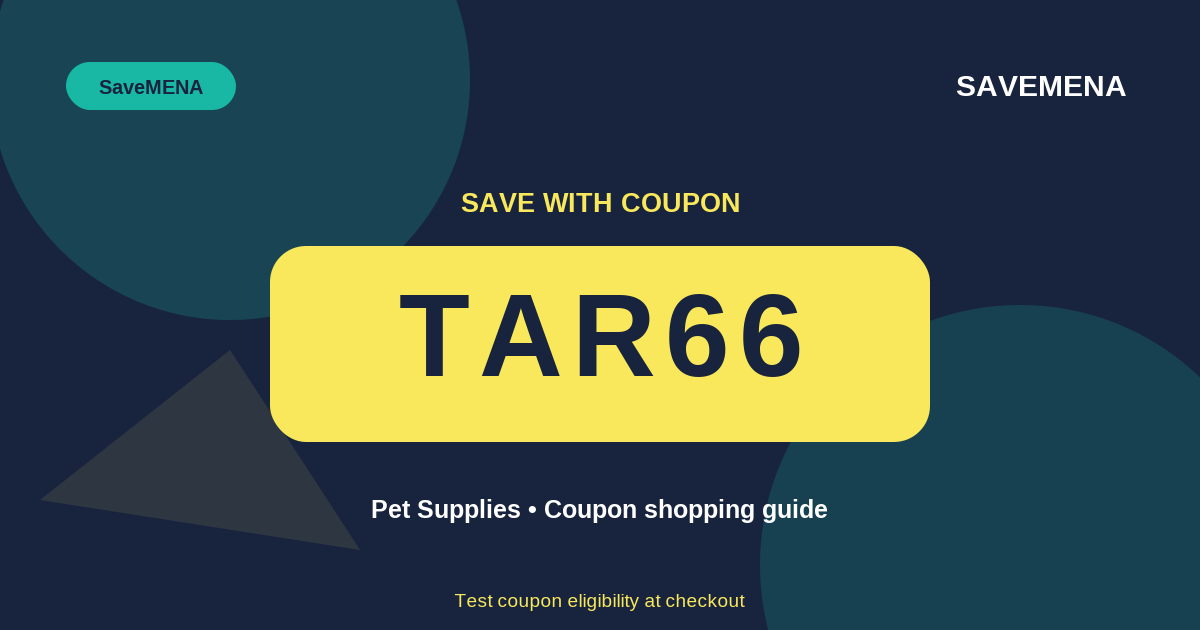
Codes available to try while comparing
These codes are not guaranteed for the article topic or listed brands; test them at checkout and use the live result.
1. Confirm Product Identity and Sub‑Specifications
Start by verifying the exact product title and the SKU displayed in your cart. Pet supplies often come in different sizes, flavors, or formulations (e.g., dry vs. wet food, standard vs. weight‑management). Ensuring the correct variant is critical because once you pay, changes are limited. If the product page lists attributes like weight, flavor, or color, double‑check that they match your selection in the cart. Mis‑matching details are one of the most common reasons for returns and often trigger longer resolution times.
Next, cross‑check the product description against your own pet’s needs. Many pet items are categorized by species, breed, or age; confirm that the item’s specifications (e.g., size of a chew toy or dosage of flea medication) suit your pet. Read any available tips on usage or warnings. For pet care items that require prescription or professional advice, consult your vet before approving the purchase. This protective check keeps your pet’s wellbeing front‑and‑center.
2. Scrutinize Seller Reputation and Reliability
On Noon, multiple sellers can offer the same pet product. Reviewing the seller’s rating, comment history, and shipping times gives you a clear picture of reliability. A seller with a high average rating and numerous positive reviews gives a stronger assurance that the item will arrive intact and on schedule. Pay special attention to recent reviews that mention prompt delivery, accurate packaging, or helpful customer service. This seller context influences how quickly any post‑purchase issues, such as returns or refunds, can be resolved.
When the seller’s information shows limited feedback or a low rating, consider comparing prices and delivery performance with more established vendors. In some cases, higher priced or less-reviewed sellers have solid guarantees or express shipping options that can suit urgent needs. If you decide to proceed with a lower‑rated seller, bookmark them for future reference and keep the communication open during the checkout process to clarify any outstanding concerns.
3. Verify Price, Delivery Fees, and Possible Tax
Beyond the product price, observe the breakdown of delivery fees posted on the cart page. Delivery charges can vary per seller or depend on distance from the warehouse. It is crucial to confirm that the displayed fee matches what the site is telling you will be charged at checkout. If the product is fully paid and the shipping is free, this is often clearly highlighted. If not, the fee will be added to the final total.
UAE sellers typically include VAT automatically in the displayed price, but if you are set up as a business, the VAT structure might differ. Check whether the seller explicitly separates VAT from the total price or if it is merged. This distinction can impact your accounting, especially for business purchases. Keep an eye on any hidden fees that are only revealed in the final confirmation screen, as these can influence your overall budget.
4. Insert and Validate the Noon UAE Coupon Code
Enter the coupon code TAR73 in the designated field on the cart page before proceeding. The code should be applied instantly if it is valid for the selected product and seller. Since coupon availability can fluctuate, you might experience a prompt stating the code is not recognized or the discount value is zero. In that event, double‑check for any typographical errors or stray spaces. Should the code fail, do not proceed to final payment; first, confirm the coupon’s eligibility with the seller’s product description or any promotional banner.
Even if the code appears to apply, verify the discount value on the cart totals section. The sites typically update the final amount upon code entry. If the discount is not displayed, this indicates a limitation—perhaps for this specific item category or seller. If you prefer a guaranteed discount, consider alternative promotional offers or selecting a different product that explicitly supports the code. This first verification stage mitigates the risk of disappointment after payment confirmation.
5. Cross‑Check Quantity and Stock Availability
Before confirming payment, ensure the quantity you have selected is in stock at the chosen seller’s level. Pet items such as premium food, specialized medicines, or seasonal accessories can run out, especially during holidays. The cart page usually indicates “In Stock” or “Limited Stock.” If the status shows “Out of Stock,” the site may allow a back‑order, but this often inserts a delay into delivery. Confirm if back‑orders are acceptable for your timeline.
When purchasing multiple items, check each item’s real‑time stock status. If you find discrepancies—such as one item showing out of stock while another appears available—resort to restocking alerts or choose a different seller that keeps all items in inventory. This helps avoid partial fulfillment or cancellation of the entire order later due to inventory shortages identified at final checkout. Ensuring stock consistency at this point is a proactive measure that saves later hassles.
6. Finalise Payment Method and Order Summary
With all cart details verified, choose your preferred payment method. Noon supports multiple avenues—credit/debit cards, e‑wallets, or bank transfers. Verify that each payment option is available in the UAE and that the chosen method supports security features like 3D Secure. Always read the brief terms displayed at the payment gateway to confirm whether any additional fees apply, especially for cross‑border transactions.
Re‑review the order summary one last time before clicking “Confirm.” You should see the product name, quantity, unit price, seller details, applied coupon (if valid), delivery charges, VAT, and the final payable amount. If any figure appears off, pause and double‑check the preceding steps. A small oversight now can lead to an unexpected charge or a delayed delivery after confirmation. This final double‑check ensures that the transaction reflects exactly what you planned.
7. Confirm Post‑Purchase Support and Return Policy
After payment, note the seller’s return policy and any guarantee offered with the product. Pet supplies can vary from perishable treats to veterinary medication; some items may be non‑returnable or have a strict timeframe for returns. The order confirmation email or confirmation page usually lists these details. Knowing this in advance protects you from surprise costs if you need to return or replace an item.
Pay attention to contact details for post‑purchase queries. A seller can specify a dedicated customer service phone, email, or chat. Confirm that this support channel is active and reachable within the UAE time zone. If you encounter a defect or delay, having a quick line of communication ensures smooth resolution. In the event of disputes, a quick email or chat can often expedite issues before escalating to Noon’s dispute resolution framework.
8. Monitor Order Tracking and Delivery Confirmation
Once the order is processed, you usually receive a tracking link that follows the package from the warehouse to the delivery address. Activating email or SMS notifications for tracking milestones (shipment processing, in‑transit, out for delivery, delivered) lets you stay informed. This becomes especially important for premium or time‑sensitive pet supplies, where a delay can affect your pet’s routine. Verify that the tracking number corresponds to the courier service that Noon partners with for UAE deliveries.
When the package completes the delivery, inspect the packaging immediately upon receipt. Ensure the seal is intact, the packaging matches the product description, and the quantity inside matches what arrived. If there is an issue, capture photos and maintain records. A well‑documented receipt of the product helps when contacting the seller or Noon’s support team for a swift resolution. This step finalizes the checkout journey, confirming that your pet supplies have successfully arrived and are ready for use.
Related SaveMENA pages
Related articles
Official sources to check
Frequently asked questions
What should I do if the Noon UAE coupon code doesn't apply at checkout?
If the code TAR73 does not apply, double‑check for typos, ensure the product is eligible, and verify that the seller supports the discount. If the coupon remains unrecognized, try applying it again after re‑loading the cart or contact Noon support for clarification.
How can I confirm the seller’s reliability before purchase?
Review the seller’s rating and latest reviews on the product page, paying attention to comments about delivery timeliness and product accuracy. A high rating with many recent positive comments is usually a good indicator of reliability.
Are delivery fees always listed before I pay?
Delivery fees are typically displayed in the cart totals section. Verify that the fee shown matches the amount you’ll see in the final payment screen. Discrepancies should prompt a reassessment of the seller or shipping option before confirming payment.
Do I need to register an account to use the Noon UAE coupon?
Coupon codes can be used without an account on Noon UAE. However, having an account allows you to save order history, track past purchases, and receive personalized notifications about seller promotions and product availability.