Adidas Shoes on Noon UAE: seller context — checkout checklist · TAR71
Before you hit the checkout button, make sure you run through a quick but thorough checklist for every pair of shoes you add to your cart on Noon UAE.
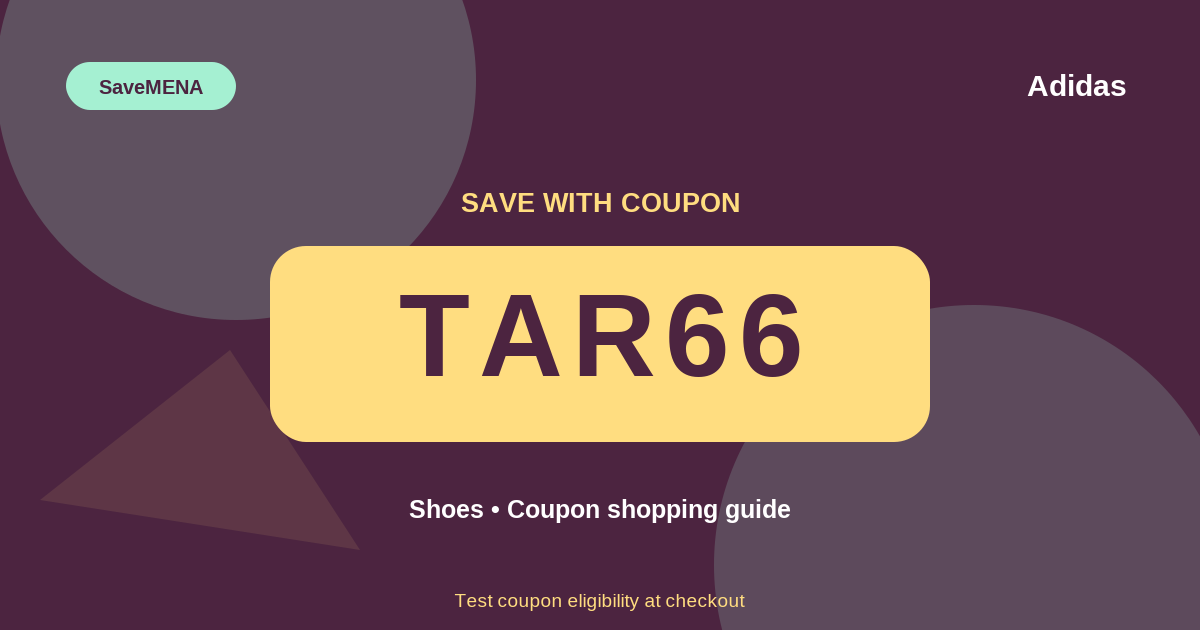
Codes available to try while comparing
These codes are not guaranteed for the article topic or listed brands; test them at checkout and use the live result.
1. Quick Overview of the Checkout Checklist
When you scan each item, keep a mental note of the seller’s name and overall rating. This clue helps you gauge the trustworthiness of the vendor. Record the shoe’s SKU or reference number; it’s useful when cross‑checking the product page, confirming stock levels, and spotting any special seller notes that could influence your decision. Hard‑copy reminders or a simple list in your phone can help you stay organized through the checkout flow.
Next, verify that the product variant you selected—be it size, color, or special edition—is available for your chosen quantity. The stock status on the product page is a reliable indicator: "In stock," "Limited stock," or "Out of stock." If you see a “Restock” option, note the expected date or skip that variant for the moment. This pre‑payment audit minimizes the chances of a last‑minute cancellation or substitution.
2. Vetting the Seller: Rationale and Reliability
Sellers on Noon UAE display a star rating based on prior buyer feedback. A score above 4.5 out of 5 generally signals a dependable vendor, while a lower rating may prompt extra scrutiny. Assessing the rating alone is insufficient; the number of ratings informs you about the breadth of evidence. A high rating from thousands of reviews is more telling than a perfect rating from a handful of comments.
Search the seller’s name on the platform’s search bar to view their product portfolio. Check whether they specialize in footwear or handle a wide range of items. A niche seller may offer more authentic stock, whereas a generalist might mix product lines. Also, view the seller’s “About” section for contact details and location; proximity can affect shipping times and the feasibility of returns.
3. Product Details: Size, Color, and Authenticity
Adidas shoes often come in specific colorways. Verify the image captions on the product page; these indicate whether the listed color matches what you’re buying. Physical swatches may differ from digital images, so note any discrepancies on the description page. On the variant selector, ensure that the size you want is actually visible and opted in before leaving the page.
For authenticity, browse the seller’s additional listings. Are they reputable for offering genuine Adidas items? Look for listings that include authenticity badges or certificates. If a seller explicitly claims to supply Adidas footwear but only sells generic shoes, it’s worth pausing. Consider contacting the seller with a question about the product’s authenticity; a responsive seller often reflects a higher service level.
4. Shipping and Delivery: Timing, Fees, and Tracking
Look at the estimated delivery window posted next to the shipping icon on the product page. The timeframe should reflect the seller’s processing time plus the logistics carrier’s transit periods. If the delivery date appears farther than anticipated, double‑check whether the seller offers an expedited option.
Do not assume a flat shipping cost. The shipping fee can appear after you add the product to the cart or during the checkout step. Once displayed, confirm that the shipping method matches your urgency—standard, express, or local pickup options. Tracking numbers should be available immediately after confirming the order in most cases; note the carrier so you can monitor the shipment.
5. Return, Exchange, and Warranty Policies
Return windows are seller‑specific and can range from a few days to a month. On the product page, scroll to the “Return” or “Warranty” section, edited by the vendor. Read the wording carefully: a “no‑refund” clause or a 14‑day window might affect your decision.
Confirm whether the seller offers an exchange for a different size or color. In many cases, the seller can process the exchange directly; otherwise, the platform’s returns center might intervene. It’s wise to note the return shipping responsibilities—who pays for return postage and where the product should be sent. This clarity helps avoid surprises if a fit or style issue arises.
6. Payment Methods and Security during Checkout
Once you add a shoe to your cart, proceed to the “Checkout” tab. The payment options available may differ by seller, but common methods include debit/credit cards, PayPal, and local e‑wallets. Each method has a different security layer and fee structure. Ensure your chosen payment method is supported by the platform and is active in the UAE.
Pay attention to the final order summary before you hit “Place Order.” This page summarizes the total cost, any subtotals, applicable taxes, and the selected shipping fee. Even if a seller’s storefront shows a price, the final price can vary depending on taxes, fees, or the coupon you plan to apply—reviewing the summary helps catch any unseen adjustments early.
7. Applying the Noon UAE Coupon Correctly
On the final order screen, there is typically a field labeled “Enter Coupon Code.” Input “TAR71” in the field and click “Apply.” The platform will validate the coupon according to the store’s current promotion rules. If the coupon doesn’t apply to the shoes, the platform may display a note that the coupon isn’t valid for the selected product or category.
Because this coupon is available to try, you should double‑check that it applies at checkout and not before. If the platform confirms the coupon, a discount line will appear in the breakdown. If it fails, the platform will show a message indicating the coupon’s inapplicability or that it’s expired. Either way, you’re still free to proceed with the purchase or adjust product selections accordingly.
8. Final Verification and Confirming the Purchase
Before clicking the “Confirm Order” button, give the entire order summary one last glance. Confirm that the seller’s name, product details, shipping method, payment method, and coupon status (if applied) are all in agreement with your expectations. If any detail feels off, return to the previous step for correction. This moment is your last chance to adjust quantities or change the seller.
Once satisfied, finalize the payment. Save any confirmation emails or order ID for reference. Under the “My Orders” section, you can track the shipment status, see expected delivery dates, and see any notifications about delays or updates from the seller. This real‑time visibility assures you that your shoe is on its way and you have all the necessary information if you need to initiate returns or exchanges later.
Related SaveMENA pages
Related articles
Official sources to check
Frequently asked questions
Can I use the NOON UAE coupon “TAR71” for any product?
The coupon can be attempted on a variety of items, but its applicability is platform‑determined and not guaranteed for all products. If it doesn’t apply, you’ll see a message during checkout explaining the limitation.
Will the seller’s rating affect my refund or return process?
A higher rating often indicates reliable handling of returns and refunds. Nonetheless, always verify the seller’s stated return policy on the product page before ordering, as policies can vary by seller, not by rating alone.
Does the coupon reduce shipping fees?
The coupon may apply only to product prices. Shipping costs are typically calculated separately at checkout. To see any adjustment, check the order summary after applying the coupon code.
Is it safe to pay with my credit card on Noon UAE?
Noon UAE supports encrypted payment gateways and three‑layer security. While conducting your transaction, verify that the website’s URL starts with “https” and that a lock icon appears next to it. This standard practice helps protect your payment information.