Adidas Women’s Fashion on Noon UAE: seller context — checkout checklist · TAR71
Before you hit “Place Order” for a Women’s Fashion adidas item on Noon UAE, it is essential to run through a concise checkout checklist.
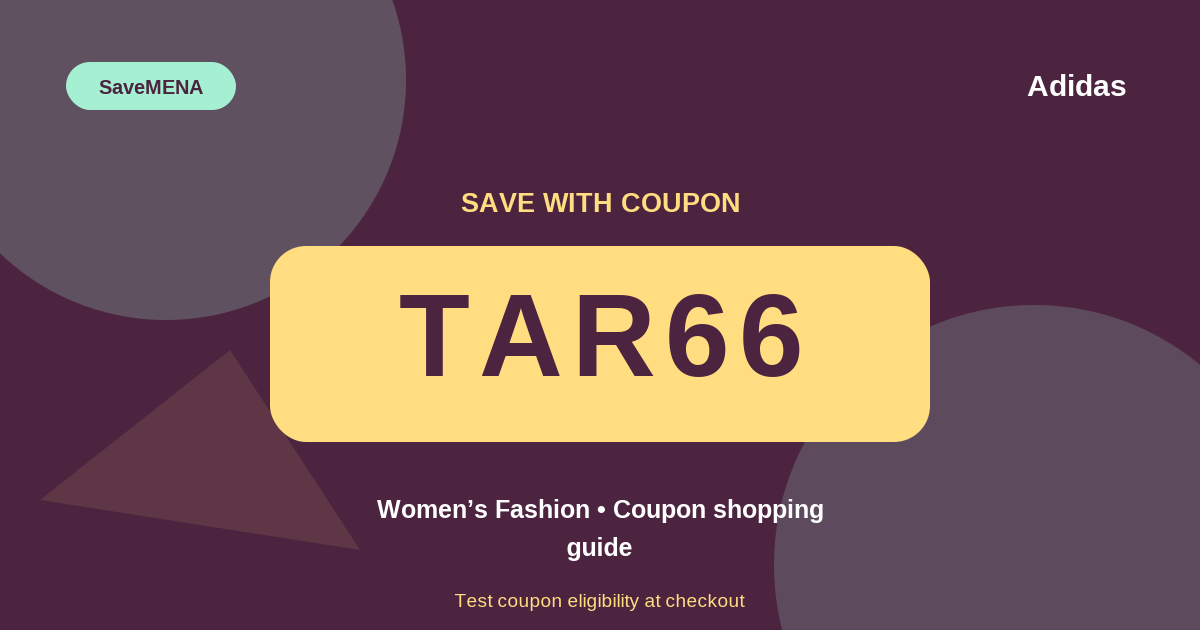
Codes available to try while comparing
These codes are not guaranteed for the article topic or listed brands; test them at checkout and use the live result.
Verify the Adidas Item and Seller Authenticity
When you decide to use a Noon UAE coupon for Women’s Fashion adidas items, the first step is to confirm that the product you are about to purchase matches the brand’s official specifications. Check the item’s brand badge, model number, and any approved certification details listed by the seller. Ensure that the product description is consistent across multiple product tabs and that the listed images reflect the exact style you intend to buy. Any discrepancies should prompt a pause for further inquiry with the seller or Noon support.
Next, compare the listed details—size, color, material, and care instructions—against your own requirements. Look for user reviews that mention fit and authenticity; a high number of positive comments about product quality is a strong indicator that the seller is reputable. If the seller offers a verified or brand‑partner badge, that adds an additional layer of trust. Confirm that the seller’s store page contains clear contact information and a history of positive customer interactions before proceeding to checkout.
Assess Seller Rating, Shipping Terms, and Return Policy
Seller rating is your first objective metric in the seller context. In Noon’s interface, a rating above 4.5 out of 5 suggests consistent quality and reliable service. Review the distribution of ratings to ensure that negative reviews are outliers, not systemic issues. A recent spike in low ratings might warrant a reassessment of the seller’s suitability for your purchase.
Next examine the shipping terms. Notice the estimated delivery window that Noon provides—whether it is standard, express, or same‑day. Pay close attention to any stated shipping fees; they are often listed independently of the item price. Sellers sometimes include a flat free shipping threshold, so verifying whether your basket qualifies is important before applying the coupon. Additionally, review the return policy, focusing on the window period, restocking fees, and whether returns are processed via courier or mail.
Activate the TAR71 Coupon in the Correct Context
Before finalizing payment, route to the coupon redemption section in the cart review stage. To use the TAR71 coupon, type the code exactly as displayed and click “Apply”. The site will immediately update the price shown to reflect any applicable discount. If the coupon does not apply, double‑check for typographical errors or an incorrect case sensitivity. Remember that the coupon is available to try and is not guaranteed to work in all circumstances.
After applying the coupon, the revised subtotal should appear. Carefully note any changes: if the coupon affects only the item price, the shipping fee may remain untouched. This is typical in many promotions. Keep an eye on the final order total after all adjustments; the calculated amount should match what you see on the payment gateway screen. Confirm that this total includes any mandatory taxes that may be added during checkout.
Verify Total Cost, Taxes, and Extra Fees at Checkout
The final price presented just before checkout is your definitive reference for financial commitment. Look for a clear breakdown that separates product cost, applied coupon savings, shipping charges, and taxes. The absence of hidden fees is a hallmark of a trusted seller. If any surcharge appears—such as a handling fee—verify its legitimacy by checking the seller’s policy or by contacting Noon support.
A coupon is not guaranteed; verify its result at the retailer checkout. If you are purchasing for business use, double‑check that the seller provides a valid tax invoice. Verify that the total payable amount aligns with any expectations you might have based on promotional claims or earlier price checks. Only after this confirmation should you proceed to the payment screen.
Confirm Secure Payment Method and Account Details
Choosing a secure and preferred payment method shields you from potential fraud. Noon offers card payments, wallet, and cash‑on‑delivery options. If you opt for a credit or debit card, confirm that the secure payment gateway URL is correct (HTTPS) and that the seller’s transaction is processed through Noon’s secure platform.
Before confirming payment, review your selected payment method’s recent transaction limits, and any pending authorization holds. Your bank should display a quick message not contradicting Noon’s payment policy. In cases of foreign cards, be aware that additional charges or currency conversion might apply; these should be listed right before you finalize the transaction.
Understand Delivery, Tracking and Expected Arrival
After payment, Noon will provide an estimated delivery window based on shipping terms. Verify whether the seller offers tracking numbers; available tracking is often a sign of reliable logistics coordination. Note the courier’s jurisdiction—international or domestic—particularly for deliveries in UAE's rapid metro hubs or rural areas.
Keep the shipment confirmation email that includes the order reference number. This identifier will be essential if you need to relay issues to seller or Noon support. Document the expected arrival date and confirm that it is within the time frame promised by the seller or Noon’s standard shipping policy. If the delivery exceeds the expected window, use the contact information provided in the confirmation email to initiate a status check.
Re‑check Return, Exchange and Refund Procedures
Before finalizing the order, revisit the seller’s return policy details. Confirm the return window (often 15-30 days) and the condition in which returns are accepted—such as unused tags, original packaging, and no signs of wear. If you foresee needing an exchange, find out whether the seller accepts different sizes or colors in the same transaction.
Also consult whether there are restocking or processing fees associated with a return. Some sellers charge a small deduction for restocking; others offer a full refund. Note any threshold for free returns—often tied to a minimum spend. Verify if the return shipping cost is borne by you or the seller, especially in the case of reverse logistics in remote delivery zones.
Final Confirmation Prior to Placing the Order
The last check before hitting “Place Order” should be a comprehensive review of all gathered data: item specifications, seller rating, applied coupon, total cost, payment method, expected delivery, and return policy. Cross‑reference each piece against the checkout screen to ensure consistency. Minor discrepancies must be resolved before proceeding to avoid post‑purchase complications.
When all elements align and you are comfortable with the seller’s terms, click the finalize button. Keep the order confirmation visible or printed for your records. This record will serve as your final proof and a quick reference for any future inquiries regarding the transaction.
Related SaveMENA pages
Related articles
Official sources to check
Frequently asked questions
How do I apply the TAR71 coupon before paying?
On the cart page, look for the coupon field. Type TAR71 exactly, then tap “Apply”. The subtotal will refresh to show the discount, if the coupon is accepted. Verify the updated total on the payment screen before proceeding.
What should I do if the coupon isn’t accepted?
If the code returns an error or doesn’t apply, double‑check spelling, case sensitivity, and ensure it is still active. Contact Noon support for clarification or try applying it on a different device. The coupon is not guaranteed to work in all scenarios.
Can I combine the TAR71 coupon with other offers or promotions?
Typically, Noon’s coupons don’t combine with other discounts or promotions. Check the coupon’s terms on the cart page; if it shows “cannot be combined,” then only the TAR71 discount will apply. Final pricing will reflect this at checkout.
How can I verify the seller’s authenticity for an Adidas item?
Look for a verified seller badge or brand‑partner status. Read recent buyer reviews focused on product authenticity and check that the seller’s profile lists clear communication channels and a solid rating above 4.5. These steps help confirm genuine Adidas offerings.