Nike Women’s Fashion on Noon UAE: seller context — checkout checklist · TAR73
For women’s Nike fashion, check product labeling and material descriptions. Verify that the item is listed as an official Nike release, not a counterfeit or
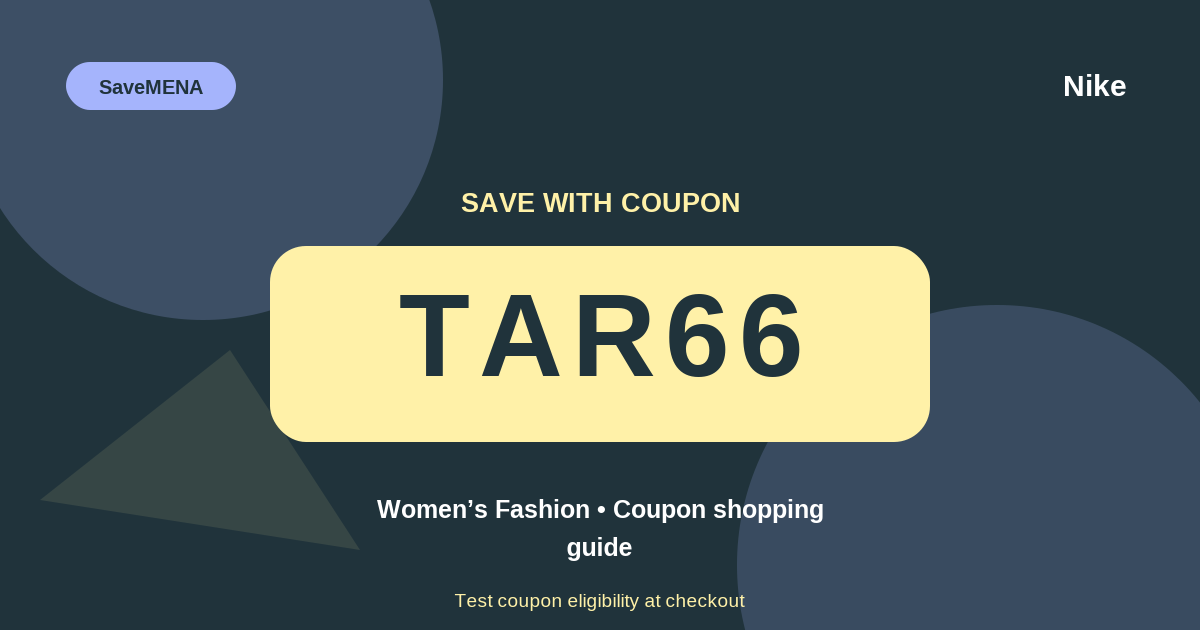
Codes available to try while comparing
These codes are not guaranteed for the article topic or listed brands; test them at checkout and use the live result.
2. Verify Product Authenticity and Specifications
For women’s Nike fashion, check product labeling and material descriptions. Verify that the item is listed as an official Nike release, not a counterfeit or third‑party imitative. Pay close attention to sizing charts and fit notes included in the listing; many Nike items follow biomechanical measurements that differ from standard retail sizes. Remember that incorrect size selection can trigger costly returns.
Inspect product images for stitching, logos, and detail integrity. Ask the seller or review FAQs for information on the authenticity seal and any brand certifications. Ensure that the product’s condition—whether new, pre‑used, or refurbished—is clearly stated, as this will impact shipping expectations and potential return eligibility.
3. Confirm Availability and Inventory Status
Before proceeding, ensure that the specific Nike item and chosen size are in stock. Item pages on Noon typically display “In Stock” or “Limited Stock” messages. If the listing shows limited stock, confirm that the seller can ship within a reasonable timeframe that matches your schedule. Quick stock checks reduce the risk of order cancellation after payment.
Check for any restocking timelines listed under the product description. In some cases, sellers highlight delays due to high demand or supply chain disruptions. If the product is heavily stock‑constrained, consider whether you might be satisfied with an alternative design or color that offers similar performance features.
4. Apply the Noon UAE Coupon Code TAR73
Once you’ve added the Nike item to your cart, locate the coupon field during checkout. Type the code “TAR73” and hit apply. The system will verify whether the code is still active and applicable to your cart total and selected seller. Note that coupon usage may depend on the seller’s own policies; the code is offered to try, but a discount is not guaranteed.
If the coupon does not accept, double‑check that you have entered the correct code and that your cart contains at least one qualifying product. If the code still fails, the seller may have disabled coupon eligibility for the day. In such cases, confirm whether alternative promotional avenues—like seasonal sales or loyalty points—are available.
5. Review Delivery Options, Fees, and Timeframes
Choose between same‑day, two‑day, or standard shipping options as presented at checkout. Note the estimated delivery window—many sellers highlight prime delivery for local orders. Remember that shipping fees can vary by seller; select any free‑shipping promotional threshold if it aligns with your budget.
Double‑check the NID (National ID) or resident address you entered matches the listed delivery location. A correct address prevents delays or misdelivery, especially important when dealing with high‑value Nike apparel that may be subject to customs or import inspections within the UAE.
6. Secure Payment Method Verification
Choose a payment method that offers buyer protection, such as a registered UAE credit card or a secure digital wallet. Confirm that the transaction will be processed in AED, the local currency, to avoid unnecessary conversion fees. For debit cards, ensure your bank allows online purchases and has sufficient balance before hitting “Pay.”
Check for any additional service fees that may add to the final cost. Some payment gateways list a convenience fee that appears after the coupon code is applied. Reviewing these fees before final confirmation keeps the total payable transparent.
7. Thoroughly Review Order Summary
Before confirming payment, scrutinize the order summary for product details, size, quantity, applied coupon, seller information, and shipping fees. If any detail is wrong—such as a mismatch in size or incorrect promo code—stop the process, correct, and re‑enter.
Verify the seller’s return policy displayed in the summary. Ensure that you understand the return window, accepted reasons, and whether a return label is prepaid. This step is crucial for avoiding surprises if you later wish to exchange or return the Nike piece.
8. Final Confirmation and Post‑Purchase Actions
After reviewing every line item, click the final “Pay” button. Keep an eye on the redirection to the payment gateway to confirm that the final amount matches your expectation. Once payment is authorized, you should receive an order confirmation email containing the seller’s contact details and tracking number.
After the purchase, bookmark the order dashboard for easy access to delivery updates and return initiation. Should you encounter any issues, reference the seller’s customer service portal or the Noon help center, using the order ID to expedite support.
Related SaveMENA pages
Related articles
Official sources to check
Frequently asked questions
What happens if the coupon code TAR73 does not apply?
If the code fails at checkout, it may mean the seller has disabled coupon usage for that day or the code is no longer active. Double‑check the exact spelling and ensure your cart contains a qualified Nike item. If problems persist, reach out to seller support or Noon’s help center for clarification.
Can I change my delivery address after payment?
After payment, your address can only be altered if the order has not yet shipped. Contact Noon support immediately and provide the new address details. If the shipment has begun, you will need to coordinate with the seller to rearrange delivery or choose a pickup point.
Is the coupon valid for all Nike categories?
The coupon is offered for general use; however, its applicability may be limited to certain categories or sellers selected by Noon. Confirm at checkout by checking the coupon status next to the cart total; if it indicates “Not eligible,” the code cannot be applied to that item.
What if my order is delayed after I paid?
Track the shipment using the provided tracking number. If delivery exceeds the estimated window, contact the seller first. Should the seller not resolve the delay, file a dispute through Noon’s resolution center, providing timestamped evidence of the original delivery schedule.