Adidas Shoes on Noon UAE: warranty and support — checkout checklist
The first step is to locate the warranty label inside the product description. For Adidas shoes on Noon, longevity guarantees typically appear near the sizing
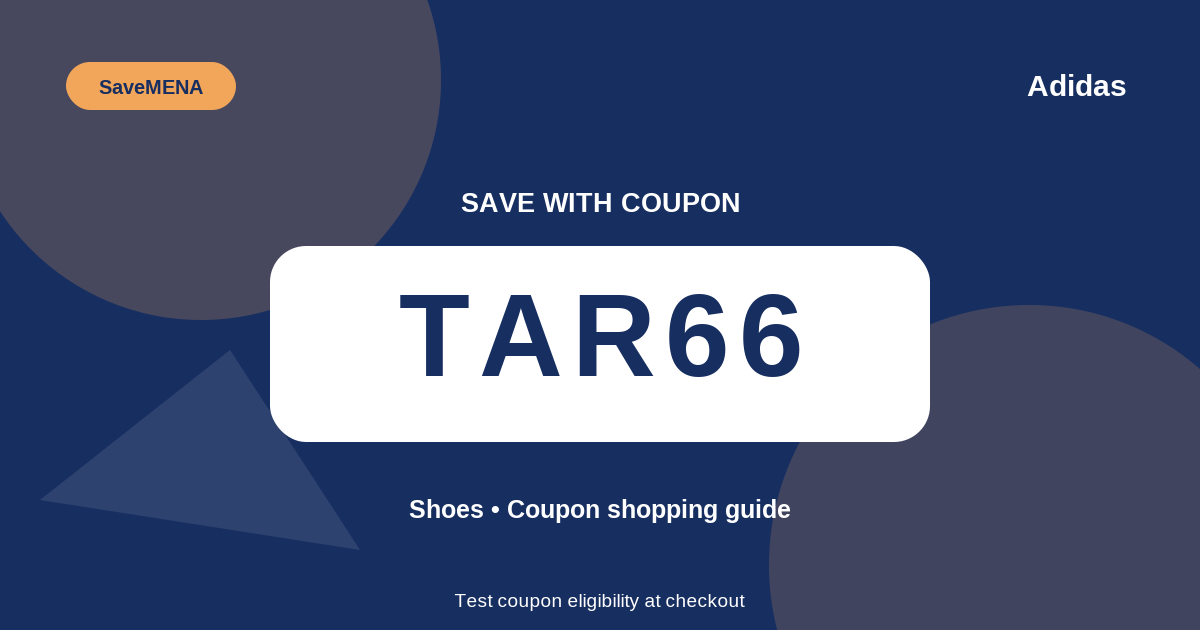
Codes available to try while comparing
These codes are not guaranteed for the article topic or listed brands; test them at checkout and use the live result.
Verify Warranty Terms Listed on the Product Page
The first step is to locate the warranty label inside the product description. For Adidas shoes on Noon, longevity guarantees typically appear near the sizing information. Pay attention to the wording: does it promise repair for manufacturing defects, or only for traction failures? The key is to cross‑check the term length implicitly—whether the text indicates coverage beyond a simple return period. If the page lists a specific bond between the brand and the retailer, note the name or reference; this will become your reference point when you file a claim.
If the warranty entry seems ambiguous or missing, look for a dedicated ‘Support’ or ‘Warranty’ tab next to the product image. Many listings link to an external page where the full policy is written in plain language. If even that fails to surface the details, using the “Ask Seller” feature lets you request clarification. By confirming the coverage now, you prevent surprise gaps that might otherwise force you to negotiate a refund or seek a repair after the purchase is complete.
Confirm Post‑Purchase Support Channels
Once you have a firm names, the next checkpoint is assessing how you can reach assistance. Legitimate support channels typically include a toll‑free line, an email address, or a live chat window. On the product page, a support icon often signals a QR code or a direct link to a service portal. Check whether the contact methods are listed in a regionally relevant language and whether the operating hours encompass your local time zone. A clear schedule helps you know the time to expect a response during a claim.
In addition to phone or email, many brands offer a return‑label page where you can print a pre‑addressed shipping tag. This signifies a willingness to inspect any defective pair at minimal cost to you. Ask the seller if the return label will cover shipping irrespective of the defect. If the information is not readily available, touching base via the customer support widget on Noon’s delivery confirmation page can present the same options. The more transparent the process, the easier it is to handle a post‑purchase concern promptly.
Review Return Policy Related to Warranty Claims
The overlap between warranty coverage and a return policy often creates confusion. Good practice is to compare the two sections side by side. A warranty that covers defect repair does not inherently mean a paid return for any material mis‑fit. Nail down whether the return window aligns with the warranty term or whether a separate claim window is specified for repair. Ensure that the policy clearly states the refunds conferred outside the coverage, such as a full or partial refund if the shoes cannot be repaired.
When in doubt, record the key dates in your shopping diary. For instance, note whether the return period starts at the day of delivery or the day of purchase. If the seller offers a longer return period for all shoes, identify when that promise ends. This clarity prevents misreading the fine print at the moment you want a refund. By having both timelines on hand, you can match a warranty claim with the corresponding return window at checkout, ensuring consistency between the two.
Check for Manufacturing Warranty Supplements
Occasionally, Adidas partners with third‑party warranty extensions that cover additional services, such as tread replacement or heel socket edits. Look for a hyperlink or an add‑on box on the product listing that references such a supplement. If available, the supplement usually follows a separate agreement that includes distinct terms of coverage. Examine these terms for scope, such as which part of the shoe the warranty extends to, and whether service is available locally in the UAE.
To verify that a supplement is active, look for a confirmation badge or a dedicated field on the checkout page that lists the extension. If the supplement appears as a provisional offer, it may require activation before purchase. In that case, hit the ‘Activate’ button and confirm that the terms are appended to the primary warranty. Taking this extra step guards against accidental omission of an otherwise valuable piece of protection.
Assess in‑Store Service for Repairs
Even when you buy online, physical convenience can be a major benefit if a local repair facility is available. Many Adidas partners maintain authorized repair centers in Dubai, Abu Dhabi, and other emirates. On the product page, a map icon often links to a store locator. Check the years the center has been operational; a longer‑standing location may reflect reliability in servicing your product.
Before paying, confirm that the store accepts warranty claims for their specific model. Some repairs require a tagged invoice from the retailer, and not all stores honor online purchases. If the service center offers same‑day service, note the operating hours and whether you need an appointment. By ensuring a local repair option is documented, you reduce the complexity of sending a pair overseas or through the postal system.
Validate Shipping Labels for Warranty Coverage
A clear label on your shipping package can signal that your order qualifies for warranty service upon return. When you receive the shoe, inspect the outer packaging for a stamped tag that states warranty coverage or a prepaid return code. A missing label could indicate that the seller does not automatically include return shipping, which would leave you to arrange your own transportation if a defect arises.
If a label is present, test the imprint by scanning the QR code with a phone and review the information that pops up. The result should confirm coverage and direct you to a claim form. While not a guarantee that the return will be accepted, it illustrates that the seller allows you to initiate a refund or exchange without extra cost for shipping. Verifying this step ensures a smoother experience should you need to return or exchange the model.
Test Coupon Eligibility with a Sample Item
Many shoppers eager to save look to a coupon before the final payment. To gauge whether the TAR66 offer applies to your Adidas shoes, place the product in a virtual cart and notice any ‘Apply Coupon’ field near the total. Enter the code, then confirm whether the system signals a successful application. A successful message does not guarantee the final charge will include the discount; this is the checkpoint that establishes preliminary eligibility.
After validation, proceed to the payment summary page. There you can cross‑check the item total, any hidden fees, and any assured coupon reduction displayed. If the discount is not reflected there, note that the coupon may not be supported for this particular SKU, size, or seller. A discrepancy at this stage means you will need to complete the purchase without the coupon, or you may consider cancelling and searching for an alternative listing where the promotion is active.
Final Charge Review at Checkout
At the final payment screen, double‑check every line item, the order ID, and the total amount before you confirm. If the coupon was accepted earlier, verify that the total displayed includes the present discount. Pay particular attention to the separate charge for shipping and handling—it sometimes appears outside the main item total. If an unexpected fee shows up, consider why it may apply, such as expedited shipping or restocking.
Once all figures match your expectations and you feel confident that the warranty and post‑purchase support details are accurate, you can press the final button to complete the transaction. After confirmation, keep the receipt, order ID, and any status updates for future reference. Should a problem arise, you will have tangible proof of the terms agreed upon at checkout. This final leg of the process protects your investment and ensures that you can fully rely on the advertised warranty and support frameworks.
Related SaveMENA pages
Related articles
Official sources to check
Frequently asked questions
What steps should I take to verify warranty coverage before paying?
Begin by reviewing the product’s warranty section on the listing page, then confirm the coverage details through Noon’s support portal. If unclear, use the seller’s “Ask Question” feature to request a written description. Logging each step gives you a record to present if a repair is needed later.
Does the the coupon code code TAR66 apply to all Adidas shoe listings on Noon?
The TAR66 code is a general coupon that may or may not be accepted for a specific shoe model. Noon does not publish a list of eligible items, so the only reliable method is to enter the code during checkout and observe whether the system confirms its application.
Will Noon provide a prepaid return label for warranty claims?
Many Adidas listings on Noon advertise a prepaid return label that can be printed after purchase. However, the availability of this service varies by seller and product. Check the order summary for a label icon or contact support directly to confirm if the label is provided with your shipment.
If a defect appears after delivery, how do I initiate a repair claim?
If a defect is discovered, open your Noon account, navigate to ‘My Orders’, select the affected shoe, and choose the ‘Contact Support’ option. Describe the issue, attach a photo if possible, and wait for a response that will guide you to the next steps for repair under the warranty.