Shoes on Noon UAE: warranty and support — checkout checklist
use a Noon UAE coupon Shoes warranty and post-purchase support: Before you hit that final “Confirm Order” button on Noon UAE, a careful checkout checklist can
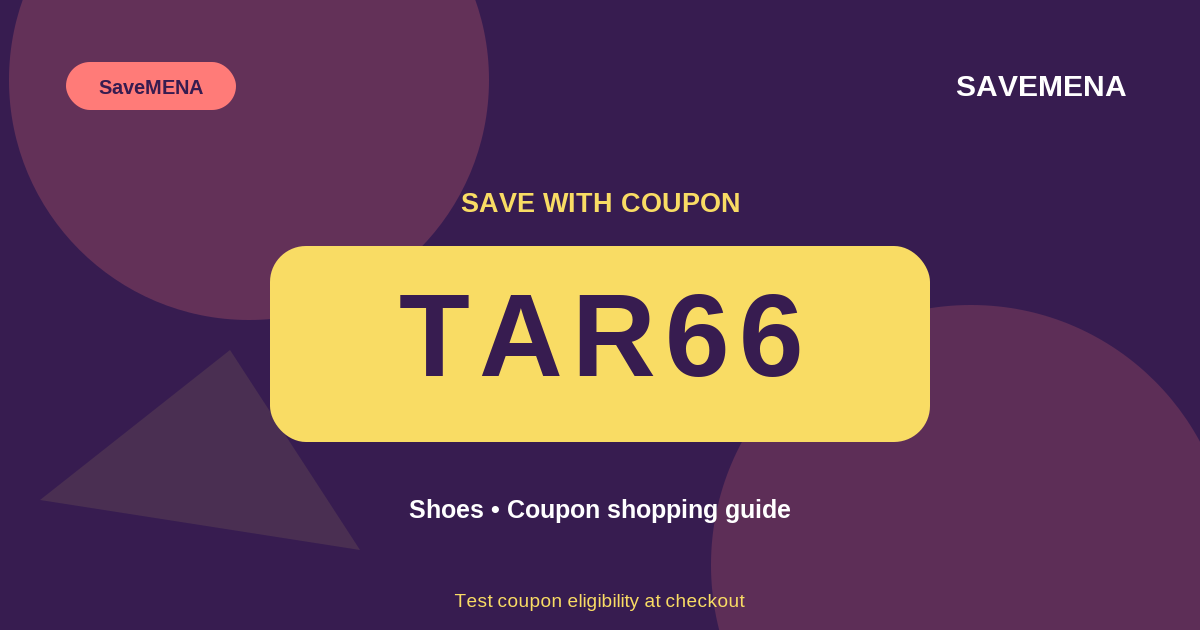
Codes available to try while comparing
These codes are not guaranteed for the article topic or listed brands; test them at checkout and use the live result.
1. Confirm Your Shoe Size and Fit Requirements
Shoes in the UAE can vary significantly in sizing compared to international standards, including differences in width and toe shape. Double‑check the size chart provided by the seller and cross‑reference it with your own measurements or recent pair of shoes you bought locally. Pay attention to any notes about recommended sizing for specific brands or styles, whether soft‑lipped sneakers or stiffer leather boots, to avoid a mismatch that could void warranty claims if they arise from a ill‑fit product.
At the product detail page, look for a “Fit Guide” or “Sizing FAQ” section. Some listings also offer customer photos that show how the shoes run. When the seller offers a return policy if the shoes are ill‑fitting, it usually indicates a solid post‑purchase support framework. Ensure the seller explicitly mentions size‑return eligibility before adding footwear to your cart.
2. Scrutinize Material and Construction Quality
The durability of your shoes hinges on the quality of materials—leather, mesh, rubber, or synthetic blends—and how they are stitched, glued, or molded. Check the description for details on upper fabric, sole type, heel construction, and any water‑repellent treatments. Sellers that elaborate on these aspects often provide deeper warranties, covering manufacturing defects in the materials for a specified period after purchase.
When browsing, keep an eye on the seller’s list of related products; this can hint at consistent quality standards. If the product page lists a comprehensive warranty on the construction, verify that the warranty notes at checkout are included in the final calculation. Confirming material quality right at the start helps you avoid later disputes that may arise from rough edges or premature wear.
3. Verify Warranty Terms Listed on the Product Page
Each shoe listing should contain a clear warranty statement that outlines what is covered—defects, structural failures, or sometimes even cosmetic flaws. Look for the duration (e.g., a one‑year coverage) and the conditions that activate the warranty, such as proof of purchase or documented defect photos. The more detailed this information, the easier it is to rely on it when you need support.
Confirm that the warranty is a true post‑purchase protection rather than a promotional offer. At the product’s “Warranty” tab, check for phrases like “valid for an extended period from the date of receipt.” This ensures that the warranty period aligns with the operational time after you pay, giving you a realistic window to seek repair or replacement if required.
4. Inspect Return and Repair Policy in Seller Information
Beyond the stated warranty, examine the seller’s return policy. A robust policy will include how long you have after delivery to lodge a return, whether the return is free or paid, and how the seller handles refunds, exchanges, or repair services. UAE consumer protection law supports buyer rights, but seeing the seller’s internal terms clarifies any nuances that might affect a warranty claim later.
If the seller engages in branded repair programs or advises you to visit a partner repair center, this indicates a higher level of after‑sales support. Ensure the policy listing is spelled out on the official page and confirm during checkout that the return terms remain unchanged in the final price summary.
5. Evaluate Post‑Purchase Support Options
Many sellers provide after‑sales services such as free trim, cushioning, or cleaning kits when needed. Scan for any mention of “post‑purchase support” or “customer care” on the listing. This could include an email contact or a chat window dedicated to handling post‑delivery issues, which is pivotal when you need to activate a warranty or clarify return instructions.
Check if the seller offers a service hotline or a dedicated customer service portal and verify that those details are available before payment. Having a clear line of communication can simplify warranty claims or the troubleshooting of a defect you might encounter months after the purchase.
6. Confirm Coupon Eligibility Before Adding to Cart
The Noon UAE coupon code TAR66 is retrievable to try, but it might not apply to every product. Prior to adding shoes to your cart, scroll down to the “Promotions” section on the product page. If the discount option appears, it suggests compatibility; otherwise, you should consider the total cost without the coupon before proceeding.
It’s essential to remember that applying a coupon does not alter the warranty or support terms—those remain intact regardless of price changes. When you do enter TAR66 at the checkout screen, watch for a note confirming coupon application; if it’s missing, you’ll see the exact final amount without the attempted discount, preserving the sum required for warranty activation calculations.
7. Review Final Order Summary and Fees at Checkout
In the checkout review tab, you'll see the gross product price, any applied coupon adjustments, delivery fees, and any additional taxes. This section provides the definitive “final payable total” that will be billed. Double‑check that the coupon adjustment, if any, is reflected correctly before making a payment, as a missed discount could affect your overall expense for a shoes purchase.
Also verify that warranty registration or support options are listed, if applicable—some sellers may prompt you to add a warranty card or an extended coverage service before proceeding. Read each line item and ensure there’s no hidden surcharge that could negate the value of the products’ inherent warranty.
8. Secure Payment and Record Confirmation Details
Once you choose your payment method—be it card, PayPal, or another option—ensure that the payment gateway displays the complete transaction amount, inclusive of taxes and fees. Confirm that the screenshot or confirmation message includes the coupon code used and the final payable total so you have a record to reference should a warranty claim arise.
After you complete the payment, scroll to the order confirmation email or app notification. This communication typically includes a tracking number, an estimated delivery window, and sometimes a unique order ID that you will reference for warranty or post‑purchase support requests. Keep this record accessible; it’s the key to proving your purchase date and amount while engaging warranty services down the line.
Related SaveMENA pages
Related articles
Official sources to check
Frequently asked questions
What does “final payable total” mean at Noon UAE checkout?
It is the precise amount that will be charged from your payment source after all product prices, added shipping, taxes, and any successfully applied coupons are summed up. This figure is the definitive total that should appear on your payment confirmation.
Will applying the TAR66 coupon affect shoe warranties?
Offering a coupon does not alter the warranty terms listed on the product page. The shoe’s coverage for defects or structural issues remains unchanged regardless of any final price adjustment from a coupon.
How can I verify that a coupon will be accepted before payment?
Check the “Promotions” section on the product details page and look for a visible discount indicator. If none appears, try entering TAR66 at the cart or checkout page; a confirmation message will let you know the coupon applied.
What documentation should I keep for a warranty claim?
Retain the order confirmation email, receipt, and any customer service correspondence. Document the purchase date and keep images of defect if requested; these are typically required to activate a warranty claim after delivery.