ASUS Computer Accessories on Noon UAE: account eligibility — coupon · TAR92
When you click “Apply” on a Noon UAE coupon and nothing happens, it’s frustrating—especially when you’re trying to save on the ASUS computer accessories you need
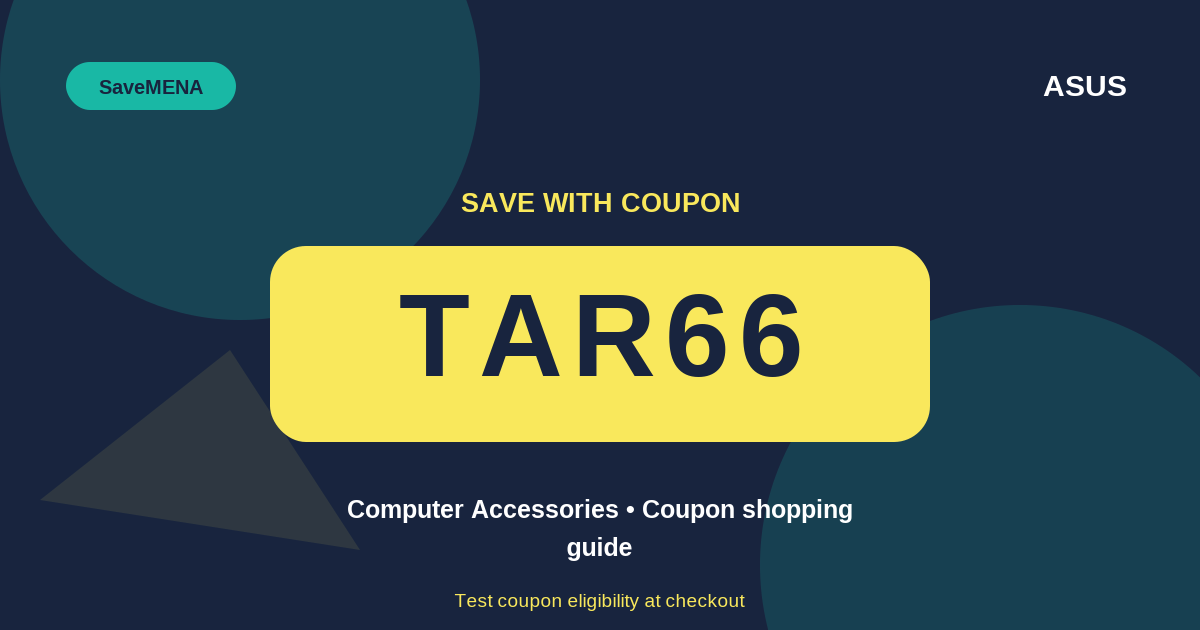
Codes available to try while comparing
These codes are not guaranteed for the article topic or listed brands; test them at checkout and use the live result.
1. Understand the Core Issue
Before diving into settings or support, clarify what “coupon not working” actually means. Does the discount simply not appear? Or does the site show an error message? The nature of the glitch tells you whether the problem lies with the coupon itself, the product, or your account. If you see a dialog that says “Coupon not valid,” the issue leans toward coupon eligibility. If the button remains greyed out or the system stops processing the “apply” action, technical factors may be at play. Knowing which scenario you’re in lets you focus the next steps on the right cause.
Record the exact wording of any error or notice you see, and take a screenshot if possible. Noon UAE’s website does not provide real‑time debugging, so documentation or customer support will need that information to investigate. A clear error description will speed up any resolution and avoid repetitive back‑and‑forth with service reps.
2. Confirm Coupon Presentation
Coupon codes on Noon UAE require exact matching of letters, numbers, and case. Verify that “TAR92” is typed precisely, without extra spaces or hidden characters. A common pitfall is typing a silent character; make sure you’re using the numeric part “92” as written, not a similar-looking letter or zero. Noon processes coupons only if they match the string in its database exactly.
Some users experience issues because the coupon field auto‑formats when copy‑paste is used. Paste the code directly into the field, then double‑click to highlight it and press delete before re‑typing. This eliminates formatting quirks that could prevent the coupon from registering on the site’s backend.
3. Verify Account Eligibility
Your account context is a pivotal determinant of coupon acceptance. Noon UAE allows single‑currency checkout, usually UAE dirham (AED). Check that your profile is linked to a UAE address and that your wallet or chosen payment method reflects the same currency. A mismatched currency can cause coupons to reject automatically.
Additionally, review the “Account Settings” section for any flags that might restrict discount usage—such as a warning about a blocked merchant or a suspension due to previous misuse. Even if such flags are subtle, they can silently prevent coupon application. Contact Noon’s support team if you suspect your profile is flagged, but use the ticketing system rather than phone to preserve records.
4. Inspect Cart & Purchase Prerequisites
Coupon eligibility often depends on the items in your cart. ASUS computer accessories, like keyboards or mousepads, may fall under certain promotional exclusions. Make sure you’re shopping at a merchant that sells ASUS products—Noon lists multiple sellers for the same category. Coupons apply only to the specific merchant’s inventory, not to all sellers.
Check the “Item Details” for the ASUS accessory you added. If it includes a note such as “Promo exclusions apply,” the coupon may not work. If you changed the quantity or swapped to a different variant, the discount may no longer trigger. Undo the changes or add the original data to re‑test the coupon.
5. Examine Technical Factors
Web browser or app issues can misread the coupon field. Clear your browser’s cache or disable extensions that block scripts, as they can prevent Noon’s coupon apply button from functioning. If you’re using the Noon mobile app, try closing and reopening it, or reinstalling for a clean start.
Another technical angle is the network environment. Corporate or institutional Wi‑Fi networks sometimes apply strict content filters that can alter coupon scripts. Switching to a personal mobile hotspot can prove whether the network is interfering. VLANs, VPNs, or proxies may also alter the request headers Noon expects for discount calculation.
6. Reach Out for Support
When self‑troubleshooting stalls, contacting Noon’s customer service becomes the next reliable step. Use the chat feature in the app or website to explain that the coupon code TAR92 refuses to apply, detailing the error message and steps you’ve already taken. Having your cart screenshot handy speeds up the support lag.
Because Noon maintains a separate support database for each region, request that the agent inspect your account context for eligibility compliance. If the issue is on Noon’s side, a ticket will escalate, and a solution will be provided within the support response time—typically quoted in UAE hours. Make sure to keep a note of any reference number for follow‑up.
7. Verify Checkout Calculation
Occasionally, coupons apply successfully in the cart but revert at the final checkout stage. This can happen if the order total surpasses or falls below a threshold that isn’t visibly displayed. Follow the checkout prompt step by step, noting any “Terms & Conditions” or “Addons” that could override the discount at that moment.
Pay close attention to any dynamic shipping fees or service charges that may bring the adjusted total out of the coupon’s valid range. If the total changes after selecting delivery or payment options, the coupon might be revoked. In such cases, re‑enter the coupon after finalizing the shipping method to ensure it still applies.
8. Plan Your Next Steps
After confirming that all technical, cart, and account factors are in line, and that the coupon still won’t apply, consider alternative options. Check for other active coupons or promo codes on Noon that might work with ASUS accessories. These can sometimes be combined or can replace a blocked coupon.
Finally, maintain a record of how you interacted with Noon’s support and the outcomes. Whether you resolve the issue or not, this log will help you avoid repeating the same problem in future purchases. Keeping a disciplined approach to coupon testing will save time and ensure you only spend what you intended.
Related SaveMENA pages
Related articles
Official sources to check
Frequently asked questions
What should I do if the coupon code TAR92 works in the cart but not at checkout?
Reapply the coupon after confirming delivery and payment options, as changes can alter the total and invalidate the discount. If it still fails, contact Noon support with your order ID to verify any hidden restrictions.
Can a discount code from one Noon seller apply to a different seller’s ASUS product?
Noon coupon codes are often vendor‑specific. Verify that the seller listing your ASUS accessory matches the one that issued the code. If they differ, the coupon will not be accepted.
Do I need a Noon account to use a coupon?
Yes, you must be logged in to apply a coupon. Ensure your account is active, in UAE currency, and free from any restrictions that could prevent discount eligibility.
What browsers or devices work best for Noon coupons?
Latest Chrome, Safari, or the Noon mobile app work reliably. Avoid browsers with aggressive script blockers or extensions that modify URL requests, as they can interfere with coupon processing.