HP Computer Accessories on Noon UAE: account eligibility — coupon · TAR92
Coupons on Noon UAE operate through a structured gateway that recognizes both product eligibility and shopper credentials.
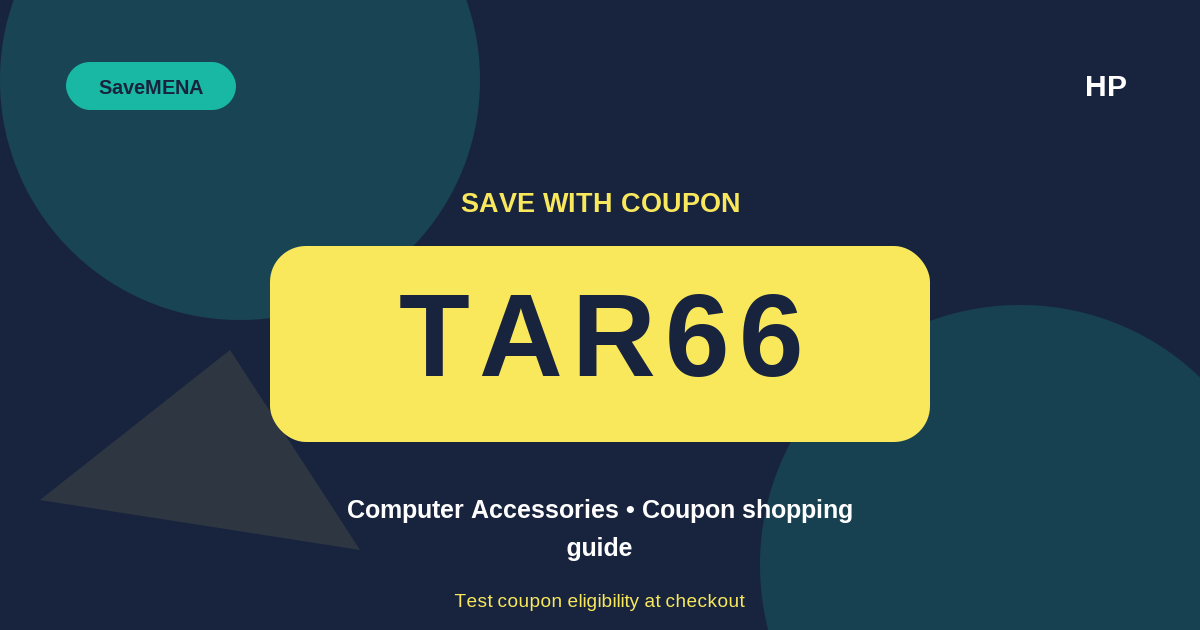
Codes available to try while comparing
These codes are not guaranteed for the article topic or listed brands; test them at checkout and use the live result.
1. Understanding the Coupon Landscape on Noon for Computer Accessories
Coupons on Noon UAE operate through a structured gateway that recognizes both product eligibility and shopper credentials. For computer accessories—especially items from well-known brands like HP—each offer has a built-in compatibility matrix. The system checks if your selected item falls under the campaign’s categories, and simultaneously confirms that the coupon is still active. If either condition fails, the discount will not apply, regardless of whether the code is typed correctly. Recognizing this built-in validation is the first step toward identifying why a “coupon not working” message may appear.
Moreover, the tone of the error—such as “Coupon not available for this item” versus “Account not eligible” – provides a hint toward the precise blocker. These distinctions are vital when you later verify account status or cart composition, as they guide the troubleshooting flow.
2. The Role of Your Noon UAE Account in Coupon Redemption
Your Noon UAE account is more than a login; it is the gatekeeper for eligibility checks. Certain coupons are limited to registered users, to those with a verified phone number, or to accounts that have performed a minimum number of transactions. When you see the warning that the coupon is “not working,” first confirm that your account is fully activated and that the email and phone associated with it match Noon’s records.
Also, Noon sometimes applies regional restrictions. If your account flags a residency outside the UAE, the coupon may be blocked even if the code is technically valid. Ensuring that your profile reflects a UAE-based address is therefore a prerequisite before any cart manipulation.
3. Common Reasons a Noon UAE Coupon Fails – Focus on HP Accessories
Three frequent culprits appear when coupons fail: product exclusion, quantity limits, and catalog updates. HP accessories often have newer models that are added after a coupon’s launch, rendering them ineligible. If the item you added is a recent release, the system will reject the code even though the store page displays it alongside older models that do qualify.
Quantity limits can also trigger failures. Many coupons allow a single unit per transaction, so adding two HP USB-C hubs will cause the discount to be denied. Checking the product’s details page for any note on quantity restrictions helps clarify whether the code can proceed.
4. Step-by-Step Verification: Checking Coupon Status and Eligibility
Begin by launching Noon’s app or website and navigating to the checkout screen. Under “Apply Coupon,” paste TAR92 and observe the system’s immediate response. If you receive a generic failure message, revisit your account details: confirm phone number, email, and address are up to date.A coupon is not guaranteed; verify its result at the retailer checkout.
After these checks, use Noon’s “Help” or “FAQ” support to confirm if the coupon is still active. Some periods of inactivity automatically deactivate a code, prompting a “not working” notification. If still uncertain, contact Noon’s chat support for a definitive status before basket modification.
5. Managing Order Details: Quantity, Seller, and Delivery Impact on Coupon Success
The seller’s reputation can influence coupon acceptance. If HP accessories are sold by a third‑party vendor with different policies, the coupon may be restricted to the Noon‑direct store.A coupon is not guaranteed; verify its result at the retailer checkout.
Delivery options also play a role. Some coupons are valid only for standard shipping, not for expedited or same‑day service. Verify that your selected courier service remains within the coupon’s permissible range. Adjusting the delivery method can sometimes re‑enable a previously inapplicable discount.
6. Alternative Ways to Secure Savings When the Coupon Stalls
If all verification steps fail, you still have several avenues to explore. Nearly all Noon listings display a “Frequently Bought Together” section that bundles HP accessories at a better rate when purchased as a set. This approach often circumvents the need for a coupon while offering the same net benefit.
Another route is to flag the product on Noon’s wish list and monitor for an automated price drop. Some users prefer to wait until a seasonal sale aligns with their purchase, as the discount automatically applies without a promotional code. While this departs from the original coupon path, it maintains the savings objective within the platform.
7. Monitoring Order Confirmation: Final Checkout Reference
Once you apply a coupon—or a fallback savings strategy—the final checkout screen is your snapshot of truth. Noon’s order confirmation surface lists the base price, any applied discount, and the total payable amount. This reference is the decisive evidence that your coupon was respected or that an alternative cost structure took hold.
Keep a screenshot or print the confirmation for future audits. If the discount appears off—say the total remains unchanged after the coupon entry—contact Noon’s customer service citing the confirmation screen. The screenshot gives concrete proof and speeds resolution, especially when dealing with recurring coupon discrepancies.
8. Future-Proofing Your SaveMENA Shopping Strategy
To avoid future “coupon not working” frustrations, maintain an organized coupon ledger. Note the code, expiration range, and product constraints each time you acquire a new offer. Engage the Noon community forums; many shoppers share firsthand discoveries about what has worked or not on specific categories like HP.
Additionally, subscribing to Noon’s email list or notifications can alert you to new coupon releases that match your interest in computer accessories. The key is aligning each coupon’s terms with your account profile and cart contents from the outset, reducing the chances of technical failure and ensuring a smooth final payment.
Related SaveMENA pages
Related articles
Official sources to check
Frequently asked questions
Why does Noon show “coupon not working” even after I enter the correct code?
The message usually means the code isn’t eligible for either the specific product, the quantity, or the seller. Verify account status, product category, and check whether the seller is Noon‑direct. Adjusting the cart or seller can resolve the issue.
Is there a way to confirm if the coupon is still active before adding to cart?
Yes, look for a status indicator on the coupon listing or contact Noon support. Some coupons deactivate after a period of inactivity, so early verification helps avoid later “not working” errors.
Can I use the same coupon for multiple HP accessories in the same order?
Most Noon coupons allow only one eligible item per transaction. If you add more than one HP accessory, the coupon will likely fail unless the offer explicitly permits multiple units. Check the product detail for quantity limits.
What should I do if the discount appears after checkout but not before?
When the discount is applied only at final checkout, contact Noon’s support with your order confirmation. The screenshot can prove the discount was applied and help you understand any hidden prerequisites.