Mobiles on Noon UAE: account eligibility — coupon troubleshooting · TAR92
Many shoppers hit a wall when the TAR92 code doesn’t register on Noon. The most common causes are simple yet easy to overlook: a mismatch in the account profile
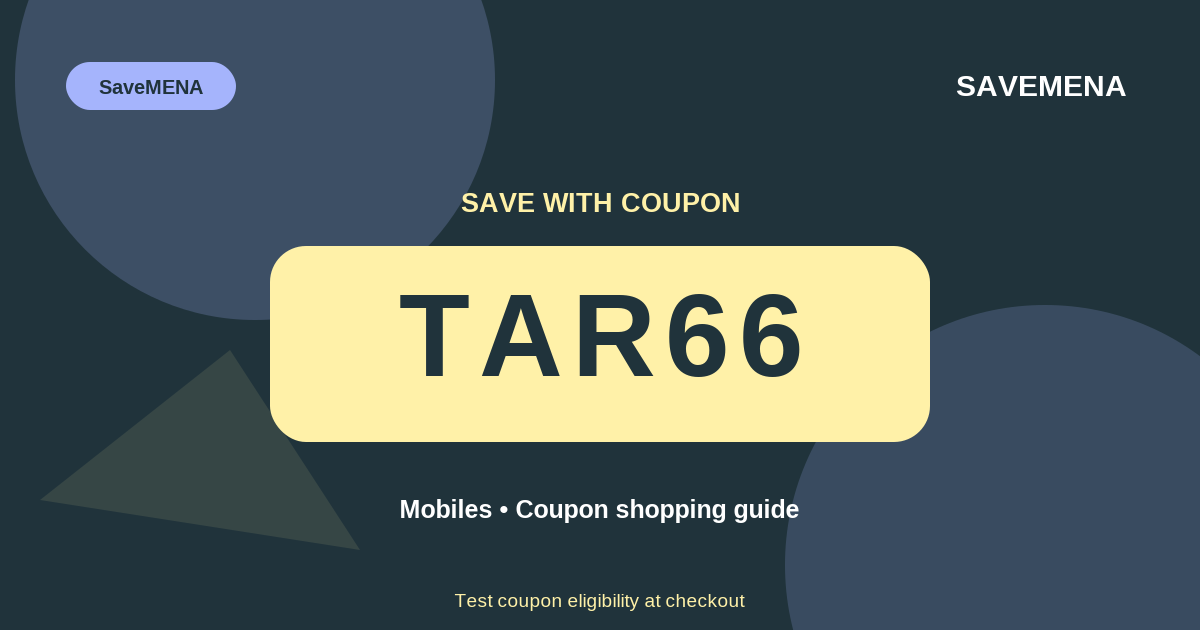
Codes available to try while comparing
These codes are not guaranteed for the article topic or listed brands; test them at checkout and use the live result.
Understanding Why Your Noon UAE Coupon Isn’t Working
Many shoppers hit a wall when the TAR92 code doesn’t register on Noon. The most common causes are simple yet easy to overlook: a mismatch in the account profile, unauthorised region, or slight alterations in the code entry. If you’re logged in to a different Noon account than the one you used to view the coupon, the system will not recognise your entitlement. Additionally, the code itself must be entered without any hidden characters or spaces—what appears in a newsletter may sometimes mis‑render when copied.
Beyond these surface causes, Noon’s promotional engine sometimes restricts a coupon’s use to selected items or requires that certain cart totals be met before the code can apply. Even though the TAR92 code is available for testing, it may be inactive for your particular demographic or operate under a hidden commercial rule tied to your user profile. Clarifying the most obvious problems first reduces the number of repetitive loads on your account and clears the path for advanced checks.
Confirm Your Noon Account Details
Begin by verifying that you are logged into the correct Noon UAE account that matches your profile details. Check the email address associated with your login and compare it with the one that received the coupon. If you have multiple Noon accounts across the UAE, the promotion may activate only on one of them. Noon’s system ties a coupon’s validity to a specific account ID; an alternate account will trigger the “coupon not accepted” message.
To confirm, navigate to the profile section on the Noon app or website and review the stored personal data: name, phone number, and email. Pay attention to whether your address is set to UAE and the precise region (e.g., Abu Dhabi, Dubai). If the address shows a different country or state, the promotion may not apply even if the code is correct. Updating your profile to the UAE demographic is straightforward—simply edit the address in the “My Account” area and save the changes before retrying the code.
Ensure Proper Mobile App Configuration
On certain occasions, the Noon mobile app’s configuration can prevent a coupon from registering. Verify that the app is updated to the latest version; older builds often lack the proper parsing logic for newer coupon formats. A quick check is available under Settings → App Information → Update; if an update is necessary, install it before attempting again.
With newer iOS or Android permissions, the app might need explicit location or notification access to handle certain promotional features. If you have disabled location services or denied the app’s permission to access your address, the code may fail silently. Re‑enable these permissions, then restart the app and continue your checkout to see if the TAR92 issue resolves.
Double-Check the TAR92 Code Format
The user experience with coupon codes on Noon is sensitive to formatting errors. When entering TAR92, avoid copying from PDF or email attachments, as hidden formatting marks can interfere. Type the code manually—capital letters only—and watch for stray spaces. Additionally, some browser extensions or smart keyboards may auto‑format or auto‑correct entries; disabling them ensures you submit the code exactly as intended.
After entering the code, wait for the confirmation prompt. If the system flashes “coupon not valid” within a second, the code has likely been altered mid‑entry. If you see “coupon accepted,” the problem may lie elsewhere, such as cart eligibility, and you can proceed to the next troubleshooting step.
Review Cart Items and Mobile Compatibility
It’s important to confirm that every item in your cart qualifies for the TAR92 discount. Noon sometimes restricts coupons to specific electronics categories or product lines. If your cart contains accessories or non‑mobile gadgets, the entire discount may be stripped. To troubleshoot, toggle each item off and on—adding a single mobile phone back into the cart and reapplying the code can reveal if the cart total triggers the discount.
Check the product details page for any “coupon restrictions” note. If a phone is a third‑party brand or premium model, it may not be eligible for the TAR92 offer. Moreover, the cart’s subtotal must often cross a minimal threshold; if you’re shopping below that value, the coupon can be omitted. Adjusting your cart items will clarify whether the code fails due to cart criteria or account constraints.
Optimize Connectivity and App Version
Network stability plays a critical role in the transaction flow. If your internet connection is intermittent, the Noon server may not fully register the coupon when it reaches the cart. Switching from mobile data to a stable Wi‑Fi network or vice‑versa ensures a clean transaction path. A sluggish connection can cause temporary errors; retry a short moment later.
Similarly, keep the Noon app’s version current. Older build policies may not support the latest coupon syntax, causing a mismatch in validation. If you’re on an older iOS or Android OS, updating your device’s software can improve compatibility with Noon’s checkout engine, making the TAR92 code more predictable.
Confirm Coupon Availability at Final Checkout
Even after successfully applying the code inside the cart, Noon processes the final discount at the payment screen. Sometimes the discount is displayed earlier but rolled back if policy changes occur, or if the item’s price changes due to dynamic adjustments. Reach the checkout page and confirm that the discount is still listed before you finalize payment.
Pay particular attention to the “Apply Coupon” field at the end of your order. If the field is greyed out or presents an error message, the coupon may have expired or been invalidated. In such a case, clear your cart and start the process anew; this confirms whether the issue is session‑specific or a deeper policy change.
Reach Out to Noon Customer Service for Assistance
If all else fails, contacting Noon’s support is the definitive next step. Prepare your order summary, including the product SKU, cart total, and the screen overlay showing the coupon override attempt. Noon’s live chat or support ticket system is platform‑specific—whether through the app, website or social media handles—so use the channel tied to your account for better traceability.
When you contact them, specify that you are working within the “Mobiles” category, that the coupon code TAR92 was entered, and that the problem persists despite following all the previous steps. This precise context helps support agents quickly identify any restrictions tied to your account’s region or profile that might be blocking the discount without any guesswork.
Related SaveMENA pages
Related articles
Official sources to check
Frequently asked questions
How do I know if the TAR92 coupon is still active?
Go to Noon’s coupon validation page or try applying the code in your cart. If it shows “coupon accepted,” it’s active. No expiration or minimum spend details are provided publicly, so confirm directly in the checkout screen.
Can I use multiple coupons for one mobile purchase?
In the current Noon policy, only one coupon code can be applied per transaction. Attempting to add a second code will not stack and the first one may be replaced.
Will applying TAR92 affect my delivery fees on Noon?
Coupon codes for Noon typically apply to the product subtotal only. Delivery charges are calculated separately and are not reduced by a discount code.
Is there a limit to how many times I can use the TAR92 coupon?
The number of uses per user is not disclosed by Noon; after each successful purchase, the code may become inactive for that account until a new promotion is issued.