Nike Shoes on Noon UAE: account eligibility — coupon troubleshooting · TAR92
If you’re scratching your head over a “Noon UAE coupon not working” error while trying to snag a pair of Nike shoes, the culprit is almost always a hidden detail
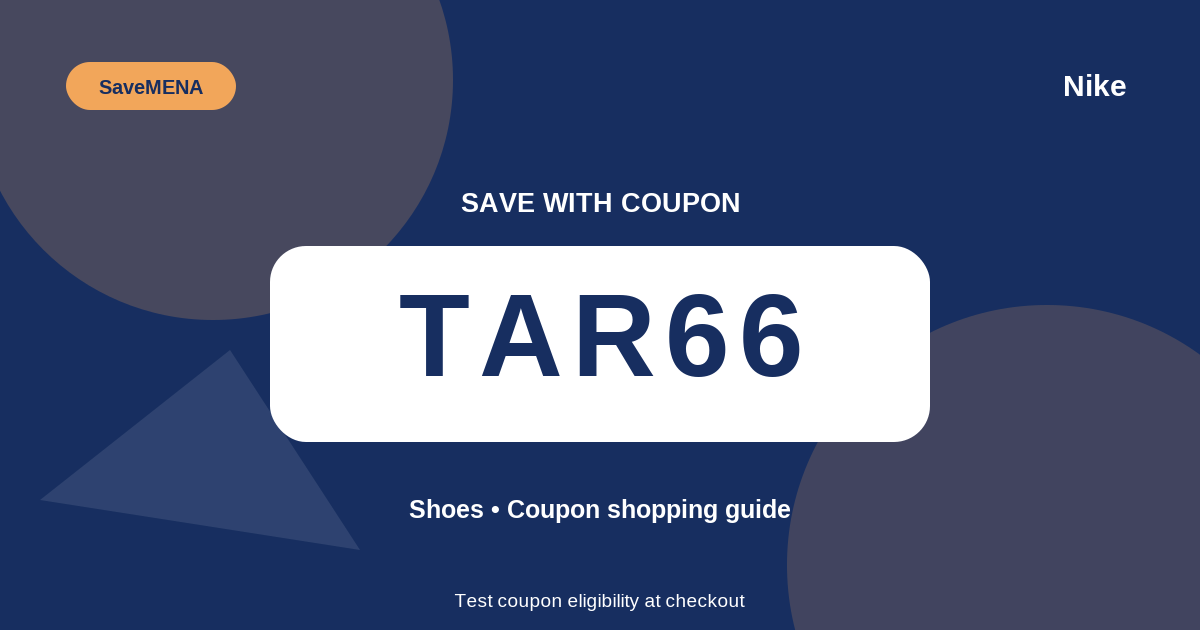
Codes available to try while comparing
These codes are not guaranteed for the article topic or listed brands; test them at checkout and use the live result.
Inspecting the Coupon Code Entry
When you first see a placeholder text saying “Your coupon isn’t valid”, the first place to glance is the input field. Type the code exactly as given—TAR92—without any leading or trailing spaces. Noon’s system is case‑sensitive only for letters, so ensure you replicate the case exactly; in this instance the code is in mixed case. Double‑check that you aren’t accidentally pressing “Enter” before it fully registers, which can send an early request and truncate the code in the backend.
After entry, notice the visual confirmation—or lack thereof—near the input. A green tick usually implies recognition; a red dash or warning icon indicates the code failed preliminary checks. At this stage, the system has verified the format but still hasn’t considered any ordering or account constraints. That means your code is syntactically correct, but the next layers may still block it. Proceed systematically to uncover deeper restrictions.
Confirming Account Sign‑In Status
Most discount engines, Noon’s included, require an active sign‑in before applying non‑store‑wide promotions. Even if you’re a registered user, a session timeout or a logged‑out state can disable coupon functionality. To be sure, close your browser and open a fresh session where you explicitly log into your Noon UAE account. This refreshes any authentication tokens the discount service relies upon.
Once signed in, revisit the cart and attempt to apply the same coupon again. If it still won’t work, double‑check that the email domain matches the one associated with your account. Noon’s logic sometimes flags mismatched domains for security. If the account was created from a different user or a family‑sharing arrangement, you might need to switch profiles to ensure the code is evaluated in the correct context.
Validating Cart Items and Applicability
Coupon classes can be indifferent to product categories, yet they often honor a minimal spend or specific product eligibility hidden behind the curtain. For shoes, this means the coder might have set thresholds that your cart doesn’t meet. Add a variety of products until the cart total surpasses a plausible minimum, then attempt the code. If it still’s ignored, the coupon likely isn’t meant for shoes, and the only avenue left is to test another network if available.
Beyond spend, you also need to confirm the items in your cart match the coupon’s product scope. Even if shoes are broadly included, special editions, limited‑edition releases, or items sold by third‑party sellers often bypass the standard discount flow. Look for labels like “Provided by third‑party sellers” or check the seller badge in the cart details; these items can trigger a bypass and exempt you from coupon applicability.
Examining Checkout Rules and Fees
The Checkout page is your final checkpoint. After the coupon applies, you’ll see the subtotal, discounts, and any subsequent fees—delivery, service charge, or processing fees. If the discount appears as a separate line but the final payable total doesn’t reduce, the coupon may have been accepted outright but a mandatory delivery fee nullifies the net savings. Compare the raw numbers; if nothing changes, the rule likely disallows the coupon under current fee structures.
Also be mindful of how Noon’s discount engine handles taxes. Some promotions apply pre‑tax, while others apply post‑tax, which can shift the final book‑ended total. Verify whether the tax is added to the discounted amount or calculated clean. A mismatch here often triggers a “coupon not valid” message if the front‑end engine can’t reconcile the expected total with the receipted data.
Checking Account‑Specific Restrictions
User accounts on Noon can inherit restrictions from prior orders, promotional flags, or regional limitations. For example, a prior returned or refunded order might place a temporary hold that prevents coupon use for a short window. Similarly, staying logged in on a device that’s flagged as a shared or public machine could activate security thresholds that block discount usage. Inspect your account’s recent activity to catch any such flags.
Furthermore, Noon may restrict coupon usage to new or existing customer tiers. If your account is categorized as a premium or basic member, certain promotional codes could be gated behind your tier level. Navigate to the profile section and review the membership status; if it’s subtle or hidden, contact support for confirmation whether your tier qualifies for the TAR92 code.
Reviewing Past Order History for Pattern
Sometimes a coupon’s failure isn’t about the code but the version of the app or browser. Look at your last successful transaction—was the code used then? If you saw the same error the previous week, you’re likely dealing with a systemic issue rather than a state problem. Note any changes in app versions, browser extensions, or network proxies that could alter the request shape.
Track the date and time of the attempted coupon application. Noon’s discount windows are active on a rolling clock; a tiny delay in applying a code after adding items can cause the system to treat the transaction as a new order, missing database flags tied to your cart. Sync your clock or use the device’s default time to avoid such misalignments.
Contacting Noon Support for Technical Issues
If every glitch‑proofing step above fails, it’s time to contact Noon’s customer service. Provide them with a clear, concise ticket: screen captures of the error, the exact OTP or time stamp, and the code attempted. Specify that you’re a UAE resident and that the product category is Shoes. Be ready to demonstrate you’re signed in and that the cart is otherwise valid.
Support often runs an audit of your session or the server’s view of your cart. If they deem the code invalid, they may redirect you to an alternative promotion or expose that it has expired in a way not displayed publicly. They also have access to internal logs which can pinpoint whether your account is flagged or if the coupon is truly dead. Follow up at least 24 hours if you don’t receive a resolution.
Final Checklist before Re‑Accessing the Coupon
Compile a quick fact‑sheet: Verify your cart includes at least one Nike shoe, the total sum meets a reasonable threshold, and you’re logged in with the correct email.A coupon is not guaranteed; verify its result at the retailer checkout. Keep the browser or app up‑to‑date, and disable any browser extensions that could block form submissions.
Re‑enter the cart after clearing all session data, type the coupon again, and scroll to the subtotal to see its impact. If it still shows “not valid”, this is the cue to reach out to support or consider alternative offers. Remember, the coupon is an attempt—no guarantee of acceptance—so balance your expectations with the above verification steps for a smoother checkout experience.
Related SaveMENA pages
Related articles
Official sources to check
Frequently asked questions
What does it mean if Noon shows “This coupon cannot be applied” in the cart?
It typically signals that the coupon either does not match the items in the cart, the cart total falls short of a hidden threshold, or the code expired or is restricted to certain seller types. Double‑check coupon eligibility rules on the checkout page or contact support for clarification.
Can I use a coupon on a product sold by a third‑party seller on Noon?
Coupons often apply only to first‑party items. If your Nike shoes are offered by a marketplace seller, the discount may not trigger. Look for seller tags in the product details; if marked “Marketplace”, the coupon might be ineligible.
Will my VPN or proxy affect the coupon’s validity?
Yes. Afternoon, using a VPN might route your request from a different country, leading Noon’s system to treat you as a non‑UAE shopper. Disable VPNs or ensure they point to a UAE server before applying the code to avoid IP‑based restrictions.
Is there a way to see the coupon’s minimum spend or eligibility automatically?
Noon rarely exposes these hidden thresholds publicly. The only reliable way is by trial: add a variety of products and note which combinations trigger or reject the code. Alternatively, COVID (customer service) can explain the coupon’s constraints during the support interaction.