Calvin Klein Watches on Noon UAE: account eligibility — coupon troubleshooting
Noon UAE coupon not working Watches Calvin Klein account context: If the Noon UAE coupon “TAR66” appears non‑functional while shopping for watches, especially from
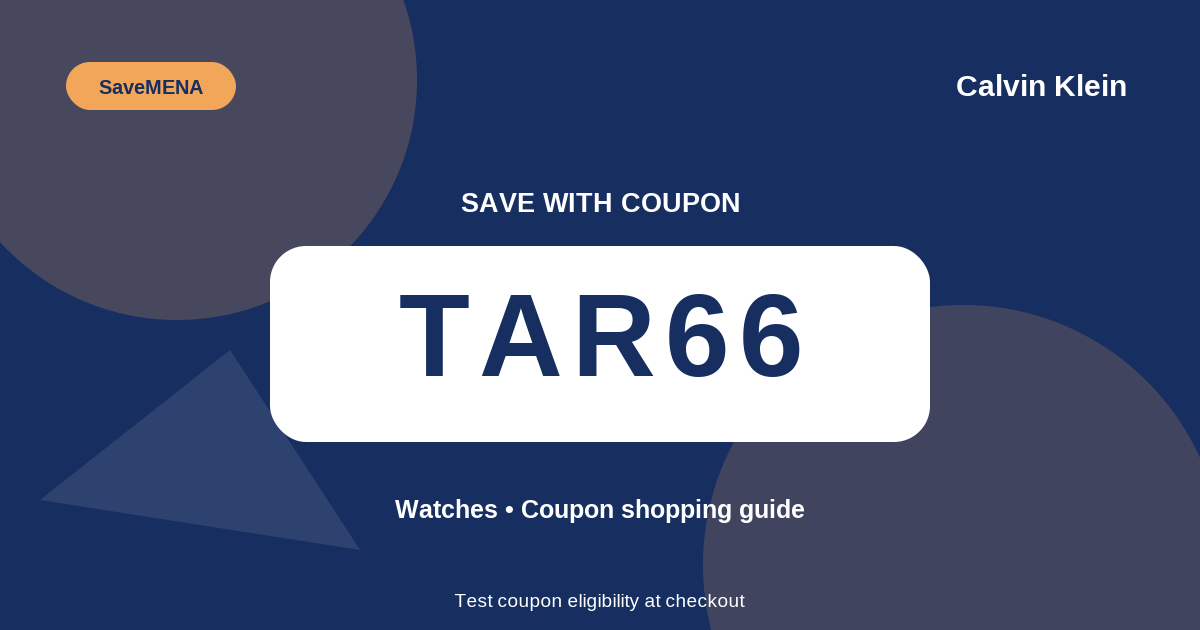
Codes available to try while comparing
These codes are not guaranteed for the article topic or listed brands; test them at checkout and use the live result.
1. Confirm Your Noon Account Status
Before any coupon can be processed, Noon requires an active, verified account. If your profile isn’t fully verified—because you haven’t confirmed your phone number, email, or linked a valid payment method—the platform may block promotional codes. Log in to the Noon app or website, navigate to the profile section, and check for any alerts that flag incomplete verification steps. If you find any pending actions, complete them and re‑login; this simple step removes a common barrier to coupon acceptance.
Do not assume that a dormant account is equivalent to an active one. A recently created account may still be subject to verification queues, especially if multiple phone numbers were used during registration. Verify that the account email is confirmed and that there are no unresolved notifications about payment methods. These confirmation steps activate the code‑validation engine, giving your watches the chance to receive any applicable discount.
2. Verify Eligibility for Watch Purchases
Every product category on Noon can have distinct promotional eligibility criteria. Watches—and luxury brands such as Calvin Klein—may have separate coupon restrictions. In the account settings, review your purchase history for any flags that indicate past interactions with watch categories. If you have previously purchased a watch from Noon, the system may have cached a rule that exempts you from certain coupons or requires a higher spend threshold.
Ensure your shopping cart contains only watch items. Placing non‑watch products in the same cart can invalidate the first‑in‑category discount logic. Remove unrelated items, then confirm that the watch(s) list is the sole content. This isolation helps Noon process the grocery code, considering the product category’s specific coupon eligibility matrix.
3. Input the TAR66 Code Correctly
With a verified account and watch‑only cart, the next critical step is the text entry of the coupon. Use the exact code—“TAR66”—in all capital letters, without spaces, dashes, or surrounding punctuation. Even a single typo or stray character can trigger a silent rejection, leaving the discount invisible on the screen.
After pressing the “Apply” button, give Noon a moment to process the request. In the waiting period, avoid refreshing the page, as this can send the input back to a blank state. Once the system acknowledges success, the cart total and any shipping fee adjusts accordingly. If no change occurs, proceed to the next troubleshooting step.
4. Watch the Cart for Coupon Application
Many users overlook the subtle visual cue that indicates coupon usage. When the code “TAR66” is accepted, a small line‑through or highlighted section appears next to the original watch price, showing the amount off or the percentage derived by Noon. If you do not see this alteration, it signals a problem with coupon acceptance that is not linked to a simple typo but to deeper account reasons.
Double‑check that you do not have multiple promotional codes active simultaneously. Noon may allow only one active code per order, and a preceding coupon could occupy the slot, preventing TAR66 from displaying. Clear any existing coupon from the cart, then re‑apply TAR66 to observe whether the adjustment takes place.
5. Address Common Account‑Related Errors
Should the code fail again, review the error message presented. Noon’s interface often lists “Coupon Not Applicable” or “Invalid Code” as direct feedback. These messages usually reflect account restrictions such as: exceeded coupon usage limits, account age penalties, or cross‑deposit cash‑back obligations that the platform monitors. Confirm that your account does not have a pending dispute or financial hold.
Under “Account Settings,” find the “Purchase Limit” tab. A watch purchase might have a minimum amount or require a verified loyalty status. If the watch sits below the implicit threshold, Noon logs the coupon as ineligible. Raising the cart value by adding a second watch or a higher‑priced accessory can sometimes reset the eligibility window.
6. Coordinate Shipping and Payment Options
Even a fully verified account can be hampered by shipping or payment constraints that indirectly block coupon usage. Checkout terms state that cash‑on‑delivery or bank‑transfer methods can sometimes restrict promotional discounts. Ensure your chosen shipping address is approved for watch deliveries in the UAE; some rare or restricted items have regional shipping limits.
When selecting a payment method, opt for a card linked to your Noon account rather than a temporary gift card or prepaid voucher that may not be recognized for coupon validation. Once the payment method is confirmed, revisit the cart and attempt to apply TAR66 again. This step often clears the flag whence the discount was hidden.
7. Skipping the Coupon – When to Proceed
Occasionally, the coupon simply does not apply due to a platform update or a temporary block on promotions linked to the watch category. If, after exhaustive account checks, the code remains inactive, accept that the sale may not be available for this specific order. Rather than consider a failed transaction, ascertain any alternative promotional codes that are actively functioning or credit a future discount reference on your account.
Use the Noon “Help” section to request a review of your coupon attempt. Submit the cart screenshot and the error message; customer support might identify a backend issue that you cannot resolve yourself. Until a resolution is confirmed, proceed to checkout without the coupon, noting that the selected watch will still ship within the standard UAE timeframe.
8. Final Review Before Checkout Commitment
Before confirming the purchase, double‑check that all cart details—item list, quantities, subtotal, shipping fees—match your expectations. If the TAR66 code applied, verify that the adjusted price aligns with the displayed coupon details. If not, return to Step 5 to re‑evaluate account restrictions.
Confirm that your shipping address, payment method, and contact details are current. A single typo in your address can delay shipment and trigger post‑checkout coupon reversal at Noon’s discretion. Finalize the purchase only after ensuring each component is correct, and you have a clear record of the order ID for potential follow‑up.
Related SaveMENA pages
Related articles
Official sources to check
Frequently asked questions
What does the error message “Coupon Not Applicable” mean?
It indicates that your account or cart does not meet the platform’s eligibility criteria for the coupon. Verify your account verification status, ensure only watch items are in the cart, and check for any other active coupons that might block the new code.
Will phone number verification affect my coupon usage?
Yes. An unverified phone number can block promotional codes, as Noon uses it for account security checks and to trigger discount eligibility algorithms.
Can I combine TAR66 with other promotions?
Noon typically allows only one active coupon per order. If another promo is present, remove it before applying TAR66 to see the discount.
Does the watch brand influence coupon eligibility?
Some brands, like Calvin Klein, may have brand‑specific promotional rules. Check in your account settings for any brand filters that could affect the application of TAR66.