Calvin Klein Women’s Fashion on Noon UAE: account eligibility — coupon · TAR53
If you’re trying to use a Noon UAE coupon on women’s fashion items and the code keeps bouncing back, you’re not alone.
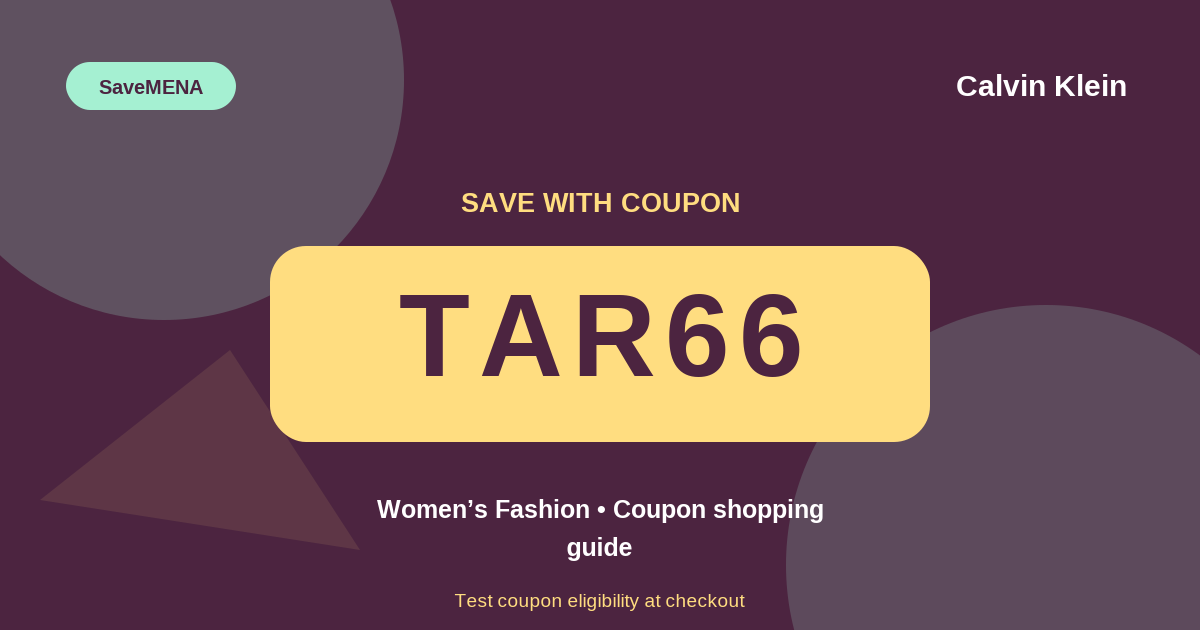
Codes available to try while comparing
These codes are not guaranteed for the article topic or listed brands; test them at checkout and use the live result.
Why Your Noon UAE Coupon Might Not Be Accepted at Checkout
There are several common reasons a coupon can fail during the purchase process. The first is that the coupon may not be compatible with the specific products on your cart, or the cart total might not meet the minimum threshold set by Noon for the code to apply. Since you’re shopping in the women’s fashion section, and some items can be restricted to specific brands or categories, it’s worth verifying if the coupon is broadly applicable. Additionally, active promotions or ongoing sales sometimes override or conflict with the code, causing it to be rejected automatically.
Another likely cause relates to your account context. If you’re logged into a Calvin Klein account that has specific benefits or restrictions, the combination of your loyalty level, cart value, and the coupon may trigger validation rules that prevent the code from applying. Noon’s system checks for eligibility across various parameters — such as shipping destination, payment method, and customer status — and can block the coupon if any of these factors do not align with the coupon’s requirements. Keeping a clear record of the cancellation reason at checkout can help you identify which rule is at fault.
Verify Your Coupon Eligibility Before Adding Items to Cart
The first step to avoiding a mid‑checkout failure is to confirm the coupon’s eligibility upfront. Write down the coupon code—TAR53—and visit Noon’s coupon verification page if available. Enter the code against a small, representative product from the women’s fashion line you intend to buy. Seeing that the code is accepted before you commit to the entire order can save you the frustration of a sudden rejection.
When verifying, make sure you are logged into the correct user account. If you have multiple profiles—such as a personal shopper account and a family shared account—sign out of all accounts, clear your browsing data, and then sign in exclusively to the account you intend to use for checkout. This avoids cross‑account inconsistencies that can cause the coupon validation process to fail, especially when loyalty benefits do not carry over between accounts.
Check Cart Total and Minimum Spend Requirements
Many coupon codes, even if not explicitly advertised, come with a hidden or implicit minimum spend threshold. Before proceeding to checkout, review your cart’s subtotal and any applicable taxes and shipping fees that will be added at the end of the process. If the combined total falls below an undisclosed threshold, Noon’s system will automatically reject the coupon during the final payment stage.
Because we cannot confirm the exact minimum spend, the safest approach is to create a test order that slightly exceeds the typical range for mid‑tier women’s fashion items—such as an extra accessory or a second garment. This not only ensures that you meet the threshold but also confirms that the coupon works across multiple items, which can be especially helpful if you plan to add more products later.
Confirm Delivery Destination and Shipping Fees Compatibility
Noon’s coupon validation also considers the shipping destination, since certain codes are limited to specific regions. Verify that your shipping address is set correctly within the UAE and not inadvertently pointing to a postal zone that’s excluded from the promotion. If you are using a prepaid shipping service or a special delivery option, the fee structure might also differ, influencing the coupon’s applicability.
Add a low‑cost delivery option temporarily to see if the coupon applies, then switch back to your preferred shipping method. Keep in mind that the final payment screen will reflect the precise delivery fee, and if this fee interacts unfavorably with the coupon, the code will be removed or ignored.
Assess the Payment Method Compatibility
Noon’s system may have restrictions based on the chosen payment method, such as credit card, debit card, or digital wallets. If your coupon is not applied, try switching to a different payment option that is known to work with same‑day validation. Pay attention to the card brand, because some issuers sometimes flag discount codes if the transaction volume exceeds a threshold.
Remember that the validation process happens after you confirm the payment method but before the final payable total is displayed. So if you encounter a coupon rejection, double‑check whether the selected payment method is flagged for any discount restrictions, and adjust accordingly.
Manage Your Loyalty Status and Account Level
Since your account is tied to a Calvin Klein context, it’s possible that you’re within an exclusive loyalty program that has its own discount structure. Noon enforces rules that may block a generic coupon if your loyalty status already guarantees a certain level of savings. In such scenarios, the system may disregard the code to maintain consistency with the loyalty benefits.
To confirm, log into your Calvin Klein Linked Noon account settings, review your loyalty tier, and check any active exclusive offers. If you notice overlapping discounts, you might need to cancel the coupon and rely solely on the loyalty benefit. Otherwise, you can continue trying the code, being aware that the system may prioritize loyalty over generic coupons.
Utilize the Noon App’s Coupon Features and Customer Support
The Noon mobile app often provides a dedicated screen for coupon codes, allowing you to input and validate codes before you even add items to your cart. Using the app’s coupon tool can give you instant feedback on whether the code is valid for your selected items and account type, reducing the chance of a surprise rejection at checkout.
If the coupon still fails, reach out to Noon’s customer support through the app or website. Provide them with your coupon code, cart details, and account background. Customer service can often clarify whether the code is truly invalid for your situation or if there's a technical issue on their end that needs resolving.
Document the Checkout Process for Future Reference
When troubleshooting a coupon issue, maintain a clear record of every step: the time you applied the code, the stage of checkout where the code was rejected, and any error messages displayed. Screenshots or printed logs can be valuable if you need to contest a denied discount or if you plan to decide between using the coupon again or dropping it.
Having a documented trail also helps you identify patterns—such as whether the code only fails at higher cart totals or specific payment methods—allowing you to adjust your purchasing strategy accordingly. Keep this log in a dedicated folder or note, and update it each time you face a similar issue.
Related SaveMENA pages
Related articles
Official sources to check
Frequently asked questions
Can I use the Noon UAE coupon only once or multiple times per order?
Coupon usage limits are set by Noon and may vary. Check the code’s activation page or the terms revealed at checkout to verify whether it’s a single‑use or multi‑use code per order. The system will display any restrictions during the final payment screen.
Will using the coupon affect my Calvin Klein loyalty perks?
In most cases, applying a generic coupon alongside a brand‑specific loyalty program will not reduce the loyalty benefits, but the system may prioritize one discount over the other. Review the loyalty program details or contact Noon support for clarification.
Is it safe to clear my browsing data before logging into my Noon account again?
Yes, clearing cookies and cache can resolve stale session data that might interfere with coupon validation. After clearing, log out of all accounts, re‑open Noon, and log in only to the account you’ll use for this purchase.
If the coupon fails, can I get a refund for the discount I tried to use?
No incidental refunds are provided for failing coupon codes. However, if Noon’s system rejected a valid code in error, you can request a correction through customer support and have the discount applied retroactively.