Anker Mobile Accessories on Noon UAE: basket contents — coupon troubleshooting
can be a frustrating surprise, especially after filling your cart with all the gadgets you need. If the TAR66 coupon refuses to stick, the problem often lies in the
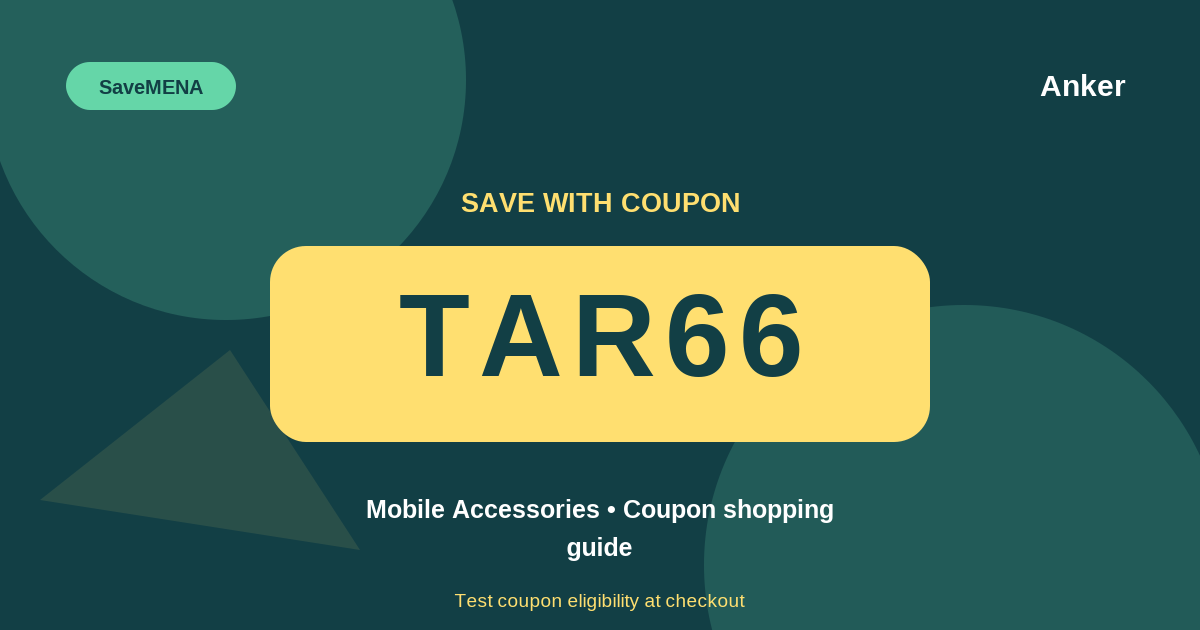
Codes available to try while comparing
These codes are not guaranteed for the article topic or listed brands; test them at checkout and use the live result.
Recognizing the Coupon Issue: First Steps
When you attempt to apply the TAR66 code and receive an error, the first action is to verify the notification carefully. Is it a generic “invalid code” message or a more specific “coupon not applicable to selected items” warning? The wording can give clues: a generic error may hint at a system glitch, while a restricted‑item notice points to eligibility problems. Stop there; your next move is to audit what’s in your basket, not to panic or keep refreshing the page. The initial check saves you from wandering through multiple steps unnecessarily.
It’s also a good idea to log out and log back in. Noon sometimes refreshes the session after a coupon insertion attempts, which can resolve temporary sync issues. If the coupon still refuses to apply, move to a detailed basket review rather than blame Noon’s infrastructure at this point. The error guide is only as helpful as the inventory you bring to it.
Fielding the Right Shopping Cart – Does Your Basket Qualify?
Basket composition is the foundation of coupon eligibility. Noon evaluates each cart against a set of rules that rule out ineligible items before the discount is computed. The first rule is simple: the cart must contain at least one product from the coupon’s designated categories or brands. If all of your items are Anker accessories but the coupon is not brand‑specific, the engine still checks if any of those products fall under the broader category allowed. Verify the individual product pages for category tags that Noon shows.
If you notice that your cart contains items from multiple vendors, double‑check that all are listed as sellers eligible for the TAR66 coupon. Some sellers reserve certain coupons for their own inventory only. A single product from an ineligible vendor can break the entire composition rule for the coupon, causing the engine to reject it even if other items qualify.
Anker Products: Are They Eligible for the TAR66 Coupon?
Anker mobile accessories—chargers, cases, cables—are highly sought after on Noon. However, brand popularity does not guarantee coupon compatibility. The coupon code itself is not declared brand‑specific, but the underlying rules could still exclude Anker accessories if the coupon is tied to a particular product line or vendor. Inspect the product detail pages for indications of “eligible for coupons” or “coupon available.” Noon typically displays a message next to the price bar if online kits are part of a discount program.
Even if Anker items show as couponable, store policy matters. Some Anker sellers use exclusive partnership agreements that render Yan’s coupon codes inapplicable. Confirm that the seller’s storefront lists the TAR66 code or that the product page acknowledges coupon usage.A coupon is not guaranteed; verify its result at the retailer checkout.
Mixing Brands: How Basket Composition Affects Coupon Eligibility
Shoppers often enjoy bundling brands, but this mixture can trigger hidden constraints. Noon sometimes enforces a “single brand only” rule for certain discounts to maintain fair revenue sharing across sellers. If your basket contains both Anker and a non‑Anker brand, the engine may flag the order as mixed and block the coupon, even if each brand individually qualifies. The composition check runs through your cart's vendor list, symbology, and the coupon’s eligibility matrix.
To test this, try creating a minimal cart with only Anker products and apply TAR66. If the code sticks, your issue likely stems from other items. If it fails again, review whether the other items belong to sellers with conflicting coupon agreements or whether their tag categories overlap in a way that triggers a cutoff.
Quantity Limits and Minimum Spend Considerations
Coupons often have unseen thresholds. If Noon’s the coupon code code list includes a minimum spend, it may not be disclosed until checkout. Since the TAR66 code is “available to try,” you should check the final checkout screen for any “minimum spend required” flag. In many cases, the threshold is visualized right before payment, so a clear “Order total must be at least X” only appears after you hit the payment page.
Quantity limits are equally common; a coupon may only apply to one unit of an item or a maximum number of total items in a cart. Anker’s bulk chargers, for example, might be limited to one bundle per coupon usage. Again, the engine silently checks these constraints before it applies the discount, so that is why you see no error at the earlier cart step. Keep an eye on the "applied coupons" indicator near the subtotal to see if it reflects any cap.
Checking Store and Vendor Restrictions in Noon UAE
Noon categorizes sellers into tiers. Some tap into the “Prime Marketplace” with advanced coupon rights; others do not. If your Anker items come from a regular seller that does not support the TAR66 coupon, the discount will not apply. Look at the seller icon next to each product: a star symbol generally indicates a premium seller that might share coupons. If your seller lacks that mark, it might not honor the coupon at all.
Furthermore, Noon’s checkout process displays a list of applicable discounts just below the subtotal. If your vendor’s allowance excludes certain coupons, that list will omit TAR66. In that case, you can reach out to the seller for clarification, but the most reliable action is to replace or remove the offending product until the coupon applies.
Final Checkout Validations: Ensuring the Coupon Applies
When you hit the payment button, Noon’s final verification stage is the last gatekeeper. At this point, the system aggregates all cart items, calculates totals, and re‑applies the coupon. You will see an “Applied coupon” line in the order summary if everything checks out. If the line is missing, the engine has rejected the code, and you should review all earlier sections for overlooked restrictions.
This checkout screen also shows any hidden fees or additional charges that could push the total above or below a coupon threshold. Check for storage, delivery, or insurance fees that might inadvertently violate the implied max spend or affect item ratios. If no errors appear, the coupon has successfully integrated, and the final amount reflects the discount.
When All Else Fails – What to Do Next
If the TAR66 coupon remains unapplied after you’ve verified brand criteria, quantity limits, vendor restrictions, and minimum spends, it’s time to move to the next step: contacting Noon support. Provide them with a screenshot of the error, your cart composition, and note that the issue occurs after a direct coupon input. Support teams correlate backend logs with your session to diagnose systemic problems or hidden conflicts.
Meanwhile, consider alternative discount methods. Noon sometimes offers promo codes linked to marketplace promotions or gift cards. Look for email campaigns or notifications from Noon that might include a copy of the coupon or a similar one. By diversifying your savings approaches, you can still capitalize on good deals while waiting for the code to become functional.
Related SaveMENA pages
Related articles
Official sources to check
Frequently asked questions
What is the best way to check if my Anker accessories are compatible with Noon coupons?
Check each product’s detail page for a “coupon available” message or look for a star icon indicating a premium seller. This signals that the item is eligible for most promotional codes, including TAR66, if no other restrictions apply.
Can I use multiple coupons with the TAR66 code on the same order?
Noon typically allows only one coupon per checkout. After applying TAR66, you cannot add another coupon unless the store explicitly permits stacking. The final order summary will display the active discount.
What happens if I exceed the minimum spend during checkout?
If the coupon requires a minimum spend, the code will remain inactive until you meet the threshold. Noon’s checkout screen will display a prompt indicating the remaining amount needed to activate the discount.
Why does the TAR66 coupon not work after adding a new Anker accessory?
Adding a new accessory may trigger vendor or category restrictions that halt the coupon. Ensure each added product is from a seller that accepts TAR66 and that the total quantity doesn’t exceed any coupon limits.