Skincare on Noon UAE: basket contents — coupon troubleshooting
When assembling a Skincare basket at Noon, the platform treats the overall content as more than a simple list of items.
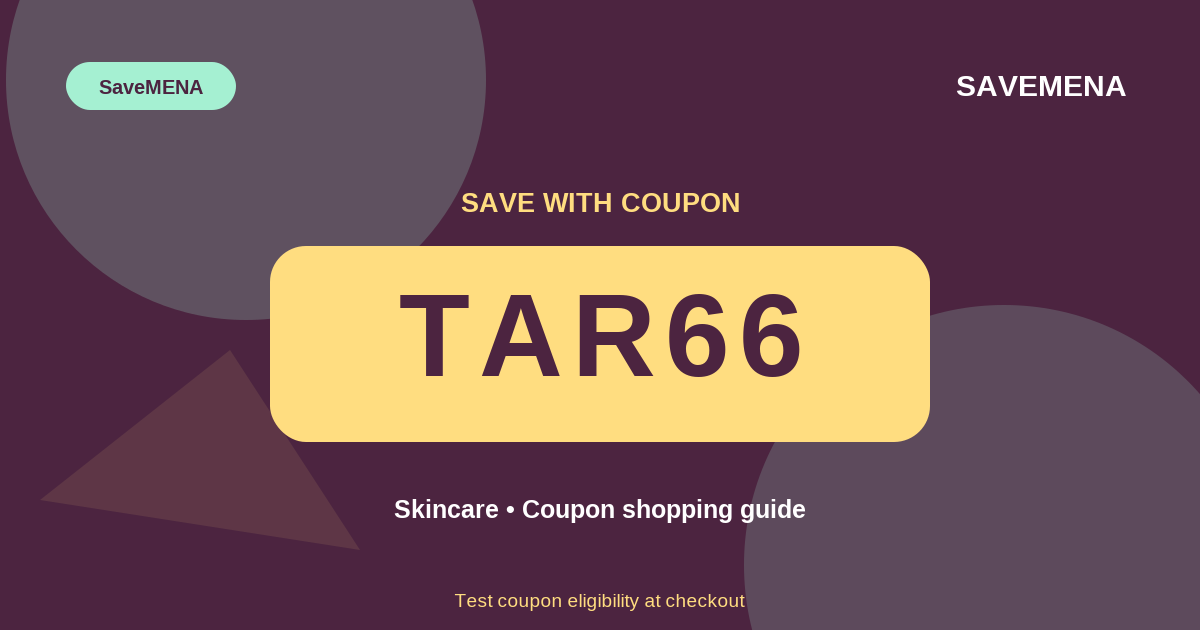
Codes available to try while comparing
These codes are not guaranteed for the article topic or listed brands; test them at checkout and use the live result.
Understanding Your Skincare Basket: Composition Matters
When assembling a Skincare basket at Noon, the platform treats the overall content as more than a simple list of items. The type of product, its active ingredients, and how many items come from the same seller all influence whether a coupon will activate. For example, one moisturizer, a serum, and a cleanser from three different brands may trigger a different rule than if all were from a single brand or from the same seller. This distinction matters because many coupons have implicit thresholds tied to basket makeup.
The order in which you add products also matters. Noon’s algorithm examines the basket at each step, and if a code is applied before all relevant items are present, it might miss the trigger. Therefore, add the full set of Skincare products you intend to purchase, then apply TAR66 to let the platform reevaluate the basket’s composition. Until the basket reflects the right mix, the code will appear broken even if it is technically valid.
Decoding the TAR66 Coupon: What It Claims
Coupon codes like TAR66 are generated without explicit rules visible to the shopper. However, the platform does set expectations: the code should apply to certain categories, brand alliances, or quantity thresholds. The key is to understand the likely hidden restriction that favors larger, single‑seller Skincare bundles. If a code is offered without a mandatory minimum spend, the platform still may ignore it when the basket contains items from different sellers or across multiple sub‑categories. Recognizing that TAR66 was probably designed for cohesive Skincare bundles is the first step to troubleshooting.
Because Noon hides the exact criteria, work from the front end. Check the description of each Skincare product for any manufacturer‑related requirements, such as “for use with other brand A products.” List the items, sellers, and total quantity in your notes. That snapshot becomes a reference for verifying at the final checkout screen whether the basket has satisfied the code’s implicit conditions.
Checkout Overview: How Noon Applies Coupons
During checkout, Noon splits your basket into separate seller segments. Each segment then verifies if any coupon can be applied based on the seller’s own catalog rules. If TAR66 is a cross‑seller code, it examines the combined basket. Conversely, if the code is intended for a single seller, the algorithm looks only at items from that one source. The interface displays the “Payment” card after tax and shipping calculations, where the coupon line appears or disappears according to those checks.
The final payment screen provides the only reliable source for whether a coupon succeeded. If you are missing a discount line, it means the basket’s composition failed to satisfy the code’s rules. Note the seller name, product categories, and quantities next to the checkout receipt. This snapshot is essential for cross‑checking later if you decide to adjust your basket and try the code again.
Common Reasons a Coupon Might Fail
The most frequent glitch is a mismatch in seller: if one item in your Skincare basket comes from a different seller than the others, Noon often treats the basket as disjointed, preventing cross‑seller codes from applying. Another culprit is sub‑category spread; adding a sunscreen from the sun‑care subsection can break a code designed only for moisturizers and serums. This battlefield nuance is not captured by the coupon description, so shoppers must be vigilant.
Other misfires include adding a product that Sunset from a brand flagged as “non‑compliant” for a given promotion, and having a single high‑priced item that pushes the basket past an implicit “single product” restriction embedded in the coupon logic. This last case is subtle because the user can’t see the restriction; the only sign is a missing discount line and the unchanged grand total.
Step‑by‑Step Troubleshooting Guide
Begin by emptying your cart and then re‑adding the Skincare items one by one, writing down each seller’s name and each sub‑category. After each addition, pause to verify if the basket still reflects the intended composition. When you see your final item, test the coupon immediately before proceeding to payment. If it still fails, review whether the last added item came from a new seller or sub‑category, then remove it to test if the coupon becomes active.
If removing items doesn’t help, try adding all items from a single seller that offers the most complete range of your desired Skincare products. This bundling approach often satisfies hidden single‑seller checks. Once the coupon activates, capture a screenshot of the discounted subtotal before any taxes or shipping. Keep that evidence handy; it proves the successful application and informs how to structure future basks.
Testing the Coupon in a Bare‑Bones Basket
A practical experiment involves creating a minimal basket that contains only one SKU from each product type you intend to buy—say, a cleanser, a serum, and a moisturizer—ensuring all originate from the same seller. Apply TAR66 at this stage; if it now appears, the issue was the basket's complexity. This minimal test confirms whether the code is inherently valid and merely blocked by your broader basket design.
Should the coupon activate, you can slowly reintroduce the remaining items while closely monitoring the discount line at every step. Tracking these changes helps you pinpoint the exact point at which the coupon stops applying, highlighting the rule that governs its activation—likely a threshold in product variety or seller count. This empirical approach eliminates guesswork and focuses your troubleshooting on concrete composition factors.
Alternative Ways to Use TAR66
If your Skincare basket cannot comply with the implicit restrictions, consider shifting the coupon to a different portion of your order. For example, if you have an accessories basket from the same seller, you may apply TAR66 there and keep your Skincare items for free shipping only. This strategy allows you to extract value from the coupon without reconfiguring your entire shopping list.
Another method is to split your order. Place the Skincare products in one transaction where the coupon fails, and separate the rest of your items—perhaps makeup or fragrance—into a second transaction where the conditional checks may differ. Noon treats each checkout independently, providing a fresh chance for the coupon to validate against a cleaner basket composition.
Final Checks Before Payment
Before finalizing payment, double‑check the receipt details: seller names, product sub‑categories, and the combined quantity. Ensure no hidden items are included that might alter the basket composition mid‑checkout. In addition, confirm that the last coupon line reflects a discount; if it shows “Coupon not applied” or is absent, it means the basket still violates an unseen rule.
If you are satisfied that the basket totally complies—single seller, consistent sub‑categories, no extra outside items—then rely on the final payment screen to confirm the coupon’s presence. Should you see the discount, you have verified the troubleshooting carries forward. If it still does not appear, you may need to contact Noon’s customer support for a manual override, citing your basket details as evidence of compliance.
Related SaveMENA pages
Related articles
Official sources to check
Frequently asked questions
How do I know if my basket meets the coupon’s hidden rules?
Inspect the list of sellers and product sub‑categories in your cart. If all items come from one seller and share the same sub‑category or closely related categories, the basket is more likely to satisfy hidden rules. Cotext‑verification can be carried out on the final payment screen before confirming the order.
Can I apply TAR66 after I’ve already checked out?
Unfortunately, Noon does not allow coupons to be retroactively applied. The code must be entered before you hit the final payment step. If it fails then, you’ll need to retry under different basket conditions.
What happens if I add a new Skincare product after applying the code?
Adding more items can alter the basket composition and may cause the coupon to disappear from the receipt. To protect the discount, avoid adding new items once the code has successfully applied.
Is it possible that my card or payment method is blocking the coupon?
The coupon code is evaluated by Noon’s discount engine, not by the payment system. Card or payment method issues would show as a separate error during payment processing, not as a coupon failure.