Dell Laptops on Noon UAE: bundle contents — coupon troubleshooting
Noon UAE coupon not working Laptops Dell bundle and accessories: On the first glance, it can feel almost magical to find a Noon UAE coupon that promises extra
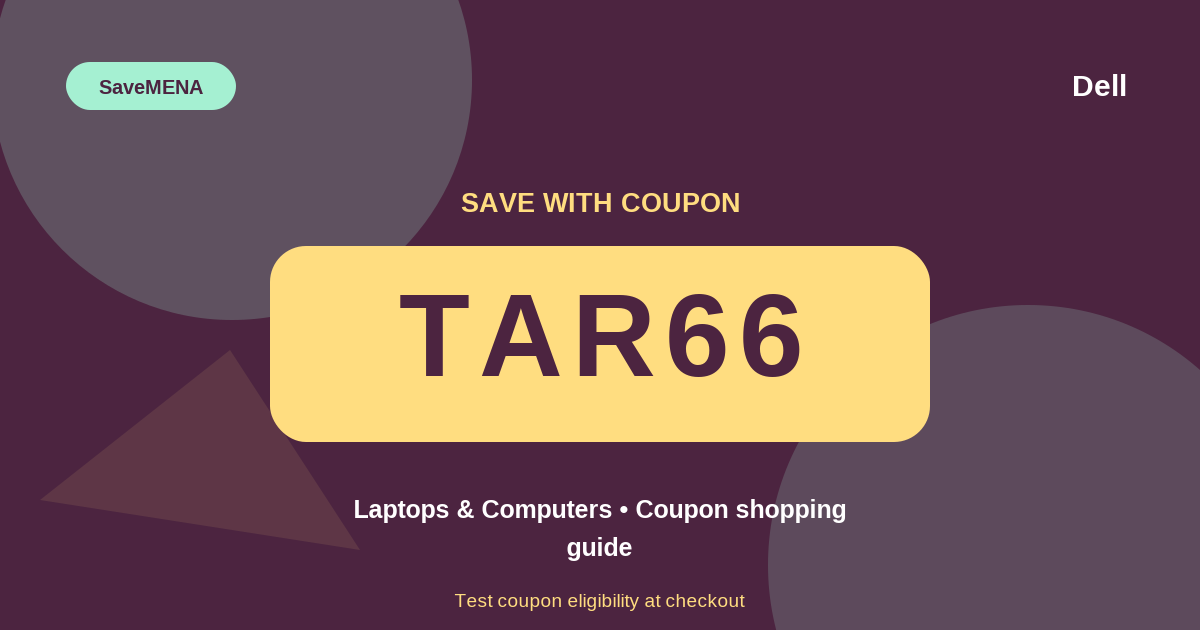
Codes available to try while comparing
These codes are not guaranteed for the article topic or listed brands; test them at checkout and use the live result.
1. Verify Coupon Eligibility and Basic Conditions
Begin by inspecting the TAR66 coupon’s page or promotion detail. Look for explicit clauses such as “valid for Dell products” or a mention that it applies to laptops only. In many cases, Noon only ships for a local market, so confirming the UAE region is essential. Because the coupon is available for try‑out, there’s no guarantee it will work, but you can still test its compatibility before adding items to the cart.
Make note of any restrictions displayed, e.g., “excludes accessories” or “minimum purchase amount.” Even if the coupon label appears neutral, the underlying conditions could limit its use. A quick notepad of these rules will help you decide whether to proceed with the bundle or explore alternative savings.
2. Verify Product Compatibility for Bundle
When building a Dell laptop bundle, ensure the items are included in the same seller listing or from sellers that support bundle packing. Some DDR bundles are offered as separate listings; combining them manually may prevent the coupon from activating. Check that the accessories—mouse, charger, docking station—are listed under the same product page or under a single bundled division.
For example, if the Dell laptop is sold by one vendor and the accessories by another, add each item to cart separately. If they belong to different sellers, Noon’s coupon engine might apply only to the primary vendor’s items. Confirming seller alignment early prevents later confusion when the coupon refuses to activate.
3. Add Laptops and Accessories to Cart Correctly
When placing items in cart, use the “Add to Cart” button for each Dell product and accessory. Avoid using a “Buy Now” shortcut, as it may bypass the coupon application step. Double‑check the quantity and variant (e.g., color or memory size) during this stage to avoid mismatches that could cause the coupon to be invalidated after checkout.
After adding, review the cart summary. The line items should display each Dell component alongside its price. If you see a stray item from another brand, remove it, as the coupon may not apply to the entire cart if mixed. Keeping a clean, matching bundle makes it easier for the coupon to compute the discount at checkout.
4. Apply Coupon at Cart vs Checkout
On the cart page, locate the coupon field and enter “TAR66.” Certain coupons require application before proceeding to checkout; if your code is rejected, the cart may fail to update. Test the coupon on a single Dell laptop first—if it applies, you can add accessories afterwards, and the coupon will likely persist.
In some instances, Noon applies coupons only during the checkout flow. If the code isn’t accepted in the cart, navigate to checkout, sign in, then try entering the coupon under the discount section. Should the coupon still fail, skip the coupon and proceed to finish the order, noting the code for later use or customer support escalation.
5. Double‑Check Tax, Fees, and Total
Once the coupon is applied, observe the tax and any delivery fees in the subtotal. Sometimes, coupons do not reduce shipping costs, so the final payable amount may still be high. Calculating the total manually ensures there are no surprises at payment. For example, add the discounted price of the Dell laptop bundle, subtract the coupon discount, then add any tax, and finally the delivery fee.
If the the coupon code or tax seems inconsistent, consider whether the coupon applies nationwide or only to the UAE electronics market. Verify that all items are domestic; international items may be excluded from certain discounts, altering the final figure.
6. Address Common Errors and Retry Logic
When the coupon doesn’t work, common culprits include a typo, expired code, or a missing “space” after entry. Re‑enter the code keeping an eye on case‑sensitivity. If the code is entered correctly but still refuses, wait for a few minutes and retry, as server lag can temporarily block coupon checks.
Another glitch can arise when multiple coupons are attempted simultaneously. Clear any previous discount margin before applying TAR66. Finally, if the coupon remains stubborn, proceed to the next section for customer support intervention.
7. Use Noon’s Customer Support for Final Confirmation
Contact Noon’s customer support through the chat or call option to explain the coupon failure. Provide the product SKUs and the exact code you used, noting the bundle and accessories. The support agent can verify your cart details and, if necessary, manually apply the discount on your behalf.
Afterward, confirm the new total at checkout. Save any confirmation or screenshot in case of future disputes, and be sure to keep the receipt of the transaction for your records.
8. Record Coupon Usage and Future Savings Strategy
After the transaction, login to your Noon profile and note whether the coupon was applied successfully. If the coupon worked on this purchase, you might save the code for future Dell laptop bundles or similar electronics. If it was still invalid, search for alternative offers or rely on seller‑specific promotions.
In the long run, keep a simple log in a spreadsheet of which coupons have worked and for which items. This routine helps you avoid repetitive testing and speeds up future purchases while ensuring you never miss a discount on a Dell laptop bundle with its accessories.
Related SaveMENA pages
Related articles
Official sources to check
Frequently asked questions
What if the TAR66 coupon still doesn’t work after following all steps?
The coupon might be expired, limited to a specific Dell model, or have a minimum spend you haven’t met. Double‑check the coupon details on Noon’s site or contact customer support for clarification.
Will adding accessories after applying the coupon affect the discount?
Yes, if the coupon only applies to the laptop, accessories added later may not receive the same discount. Apply the coupon after the entire bundle is in the cart.
Can I combine the TAR66 coupon with sale or cashback offers?
Generally, coupons can’t be stacked with other discounts unless explicitly stated. Review Noon’s discount policy for the coupon’s terms before proceeding.
Do I need a Noon account to use the coupon?
Yes, you must be logged in during checkout; unregistered shoppers cannot apply coupon codes.