Puma Women’s Fashion on Noon UAE: checkout message — coupon troubleshooting
Noon UAE coupon not working Women’s Fashion Puma the live coupon message at checkout: When you hit “Apply Coupon” on Noon, a live prompt often appears that
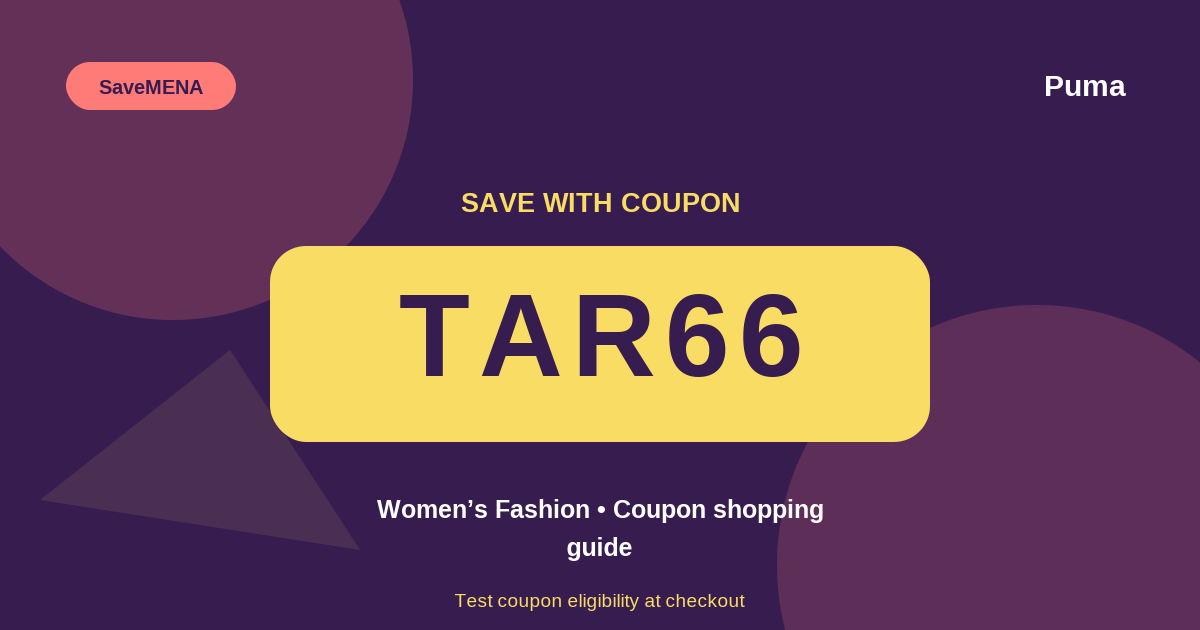
Codes available to try while comparing
These codes are not guaranteed for the article topic or listed brands; test them at checkout and use the live result.
Confirm Coupon Applicability on Puma Women’s Fashion Items
The first clue comes straight from the live coupon message: if it reads “Coupon Not Eligible for Selected Item,” the discount does not apply to the specific Puma article in your basket. This usually signals that the product falls outside the generic “women’s fashion” category or contains restrictions like limited‑edition releases. Double‑check the product page’s category tags and confirm you are indeed browsing a standard apparel piece, not a collectible sneaker or a promotional bundle.
Your next move is to remove any item that the live message flags as ineligible. Once you have a clean list of products that fall squarely under women’s fashion, re‑enter TAR66. A correct coupon will then appear as “Coupon Applied Successfully” and reflect immediately in your cart total if all items qualify.
Verify Minimum Spend and Product Category Alignment
Even if a coupon is technically linked to women’s fashion, many discount codes require a minimum spend to activate. When Noon’s live message displays “Minimum Spend Not Met,” it indicates that the total cart value is below whatever threshold TAR66’s policy demands. Logically, this requirement is transparent only at checkout, so add a banner product or two to bump the total above the bar before retrying the code.
Ensure that the added items also belong to the valid category; otherwise the “minimum spend” condition won’t resolve instantly. Once the cart subtotal passes the limit, the live prompt should thank you for applying the coupon, and the discount will be debited from the final amount.
Check for App‑Only or New‑User Restrictions
Some coupons are exclusive to app shoppers or new customer accounts. If the live message says “Coupon Not Eligible for Account Type,” it means the code you’re trying—TAR66—was issued under terms that exclude your current profile. Switch to Noon’s mobile app or sign in with an account flagged as a first‑time buyer to see if the discount kicks in; if not, the restriction is firm.
Even without an account you can use the guest checkout as a test. Enter TAR66 once you’re in the checkout page, and if the message recompiles you’re still staring at the same “not eligible” signal, you’ve reached a platform‑wide restriction that applies to browsers, irrespective of device.
Inspect Cart Items for Protected or Exclusive Listings
Rarely do platform rules allow a discount on items that carry a “protected sale” tag or belong to a private‑label partnership. When Noon’s live text highlights “Coupon Not Valid on Protected Item,” it indicates that your basket contains such a product. Removing the flagged item or swapping it for a standard Puma women’s item will restore coupon viability and prompt a successful confirmation.
In practice, you’ll often spot the problem in the shopping basket’s iconography—a lock symbol or a “not available” notice can warn you that the product is exempt. Proof that the live message updates positively after removal solidifies that the original flag caused the failure.
Confirm the Live Coupon Message is Displaying Correctly
Occasionally the issue lies in the interface rather than the code itself. If you see a generic “Coupon Not Working” without specific guidance, it might signal a page style malfunction or a lag in updating the message. Clearing the browser cache or refreshing the cart page may resolve a silent error. Re‑enter TAR66 after a refresh to test whether the prompt updates to a proper status.
On the Noon platform, the live message appears beneath the coupon field. Ensure your screen isn’t cropping the interface; sometimes mobile displays hide the message behind navigation bars. Switching to a different browser or device or ensuring that pop‑up blockers are disabled will help you confirm the coupon’s true status.
Review Shipping Fees and International Taxes Impact
NH’s live message might flag “Coupon Not Applicable to Shipping Fees” if the discount only covers product costs. In such case, the total payable remains unchanged until shipping is deducted post‑submission. However, the message “Coupon Not Eligible due to International Tax” appears if the item’s destination—UAE—doesn’t trigger the discount because of tax rules. Inspect the shipping section for line‑item classification.
Adjusting the shipping method to a standard option or opting for express may alter related fees; in turn, the live message could shift from “not eligible” to “applied.” If the coupon still fails, it’s likely an overall rule that excludes shipping charges from discount consideration.
Reset Shopping Basket and Re‑enter Coupon
When all else fails, reset the cart in a fresh session. Remove all items, open a private‑window browser, and add a single Puma women’s fashion article. Since a fresh session eliminates any hidden flags, the live message should accurately reflect the coupon’s applicability. Input TAR66 at the bottom of the checkout form; a successful prompt will appear instantly.
Once you see a positive application signal, you can begin re‑adding items one by one. After each addition, keep an eye on the live message—if it flips back to “not working,” the new item is likely the culprit. This method isolates the problematic product and keeps the coupon instructions precise.
Contact Noon Customer Service for Live Coupon Confirmation
If every attempt to activate TAR66 ends in a bare “Coupon Not Working” message, you may need delayed platform support. When contacting Noon’s helpline, provide the exact prompt text from the live message, your account details, and the href of the stamped cart. A customer service representative can verify whether the coupon is actively supported for your category or flags an internal system error.
Use the online chat or hotline; note that response times vary. While waiting, keep a copy of your cart screenshot so your conversation references the exact coupon situation. Once the support team confirms the code’s status, you can readjust your basket accordingly and proceed to checkout.
Related SaveMENA pages
Related articles
Official sources to check
Frequently asked questions
What does the live coupon message at checkout mean on Noon?
The live coupon message appears right after you type in a discount code. It tells you whether the code is accepted, and if not, it usually specifies the reason, such as ineligibility, minimum spend not met, or restrictions tied to shipping or taxes.
Can I use the TAR66 coupon code with Puma women’s fashion items?
It depends on the eligibility rules set by Noon. The live message at checkout is the most reliable source—if it says “Coupon Applied Successfully,” it’s valid for your selected Puma items; otherwise, check the restrictions provided.
What should I do if Noon shows “Coupon Not Working” but the code appears correct?
Refresh the cart, clear browser cache, or use a private window to ensure there are no hidden errors. Also verify that none of your items fall under protected or exclusive listings that exclude coupons.
Does shipping fee affect the application of the TAR66 coupon?
Coupons often apply only to product cost, not shipping. If the live message notes a shipping restriction, the code may still apply to the product price but will not reduce shipping charges, impacting the final total.