Braun Home Appliances on Noon UAE: delivery timing — coupon troubleshooting
Begin by confirming that every Braun appliance you wish to purchase is correctly tallied in your cart.
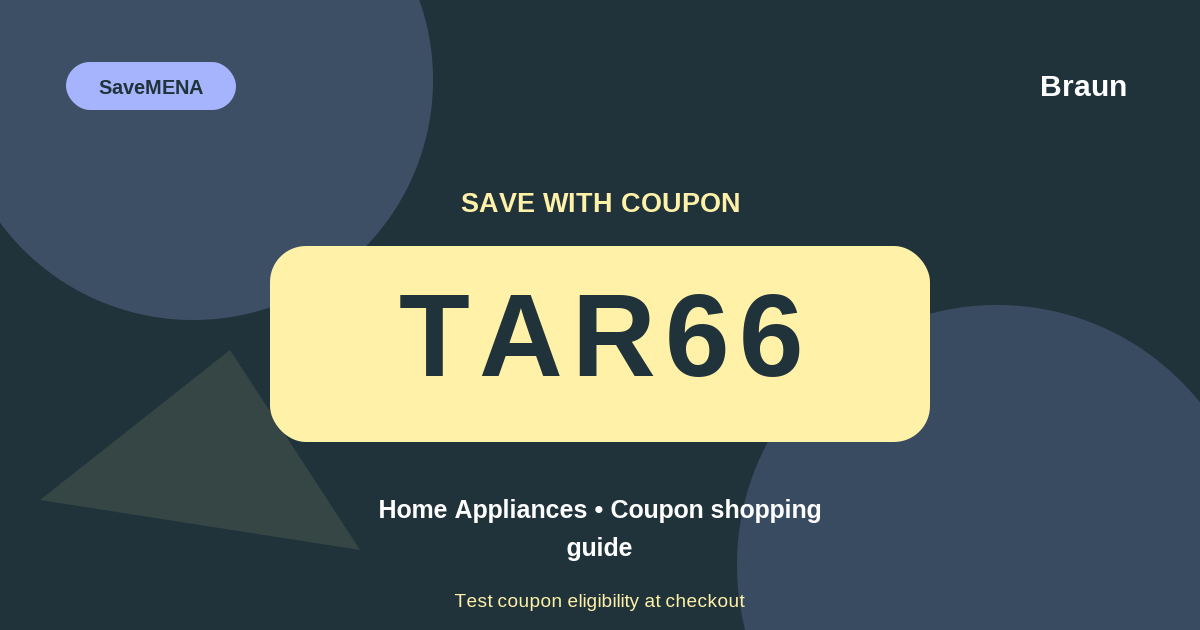
Codes available to try while comparing
These codes are not guaranteed for the article topic or listed brands; test them at checkout and use the live result.
1. Verify Cart Accumulation and Coupon Entry
Begin by confirming that every Braun appliance you wish to purchase is correctly tallied in your cart. Tap the cart icon, review the quantity, and ensure the unit price reflects the latest product listing. A common omission is an inadvertent deletion or a 0‑quantity item that still counts toward a coupon limit. Only when the full intended items are present can the coupon field accept the code. This check protects against early cart errors that would otherwise block coupon application before you even reach checkout. Any adjustment should be completed here, allowing the calculate button to refresh the subtotal with updated totals.
Next step is to locate the coupon entry field within the cart view. Enter “TAR66” exactly as shown; the code is case‑sensitive in most systems. Observe whether the button changes to “Apply” or “Remove” — an applied state indicates the system recognized the code. If the button remains inactive or displays an error message, note this for later troubleshooting. This simple yet critical validation anchors the coupon’s potential application and sets the stage for delivery timing checks in the following sections.
2. Inspect the Checkout Order Summary for Delivery Fees
Proceed to the checkout page, where the order summary consolidates all items, taxes, and ancillary fees. Pay attention to the “Shipping” line item. Some establishments display a “Flat Rate” or “Express Delivery” cost that may affect coupon eligibility; for example, certain coupons are only valid with standard shipping methods. Recognizing this early allows you to decide if you should change the delivery option or keep the cart as is. This decision keeps the estimated delivery window clear—standard shipping typically shows a broader arrival range than express.
When the delivery fee is visible, compare it against the total payable amount. If the fee seems higher than typical for a similar appliance, double‑check the region you selected—international versus domestic. Adjusting the delivery location can modify the fee and alter the coupon’s validity. Remember, the system’s order summary will recalculate the coupon impact only after the shipping method is finalized, so hold off on any final purchase until you've confirmed the fee aligns with your intent and the expected delivery timing.
3. Confirm the Estimated Delivery Date Before Payment
A robust approach to troubleshooting is to focus on the promised arrival window. On the checkout page, locate the “Estimated Delivery” field adjacent to the shipping details. This estimate reflects the seller’s processing and dispatch schedule. If it is pending or marked “Not available,” your order could stall. In such cases, either wait for the date to populate or look for an alternative seller that provides a definite estimate.
Check if the estimate changes after applying the coupon. Some platforms recalculate shipping dates once a discount alters the total. Document the date displayed in a note; you can refer to it later when tracking the shipment. By capturing this snapshot, you reduce uncertainty and ensure that any future changes or notifications from the seller will be evaluated against the original estimate, preserving trust in the delivery timeline.
4. Examine the Seller’s Shipping Policy and Regional Constraints
Each Braun appliance listing includes a seller profile. Tap the seller’s name to view their shipping policy—especially the shipment origin, processing time, and any regional claims. If the policy says “Ships from the UAE” versus “Ships from Oman”, the arrival window will differ. Confirm that the seller’s stated policies match the “Estimated Delivery” you saw; discrepancies can signal misuse of the coupon if the seller is outside the coupon’s eligible region.
Furthermore, confirm whether the seller supports the “TAR66” code by scrolling to the bottom of the product description or the seller’s FAQ. Sellers sometimes specify coupon restrictions (e.g., applicable only for UAE customers). If the policy states a regional limitation, you may need to choose a different seller or consider the impact on delivery timing—international shipping could delay arrival beyond your desired window.
5. Cross‑Check for Regional Restrictions on the Coupon Itself
Coupon rules often hinge upon the shopper’s location. Though the “TAR66” code can be entered in the cart, the backend may refuse it if the account is flagged as non‑UAE. In the checkout interface, look for any message that references “regional eligibility” or “country restrictions.” If you see such a prompt, the coupon will not apply until you switch to a UAE payment or delivery address.
To troubleshoot, try logging out and back in with a UAE address or change your shipping location later in the process. Some platforms allow you to adjust billing or shipping country after the coupon is entered. This action may enable the coupon to apply while finally reaffirming the estimated delivery timing based on a UAE‑centric shipping route.
6. Review Order History for Previous Coupon Application Attempts
If you’ve previously tried “TAR66” on Braun appliances, it’s useful to revisit the order history. Click on your account or order summary page, then select a recent purchase that used a coupon. Inspect the payment details and delivery notes to confirm whether the coupon was honored and which delivery date was set. This historical data provides a benchmark for what to expect when re‑applying the coupon.
During this review, check for any pattern such as a recurring delivery delay or an unexpected surcharge. Notice if earlier attempts used a different coupon code, or if the billing address differed. By understanding these variables, you can make a smarter choice about whether to retry the current coupon or pick an alternate discount, all while keeping a clear eye on how the estimate changes with each variation.
7. Contact Customer Support for Real‑Time Confirmation
When the coupon still refuses to be applied despite all previous checks, or if the estimated delivery date appears inconsistent, reach out to Noon UAE’s customer support. Use the live chat or the “Help” icon on the checkout screen. When speaking with an agent, cite the barcode reference of the cart and the specific “TAR66” code, and ask whether they can see an eligibility issue. Ask explicitly for the confirmed delivery timing once the coupon is applied, ensuring transparency.
Customer support can often reveal hidden restrictions—such as a temporary blackout on coupon usage for certain sellers—or confirm if the code is still valid for the current season. This direct verification anchors your next step, whether it’s leaving the coupon active with its current estimate or opting for a different purchase method. Once resolved, record the date told by the agent so you have an official reference for tracking.
8. Monitor Post‑Purchase Tracking to Validate Delivery Timing
After completing the payment, the merchant sends a confirmation email that includes a tracking reference. Save this reference and cross‑check it with the seller’s live tracking portal. A common practice is to log into Noon’s order overview, select the recent item, and hit the “Track Shipment” button. A delivery status update will list an estimated date or a range—compare this precisely with the earlier estimate shown during checkout.
If there is a mismatch—say the tracking shows a later date than the checkout estimate—contact the seller or Noon support immediately. Note that planning for a delivery based on an initial estimate that Drifts later can cause inconvenience. By tracking the progress daily, you can confirm the final arrival window and adjust any home arrangements if the appliance arrives later than anticipated.
Related SaveMENA pages
Related articles
Official sources to check
Frequently asked questions
Why did my “TAR66” coupon not apply to my Braun appliance?
Coupons can be blocked by a variety of factors such as regional restrictions, seller limits, shipping method constraints, or cart mis‑entries. Follow the systematic steps above to identify the exact cause in your case, ensuring you also verify the estimated delivery window.
Will using the “TAR66” coupon affect the delivery speed of my Braun appliance?
It depends. Some coupons limit you to standard shipping only, while others do not affect delivery options. Confirm on the checkout page whether the coupon changes the available shipping methods before finalizing.
Can I apply “TAR66” to multiple Braun appliances at once?
Coupon restrictions often specify a maximum number of items or a single usage per order. Check the coupon’s eligibility message during cart and checkout steps; the system will automatically refuse the code if limits are exceeded.
What if the estimated delivery date changes after I use the coupon?
You should observe the change in the order summary after applying the coupon. If the date shifts, verify if the sender changed the shipping method or if the platform recalculated shipping time due to updated total cost.