Logitech Computer Accessories on Noon UAE: market and currency — coupon troubleshooting
Start by confirming that the TAR66 code is typed correctly and entered into the designated coupon field before you proceed to payment.
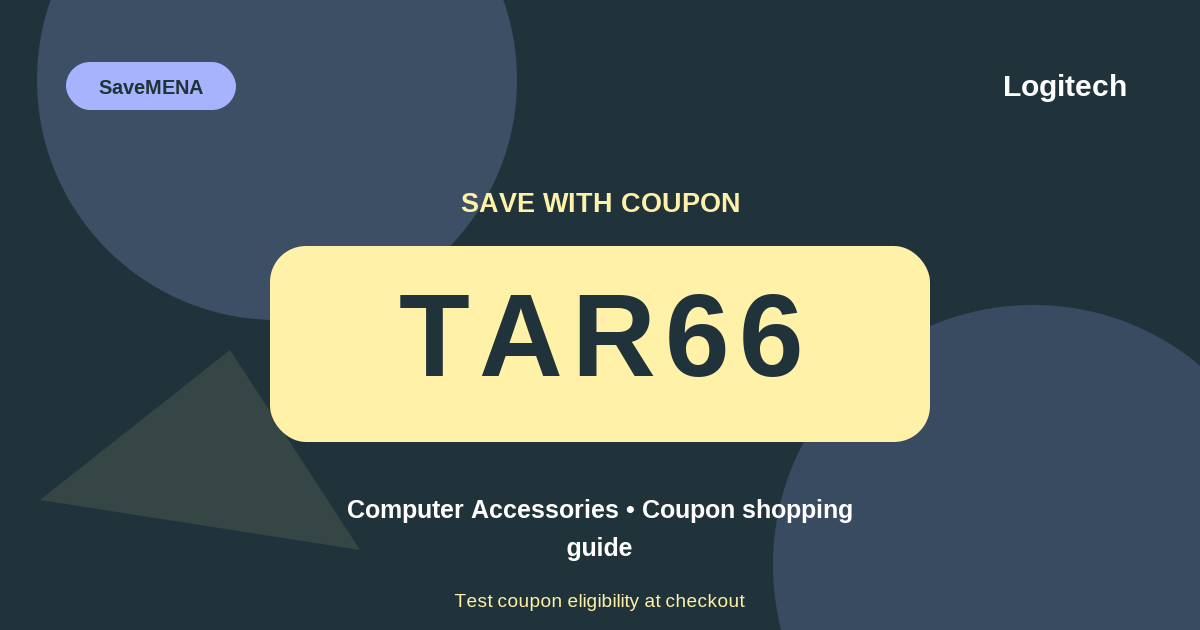
Codes available to try while comparing
These codes are not guaranteed for the article topic or listed brands; test them at checkout and use the live result.
Verify Coupon Eligibility and Format
Start by confirming that the TAR66 code is typed correctly and entered into the designated coupon field before you proceed to payment. Even a minor typo, such as a missing character or an extra space, can prevent the code from being recognized by Noon's system. Additionally, check the code’s format – codes can be case‑sensitive. Input it as it appears, mirroring uppercase or lowercase sequences exactly. If the code still fails, look for on‑screen messages that specify whether the coupon is invalid or expired; these messages are generated by Noon’s platform and reflect the current state of that specific code.
Next, examine the coupon’s published conditions on Noon’s product and checkout pages. No independent testing has confirmed a discount percentage or an expiry set for TAR66, so rely on the information provided in the coupon box itself. If the coupon states “applicable to selected items” without naming them, you must cross‑check each cart item. Ensure each Logitech accessory appears on the eligibility list; if a device is excluded, the coupon will be refused automatically at checkout.
Confirm Item Availability Across UAE Markets
Noon operates multiple market segments, each with its own catalog and pricing. Verify that the Logitech accessories you’ve added are available in the UAE market listing, not a virtual or international variant. Items listed under a different country’s store can be invisible to the UAE coupon engine, even if the price appears similar. Look for a “Available in UAE” marker or a country flag next to the product title to avoid inadvertent cross‑market purchases that would block coupon application.
When you add an accessory to your cart, double‑check that the selected seller’s inventory is local to the UAE. Sometimes an international shipping partner lists an item in the UAE catalog but will dispatch from abroad, leading to higher fees and potential coupon conflicts. Click “View seller details” to see the base location; if it is outside the UAE, the coupon may not trigger at all. Continue examining your cart until all entries show seller locations within the UAE.
Inspect Cart for Minimum Spend or Category Restrictions
Certain coupons have implicit spend thresholds that are not disclosed until the checkout stage. While no official minimum for TAR66 is recognized, clicking “Calculate savings” on the cart page can reveal any hidden prerequisites. Pay particular attention to whether the total cart value falls below a minimal threshold for discount eligibility, or if only specific accessory categories qualify. If your cart contains items outside the eligible category, remove or replace them before attempting redemption again.
Should your cart exceed a theoretical threshold but the coupon still isn’t applied, review each product’s category tags. Noon's decision engine may segment Logitech’s line into “Gaming Peripherals,” “Business Accessories,” or “Consumer Drones.” Only the relevant tag may allow coupon usage. Remove non‑aligned items or select an alternate product that matches the category allowed by the coupon. This pre‑checkout filtering aligns with Noon’s automatic enforcement logic at the final reference point.
Check Currency Conversion and Market Settings
The UAE market’s display currency is the dirham (AED). Confirm that the currency selector on Noon’s site or app is set to AED prior to adding items to your cart. If an alternative exchange or a foreign currency appears, the coupon engine may misinterpret the pricing field, leading to redirection of the discount. After setting AED, refresh the product page to ensure the price updates correctly with local currency formatting.
Next, validate your account’s market preference. Noon may allow a “Market Preference” setting under your profile that defaults to another country. If the preference is not UAE, the checkout process will map the cart to a different market catalog, rendering the coupon invisible. Adjust the market setting to UAE, save the changes, and re‑load your cart. After these steps, the TAR66 code should interact with the cart’s AED values without conflict.
Review Payment Method Compatibility
Certain coupons are only valid when paired with specific payment methods, such as credit cards issued in the UAE or digital wallets that support dirhams. Check the payment method you plan to use; if you are using a foreign card, Noon's system may flag the coupon as incompatible, especially if the currency conversion is not handled directly in the merchant’s account.
When you reach the payment screen, look for a notice indicating “Coupon not applicable with selected payment method.” If you see such a message, switch to another card or a wallet that is explicitly viewed as UAE‑compatible. You may also try adding the “logistics provider” option that supports direct currency settlement, which can sometimes reset eligibility checks.
Assess Shipping Fees and Delivery Charges
Noon’s checkout displays delivery fees based on the shipping address and product weight. A substantial shipping cost can push your total past a hidden discount threshold or trigger a “coupon not applicable” message. Even though the discount amount is not specified for TAR66, verify that no excess shipping fee is preventing the coupon from activating.
If you use Express or other premium delivery options, the final payable amount may change after the T&C of coupon applicability is processed. To avoid surprises, reduce the shipping level to Standard or confirm that the shipping method appears within the coupon’s “eligible shipping” list if Noon's interface shows one. This ensures consistent calculation across the market’s currency and market settings.
Refresh Browser and Clear Cache Approach
Sometimes the problem lies in persistent session data. Close the app or browser, clear your cache, or log out and back into your Noon account. This removes any stored coupon cache that might still reference an old marketplace setting or shipping preference. Open a new session, add the Logitech accessories to your cart from scratch, and re‑enter TAR66 in the coupon field to see if it registers correctly.
Additionally, check for browser extensions that could interfere with Noon's scripts, such as ad blockers or privacy tools. Temporarily disabling these extensions or switching to a different browser can resolve compatibility issues that silently prevent the coupon from being read. Once the coupon applies, proceed to finalize the checkout to confirm the discount at the final reference point.
Contact Seller or Noon Support for Clarification
If all previous steps fail, reach out to the product seller on Noon by tapping the “Contact Seller” option on the product page. Ask whether they are aware of any coupon restrictions for TAR66 or if a recent stock change may affect eligibility. Sellers can clarify whether the product is on a special pricing tier that excludes universal coupons.
Alternatively, submit a support ticket through Noon’s customer service portal. • Explain that TAR66 is not being accepted in the UAE market. • Mention the steps you’ve already taken, including market and currency checks. • Request confirmation that the coupon is active, its applicable value, and whether any additional conditions were omitted from the public listing. Once you receive a response, you can test the coupon again or adjust your purchase strategy accordingly.
Related SaveMENA pages
Related articles
Official sources to check
Frequently asked questions
Why does my TAR66 coupon not work even though I entered it correctly?
Your coupon may be invalid for the selected items, market segment, or payment method. No guarantee is made about its current status, so reviewing eligibility, market settings, and payment compatibility can pinpoint the issue.
Can I apply the same TAN screen code to all Logitech computer accessories?
Noon’s coupon engine processes each cart individually. If any listed accessory falls outside the coupon’s eligibility, the code will not apply unless all items meet the required criteria. Verify each item’s status on the cart page.
Will changing my delivery option affect the coupon application?
Yes. Shipping fees and delivery speeds can influence the total cart value, potentially intersecting with coupon thresholds. Configuring a standard delivery could prevent unexpected “coupon not applicable” notices.
How can I confirm that my account’s market preference is correctly set to UAE?
Navigate to your profile settings on Noon, locate the market preference section, and ensure “United Arab Emirates” is selected. Save changes before adding items to the cart.