Anker Headphones on Noon UAE: model specifications — coupon troubleshooting · TAR84
If you're trying to use a Noon UAE coupon and it's not working, you may feel stuck, especially when it comes to snagging the latest Anker headphones.
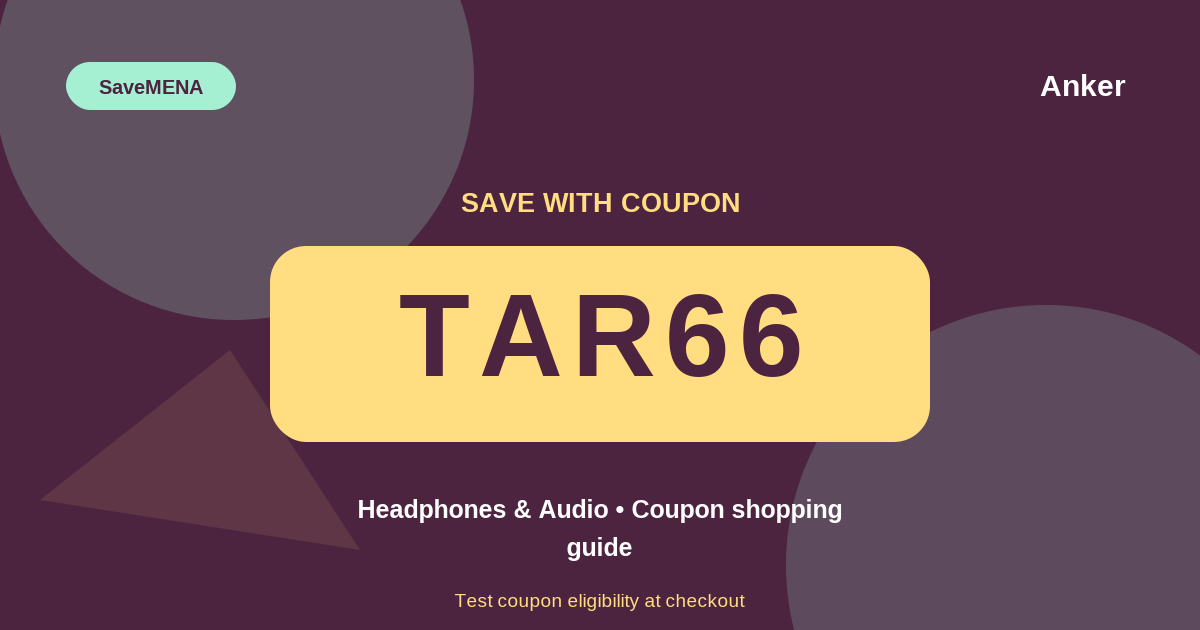
Codes available to try while comparing
These codes are not guaranteed for the article topic or listed brands; test them at checkout and use the live result.
Identifying the Correct Anker Headphone Model for Coupon Eligibility
Start by searching for the exact Anker headphone model you intend to buy. On Noon UAE’s site, use the search bar and type “Anker” followed by the model name, such as “Soundcore Life Q30” or “Voice Buds Pro”. Avoid generic searches like “Anker headphones” because that may pull up multiple options. The coupon is not brand‑specific, but it can still be tied to particular SKUs. Verify that the product listing matches the official manufacturer model number listed on the Anker website or in the device’s packaging. Any discrepancy can trigger a coupon application error.
Once you narrow down to the exact model, bookmark its product page. This page will display a precise SKU, color variants, and the available warranty. Coupon engines on Noon use these identifiers to determine applicability. If you later change to a different color or size, the coupon may no longer apply. Therefore, keep the model consistency throughout the checkout process. It reduces the chance of the coupon refusing due to a product mismatch.
Understanding the Model’s Specifications
A thorough reading of the specifications will reveal important qualifying details that can affect coupon acceptance. Anker headphones typically list driver size, impedance, frequency response, battery life, and weight. For instance, the Soundcore Life Q30 uses 40 mm drivers and offers up to 40 hours of playtime. Make sure these specifications align with the coupon’s potential constraints in terms of battery life or weight, albeit that the coupon code does not disclose such specifics. If the product you select has features differing from the standard model, Noon might treat it as a distinct SKU.
Beyond physical specs, review the connectivity options—wired, Bluetooth 5.0, or NFC pairing. Some coupons only apply to battery‑powered, wireless models. Also note that Anker headphones occasionally offer up‑to‑date firmware that can change the product’s status. If an unavailable firmware upgrade is required at checkout, the coupon may be flagged. Keep an eye on the specifications heading for these interplay factors, as they can silently invalidate your coupon if mismatched.
Confirming Product Availability on Noon UAE
Check stock levels directly on the product page. Anker headphones may sell out quickly, leading to cart removal or a “out of stock” message that prevents coupon application. Beneath the price, Noon typically displays “In Stock” or “Only X left”. If the item is not in stock, the coupon can’t be applied as the cart cannot be processed. Thus, before adding the product to your cart, write down its exact SKU and double‑check that the store lists it as available at your location.
Some sellers on Noon offer the same model but with different delivery dates. Verify the “Estimated Delivery” field; a long waiting period might trigger the coupon engine to refuse. If the courier or shipping slot is not available, the checkout process may flag the coupon as ineligible. Should the product be temporarily out of stock, consider adding it to your save‑later list and checking back after a restock notification. That way you can re‑attempt the coupon.
Checking Coupon Eligibility Rules
Navigate to the coupon page on Noon and paste “TAR84” into the discount field. Several factors can cause a silent rejection: the coupon’s minimum spend, user eligibility, or whether it’s limited to certain categories or sellers. Since the coupon code is not guaranteed, the best practice is to observe any displayed error messages. If the site returns “Coupon invalid” or “Does not apply to this item”, cross‑reference with the detailed terms found in the coupon’s FAQ.
If the coupon is “stuck” due to a hidden condition, it often involves the category filter. Even though the coupon isn’t publicly linked to headphones, the “headphones” category may be strictly defined by Noon. Ensure that the Anker headphone you selected falls under the exact category, not a sub‑category that might be excluded. Look at the breadcrumb trail: Headphones > Wireless Headphones > Anker. If you find the breadcrumb mismatches, the coupon engine may refuse to apply.
Verifying Cart and Checkout Conditions
Adding the product to your cart triggers the coupon eligibility check. After APU, you’ll see a notification at the top of the cart if the coupon applies. If it does not, the banner will read “Coupon not applicable” alongside textual guidance. Confirm that your cart contains only the intended Anker headphones. Remove any extraneous items, as a higher basket value can sometimes liberate a coupon, but it can also create new eligibility conflicts.
During checkout, you will have the chance to re‑enter the code in case of a prior dispatch failure. Double‑check your phone number and email address, as they can be part of the internal validation rules. If you see a message like “Please confirm your country” and your location defaults to a non‑UAE region, the coupon may not activate. Adjust the profile settings to reflect UAE before re‑entering TAR84.
Dealing with Coupon Not Applied Messages
If the coupon fails and you receive a “Coupon not applied” notice, do not immediately abandon the purchase. Open the cart details and confirm that each line item includes the selected Anker model number. Sometimes hovering over the “tinfoil” icon reveals the exact SKU. If the SKU displayed differs from what you intended, replace the item with the correct one. This fine‑grained SKU check can prevent dozens of mock coupon attempts.
When the coupon message persists, leverage the Noon support chat. Provide the code, the product SKU, and the error text. The support agent can confirm whether the coupon is still active or has been removed. Many times, codes outdate quickly, and the support team can guide you to a more recent, active offer. Document the chat session for future reference in case you need to appeal or request a manual discount.
Alternative Discount Options on Noon UAE
If TAR84 continues to refuse, look for overlapping promotions such as “Extra the discount shown at checkout off on headphones” that combine with a standard discount. The seasonal sale badges on the product page sometimes tag “Seasonal Savings” or “Limited Time”. Even though you’re not enjoying the specific coupon, these combined offers can still bring significant savings.
Moreover, Noon frequently offers “Buy One Get One” or “Combo Pack” deals. By adding a complementary product that doesn’t conflict with the coupon rule, you might shift the cart’s total just enough to lift the minimum spend threshold that enables the code. Keep track of how much additional spend is required for coupon activation, and plan your purchase accordingly.
Final Confirmation and Refund Policies
Before finalising, review the total payable amount indicated after the coupon field accepts the code. Double‑check that the discount has visibly reduced the price. If the amount remains unchanged, revisit the previous steps—barcode, SKU, quantity, and store. A persistent issue could mean the coupon has been deactivated.
In case no discount applies, still enjoy the peace of mind that Noon’s refund policy allows you to return headphones within 30 days of receipt. Should you have applied a coupon that did not produce a discount, the platform typically does not reimburse coupon loss. Confirm the return steps under “My Orders – Return” and keep the order confirmation handy.A coupon is not guaranteed; verify its result at the retailer checkout.
Related SaveMENA pages
Related articles
Official sources to check
Frequently asked questions
What should I do if the TAR84 coupon code shows “Coupon not valid” after adding an Anker headphone to my cart?
If the error appears, first verify that the exact Anker model you added matches the one listed on the product page. Replace any variant that differs in color or SKU. If the problem persists, contact Noon customer support with the code and product SKU for clarification.
Does Noon require a a minimum-spend condition, if the retailer shows one to work with headphones?
The coupon site may state a minimum purchase requirement in its FAQ. If the message appears during checkout, review the “Coupon Terms” link for the exact threshold and adjust your cart accordingly.
Can I use TAR84 on multiple items in my cart, or is it restricted to a single headphone?
The code typically applies to the entire cart total. However, if other items are from a different seller or fall outside the coupon’s eligibility, the discount might be partially or fully denied. Confirm all items meet the same criteria.
What’s the best way to test if an Anker headphone SKU is eligible before adding it to my cart?
Use the search bar to load the complete product page, then click the “Add to Cart” button with a single unit. Immediately check for any discount banner before reaching checkout—this is the quickest test of coupon compatibility.