Adidas Men’s Fashion on Noon UAE: model specifications — coupon troubleshooting · TAR98
Begin by identifying the fundamental attributes that the coupon might scrutinize. A coupon applied to a site will consider the brand, product category, and
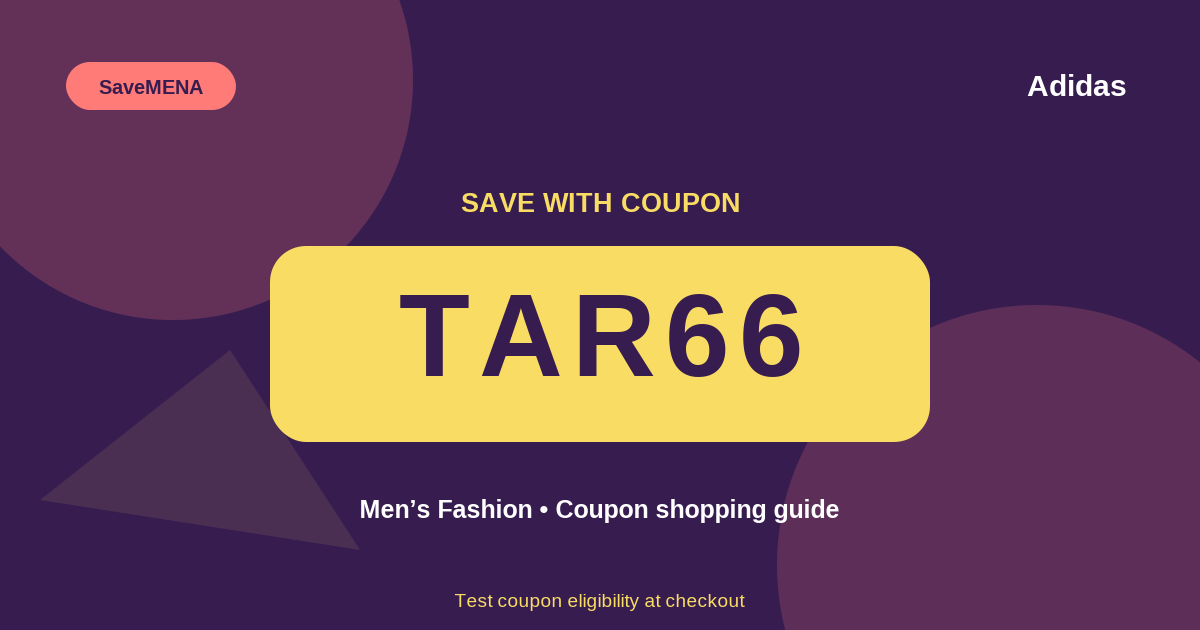
Codes available to try while comparing
These codes are not guaranteed for the article topic or listed brands; test them at checkout and use the live result.
Heading
Para1
Para2
Decoding the Coupon Mechanics for Men’s Adidas Collection
Begin by identifying the fundamental attributes that the coupon might scrutinize. A coupon applied to a site will consider the brand, product category, and sometimes the exact item model. Hence, before you even reach the checkout, confirm that the specific Adidas model you intend to purchase is listed under Men’s Fashion on Noon. Because the coupon code TAR98 is presented as a generic discount tool, it typically does not specify a brand or product niche, but the site can still lock the code to certain classes of items. Knowing this helps you anticipate that the coupon may only succeed if the cart principally consists of the category it matches.
During this initial phase, flag any item in your cart that may deviate from the main sportwear category. For instance, accessories or pre‑wear discounts could alter the eligibility status. If the cart contains a mix, the code could be rejected because the coupon's implicit scope is confined to the core items only. By isolating these vectors early, you reduce the chance of a glitch that forces you to re‑enter the code later in the flow, especially when the checkout softly enforces hidden constraints.
Spotting the Exact Adidas Model in Your Cart
Next, locate the detailed model number of the Adidas product you added to your basket. Many athletic apparel items carry a numeric or alphanumeric identifier tied to production batches, fit or color options. The coupon may be tied to a model level, so verifying the exact identifier is essential. Some sellers break down items by “Model XYZ1” or similar; this information appears on the product page and is replicated in the cart summary.
Double‑check that the variant chosen matches the description exactly. For example, a “Men’s Adidas Sports T‑Shirt – Green – M” might share a base order code with a different color or size, but the coupon logic can misinterpret the subtleties. If the variation is off, the coupon might be flagged as invalid, even though the general brand or category would otherwise qualify. Ensuring the model details line up will light the path for the coupon application step that follows.
Scrutinizing Model Specifications for Compatibility
Specifications such as material composition, fit type, and functional features drive the coupon’s applicability in subtle ways. Some discount engines check for attributes like “short sleeve” versus “long sleeve,” or “mesh” versus “synthetic” in the underlying catalog data. This discovery layer is invisible to the shopper but can silence a promotional code. By reviewing the product’s specification list—often found in an FAQ or technical data sheet on the product page—you can flag elements that might conflict with a coupon requirement.
Make a note of any specification that differs from typical promo language. For instance, if a code is commonly applied to “Crew Neck” styles, but your item is “V‑Neck,” the engine may unintentionally block it. Likewise, a technical feature such as “mesh panels” might trigger a condition that evaluates the item as premium, which sometimes is excluded from standard discount ranges. By documenting these specifications, you gain a clearer understanding of where a failure point lies if the coupon is rejected.
Aligning Cart Items with Coupon Eligibility Rules
Before you even type TAR98 into the coupon field, confirm that your cart is composed of items that line up with the implied rules. Some codes only work when the cart contains items from a particular category; others require a minimum quantity or limit to a single brand. By cleaning up the basket to just the Adidas item in question—or at least ensuring among its peers the same category— you create the simplest case for the engine to evaluate.
Another subtlety is the time of day or session of use. Some sites reset cart eligibility data after a period of inactivity, triggering a checksum that can invalidate a coupon. If you start the transaction near the end of the day, waiting a few minutes before checking out can lead the system to misread the coupon status. Maintaining an active session and keeping the cart unchanged until you apply the code reduces such coincidences.
Applying TAR98: A Step‑by‑Step Procedure
With the product, specifications, and cart in line, proceed to the checkout stage. Locate the coupon input field that typically appears above the total price. Enter TAR98 exactly as shown—case‑sensitive matters, as the listing often reflects formatting that the engine reads strictly. Press ‘Apply’ or the equivalent button to let the system process the code against the current cart.
Immediately after application, a message will confirm the status: either “Coupon Applied Successfully” or a technical message like “Coupon Not Valid.” A successful flag indicates that the earlier checks passed and the engine recognized the coupon, at least at that moment. A failure message, while not final, lets you know that at least one criterion was not met, and now you can cross‑check which element triggered the rejection: exact model, specification mismatch, or hidden cart rule.
Troubleshooting Common Coupon Failures
When TAR98 does not accept your cart, document the exact failure message and review the potential root causes one by one. The most frequent culprits are hidden eligibility constraints—such as the cart containing both eligible and ineligible items—or specification mismatches that were overlooked. Re‑enter the code after removing any non‑sportswear product.
Another possibility is that your account is in a state the engine disallows—perhaps due to a prior unsuccessful attempt or a platform bug. Logging out and back in, or clearing the browser cache, can reset the session. If the issue persists, checking the model and specification list side‑by‑side with the coupon eligibility list (if available) can confirm whether a mismatch hidden from the user’s view exists. Persistence in testing different combinations will eventually pin down the obstacle.
Alternative Workarounds When the Coupon Fails
If standard troubleshooting fails, consider reaching out to Noon’s customer support for a one‑off confirmation of coupon eligibility. Present the catalog identifier, model number, and any specification details you noted. A support reply can clarify whether the coupon is genuinely live and applicable to the item in question.
Meanwhile, explore OEM or seller‑provided discounts that compete with the generic code. Other promotional mechanisms might coexist, such as “buy one, get one free” or seasonal sales banners. The editor suggests verifying those alternative deals by re‑examining the product detail page for additional discount tags, then adjusting the cart accordingly for a final assessment of total savings.
Related SaveMENA pages
Related articles
Official sources to check
Frequently asked questions
Why does TAR98 sometimes refuse to apply?
A coupon may fail if your cart contains items outside its intended category, if the specific product model or specification differs subtly from what the engine expects, or if a session hiccup occurs. Validating each element and retrying after clearing the cache often resolves the issue.
Can I use TAR98 on different Adidas models?
It is not guaranteed; the coupon’s eligibility may be limited to certain models or specifications. Refresh your cart and verify model numbers before attempting the code again to increase the likelihood of success.
What steps should I take if the coupon still doesn’t work after checking everything?
Contact Noon’s customer service with the product details and coupon code; they can confirm if it’s active and clarified for that item. Meanwhile, look for other discount options on the page or consider placing the order without the coupon if savings are minimal.
Do I need an account to apply TAR98?
Applying the coupon typically requires being logged into your Noon account, as the engine tracks user sessions to enforce eligibility. If you’re not logged in, the code may not register, so sign in before adding items to the cart.