Apple Mobiles on Noon UAE: model specifications — coupon troubleshooting · TAR84
140-180 words. So 170 words. Provide intro: first sentence addresses search intent: "If you’ve encountered a Noon UAE coupon that isn't applying to your chosen
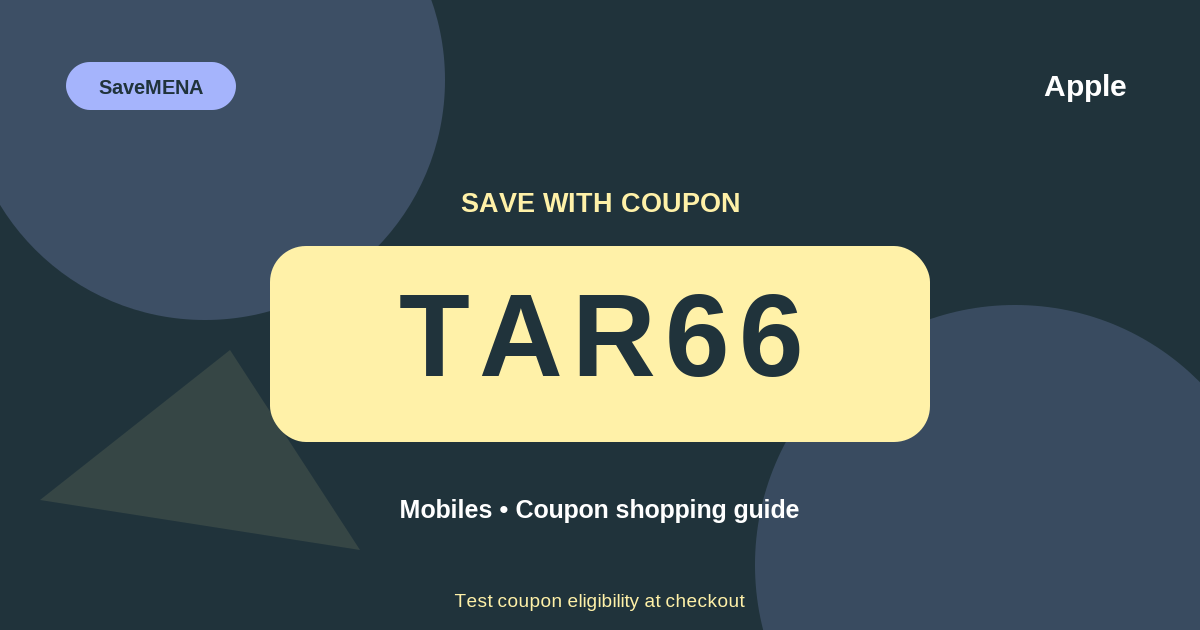
Codes available to try while comparing
These codes are not guaranteed for the article topic or listed brands; test them at checkout and use the live result.
Understanding Coupon Constraints for Apple Phones on Noon
Coupons issued by Noon are tied to a host of conditions that may not be immediately obvious. While an Apple phone appears on sale, the store may apply additional checks like limited availability on specific sellers, manufacturer firmware regions, or even currency conversions that impact the coupon’s applicability. The TAR84 code, for example, is designed to be flexible but still meets the platform’s defined constraints. By becoming familiar with these rules before placing a device in your basket, you avoid the frustration of a coupon that silently fails at the final step.
Before diving into the mechanics of usage, shopkeepers should confirm that the Apple device’s listing matches the coupon’s category and qualifiers. Any mismatch—such as adding an iPhone that’s no longer under warranty or is a refurbished model—will cause NOAA’s engine to flag the coupon as inapplicable.A coupon is not guaranteed; verify its result at the retailer checkout.
Verify Model Compatibility Before Applying the Coupon
The first practical checkpoint is confirming that the Apple model you intend to purchase aligns with the TAR84 code’s valid items. Catching conflicts early means you save time at checkout. Use the product’s model number, e.g., A2403 for the iPhone 13 Pro, and cross‑check it against the Noel listing metadata presented for that SKU. If the model number is missing or differs, the coupon may not be recognized, and you’ll need to either change the product or accept a different discount structure.
Check the detailed specifications listed in the product description: processor type, RAM size, storage capacity, and camera module. Noon’s back‑end logic often filters coupons based on these technical criteria. If the listed phone’s specifications exceed the coupon’s threshold—such as a higher storage variant that the code doesn’t cover—be prepared to adjust your selection or negotiate with the seller. Verifying these details pre‑emptively minimizes surprises during payment.
Check Cart and Basket Totals for Eligibility
Even after confirming your chosen model, the cart’s current total plays a pivotal role in coupon activation. Many coupon engines evaluate the subtotal before taxes, shipping, or other surcharges, and some require a minimum spend threshold to unlock the discount. Ensure that the Apple phone’s price, as displayed in your basket, is above that threshold, but avoid making assumptions about the specific amount, because those figures are platform‑specific and may change.
Review how Noon aggregates totals: item cost, applicable VAT, and any optional accessories you added. The presence of add‑ons might alter the perceived eligibility of a coupon. In some scenarios, adding a protective case or a prepaid data plan will push the cart past the threshold and trigger the coupon. Reassessing the combined figure can be the difference between activation and failure.
Step‑by‑Step Coupon Application Process
Inputting the TAR84 code correctly is straightforward yet crucial. Navigate to the checkout page, locate the “Apply Coupon” field, and type the code in all uppercase letters to match the platform’s standard formatting. If the field requires a discount section, make sure to choose the “Purchase Credit / Coupon” option rather than a gift card or loyalty points to avoid overlap.
Once entered, the system will instantly recalculate the payable amount. If the discount appears, double‑check that the accolade remains in scope after any tax or shipping adjustments. Some users report a silent failure if the screen refreshes before the coupon fully registers; waiting a few seconds may resolve this glitch, but if the discount remains absent, the issue is likely a validation mismatch.
Common Reasons the Coupon May Fail and Solutions
Coupons may not apply for a handful of reasons, most of which stem from hidden rules buried in the backend. These include “Not applicable to refurbished items,” “Only valid with a certain seller,” or “Excludes certain high‑end configurations.” When you encounter a failure message, read it closely; the platform often previews the root cause, allowing you to adjust your cart accordingly.
To address these issues, start by ensuring the selected Apple model meets the base criteria (e.g., a non‑refurbished, new‑in‑box condition). If a seller‑specific restriction appears, try switching to a different authorized retailer on Noon that supports the coupon.A coupon is not guaranteed; verify its result at the retailer checkout.
Fresh List of Apple Models Eligible for TAR84
While we cannot provide an exhaustive catalogue of model numbers, Noon typically lists eligible Apple models in a standardized format: iPhone 14, 13 series, 12 Pro, and select base‑tier variants across storage options. Each listing displays the model identifier—e.g., A2644 for the iPhone 14 Pro—alongside the standard specifications. Checking that your chosen phone matches one of these public identifiers triply validates its compatibility with the code.
When browsing, look for the “Starred” tag beside the product name, which often signals Noon's certified eligibility for coupons. If the device carries a different tag (such as “Limited Stock” or “Special Edition”), the coupon engine may flag it as ineligible. This visual cue helps you pre‑screen models before adding them to your cart.
Final Checklist Before Checkout
Before you hit “Place Order,” walk through a quick checklist: Confirm the Apple model’s SKU and specifications; verify the cart’s subtotal meets any hidden threshold; ensure the TAR84 code is entered in the correct field; and double‑check that no accessories or add‑ons alter the eligibility. If all these points line up, the coupon should be recognized at payment.
In case the discount still doesn’t appear, scroll to the bottom of the coupon field. Noon's interface often shows a brief alert explaining why the code isn’t accepted, such as exceeding the maximum discount amount or applying alongside another promotion. Use this notice to tweak your purchase or to consider manual support from Noon’s help center.
Alternatives if the Coupon Stays Unpaired
When every troubleshooting step fails to activate TAR84, consider these practical alternatives. First, reach out to Noon’s customer support via chat or call; representatives can confirm whether the code is still active or if an accidental blackout has occurred for certain Apple models. Second, explore Fortune Discount checklists or other verified coupon sites that may have paired offers for Noon; ensure they are listings from reputable sources to avoid phishing risk.
Another viable route is to use a loyalty program or store credit that aligns with Noon’s existing promotional structure. While this doesn’t replicate the exact TAR84 discount, it still delivers value with an alternative savings path. Keep in mind each solution will vary based on your time frame and the individual shop’s policy, so evaluate which route best fits your urgency for the Apple device.
Related SaveMENA pages
Related articles
Official sources to check
Frequently asked questions
What should I do if my coupon doesn’t work during checkout?
The first step is to double‑check that your chosen Apple model matches the coupon’s eligibility, verify your cart subtotal meets any hidden thresholds, and ensure the code is entered correctly. If the problem persists, contact Noon’s support for confirmation or try a different seller or accessory configuration that may reset eligibility.
Is the TAR84 coupon limited to a single Apple model?
TAR84 is intended to apply broadly across many Apple devices, but the exact model eligibility is determined by Noon’s backend rules. Only confirmed Apple models listed on Noon’s catalog at the time of purchase will honor the code; double‑check the product's details before adding to your cart.
Can I combine TAR84 with other promotions or loyalty rewards?
Combining coupons with other promotions is governed by Noon’s “only one discount per order” rule, which may limit overlap. If you try to apply another discount after TAR84, the system will normally decline the second offer. Use the packaging lessons above to choose your most valuable incentive.
How can I keep track of the coupon’s validity?
The checkout screen typically shows the remaining validity of a coupon once it is applied. If that field is blank or an error states that the coupon has expired, it’s time to seek an alternative or contact Noon for clarification, as coupon statuses can change without warning.