Nikon Cameras on Noon UAE: payment method — coupon troubleshooting · TAR64
If you’ve tried to apply a Noon UAE coupon while checking out a Nikon camera and the discount simply didn’t appear, you’re not alone.
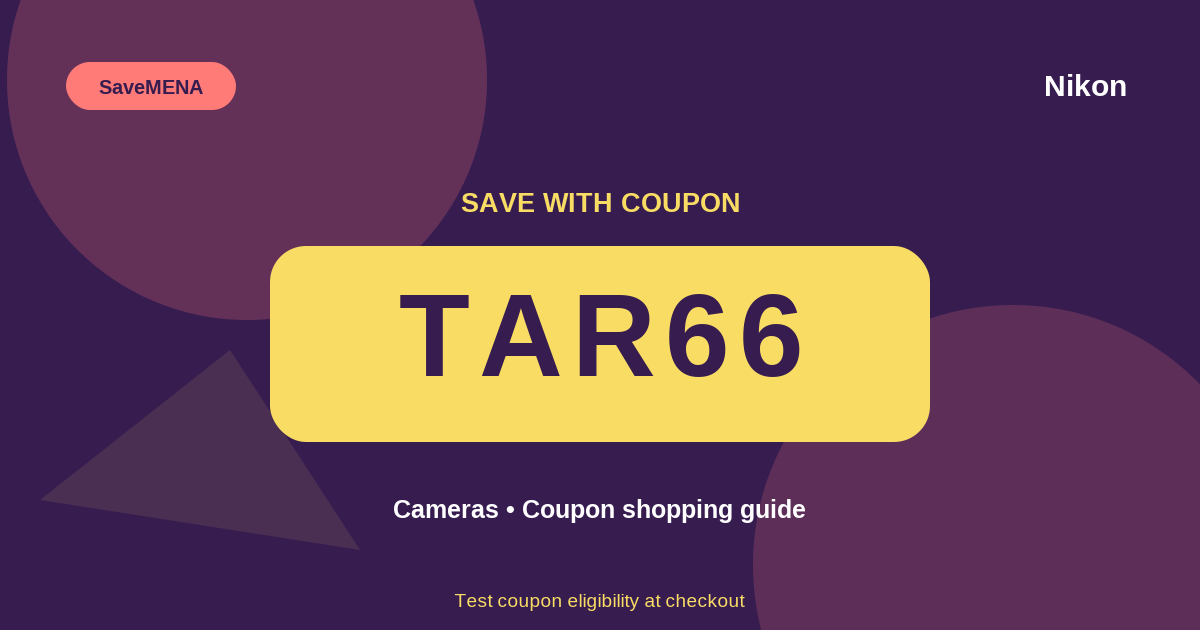
Codes available to try while comparing
These codes are not guaranteed for the article topic or listed brands; test them at checkout and use the live result.
Spotting a Non‑Responsive Coupon: The First Sign of Trouble
When a Noon UAE coupon appears to do nothing—either no discount line shows up, or the price stays unchanged—your first instinct may be to reset the code. However, the more reliable indicator is the system’s response to the coupon field. If the field remains blank or a “coupon invalid” message pops up, the code is simply not recognized at that moment. Note that this can happen even if the coupon is otherwise valid. Check for warning icons or subtle notifications beside the field; many times, the platform will flag possible issues in real‑time.
Before reaching for a broader list of remedies, stop and confirm that the coupon code was entered exactly as it appears—no extra spaces, no lowercase letters that could be misread. Rounded edges, uppercase characters, and the precise sequence matter. This simple verification step cuts down on unnecessary steps later, especially when the discount still doesn’t apply after re‑entering the code.
Double‑Check the Coupon: Terms, Restrictions, and Usage Scenarios
Even though we cannot guarantee the coupon will work, it’s worth reviewing the conditions that Noon or the seller often set for discount codes. Look for any stated exclusions related to specific camera models, collection lines, or brands. Although the code is not dedicated to a particular category, some platforms flag certain high‑end items as ineligible. If the Nikon camera you’re eyeing falls into an excluded group, the coupon won’t trigger even if everything else looks correct.
Also consider the payment method restriction that frequently accompanies these promotions. Some coupons are only valid if you pay with specific cards or wallets. A quick scan of the payment method options on the cart page may reveal a needed adjustment—switching from a standard credit card to a registered digital wallet, for instance, can unlock coupon applicability. Acknowledging these nuances streamlines the troubleshooting process.
Verify Your Shopping Cart: Item Compatibility and Eligibility
A camera‑specific coupon can be blocked by subtle differences in SKU or variant. Nikon offers multiple lens mounts, sensor sizes, and bundled accessories that can alter the product code. The Noon platform typically aggregates purchases under a single item ID, but a mismatched accessory bundle may render the entire cart ineligible. Double‑check that every selected Nikon item is listed correctly and that no supplementary gear is inadvertently added.
The cart summary can also reveal hidden thresholds—such as a minimum spend—behind the scenes. Even though the coupon code is valid, a small purchase of a single camera model might not meet that base requirement. Instead of removing items, add a recommended bundle that falls within a typical spending range, which often triggers coupon recognition without costly adjustments.
Payment Method Matters: Why Your Choice Can Affect Coupon Validity
The decision lens of this article is payment method. Many e‑commerce sites, Noon being one of them, tie coupon eligibility to the selected gateway. A standard debit card may be accepted, but the code might only activate when a registered digital wallet (like PayTabs or Apple Pay) is used, or vice versa. Checking the “Payment Options” list during checkout reveals which methods are currently supported for discount codes.
If you initially chose a card that reflects a different network (e.g., Visa versus Mastercard), some coupons are programmed to validate against a specific issuer. Switching to the alternate network often solves the problem instantly. When no specific instruction is seen, it’s helpful to test an alternative method quickly—such as toggling between a credit card and a virtual payment option—before committing to the transaction.
Ensure Wallet or Card Integrity: Account Balance, Credit Limits, and Security Checks
Even if the coupon seems fine, payment validation can impede its effectiveness. An insufficient credit limit or an expired card can cause the transaction to terminate early, preventing any discount from ever being applied. Verify that the chosen card still has available credit and that the account is active. If you’re using a digital wallet, check that it’s linked to a valid bank account and hasn’t been flagged by security protocols.
Some banks require a CVV confirmation for online purchases, and a mismatch between the expected code and the one supplied can create a red flag. When this occurs, the coupon code may be inadvertently deemed invalid even though the underlying discount exists. A quick verification of these details—usually available in the bank’s app or online portal—can often resolve unexpected coupon failures.
Refresh, Log Out, Re‑Login: Clearing Temporary Glitches
The simplest technical hiccup that interferes with coupon application is a stale session. The clearance of cached data or cookies that get lodged in your browser can cause Noon to misread input fields. Logging out of your account, clearing the browser cache, and logging back in repopulates the session with fresh credentials. This step frequently rescues a coupon that was otherwise dormant due to a background glitch.
In addition to clearing cookies, try using a different device or a private/incognito browsing window. A fresh session often bypasses configuration flags that are not visible to a user. If the coupon code still doesn’t work after this reset, proceed to the next troubleshooting stage, knowing that session issues are unlikely to be the root cause.
Contact Noon Support or SaveMENA Advisors for Clarification
If all earlier steps fail, the next logical step is to consult the platform’s support. Noon typically offers an in‑app chat or help center where you can describe the coupon code, the exact camera model, and the payment method being used. Providing them these specifics gives them the context needed to verify whether the coupon is still valid or if it’s been retired or disabled behind the scenes.
SaveMENA, although independent, also maintains community forums where users share similar experiences. Posting your situation there can spark insights from other shoppers who may have faced the same coupon roadblock. Even if no immediate solution emerges, receiving confirmation that the coupon is indeed active helps you plan an alternative route—such as using a different promotional code or adjusting payment options.
Final Confirmation at Checkout: The Last Verification Point
Before finalizing your Nikon camera purchase, examine the order summary closely. Noon’s checkout display typically lists every line item, the total price, and any applied discounts. If the coupon is still working, a discount line will appear, reducing the overall payable amount. The total displayed is the amount your payment method will actually charge you. If the line is missing, it means the discount was not processed, and you’ll pay the full price.
During this final review, you have an opportunity to switch payment methods without unlocking the coupon. If you spike to a different payment method that the coupon supports, the discount often appears instantly. Confirm the final amount again, double‑check the payment method, and if everything matches the plan, proceed to “Place Order.A coupon is not guaranteed; verify its result at the retailer checkout.
Related SaveMENA pages
Related articles
Official sources to check
Frequently asked questions
What should I do if the coupon is still not working after I change my payment method?
Try clearing your browser cache, logging out and back in, or using a different device. If that fails, contact Noon’s customer support for confirmation on whether the code is still active and applicable to your Nikon camera.
Can I use the coupon code with a gift card or pre‑paid wallet?
The coupon typically applies only to direct card or digital wallet payments approved during checkout. Gift cards or pre‑paid balances might not trigger the discount, so verify card‑type eligibility before attempting to use the code.
Does the coupon have a minimum purchase requirement that I might be missing?
While the code is available to try, Noon may apply hidden thresholds that aren’t disclosed publicly. Inspect the cart total against the final amount; if the discount line never appears, it could indicate a minimum spend not met.
Will the payment method affect how long it takes for the coupon to display?
Yes, some payment gateways update the order summary in real‑time after payment selection. Switching between card options can sometimes delay or accelerate the negotiation that finalizes the discount.