Samsung Electronics on Noon UAE: payment method — coupon troubleshooting
If you’ve ever tried to apply a Noon UAE coupon to a Samsung electronic item and found that it simply won’t work, you’re not alone.
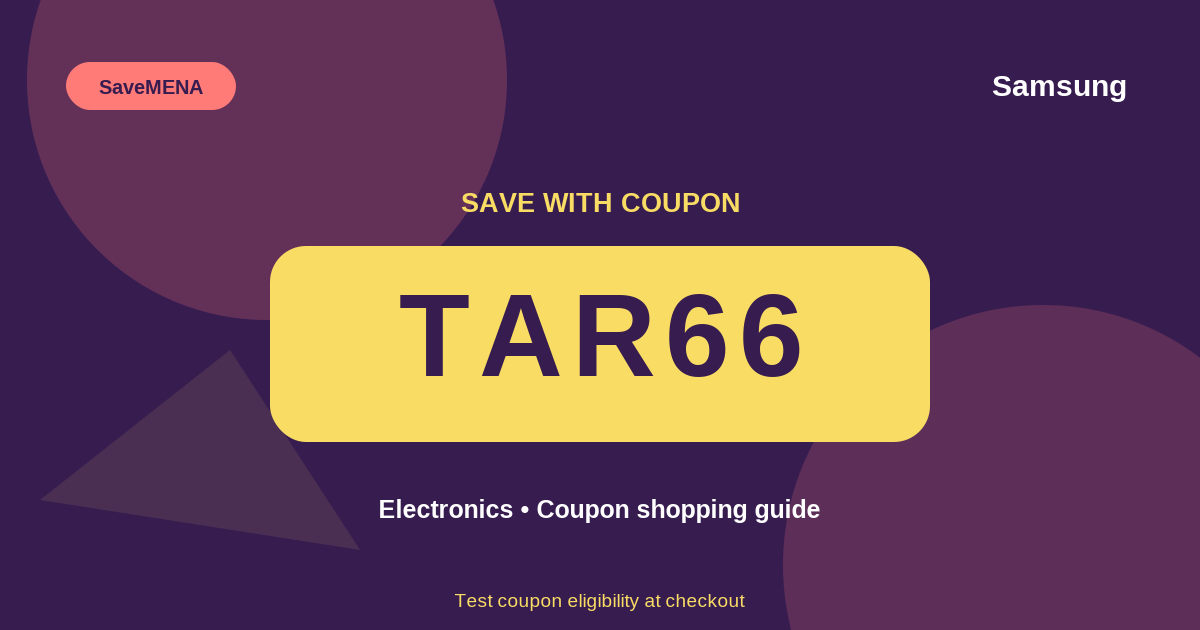
Codes available to try while comparing
These codes are not guaranteed for the article topic or listed brands; test them at checkout and use the live result.
Why the Noon UAE Coupon May Be Refusing Samsung Electronics
When a coupon code such as TAR66 is entered on the Noon UAE platform, the system evaluates a set of conditions before allowing it to reduce the price. For electronics, and Samsung specifically, these conditions often involve stock location, pricing limits, and payment method compatibility. If any of these variables do not align with the coupon’s constraints, the code will be flagged as invalid or simply ignored. That gap is why UAE shoppers sometimes see a “coupon not working” message even when the code looks correct. Understanding which constraints matter most will help narrow down the problem.
The focus on payment method may feel subtle, but it’s actually a critical piece of the puzzle. Noon’s coupon application logic can automatically block discount usage if the chosen payment method is not on an approved list for that specific promotion. On Samsung electronics, the store may reserve certain coupon uses for specific payment types, or outright disallow them for some methods. Identifying whether your payment choice falls into this category is the first step toward re‑unlocking the coupon.
Check Your Selected Payment Method Before Checkout
Before adding items to your cart, open your Noon app’s wallet and review the available payment tabs. Samsung products often support a range of options: debit cards, credit cards, digital wallets, and even offline cash‑on‑delivery. Notice if the chosen method is listed under “Supported Payments for Coupons.” If your preferred choice is absent from that list, the platform will automatically refuse to apply any discount code during the final stage. In such cases, you have to switch payment options to something that is present in the supported list.
Should you prefer a particular payment method because of a loyalty program or a cashback offer, double‑check its status in the Noon settings under “Payment Preferences.” Some payment methods may be locked behind subscription tiers or promotional periods. Even a single session timeout can reset these settings, making a coupon appear unusable. Updating your payment details and confirming the active status before proceeding to checkout can avoid a lot of head‑scratching later on.
Verify Eligibility Criteria in the Noon App
After choosing a payment method that appears supported, you’ll need to confirm the specific eligibility parts of the coupon in the Noon app. Each coupon, including TAR66, carries implicit criteria that are not always visible in the coupon description. These may relate to total cart value, product category, seller tags, or even the geographical pricing of the item at the time of order. To double‑check, tap on the coupon field within the cart and look for any “Restrictions” notice that appears beneath or beside the code. It’s a brief, but informative note.
If the coupon code does not pass this preliminary check, Noon will indicate a “Coupon not working” error. In this scenario, you may adjust the total order amount by adding or removing items, or you may decide to change the payment method to a different one that the coupon supports. It’s not always obvious that the payment method matters, but that’s because the underlying logic can tie a coupon’s validity directly to a payment token. Keep this in mind when you are tearing through your checkout steps.
Common Payment Method Issues for Noon UAE Coupons
When the coupon fails only because of payment method mismatch, it’s often one of three patterns: restricted to premium cards, blocked on specific banking networks, or disallowed on wallets that require a secondary verification. For example, Samsung electronics purchased via a local debit card linked to the UAE Central Bank may be considered “unverified” for certain promotional codes. The same applies to digital wallets that may not have an official tie‑in to Noon’s coupon management. These restrictions are reasons why a coupon may appear stiff even if all else looks correct.
In addition, only some payment methods can bypass certain coupon blocks. For example, a credit card that offers “Pay Later” options can be flagged for incomplete identity verification, which immediate coupons like TAR66 cannot use. In contrast, a fully verified debit card might be accepted. Recognizing whether your payment method has such flags allows you to preemptively switch to an acceptable method before you hit the checkout page.
Using “TAR66” with Samsung Devices: Step‑by‑Step
Start by adding your desired Samsung electronic to the cart. Then navigate to “Coupon & Voucher” and enter TAR66. The app should immediately validate the code against your current cart and selected payment method. If you see the code accepted, you will also see a discount amount displayed in your cart subtotal. At this point, double‑check that the payment method sits under your selected “Preferred Payment” in your Noon wallet. If the payment method is not actually active, the code will revert to “not working.”
If you still see a failure message after confirming the payment method, it is worth reaching out to Noon’s support via the chat function, reporting the payment method and the screen capture of the coupon failure. While we can’t guarantee that the coupon will be approved thereafter, providing precise details can sometimes trigger a temporary override that allows the discount to apply for that session. However, the underlying payment method compatibility remains critical for future attempts.
Alternative Payment Options When Coupons Aren’t Applied
If you cannot switch the payment method because of a preferred bank or you’re constrained by a budget that limits available tokens, you can explore alternative promotions next. Some store‑wide offers on Samsung electronics run independently of coupon codes and may still apply. Check the “Deals” tab for a “Save on Samsung” promotion that does not have a payment method restriction. These offers often apply automatically, and even if you’re unable to use TAR66, you can still secure a non‑coupon discount. The key is to cross‑check seller tags and time frames.
In addition, apply for a Noon credit card if you frequently purchase electronics. Credit cards that are Noon‑issued often carry built‑in promotion eligibility which can circumvent many payment‑specific barriers. Once your card is activated, you might be able to use a coupon that previously failed under a different payment method. Keep a close eye on confirmation emails that indicate “Coupon may not fit with this payment method” or “Try with a different payment option,” because they provide actionable clues to navigate the next step.
Final Reminders for a Coupon‑Free Purchase
Even if you ultimately cannot use TAR66 on your Samsung electronics, there are still ways to save. Pay close attention to installment offers that have lower monthly payments or extra cashback during certain settlement periods. These can offset the initial lack of a coupon. Also, keep an eye on nightly sales events that Noon runs separately from coupons; these are often time‑limited but can see significant price cuts on electronics.
Finally, revisit the coupon code at a later time. Coupon parameters can change; a code that failed today might work tomorrow due to a policy update or a new promotion roll‑out. Store the code safely, and re‑TRY it under a verified payment method that is proven to accept coupons. By maintaining this practice, you keep ready access to potential savings that might otherwise go unnoticed.
Compare alternatives without guessing
When you compare another option in samsung, keep the specifications, quantity and seller as consistent as possible and compare the total shown at checkout. A different coupon does not automatically make a deal better because delivery, fees and the live basket context can change the outcome. Use the final payable total as the practical comparison point.
If the retailer shows a specific condition, rely on that visible message; if it does not, do not turn an assumption into a general rule. Test available options one at a time and note any real change in the total or eligibility message. That creates a verifiable shopping comparison instead of a recommendation built on an unsupported marketing claim.
Related SaveMENA pages
Related articles
Official sources to check
Frequently asked questions
What can I do if the “TAR66” coupon shows as not working?
The most common cause is a mismatch between your chosen payment method and the coupon’s compatibility rules. Verify that the payment method is listed as supported for coupons, or switch to an alternative method that the coupon accepts. Re‑enter the coupon code after making the switch.
Does the Noon UAE coupon apply to all Samsung electronic models?
Coupons in Noon are generally linked to the seller’s product range and may apply broadly or only to specific item categories. The exact restriction isn’t displayed in the coupon details, so check the “Restrictions” note once you draft the coupon in the cart, or contact customer support for clarification.
Can I use the coupon after choosing a different payment method?
Yes, if your new payment method is on the list of coupon‑compatible options, you can re‑enter the coupon code in the cart and the discount should apply. Be sure to confirm the code before finalizing the order.
Will the coupon work if I choose a card that needs a secondary verification?
Cards that require an extra verification step may be considered “unverified” by the coupon system, which can block coupon usage. Using a fully verified card or a payment method that currently bypasses this requirement typically resolves the issue.