Sony Headphones on Noon UAE: payment method — coupon troubleshooting
When you try to apply a Noon UAE coupon to a Sony headphone and find “coupon not working,” the confusion often lies deeper than a simple typo.
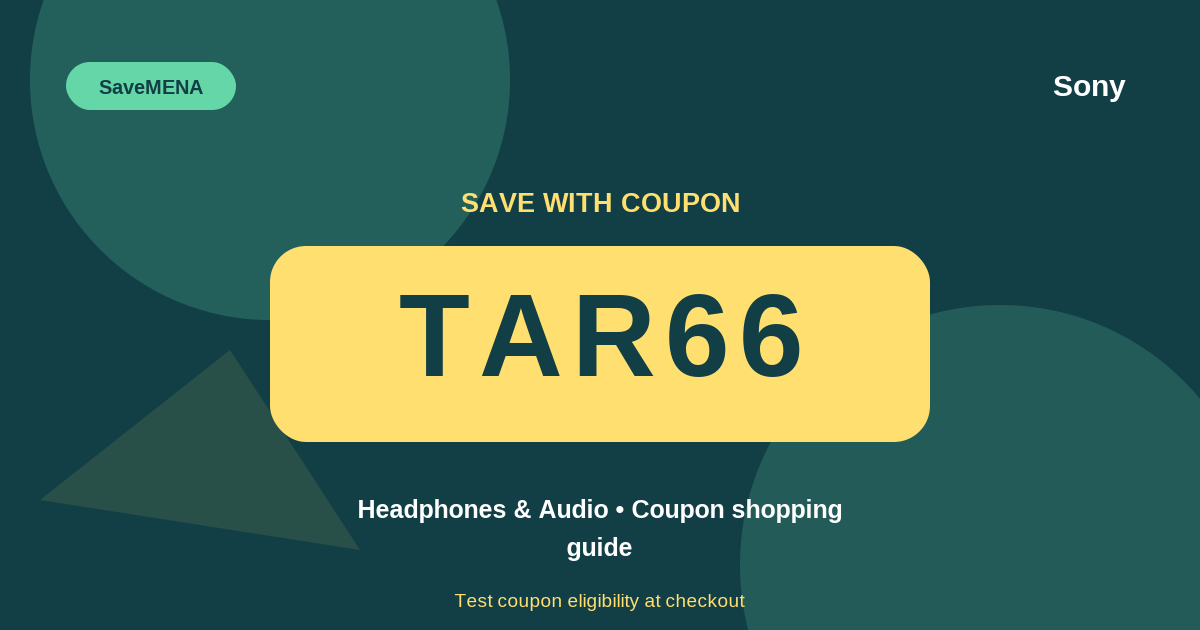
Codes available to try while comparing
These codes are not guaranteed for the article topic or listed brands; test them at checkout and use the live result.
1. Understanding the Coupon Mechanics for Sony Headphones
Coupons on Noon typically the coupon code a range of products, but they aren’t universal. For a Sony headphone, the first check is whether the seller lists this specific variant or model under the “Headphones” category. Since Sony offers diverse listening solutions—from noise‑cancelling earbud to wired over‑ear sets—only those items explicitly linked to the coupon’s eligibility will honor it. Ignoring the variant level can lead to a “coupon not working” message even if you’ve entered TAR66 correctly.
Additionally, Noon’s system may distinguish between brand‑specific seller tags and general product listings. If the headphone is sold through a reseller that does not qualify for the promotion, the code will fail.A coupon is not guaranteed; verify its result at the retailer checkout. This step is essential because even a perfectly printed Sony headphone might be handled by a distributor that cannot apply the TAR66 promotion.
2. Tracing the Application: Where the Coupon Might Fail
The moment you type TAR66 into the coupon field, the platform initiates a series of checks. The first is a syntax scan—no spaces, no special characters, and correct capitalization. If these basic conditions aren’t met, the system immediately denies application. Beyond syntax, the system also verifies if the cart content currently meets all predicates of the promo: minimum spend, specific bundles, or exclusive shipping constraints.
When the coupon fails, Noon’s error message often includes an icon or brief note. Pay attention to whether it mentions “invalid,” “expired,” or “conditions not met.” While the platform controls these messages, a clear distinction points toward the root cause, either a mismatch in product eligibility or an unmet cart rule. Without this clue, resetting the cart or searching alternative sellers can become a fruitless cycle.
3. Checking Seller Requirements: Variants & Availability
Seller‑specific rules can be the quietest downfall. Sony headphones might be available from multiple vendors on Noon, each with its own “sales terms.” A seller that supports “full‑featured” deliveries to all UAE addresses may be a different entity from one that supplies only local pick‑ups. Coupons sometimes apply only to the former category or to a specific fulfillment hub, so the checkout will reject the code if you’re buying from an ineligible source.
Another key nuance is variant handling. For instance, if the headphone is offered in a “black” version under a different product identifier from the white variant, the coupon may have been programmed to accept only the black variant. Checking the product details page for SKU codes and confirming they match the list of eligible SKUs in the promotion helps eliminate this silent obstacle.
4. Verifying Your Payment Method: Compatibility on Noon UAE
Noon’s payment validity layer operates on top of the coupon logic. A retailer might permit a coupon, but if your chosen payment method is blocked in the region—such as a foreign card without UAE NFC support—the checkout will still deny the discount to prevent fraud. UAE shoppers utilizing PayPal, local bank cards, or digital wallets should confirm that their card’s BIN matches an accepted range. A mismatch can trigger a generic “coupon not working” prompt even though the code is technically valid.
Even within a valid card type, the transaction must honor the “country of issuance” setting. If your payment method shows as out‑of‑country during review, Noon’s gateway may override coupon application to avoid cross‑border breaches. Thus, prior to completing payment, check that the “Payment Details” screen lists a UAE‑based card and that the card type (Visa, Mastercard, etc.) aligns with Noon’s supported profiles.
5. Browser and App Considerations: Cache, Cookies, Updates
Technical hiccups on the client side often masquerade as coupon failures. Clearing the browser’s cache or restarting the Noon app can reset hidden session variables that remember old coupon attempts. Make sure your device’s OS and the Noon app itself are updated; outdated versions sometimes mishandle new coupon scripts that are embedded in the checkout algorithm.
Cookies must also be enabled. Without cookies, Noon can’t store the state of your cart across pages, leading to inconsistent coupon assessments. Disable any aggressive ad blockers or anti‑tracking extensions that may strip necessary scripts from the page. Once the environment is clean, re‑enter TAR66 to observe whether the error persists.
6. Cart Content & Minimum Spend: What the Terms Imply
Even though coupons may appear generic on headlines, the underlying logic often includes a “minimum purchase” threshold. For Sony headphones, the promotion might require a base price that falls within a certain range—say, above a modest value or within a luxury tier. If your cart contains only a single headphone priced at the low end, the system may deem the spend insufficient and reject the code as a result.
Moreover, some promos exclude items from the coupon calculation, such as accessories, warranty plans, or expedited shipping. When adding such extras to the cart, the final payable amount changes, potentially altering the applicability of TAR66. Carefully review the “Order Summary” before confirming the coupon, noting that any adjustment to the cart changes the calculation instantly.
7. Final Checkout Review: Confirming Discount Application
A decisive checkpoint is the final review page before payment. At this stage, the coupon’s effect is rendered in the total. If TAR66 was valid, you should see a line item subtracting the discount from the subtotal, even if the amount is shown as “the amount shown at checkout” if it doesn't stipulate a fixed monetary value. Absence of such an entry typically signals that the code never entered the discount engine.
Before proceeding, cross‑check the “Order Total” against the amount displayed in your payment method screen. Mismatch; especially if the payment gateway shows a higher amount, indicates a rollback. At this juncture, you can either try a different SKU, modify the cart, or retry the coupon with a cleared cache. If the issue persists, it’s safer to cancel and seek further assistance rather than risk a failed payment and a perishable coupon.
8. When to Reach Out: Noon Support & Community Forums
If every step above confirms the coupon should apply—correct code entry, eligible Sony variant, proper seller, compatible UAE card, and a compliant cart—and the result is still a “coupon not working” message, direct communication is the next logical move. Noon’s support portal provides a chat or ticket system that records all transactional data. Being ready with your order ID, screenshot of the error, and the steps already taken will expedite resolution.
Additionally, community forums on Noon or third‑party e‑commerce support sites frequently surface patterns for specific promotions. Even without official confirmation, shared experiences can highlight hidden prerequisites, like “set your location to UAE before adding the headphone.” Until a clear answer is given, caution is wise; repeated coupon tests with the same cart may lock your discount or create unexpected chargebacks.
Related SaveMENA pages
Related articles
Official sources to check
Frequently asked questions
What should I do if the coupon code fails during checkout?
First, double‑check the code spelling and ensure no spaces are entered. Verify that the Sony headphone you selected is sold by a seller eligible for the promotion, that your cart meets any required minimum spend, and that the payment method is UAE‑based and allowed by Noon. If the error persists, clear your browser cache or restart the Noon app, then try re‑applying the code.
Does the coupon apply to all Sony headphone models?
Noon’s coupon the coupon code typically the coupon code specific SKUs. A Sony headphone variant might be excluded if the seller’s listing isn’t included in the promotion. You’ll need to check the product details or seller notes for eligibility indications or contact Noon support for clarification.
Will my chosen payment method affect coupon acceptance?
Yes. Noon may block a coupon if the payment method originates from a non‑UAE bank or is incompatible with their security protocol. Ensure your card is UAE‑issued and matches accepted types (Visa, Mastercard). If you use an international card, consider switching to a domestic method or contacting Noon support before checkout.
How can I confirm the coupon has been applied before paying?
On the final review page, look for a line item showing the discount amount next to the subtotal. If the coupon is active, the subtotal will reflect the reduction. Confirm that the final total displayed matches the amount the payment gateway shows before completing the transaction.