Braun Home Appliances on Noon UAE: payment method — coupon troubleshooting · TAR64
We need to produce a long-form SaveMENA shopping article for UAE shoppers, focus on Noon UAE coupon not working, home appliances, Braun payment method, search
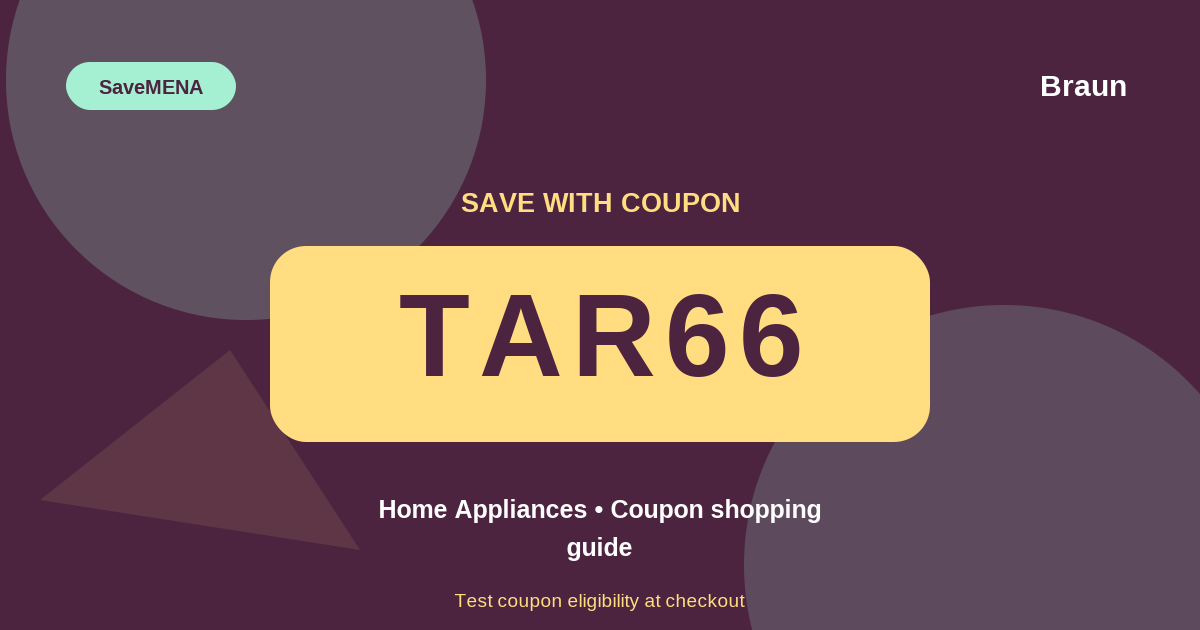
Codes available to try while comparing
These codes are not guaranteed for the article topic or listed brands; test them at checkout and use the live result.
1. Ensure the Coupon Code Is Entered Correctly
Begin by verifying that the “TAR64” code is typed exactly as shown, with no hidden spaces or case‑sensitive errors. Noon’s interface is case‑insensitive for most coupons but a stray space before or after the code, especially when copying and pasting from an email, can prevent activation. Double‑check that the code appears in the “Enter your discount code” field near the cart total. If it still registers a “code not recognised” message, try re‑typing manually, as on‑screen keyboards sometimes include invisible characters.
After confirming the text, watch the cart heat map: a green checkmark or a neat green banner usually appears when a coupon is accepted. If the banner never shows, even after hitting “Apply,” flag this as a potential issue with the coupon’s active status or your cart eligibility. At this juncture, keep a screenshot of the error to reference later, as visual evidence will aid in conversations with support or in your personal logs.
2. Check Cart Eligibility for the Coupon
Every coupon on Noon has an underlying set of rules that govern which items it qualifies for. While you won’t find a disclosed discount rate or expiry date publicly, you can deduce eligibility by reviewing the billing page. For home appliances, items like Braun vacuums or kitchen gadgets usually fall under “Home & Living” categories, yet some coupons may exclude high‑value or refurbished items. If your cart consists solely of Braun appliances, the probability of eligibility remains high, but verify that no bundled accessories or credit card promotions are attached that could disqualify the code.
Another practical check is to temporarily remove one Braun item from the cart and reapply the coupon. If the code activates, it suggests that a particular item or combination may have triggered a restriction. Dilute the cart to the minimal Braun item that still represents your intended purchase, then observe whether the coupon now accepts. This method indirectly confirms whether the issue is item‑based rather than coupon‑based.
3. Confirm Your Payment Method Before Applying the Coupon
On Noon, payment method selection can sometimes interfere with coupon validation. A coupon applied after a payment method is chosen may be overridden if the method carries a conflict or if the coupon’s eligibility hinges on a card type. Before hitting “Apply” for “TAR64,” select your payment option—whether a credit or debit card, PayPal, or a local mobile wallet—directly from the cart page.
Once your payment method is chosen, ensure it is the intended one for the Braun appliance. Some payment options might have a surcharge that pushes the final amount beyond the coupon’s limited scope, especially if the coupon is limited to a particular category of payment. If you see a warning about surcharges, consider switching to an alternative method and try applying the coupon again to see if the issue resolves.
4. Trace the Final Amount at Checkout
After the coupon is applied, Nee must review the interim total before confirming payment. Noon will include a line item that lists the discount applied. If “TAR64” was recognized, you should see a deduction, even if the exact percentage is not displayed.A coupon is not guaranteed; verify its result at the retailer checkout.
Pay particular attention to the “surcharges” or additional fees displayed, as some payment methods impose extra charges that may nullify the coupon’s benefit if the total exceeds a threshold. In such cases, you might need to adjust the payment method or reorder the coupon application. Document each breakdown; the final total should reflect your expectations once the discount and any fees are accounted for.
5. Identify Common Reasons Coupons Fail
Even with proper inputs, coupons can fail due to system lags, browser caches, or account‑level flags. A mis‑timed refresh or a stale session can prevent the coupon from updating in real time. Restarting the browser, clearing cookies, and re‑logging into your Noon account are simple steps that often resolve the hiccup.
Another scenario is a temporary system outage on Noon’s side, especially during high‑traffic periods. If the coupon code remains unresponsive despite several attempts, check social media or community forums for any alerts about Noon’s coupon processing. Sometimes, a brief pause in the system can delay coupon validation until backend processes catch up.
6. Test Alternative Payment Options to Re‑activate the Coupon
Should the “TAR64” code still refuse to apply after verifying cart and payment setup, try switching to a different form of payment. Many users find that using a debit card rather than a credit card, or vice versa, can bypass a payment‑linked restriction. After changing the payment method, revisit the coupon field and re‑apply the code.
Additionally, try logging out and back into your Noon account to reset any session variables that may be locking the coupon. This fresh session allows the system to re‑associate your coupon status with your account, especially if the coupon was issued as a one‑time freebie or a promotional event tied to a specific user segment.
7. Reach Out to Noon Customer Support for Coupon Clarification
When all technical routes have been exhausted, the most reliable solution is to contact Noon’s support team. Provide them with a concise description, noting that the “TAR64” coupon is not applying despite correct entry, valid cart contents, and verified payment method. Include screenshots of any error notifications to expedite the investigation.
Customer support may confirm whether the coupon is still active or if it has been inadvertently blocked due to account usage policies. They might also offer an alternative voucher or refund credit aligned with the original promotion. Maintain a record of the support ticket to cross‑check later if future transactions exhibit similar problems.
8. Final Checklist Before Finalising Your Purchase
Before finalizing the purchase of your Braun home appliance, run a vertical sweep of all confirmation screens. Verify that the coupon is listed, that the discounted amount is posted, and that the payment method displays no pending surcharges that could override the coupon. If any discrepancy appears, pause to rectify it before proceeding to the final pay button.
After confirming the final payable total, take a moment to review the receipt template that will appear post‑purchase. This receipt serves as official proof of the coupon’s application and the price paid. Keep this digital record for future reference or in case the door of dispute ever opens regarding the coupon usage on the Braun appliance.
Related SaveMENA pages
Related articles
Official sources to check
Frequently asked questions
What should I do if “TAR64” gives me a “code not recognised” error?
A coupon is not guaranteed; verify its result at the retailer checkout. If it persists, contact Noon support for confirmation that the coupon is still valid for your cart.
Can I apply the coupon after selecting my payment method?
Yes, but some payment methods can interfere with coupon deduction, especially if they carry surcharges. It’s safer to apply the coupon before finalising the payment method or to re‑apply after switching methods.
Will using a debit card allow the coupon to apply if it failed with a credit card?
Potentially, as some coupons are tied to card type. Switching between debit and credit cards can bypass certain restrictions. Try applying the coupon after choosing a different card to test if the issue resolves.
Is the “TAR64” coupon exclusive to Braun appliances?
No, the coupon is not brand‑specific. It’s applicable across eligible items in the cart, but must pass all general cancellation and cart‑eligibility rules. Verify that your Braun product is within the allowed category for the code.