Dyson Home Appliances on Noon UAE: payment method — coupon troubleshooting
Do you feel the frustration of entering a Noon UAE coupon code and seeing “coupon not available” when the screen flashes a Home Appliances item?
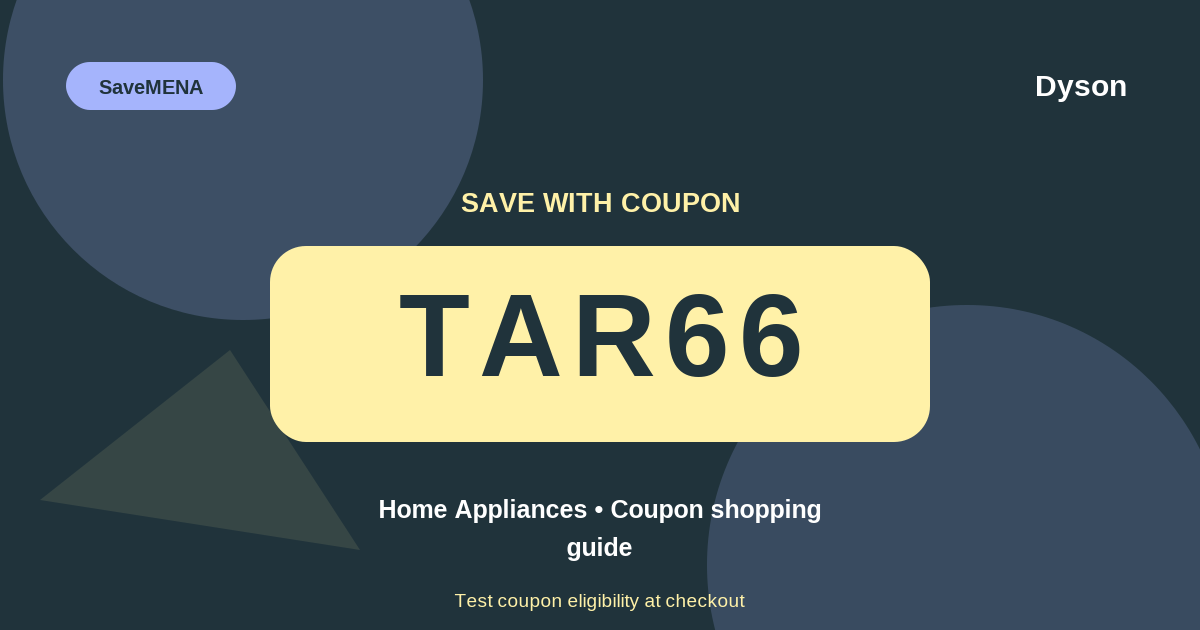
Codes available to try while comparing
These codes are not guaranteed for the article topic or listed brands; test them at checkout and use the live result.
1. Identify the Coupon Problem
The first step in troubleshooting a Noon UAE coupon that is not working involves examining the exact error message presented during checkout. If you see a notification such as “Coupon not eligible” or “Coupon has expired,” the platform is showing a specific indication that the code cannot be applied to the given cart. This result keeps you from making assumptions about cashier or merchant errors; instead, it tells you the platform’s algorithm is rejecting the code for a defined reason.
Notice any variations in the message, such as “Coupon exceeded maximum usage” or “Coupon limited to a specific payment method.” These nuances can reveal whether the issue is with the code itself, the product category, or the selected payment option. Record the wording exactly, because it will be useful when you consult Noon’s status pages or when you seek assistance from customer support.
2. Verify the Coupon Code and Platform Rules
Next, confirm that the code “TAR66” is still listed as active on Noon’s coupon catalog. Coupons can be time‑limited or tied to particular promotional windows, and a header that states “active” doesn’t guarantee it will apply to all product types. If you’ve accessed the coupon page at a later date, it is possible that the voucher has been deactivated, or it was only valid during a special sales period that has already ended.
Additionally, review the documentation for any stated restrictions—these could include applicable brands, product categories like Home Appliances, or specific usage limits such as “single‑use per account.” Since the focus keyword references Dyson payment methods, ensure the coupon does not restrict those high‑end appliances specifically. If the catalog shows no restrictions, proceed to the next checks.
3. Check Eligibility of the Home Appliances Category
Even if the coupon is valid, the checkout engine may pre‑filter it based on the category of the items in your cart. For Home Appliances, platforms sometimes limit certain codes to sub‑categories such as refrigerators or kitchen tools. Confirm that the Dyson item you are purchasing falls under the category that the coupon covers. If the item is listed under a separate sub‑category, the coupon may be rendered ineligible despite a successful code entry.
Look for any priority hierarchy within the platform’s cart: some codes are overridden by sales-only or category‑specific discounts. It can also happen that the platform automatically applies an exclusive “Dyson” discount that conflicts with a general coupon. When this occurs, the system will invalidate the general coupon in favor of the brand‑specific offer.
4. Review Payment Method Compatibility
A critical lens for Home Appliances shoppers involves ensuring that the payment method chosen at checkout matches any coupon requirements. Some coupons require use of a specific payment type, for instance a cash‑back credit card or a local bank transfer, and will deny application if a different method is selected. Verify whether the “TAR66” voucher lists any “payment method” preference; this is often noted along with other eligibility details in the coupon description.
If the No‑on coupon requires, for example, a Noon wallet balance, make sure that balance is present and available before applying the voucher. Switching to a compatible method can enable the discount. Because the shopper’s payment method can directly affect coupon validation, double‑check the card or wallet status on the front of the app before you finalize the purchase.
5. Address Common App vs Web Differences
Sometimes the difference between using Noon’s mobile app versus their website can influence coupon processing. On the app, certain promotional codes may be fetched from a cached database in the background, while the web portal may pull live data. If the code works in one environment but not the other, the discrepancy often stems from timing or inventory checks unique to each interface.
Clear the app’s cache, force close and restart, or try logging out and back in. On the web, delete cookies or try a private browsing window to force a fresh session. This can resolve scenarios where the platform thinks the coupon is already used in a prior session or where the app is showing an outdated rule set.
6. Ensure Account Status and Region Settings
Coupon eligibility can also depend on the shopper’s account standing. If the account is flagged for suspicious activity, has a pending charge, or has not verified key identity details, the checkout may block all promotional codes to prevent fraud. Confirm that your payment method is verified, and that there are no restricted orders pending in your profile.
Region settings are another factor: some coupons are limited to the United Arab Emirates, while others may be region‑constrained even within the UAE. Navigate to your account’s location settings and ensure your address and tax information align with the marketplace quota. Misaligned region data can lead the system to classify the coupon as ineligible for the current cart.
8. Contact Noon Support and Wait for Resolution
When all technical checks are passed and the coupon remains ineligible, reach out to Noon’s customer support portal. These services typically allow you to submit a ticket highlighting the coupon code, item SKU, and error message. Attach screenshots if possible, and ask for clarification on why the “TAR66” voucher is being declined. This level of detail helps support identify if the issue is ongoing for many shoppers or isolated to a particular account.
Support replies may recommend a workaround such as temporarily switching to a different payment method, or they may inform you that the coupon was validated in the past and is now blocked by policy. In most cases, the support team will either issue a new code, adjust the cart configuration, or provide an alternative method. Keep the communication brief but precise, and await the resolution before attempting another purchase.
Related SaveMENA pages
Related articles
Official sources to check
Frequently asked questions
What is the typical reason a Noon coupon appears as “not working” on checkout?
Common causes include eligibility restrictions such as category limits, incompatible payment methods, expired or deactivated codes, and software caching errors on the app or website. Checking the exact error message and the coupon’s terms helps pinpoint the issue.
Can a coupon for Dyson products be used on other Home Appliances?
If the coupon description doesn’t restrict usage to Dyson specifically and the item falls under the same category, the code may apply. However, coupon conflicts with brand‑specific offers can override it, making it ineligible for other appliances.
Does using a Noon wallet differ from using a credit card when applying a coupon?
Yes, some coupons require a particular payment type, such as a Noon wallet balance. If the code specifies a payment method, selecting the wrong type will trigger a “coupon not eligible” error at checkout.
Should I try both the mobile app and the web portal if my coupon fails?
Testing both interfaces is advisable; app and web may connect to slightly different backend rules. A success on one platform often indicates a technical glitch on the other, which can be resolved by clearing cache or updating the app.