LG Home Appliances on Noon UAE: payment method — coupon troubleshooting
When the “TAR66” coupon vanishes at checkout on Noon, the problem is rarely the code itself. Instead, it’s the specifics of the purchase that matter: product
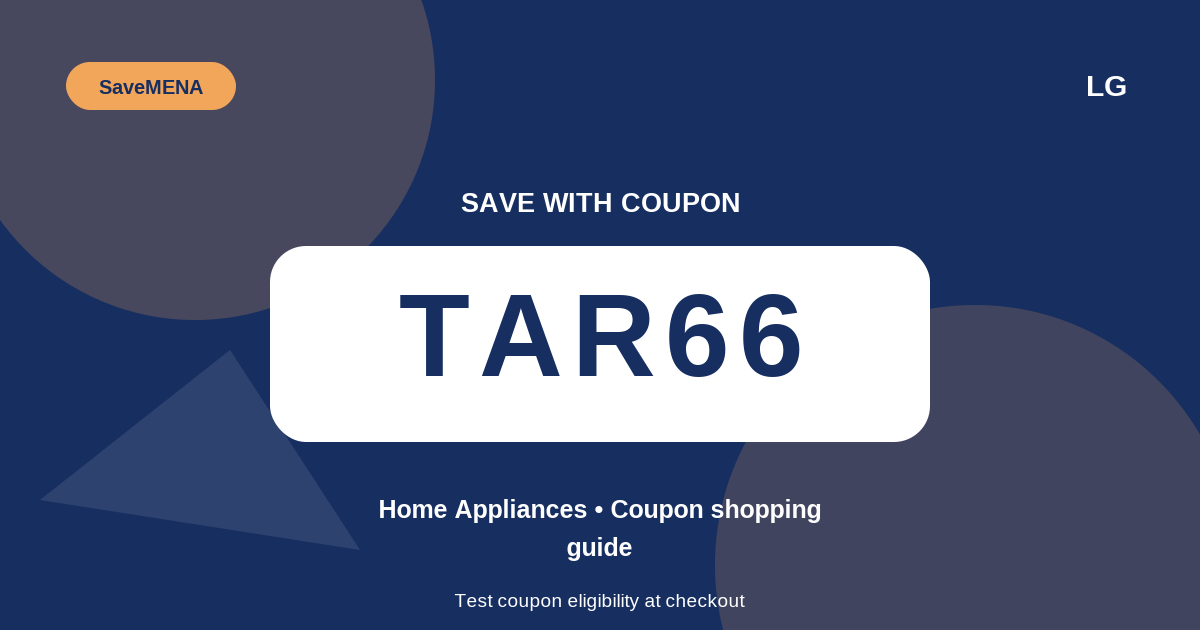
Codes available to try while comparing
These codes are not guaranteed for the article topic or listed brands; test them at checkout and use the live result.
1. Understand Your Coupon Overview
Before adding any Home Appliances product to your cart, review the basic attributes of the “TAR66” coupon. Though the code is available, it does not grant an automatic discount once you hit checkout. Coupons on Noon often come with predetermined categories, brand limits, or cart value thresholds. Knowing these parameters beforehand prevents wasted effort—especially if the coupon has hidden conditions that clash with your chosen LG Home Appliances. The first question is simple: does the coupon apply to LG items, or does it the coupon code a broader Home Appliances section? Answering that will shape the rest of your search for a working discount.
The next layer involves the payment method. Noon’s coupon engine evaluates the chosen payment route (e.g., credit card, debit card, Noon Wallet, or bank transfer) before calculating the final price. If the payment method is incompatible with the coupon, the discount will not apply. Therefore, understanding how your payment choice interacts with the coupon’s logic is essential. Keep this in mind as you proceed to the next steps, which include verifying eligibility, confirming the code, and aligning your payment choice.
2. Verify Eligibility Before Adding to Cart
Eligibility criteria for a coupon start long before you even type in the “TAR66” code. Some coupons require a minimum spend, while others exclude specific brands. Since you are buying an LG Home Appliance, check whether the coupon’s restrictions list LG as an eligible brand. If neither the coupon description nor the product listing on Noon indicates a disconnection, it’s still wise to verify this during the checkout process. A mismatch will be flagged immediately once you attempt to apply the code.
Also confirm that the quantity and variant selected belong to the eligible pool. Even within the same item, certain configurations (e.g., storage capacity, color options) might be excluded. Deducting a single unit or toggling a variant could change the coupon’s applicability. Since the checkout screen reflects every detail—including delivery fee, taxes, and potential charges—double-check that these figures align with the coupon’s parameters before proceeding to the payment selection stage.
3. Confirm the Coupon Code on Noon
Enter the “TAR66” code into the designated field in the cart totals section. Pay close attention to any prompts that appear afterward. A prompt might highlight that the coupon is valid but does not meet one of the coupon’s hidden conditions, or it might flag the coupon as expired. If the code is accepted but a discount is not applied, inspect the cart totals page for a statement like “Cannot apply discount due to incompatible payment method.” That clarifies the next step: adjusting your payment option.
If you see an error that reads “Coupon code not found” or “Invalid coupon,” double-check the spelling and the case sensitivity of the code. Noon’s system is strict about exact character matching. Sometimes a trailing space or an unintended symbol can invalidate the input. Re-entering the code without extra spaces usually solves a simple typing mistake. If the issue persists, proceed to verify whether the code is still active by checking policy updates or contacting Noon’s support.
4. Align Your Payment Method with Coupon Rules
Payment method compatibility is the decisive factor when a coupon appears not to work. Noon’s coupon engine evaluates payment options against the coupon’s eligibility matrix. If the code is restricted to, for instance, credit cards issued by UAE banks, using a foreign debit card or an international payment platform will trigger a “no coupon” notice.A coupon is not guaranteed; verify its result at the retailer checkout. If you are uncertain, consult Noon’s help center or customer service about acceptable payment methods for the coupon.
Once you’ve confirmed a compatible payment method, bypass any secondary payment gateways that may add layers of verification. For example, using a Noon Wallet might trigger a secondary verification step that the coupon engine does not anticipate. Stick with a straightforward payment option until the discount applies. If you change your payment method after applying the coupon, the discount may be recalculated. Keep track of the total after this recalculation, ensuring that the coupon’s savings reflect correctly.
5. Check for Cart and Item Restrictions
Even if the coupon appears valid and the payment method is aligned, cart-level restrictions can still nullify a discount. Noon’s system checks for certain product combinations, branded exclusives, or limited-edition models that the coupon cannot be combined with. Go back to the cart page and review each item’s eligibility icon. If the LG Home Appliance variant you selected carries a restricted tag, the discount will automatically disappear.
Next, look at the cart’s other items if you have a multi-product checkout. A total cart value below a threshold can also cancel the discount, even if the coupon code itself is accepted. Because the “TAR66” coupon is meant for Home Appliances broadly, a single LG appliance alone might not meet an unstated minimum spend. Verify that your total cart value, after discounts, remains within the permissible limits during the checkout stage.
6. Double-Check Shipping Fees and Detailed Totals
Shipping and handling fees are calculated after coupons are applied. If the discount brings your cart total close to a threshold that triggers free shipping or a lower overhead fee, this can affect the final percentage. In other cases, an extra shipping fee might push the total above the coupon’s maximum payable limit.A coupon is not guaranteed; verify its result at the retailer checkout.
Note that certain delivery options, such as “Express delivery” or “Same-day delivery,” may have extra charges that obscure whether the coupon applied. Compare the subtotal before and after coupon application. If the subtotal indicates a discount but the final payable amount does not, double‑check the courier fees. Sometimes the discrepancy is simply hiding the coupon value within the overall arithmetic of the checkout flow.
7. Troubleshoot Common Checkout Glitches
Occasionally, an apparent “coupon not working” problem stems from a server hiccup or a browser caching issue. Try clearing your browser’s cache, refreshing the browser, or using a different device or the Noon mobile app. Many shoppers recover a lost discount after logging out and back in—a sign that the session data might have timed out. If the glitch persists after a manual refresh, proceed to the final step.
Should the coupon still fail to apply, it may have been deactivated by Noon between your coupon check and the time you saved the cart. Use the “Apply coupon” icon again and observe any new message that appears. Often the error message will specify whether it’s a timing issue or a factor related to the cart composition, payment method, or product category.
8. Contact Noon Support for Final Clarification
If the “TAR66” coupon remains elusive, contacting Noon’s customer service is the definitive next step. The agent can confirm whether the coupon is still active, the specific conditions that apply to Home Appliances and LG brand items, and how your payment method fits into the equation. It is also an opportunity to verify if there are new, unpublished restrictions or regional limitations that affect the coupon in the UAE market.
When contacting support, provide a short summary of what you’ve tested: the applied code, selected payment method, product details, and cart totals. This information will enable the support rep to identify the root cause faster. Once their feedback is received, you can adjust your cart or payment method accordingly, ensuring the coupon is applied if it remains valid under Noon’s policy framework.
Related SaveMENA pages
Related articles
Official sources to check
Frequently asked questions
What should I do if “TAR66” coupon is recognized but no discount is applied?
Review the payment method compatibility, cart value, and any item restrictions. Some coupons only work with specific payment options or require a minimum spend. Verify those conditions at checkout before adjusting your payment method.
Can I use the Noon app to apply the coupon even if it fails on the website?
The app follows the same coupon rules as the website. If the code fails in either interface, it’s likely due to eligibility or payment restrictions rather than the shopping platform.
Is there a limit on how many times I can apply “TAR66”?
Coupons generally allow a single use per order. Noon will not apply the same code multiple times to the same cart.
Will a change in shipping option affect coupon application?
Yes. Certain shipping fees can alter the cart total and potentially push the subtotal outside the coupon’s allowed range, causing the discount to disappear.