Philips Kitchen on Noon UAE: payment method — coupon troubleshooting · TAR64
When a “Noon UAE coupon not working” alert pops up during a kitchen appliance hunt, the frustration often centers on misinterpreted terms or overlooked details.
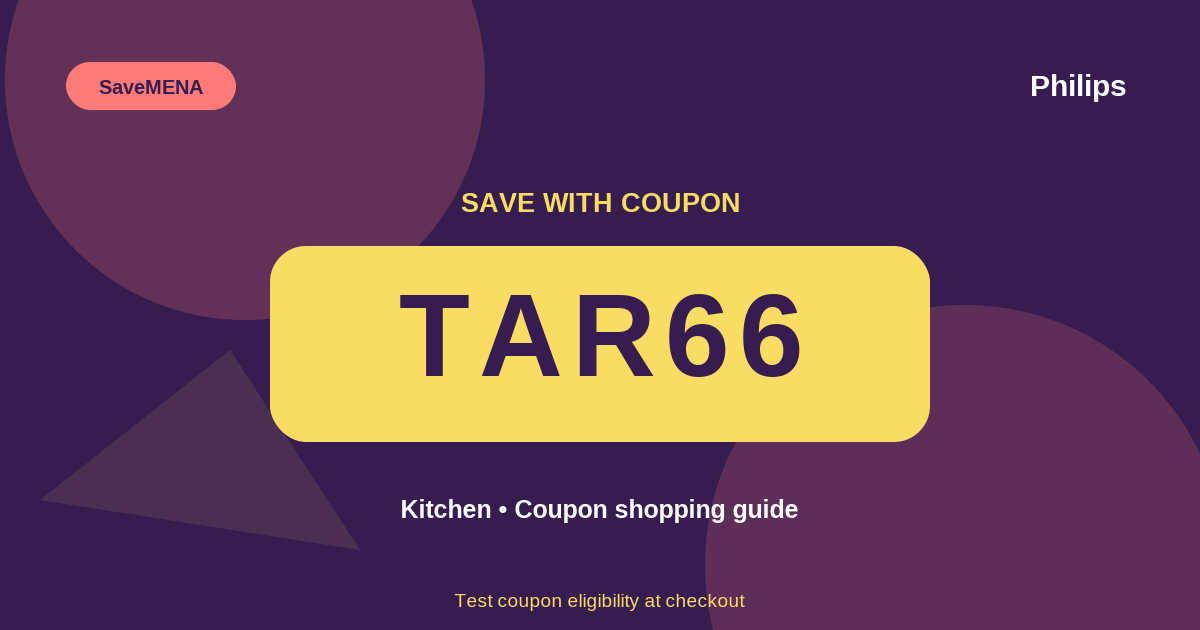
Codes available to try while comparing
These codes are not guaranteed for the article topic or listed brands; test them at checkout and use the live result.
Start with the Right Coupon Code
The first safeguard against a coupon fail is to confirm the code’s spelling and case. Noon’s system treats letters and numbers strictly; a single typo can invalidate TAR64. When pasting the code, avoid accidental spaces or hidden characters that may creep in from text editors. Double‑check the visual field where the code is echoed on the cart page before proceeding further.
After confirming the entry, look for an immediate visual confirmation—often a subtle tick or a “One‑off” icon— indicating the code is recognized. If this cue is absent, it’s a signal that the code is either expired, restricted to other categories, or otherwise invalid at the moment of entry. Proceeding without this confirmation typically leads to the coupon disappearance at checkout, triggering a cascade of disappointment for the attempted savings.
Verify the Coupon's Applicability Before Adding Items
Beyond code syntax, Noon imposes purchasing rules that tie coupons to specific categories or brands. Even if TAR64 is listed as “Kitchen,” the system may still narrow its validity to non‑Philips products, or conversely, exclude them. Prior to adding Philips appliances to your cart, search for the “Conditions” or “Eligibility” tag entailed with the coupon listing. This detail clarifies whether Philips devices qualify.
If no explicit brand restriction is shown, rely on the cart’s automatic validation. Once you add a Philips blender, for instance, click on the cart icon and watch for any discount disappearance. If now gone, it signals the coupon isn’t compatible with the specific Philips SKU. In that case, the payment method lens shifts focus to selecting alternate products or retaining the coupon for future non‑Philips kitchen purchases.
Watch the Payment Method: A Crucial Checkpoint
Payment methods can gate coupon application in Noon’s architecture. While most credit cards and digital wallets are supported, certain methods—like a specific contactless chip payment or a corporate card—might trigger denial of the TAR64 code during final authorization. Checkout prompts often refresh coupon status when a different payment method is chosen.
To avoid the coupon being stripped midway, first confirm which payment options appear under “Payment Method” during checkout. If you see a green check next to “Card” or “Cash on Delivery,” select it early. If the option varies with the product, the coupon may not survive a late-change event, motivating shoppers to lock in the method immediately after adding Philips items.
The Role of Philips Items in Coupon Acceptance
Philips kitchen appliances are a popular choice, yet certain models can carry a higher price tier that triggers a differential coupon treatment. Noon’s policy may interpret ‘premium’ items separately, excluding them from generic coupon codes to maintain vendor agreements. Consequently, even a correctly entered TAR64 can be withdrawn if your cart contains a Philips espresso machine above a set threshold.
Because of this, it’s wise to know whether the Philips variant in your cart has a price or configuration that pushes it into a restricted bracket. If you find the coupon retracts after adding such an item, consider splitting the purchase: one cart for Philips items without the coupon, and another for other kitchen goods where the TAR64 remains active.
Common Reasons a Noon Coupon May Fail on Checkout
Even with meticulous steps, coupons can fail for indefinite reasons. The most frequent culprits include: stock unavailability of the the coupon code product, exceeding maximum usage limits per customer, or the coupon being currently locked out for promotional reshuffling. Additionally, the backend can momentarily fail to sync payment methods, causing the coupon to be rescinded.
Because the system’s feedback is minimal—often just “Coupon not applied”—many shoppers assume an error on their end without noticing these subtle system levers. Knowing these potential failures equips you to approach each checkpoint (product selection, cart review, payment method) with a debugging mindset, rather than resorting to random trial and error.
Step-by-Step Troubleshooting Checklist
1. Verify that TAR64 is the exact code, with no hidden characters. 2. Confirm the coupon is listed as “Kitchen” and check its explicit brand stipulations. 3. Add a Philips item to the cart and observe if the discount appears. 4. Open the cart and re‑apply the code if necessary, watching for confirmation. 5. Choose your payment method before the approval step; avoid changing it afterward. 6. Proceed to checkout and monitor the discount field for any disappearance.
Use this sequence as a diagnostic flow. If at any stage the discount vanishes, pause and note which action corresponds to the failure. Documenting the step helps you identify whether the coupon’s issue lies in Philips product restrictions, payment method incompatibility, or a broader site malfunction.
Alternative Discount Options When Coupons Stall
Should TAR64 continue to fail, explore other avenues of savings that are less susceptible to payment method confusion. Search for sales banners, flash deals, or store credit rebates that explicitly state “no coupon required.” These often apply broader to kitchen categories and bypass the code verification process entirely.
Another strategy is to create a new account or clear cookies; occasionally, prior usage marks from repeated attempts may block subsequent attempts. However, verify at checkout that the new account hasn’t inherited any hidden restrictions. This approach might restore coupon functionality, especially if the original failure stemmed from exceeding per‑customer limits.
Final Verification: Meeting All Coupon Conditions
At the final step before confirming payment, re‑read the “Checkout” summary for any red text or hidden fees. The TOTALLY available coupon usage status should be visible—if not, it indicates the coupon is no longer considered active for your selected items and payment combination.
Only after confirming the coupon’s presence, the cart’s total, and the payment method stability, should you click “Place Order.” Reliance on prior steps ensures you do not need to revisit the order bill for an unexpected non‑disparagement and prevents a silent coupon drop that would otherwise result in a higher final price.
Related SaveMENA pages
Related articles
Official sources to check
Frequently asked questions
Why did the TAR64 coupon reject a Philips blender during checkout?
The discount code may not apply to premium Philips models due to vendor agreements. Noon’s system could automatically invalidate the coupon once a product exceeds a price threshold, especially for higher‑end kitchen appliances.
Can I use multiple payment methods in a single order to keep the coupon?
All items in a single order must use a single payment method. Switching between methods after adding items can trigger the coupon to drop. It’s best to lock in one method right after adding products.
Is the coupon's non‑application due to the order total being too high or low?
Noon may set minimum or maximum spending thresholds for certain coupons. If your total falls outside this range, the coupon will be disregarded. Verify the terms listed near the coupon description before finalizing the cart.
What if I clear my browser cookies—will it help the coupon apply?
Clearing cookies can reset session data that might be causing coupon rejection. After clearing, the app or site should treat your cart as new, allowing the coupon to re‑apply if no other conditions are violated.