Apple Laptops on Noon UAE: payment method — coupon troubleshooting · TAR64
If you’ve spent hours hunting for the latest laptop deals, only to see your desired discount vanish at checkout, you’re not alone.
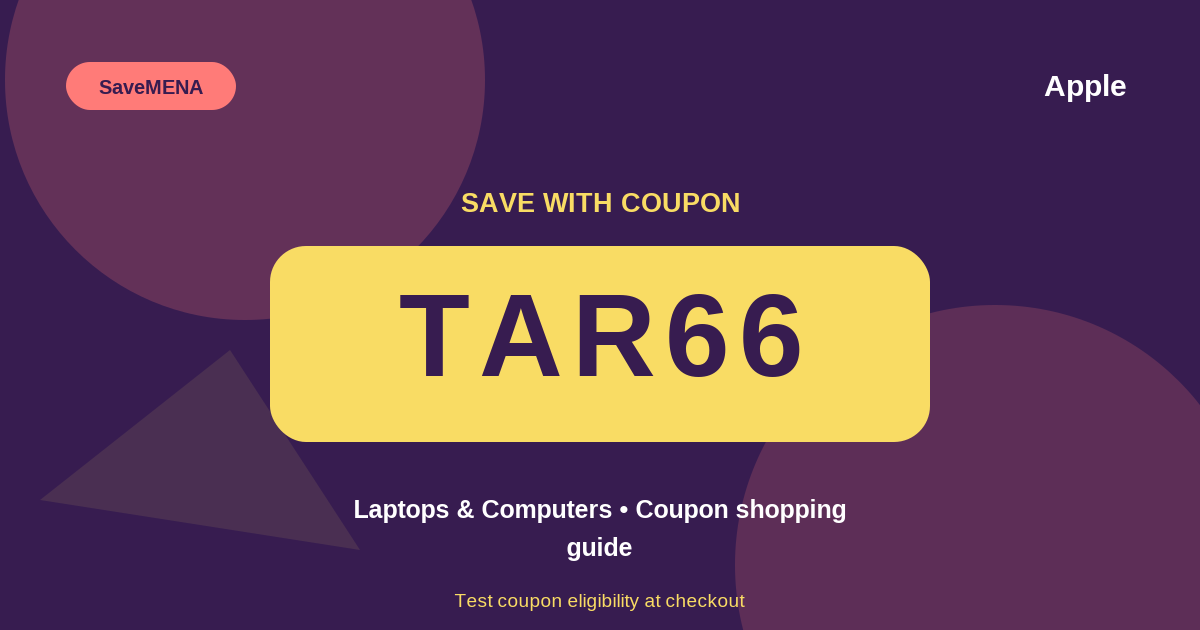
Codes available to try while comparing
These codes are not guaranteed for the article topic or listed brands; test them at checkout and use the live result.
Why the Noon UAE coupon might not be applied
When a coupon fails to stick, the first suspicion often lands on the purchase itself. Laptops, being high‑value items, can trigger different cart rules than everyday accessories. The combination of product price, quantity, or even the specific model can interfere with the coupon engine. Therefore, before anything else, review the cart to confirm that the items you intend to buy fall within the parameters that a general coupon could apply to. Check that the total cart value is a valid amount, that you haven’t added any items that automatically override discount codes, and that you’re not ordered from a special category that reserves exclusive deals.
The second layer of caution lies in user account status. Coupons on Noon often require the user to be logged in, and sometimes a verified account is a prerequisite. If you’re still in a guest checkout mode or haven’t verified your email or phone number, the coupon code may simply be blocked. Logging in or completing verification steps can quickly resolve this class of issue, letting the system recognize your eligibility to apply TAR64 to the right set of products.
Checking the Apple payment method compatibility
Apple payment options—whether Apple Pay, Apple Card, or any other Apple‑linked method—are increasingly supported across UAE platforms. However, not every attendee automatically qualifies. Verify that the payment method you intend to use is active on your device and enrolled with a valid card or account. If your Apple Pay setup is only configured for its domestic use, it might not propagate to Noon UAE if the merchant doesn’t support that region’s version of the service.
To confirm compatibility, open the Noon app or website, navigate to the Payment Method section, and inspect the list of available options. Look for "Apple Pay" in the dropdown and tap to proceed. If the method waits for additional verification or shows a “Not Available” label, the coupon might not reflect correctly because the payment gateway cannot process the transaction under the coupon’s conditions. In this case, switching to a different yet valid payment method can unblock the coupon application.
Verifying coupon eligibility criteria during checkout
Most coupons will perform a real‑time check once you reach the payment screen. While the coupon code itself may appear to be entered correctly, hidden constraints—like a minimum cart value or a prohibited merchant’s list—can prevent the discount from activating. At the checkout step, keep an eye on the “Discounts” section, which will list any eligibility checks that failed. This feedback is the browser‑side equivalent of the “coupon not working” notification you’re trying to prevent.
If you see a message like “Coupon not applicable” or a red warning, the remedy usually involves adjusting the cart’s contents. Consider removing any items flagged as “exclusion” (such as gift-wrapped products or certain bundles). Re‑adding the product to a new order or placing it in a different cart may trigger the coupon logic to re‑evaluate. These steps keep you from blindly guessing whether the code itself is flawed or the cart context is misaligned.
Troubleshooting common issues with TAR64
A straightforward, reproducible approach helps isolate whether TAR64 itself has become invalid. Enter the code again in the dedicated field before proceeding past the “Continue to Payment” button; sometimes a typo or stray space can cause the engine to reject it. Clean typing and ensuring you’re on the exact copy of the coupon—no variations—are essential.
If the discount still doesn’t appear, switch over to a different device or browser. Occasionally, cookie or session data can create stale states that prevent the coupon from recalculating. Clearing cache or signing out and back in can reset this state. If after a fresh login the code still fails, it’s time to contact Noon’s support or consult their help center for any errors flagged at their end.
Using alternative payment methods for laptops
Should Apple‑based payments fall through the cracks, deploying an alternative method is often straightforward. Credit cards that are accepted via VISA, MasterCard, or local UAE cards will usually trigger the coupon engine to re‑evaluate the cart. When switching, re-enter the coupon code on the “Discounts” screen to ensure the system recalculates based on the new payment context.
Keep in mind that some banks automatically request two‑factor authentication when buying high‑priced electronics, which can temporarily suspend discount application until the transaction reaches finality. It’s a good practice to confirm the payment method has been authorized before the final purchase confirmation, as a pending status could hide the discount until the record is finalized.
Ensuring Apple Pay is enabled on your device
Many global e‑commerce platforms mirror their mobile apps’ settings to the web checkout. Enabling Apple Pay on your iPhone or iPad, nearly identical steps apply on Macs: add the card in the Wallet app, confirm permissions, and go to settings to allow “Accepted by Noon UAE.” If Apple Pay is disabled or unknown to the system, the coupon could be flagged as “not applicable.” Verify the setting at least once before placing your order.
If you’ve set Apple Pay on multiple devices, double‑check that each device’s system time is correct and that the network connection is stable. A time mismatch or network hiccup can lead the payment gateway to consider the transaction suspicious, preventing any third‑party discounts from being applied. Once the status shows as “Apple Pay active,” the coupon engine should recognize the transaction flow and apply TAR64 if all other conditions are met.
Managing delivery and fees with paid laptops
The final payable total is governed not only by the product price but also by delivery fees and any additional surcharges. In UAE, Noon offers a range of delivery speeds—standard, express, or same‑day—that can change the final bill. If a delivery surcharge pushes the cart total outside the coupon’s acceptable range, the code may be invalidated. Adjusting your shipping option can realign the total and reactivate the discount.
It is also common for platforms to place a separate “masking” fee on high‑value items like laptops, especially during peak season or overflow periods. These extra costs can influence whether a coupon code can apply. Keep an eye on the “Subtotal” versus “Total” figures during checkout; if the subtotal fits the coupon’s criterion but the total does not, the discount will not show. Preferable is to reorder after reviewing the fee breakdown.
Final steps before confirming your purchase
Before hitting the “Place Order” button, perform a final scan of the summary screen. Confirm that the coupon code appears highlighted next to the subtotal, that the Apple‑linked payment method is listed as the active choice, and that the final amount matches your expectation. At this point, the entire transaction data must match the conditions that the code was meant to satisfy, leaving no room for surprises.
If, after all these checks, the coupon still shows as not applied, consider physically removing the laptop from the cart and re‑adding it. This action forces a fresh calculation of all eligible offers. Once the offer reappears—or uses an alternative payment method and re‑enters the code—you should be ready to complete the purchase.A coupon is not guaranteed; verify its result at the retailer checkout.
Related SaveMENA pages
Related articles
Official sources to check
Frequently asked questions
Does TAR64 work with Apple Pay on Noon UAE?
TAR64 can be applied to most laptop orders when Apple Pay is the selected payment method, provided the overall transaction meets the coupon’s conditions. Ensure that Apple Pay is fully enabled on your device, that the order total is valid, and that you’re logged into Noon UAE before confirming the checkout.
What should I do if the coupon still doesn't apply?
A coupon is not guaranteed; verify its result at the retailer checkout. If the discount remains invisible, try a different payment method or adjust the shipping option, then re‑apply the code at the payment step.
Are there specific laptop models that may not accept Apple-based payments?
Apple-based payment methods rely on the merchant’s integration rather than the product itself. Therefore, any laptop available on Noon UAE that can be paid for with an Apple‑linked card should be acceptable; the product model does not alter payment compatibility.
How can I confirm my payment method is accepted at checkout?
During checkout, look in the payment summary for the method name. A checkmark or certificate icon indicates acceptance. Completing a small test purchase can also verify that your Apple‑linked card can handle the laptop’s price range without triggering errors.