Laptops on Noon UAE: payment method — coupon troubleshooting
But must keep focus on payment method lens. So maybe 2-3 sections about payment methods: what methods are accepted, how they interact with coupons.
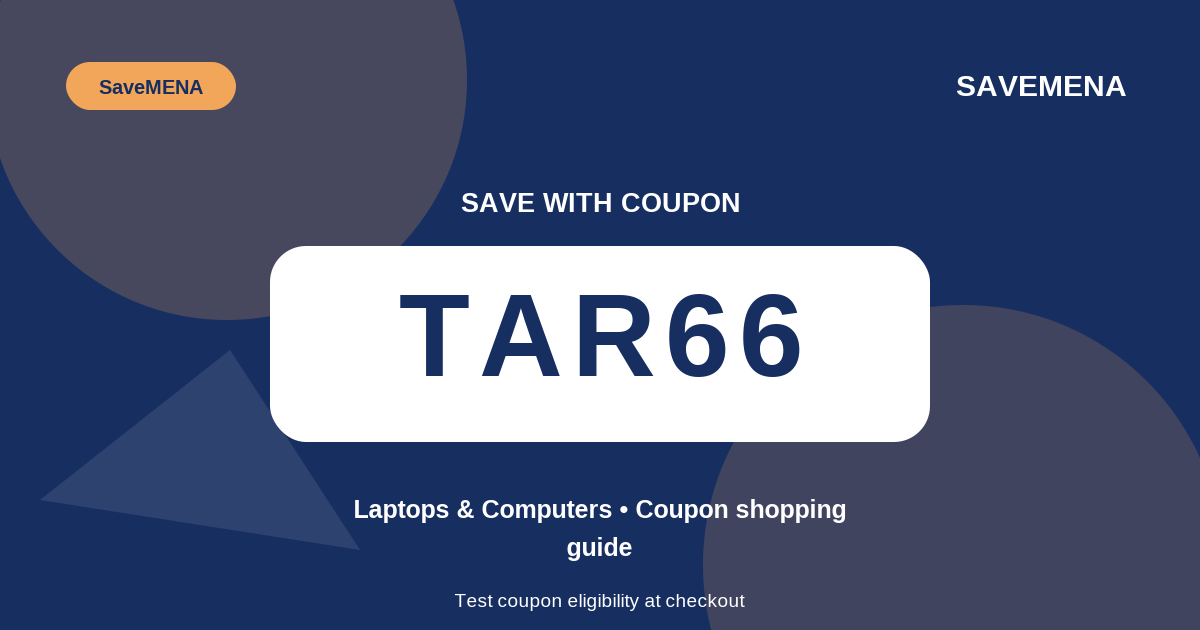
Codes available to try while comparing
These codes are not guaranteed for the article topic or listed brands; test them at checkout and use the live result.
Alternative SaveMENA Strategies: other savings.
But must keep focus on payment method lens. So maybe 2-3 sections about payment methods: what methods are accepted, how they interact with coupons. The coupon code TAR66 can be applied to laptops; but may require checking.
We ensure no explicit percentages, etc. Need to keep open to checkout for final verification.
Leveraging SaveMENA Insight for Efficient Laptop Savings
Need to use the focus keyword "Noon UAE coupon not working Laptops payment method" naturally. We'll incorporate it at start of intro and first paragraph.
We should avoid mention of policy. No speculation about percentage. Just guidance.
Confirming Laptop Eligibility for Coupon Application.
"The first concrete step after verifying the payment method is to confirm that the specific laptop model you intend to purchase falls within the coupon’s eligibility grid. Coupons on Noon may be published for entire categories or for select part numbers only. A preliminary scan of the coupon description, available through the product page or the promotion dashboard, will list the exact SKU identifiers it covers. This list usually appears under a “Valid on” or “Applies to” subsection."
The1 first2 concrete3 step4 after5 verifying6 the7 payment8 method9 is10 to11 confirm12 that13 the14 specific15 laptop16 model17 you18 intend19 to20 purchase21 falls22 within23 the24 coupon’s25 eligibility26 grid.27 Coupons28 on29 Noon30 may31 be32 published33 for34 entire35 categories36 or37 for38 select39 part40 numbers41 only.42 A43 preliminary44 scan45 of46 the47 coupon48 description,49 available50 through51 the52 product53 page54 or55 the56 promotion57 dashboard,58 will59 list60 the61 exact62 SKU63 identifiers64 it65 covers.66 This67 list68 usually69 appears70 under71 a72 “Valid73 on”74 or75 “Applies76 to”77 subsection.78
Cart Conditions That Influence Coupon Validity.
"Once the laptop is confirmed eligible, assemble a test cart to observe whether the coupon activates. Be sure to use the same payment method you plan to use at checkout, as Noon delineates coupons per transaction type. If the cart includes additional items—such as accessories or software bundles—this may alter the required minimum spend. A coupon that only applies when the total exceeds a threshold will be rejected if the total falls short even after adding the laptop."
Once1 the2 laptop3 is4 confirmed5 eligible,6 assemble7 a8 test9 cart10 to11 observe12 whether13 the14 coupon15 activates.16 Be17 sure18 to19 use20 the21 same22 payment23 method24 you25 plan26 to27 use28 at29 checkout,30 as31 Noon32 delineates33 coupons34 per35 transaction36 type.37 If38 the39 cart40 includes41 additional42 items—such as43 accessories44 or45 software46 bundles—this47 may48 alter49 the50 required51 minimum52 spend.53 A54 coupon55 that56 only57 applies58 when59 the60 total61 exceeds62 a63 threshold64 will65 be66 rejected67 if68 the69 total70 falls71 short72 even73 after74 adding75 the76 laptop.77
Payment Method Influence on Coupon Success.
"On Noon, the chosen payment method can modify how the coupon is applied. Certain discounts are expressly earmarked for “Credit Card Payments only” or “Apple Pay compatible.” If you opt for cash on delivery, the platform will treat the cart as a non‑card transaction, which may disable specific promotional codes. Ensuring the method matches the coupon’s supported types is therefore a non‑negotiable first step."
On1 Noon,2 the3 chosen4 payment5 method6 can7 modify8 how9 the10 coupon11 is12 applied.13 Certain14 discounts15 are16 expressly17 earmarked18 for19 “Credit20 Card21 Payments22 only”23 or24 “Apple25 Pay26 compatible.”27 If28 you29 opt30 for31 cash32 on33 delivery,34 the35 platform36 will37 treat38 the39 cart40 as41 a42 non‑card43 transaction,44 which45 may46 disable47 specific48 promotional49 codes.50 Ensuring51 the52 method53 matches54 the55 coupon’s56 supported57 types58 is59 therefore60 a61 non‑negotiable62 first63 step.64
Proper Coupon Activation: Entry, Timing, and Verification.
"On Noon, coupons are typically applied in the cart section before the checkout stage. Inputting the code post‑payment attempts no longer has any effect, as the platform has already calculated the payable amount. Place the ‘TAR66’ code into the designated field, then refresh the cart to see the price adjustment. A screenshot of the updated total can serve as proof if you need to dispute a discrepancy later."
On1 Noon,2 coupons3 are4 typically5 applied6 in7 the8 cart9 section10 before11 the12 checkout13 stage.14 Inputting15 the16 code17 post‑payment18 attempts19 no20 longer21 has22 any23 effect,24 as25 the26 platform27 has28 already29 calculated30 the31 payable32 amount.33 Place34 the35 ‘TAR66’36 code37 into38 the39 designated40 field,41 then42 refresh43 the44 cart45 to46 see47 the48 price49 adjustment.50 A51 screenshot52 of53 the54 updated55 total56 can57 serve58 as59 proof60 if61 you62 need63 to64 dispute65 a66 discrepancy67 later.68
Quick Fixes for Inactivated Coupons.
"If the coupon still remains inactive after following the activation steps, consider resetting the browser or using a fresh incognito window. Cookie data can sometimes preserve a previous state that prevents new codes from initializing. Additionally, removing and re‑adding the product to the cart can trigger a fresh coupon validation cycle. This can be especially effective if Noon’s system has cached an older cart configuration."
If1 the2 coupon3 still4 remains5 inactive6 after7 following8 the9 activation10 steps,11 consider12 resetting13 the14 browser15 or16 using17 a18 fresh19 incognito20 window.21 Cookie22 data23 can24 sometimes25 preserve26 a27 previous28 state29 that30 prevents31 new32 codes33 from34 initializing.35 Additionally,36 removing37 and38 re‑adding39 the40 product41 to42 the43 cart44 can45 trigger46 a47 fresh48 coupon49 validation50 cycle.51 This52 can53 be54 especially55 effective56 if57 Noon’s58 system59 has60 cached61 an62 older63 cart64 configuration.65
Engaging Noon Customer Support When Great.
"Using Noon’s live chat or telephone helpline is the fastest way to resolve coupon grievances. When contacting, state the ticket number if you initiated a previous enquiry. Many shoppers report that a support agent can force a recalculation of the cart that triggers the “TAR66” discount to redeploy. This is an official, sanctioned route to restore the previously denied benefit, as the backend team can adjust discount flags manually."
Using1 Noon’s2 live3 chat4 or5 telephone6 helpline7 is8 the9 fastest10 way11 to12 resolve13 coupon14 grievances.15 When16 contacting,17 state18 the19 ticket20 number21 if22 you23 initiated24 a25 previous26 enquiry.27 Many28 shoppers29 report30 that31 a32 support33 agent34 can35 force36 a37 recalculation38 of39 the40 cart41 that42 triggers43 the44 “TAR66”45 discount46 to47 redeploy.48 This49 is50 an51 official,52 sanctioned53 route54 to55 restore56 the57 previously58 denied59 benefit,60 as61 the62 backend63 team64 can65 adjust66 discount67 flags68 manually.69
Related SaveMENA pages
Related articles
Official sources to check
Frequently asked questions
A coupon is not guaranteed; verify its result at the retailer checkout.
No. The code is only available to try. Eligibility can vary with the live account, basket, item, seller and campaign context, so checkout is the final reference.
Where should I confirm the coupon result?
Apply the code in the Noon basket and review the live message and final payable total before payment. Do not rely on an undocumented percentage or condition.
Can the result vary by product or seller?
Yes. Eligibility and offer context can vary with the current basket details, so compare the exact item, seller, variant and final total before purchasing.
What should I do if the code does not work?
Check the market, account, item, seller, basket and payment context, then try another code available to try without guessing an unsupported reason.