Calvin Klein Men’s Fashion on Noon UAE: payment method — coupon troubleshooting
The first step in troubleshooting a coupon that isn’t applying is to confirm it is still active. Coupons can expire, have a minimum spend, or be restricted to
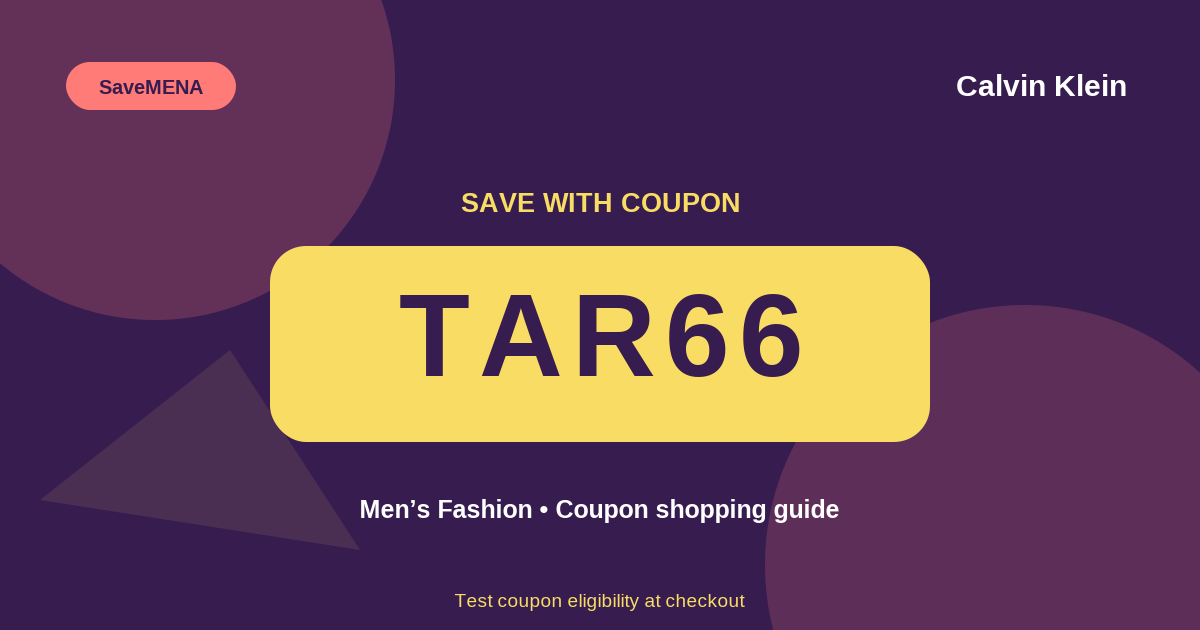
Codes available to try while comparing
These codes are not guaranteed for the article topic or listed brands; test them at checkout and use the live result.
1. Identifying Why the Coupon Is Not Recognized
The first step in troubleshooting a coupon that isn’t applying is to confirm it is still active. Coupons can expire, have a minimum spend, or be restricted to specific product categories or brands. When you enter “TAR66” in the promo code box, observe whether the system acknowledges it immediately or flags a message such as “invalid code” or “code expired.” A prompt error usually indicates a problem beyond payment method, such as a technical glitch or a restriction not met.
Next, cross-check the terms outlined in the coupon’s description—if available—viewed under the “Coupons” section of the app or website. If no specific conditions appear, the coupon is likely a general use code, but it may still be limited to certain payment gateways. Certain promotions are only valid when paid by bank transfer, credit card, or wallet, which will affect the next steps in this guide.
2. Understanding Noon’s Payment Method Compatibility
Noon offers a variety of payment options in the UAE: credit/debit cards, PayPal, Apple Pay, and Noon Wallet. Each method can have distinct eligibility for promotional codes. For example, a coupon might be designed to work only with credit card payments, making wallet transfers ineligible.A coupon is not guaranteed; verify its result at the retailer checkout.
When you reach the payment screen, note the icons representing accepted cards and digital wallets. The app may display messages like “This code is not valid with your selected payment method.” If such a message appears, switching to an alternative payment option is the simplest workaround. If no message appears, proceed to the next troubleshooting step, keeping your payment method in mind as a potential variable.
3. Step‑by‑Step Coupon Verification at Checkout
Before finalizing payment, press the “Apply” button next to the promo code field. The checkout interface should recalculate the totals and display a line item for the discount. If the discount line remains absent, the code has not matched any active promotion, or the conditions aren’t satisfied. In such a scenario, double‑check the code spelling—"TAR66" is case‑sensitive—and ensure no whitespace or extra characters are included.
After applying, scroll down to the “Final Total” section. Here, any discount will reflect as a negative figure next to the subtotal. If the discount line disappears after applying a new payment method or after refreshing the page, the issue may hinge on a session timeout or inconsistent cookie handling, both tied to the payment method you selected.
4. Common Technical Fixes That Impact Coupons
Cookies and cache can interfere with promotional code recognition. Clearing the browser or app cache often resolves these hiccups. If using a mobile device, force‑closing and restarting the Noon app can refresh the session, ensuring that the coupon and chosen payment method sync correctly.
Browser‑based fluctuating behavior can also be caused by extensions or ad‑blockers that block the coupon script. Temporarily disabling such extensions or switching to an incognito window can confirm if a third‑party tool is interfering. Once the coupon applies, re‑enable your extensions to restore regular browsing.
5. The Impact of Order History and Membership Status
If you are a new user or lack a Noon membership, certain promotional codes can be restricted. Membership status can alter the availability of free shipping or cashback, but it may also affect whether a coupon is applied at all. Verify your status in the “Account” section—members often have a higher likelihood of coupon acceptance.
Order history can influence eligibility too. Some coupons only apply to first‑time purchases or to items not previously bought. Once you review your purchase record, you can spot if a prior purchase made the coupon inapplicable, prompting you to choose a different discount or method.
6. Calvin Klein Men’s Fashion Items: Specific Considerations
Calvin Klein products can be listed under “Men’s Fashion” but must still meet any coupon’s category restrictions. The brand’s items sometimes appear in partnered seller listings that may have unique coupon handling policies. If the coupon wasn't recognized for a specific Calvin Klein item, it might be because that product falls under a seller-specific promotion.
When this occurs, check the product page for a “Brand” tag and compare that to the coupon’s advertised terms. If the terms are general, but the coupon still doesn't apply, consider contacting Noon support—there may be a temporary disallowance for certain sellers or brands.
7. Alternatives When the Coupon Remains Unapplied
Should “TAR66” fail despite following all steps, consider using a different coupon that is known to work with the selected payment method. Noon’s “Coupons” section lists active promotions, and you can filter by type—e.g., those valid with PayPal or Credit Card. This ensures you are using a code that aligns with your payment choice.
Alternatively, if the product qualifies for a loyalty reward or club points, those can offset the price. Some UAE shoppers use Noon’s “Points” system to reduce totals independently of coupons, making sure the credit method they use supports point application.
8. Final Checklist Before Payment Confirmation
Before clicking “Place Order,” confirm that the promo code line displays a discount, the payment method is selected and compatible, cookies are cleared, and your account status meets any eligibility criteria. Double‑check the final amount listed under “Total Payable” and ensure no hidden fees appear. A quick preview of the order summary instantiates confidence that the coupon has taken effect.
After verifying all variables, proceed with the payment. If your chosen method still shows an error after all checks, contact Noon’s customer service. They can access the backend to confirm whether the coupon is active for your category and payment method, and whether your account has any restrictions that prevent application.
Related SaveMENA pages
Related articles
Official sources to check
Frequently asked questions
What should I do if “TAR66” isn’t accepted after my best effort?
A coupon is not guaranteed; verify its result at the retailer checkout. If it still fails, contact Noon support for direct clarification on usage restrictions for your selected category and payment method.
Does using a Noona Wallet limit coupon usage?
Some promos are specifically tied to credit or debit cards. Wallet payments might not trigger certain coupon logic. Try switching to a card if the coupon remains unapplied and matches the coupon’s payment method conditions.
Can I combine “TAR66” with other promotional offers?
Typically, coupons are exclusive to each other and cannot stack with other discounts. The checkout will only apply one promotional code unless stated otherwise. Verify in the coupon details if multi‑code usage is prohibited.
How do I confirm my membership status for coupon eligibility?
Navigate to your Noon account dashboard, where the “Membership” section indicates your status (e.g., Standard or Premium). Some coupon benefits activate only for members; if you’re not logged in, certain promos may be inaccessible.