Men’s Fashion on Noon UAE: payment method — coupon troubleshooting
When a Noon UAE coupon code seems to go dark at checkout, the problem often lies in how payment methods interact with discount logic.
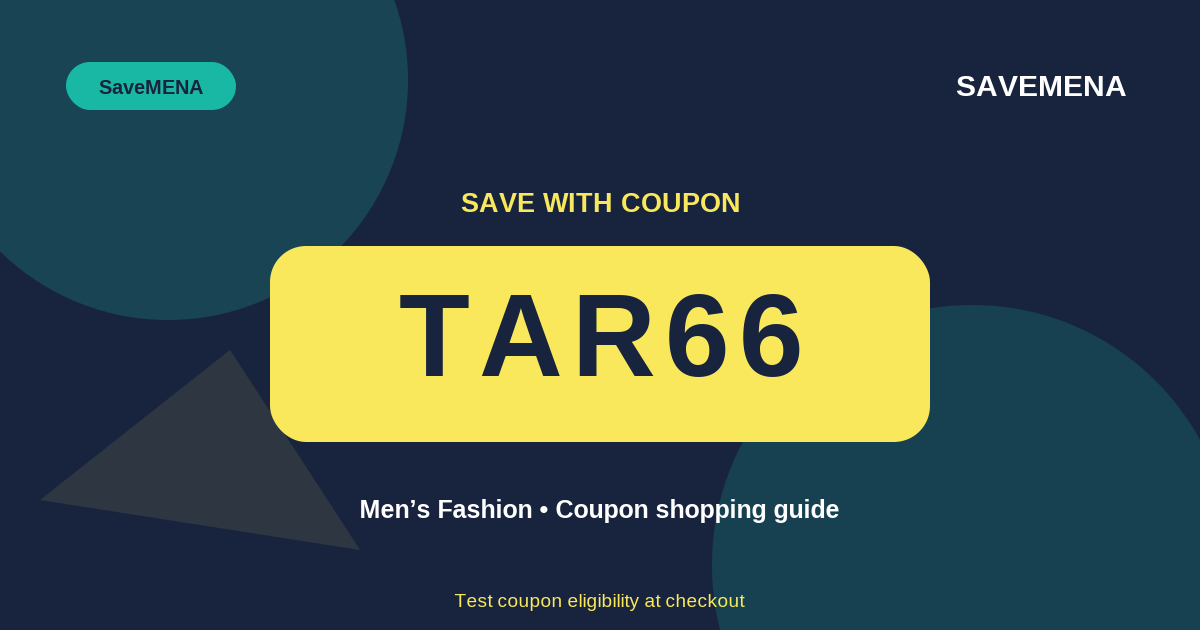
Codes available to try while comparing
These codes are not guaranteed for the article topic or listed brands; test them at checkout and use the live result.
Understanding Coupon Mechanics at Noon UAE
Coupons on Noon UAE are applied during the most recent stage of the checkout process, just before the payment method is finalized. The platform’s engine evaluates the coupon code against the current cart value, selected items, and any promotional restrictions that apply. Because discount validation occurs after “Add to Cart” but before payment, a mis‑aligned payment option can trigger a failure, even if the cart itself meets all criteria. This intrinsic sequence means that an unsatisfied payment condition can block a valid coupon from taking effect.
Recognizing that the coupon engine is tightly coupled with the payment tick box helps you anticipate where a glitch can arise. For instance, if you switch from Credit Card to an alternative dynamic reward, the validation engine might halt the code’s application, leaving you with the full price rather than a discount. By mapping the coupon logic to the payment workflow, you can identify the exact moment the code might be evaluated incorrectly.
Confirming Eligibility Before Applying TAR66
Before entering TAR66 into the coupon field, ensure that the items in your men's fashion basket meet any unspecified eligibility restrictions. Even though the code is advertised as a generic tap, it may still have internal conditions such as “applicable to items above a certain value” or “excludes clearance stocks.” Closed‑loop systems within Noon UAE typically flag these restrictions once you attempt to apply the code. Checking the cart items’ discount eligibility prompts a preliminary screen where you can confirm that the code is legal for set pieces.
In addition, verify that you are logged into the correct Noon account, as some discount rules are tied to user profile data. If you’re using a guest checkout, certain coupons may be disabled. Once the eligibility screen indicates that TAR66 passes, proceed to add the coupon in the designated input field before you lock in a payment method.
Step‑by‑Step Process to Enter the Coupon
With eligibility cleared, locate the “Coupon” or “Gift Code” box in the order summary area. Place the TAR66 code, ensuring that you copy it exactly with no leading or trailing spaces, then click the ‘Apply’ button. The system will instantly recalculate your total. If the code is valid, you should see the discount reflected in the subtotal line and a new payment window appear.
At this point, the payment method selection interface becomes crucial. The coupon’s influence remains intact only if you finalize the payment under a supported method. Some dropdown options, such as “Pay Later” or “Credit Card,” activate the discount, while others, like certain wallet or promotional credit methods, might remove it. Keep your eyes on the subtotal line as you toggle—any drop in discount indicates a payment‑related conflict.
Common Reasons Coupons Fail on Payment Screens
A leading cause of coupon failure is the use of a payment method that the coupon engine does not support. Noon UAE’s discount system is run through the same payment validation pipeline that checks for fraud, limits, and authorization. If you select a method that triggers an additional verification step—like a bank transfer or a third‑party payment gateway—the coupon may be automatically stripped to prevent misuse.
Other systemic glitches arise from session timeouts or cart refreshing. If the cart refreshes after you enter the coupon, the discount may be lost unless you reapply it. Similarly, switching devices or browsers during checkout can reset the discount state. For men’s fashion orders, where catalog items can change stock levels quickly, a tiny delay between adding an item and applying the coupon can result in a mismatch that aborts the code.
Valid Payment Methods for Coupon Redemption
In practice, sincere coupons like TAR66 have the widest acceptance on traditional credit or debit cards. These cards are processed directly through Noon UAE’s payment gateway, which unlocks the discount logic before authorizing the transaction. Utilizing a device‑fit payment option such as “Netherlands Pay,” “StarPay,” or “Visa Direct” tends to retain the coupon’s effect throughout the authorization cycle.
Digital wallets that encapsulate a secondary payment layer—Apple Pay, PayPal, or a Noon Wallet balance—may experience a temporary coupon removal if the backend requires a secondary token verification. If you prefer these alternatives, double‑check that the wallet’s balance has no pending authorizations and that the lens of the payment method is acceptable for coupon usage at the time of the transaction. If not, revert to a bank card for a smooth discount application.
Verifying Order Summary for Accurate Discounts
Once you have selected your payment method and confirmed the coupon, the order summary should display the recalculated figures. Pay special attention to the “Discount” line; it should explicitly show that the TAR66 code is credited. Notice also that the final payable amount remains unchanged after selecting a supported payment, confirming that no unintended adjustments were made.
A coupon is not guaranteed; verify its result at the retailer checkout. If the subtotal has changed but the discount line remains blank, the code likely failed due to the early payment selection. In that case, adjust your payment method and re‑apply the coupon before finalizing your order.
Resolving Rejection: Contacting Support vs. Re‑trying
If the coupon still does not apply after verifying the payment method, the recommended next step is to open the Noon help channel. Request a brief explanation of why the code fails, referencing the TAR66 coupon and stating that you are using an approved credit card. The support agent can provide a session‑specific reason or flag a potential backend oversight.
Meanwhile, re‑trying with a slight margin of time or by clearing the browser cache can occasionally bypass temporary gateway hiccups.A coupon is not guaranteed; verify its result at the retailer checkout. Re‑entering the code afresh often eliminates hidden session remnants that may interfere with the coupon engine.
Preventive Tips for Future Coupon Success
To avoid coupon failures, keep your checkout flow consistent: add items, lock in the cart, apply the discount, then commit to a payment method. Avoid switching payment options mid‑flow; choose the method first and only place the coupon once the system has acknowledged the payment type.
Also, test the coupon on a small order before committing to a larger men’s fashion haul. This tactic confirms that the discount can navigate the payment pipeline without exposing you to the risk of losing a bigger purchase.A coupon is not guaranteed; verify its result at the retailer checkout.
Related SaveMENA pages
Related articles
Official sources to check
Frequently asked questions
What happens if I choose a payment method that doesn’t support coupons?
When a payment method bypasses the discount logic—like certain digital wallets or delayed‑payment options—the coupon may be removed from the final total, forcing you to pay the full price before the payment is authorized.
Can I combine the TAR66 coupon with other promotions?
Coupon stacking is usually disallowed. If the cart or item restrictions block additional promotions, the TAR66 discount will be the sole applied reduction, and you’ll need to cancel any overlapping offers.
Is it safe to use a credit card for the best chances of applying the coupon?
Yes. Credit or debit cards processed through Noon’s primary gateway preserve the coupon’s effect, ensuring transparent deduction before the transaction is captured.
What should I do if the discount still doesn’t apply after multiple attempts?
Contact Noon UAE support with your order ID and the TAR66 code. Provide details about the chosen payment method and any error messages you received so they can investigate a backend discrepancy.