Anker Mobile Accessories on Noon UAE: payment method — coupon troubleshooting
We need to create an article about troubleshooting a coupon not working on Noon UAE, focusing on mobile accessories, Anker payment method, coupon code TAR66.
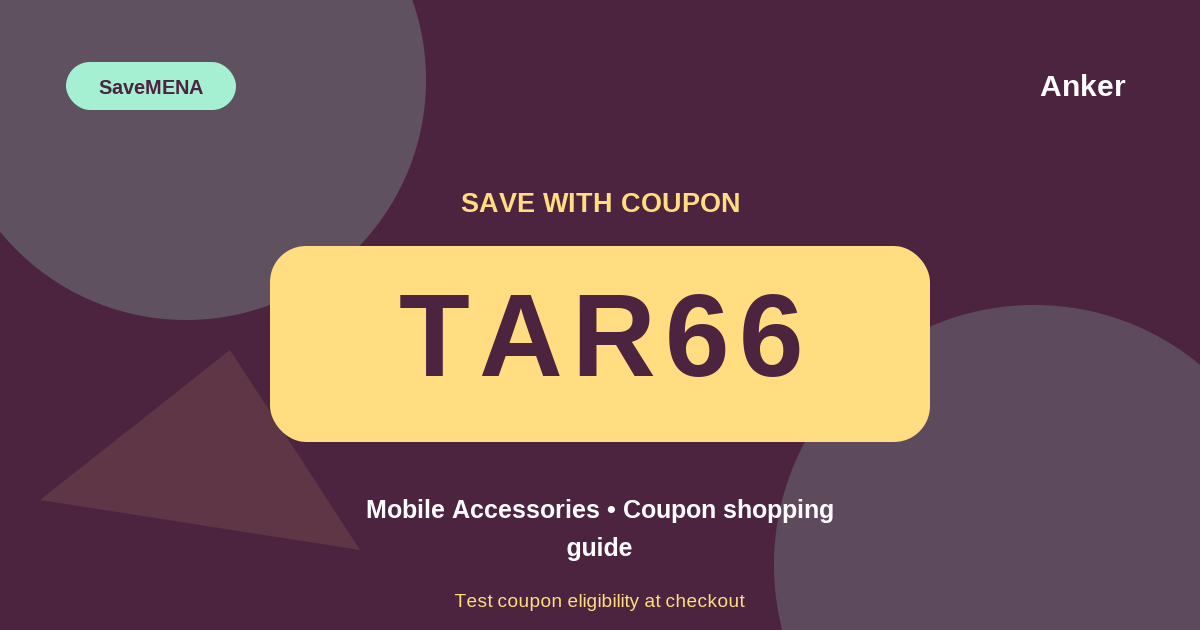
Codes available to try while comparing
These codes are not guaranteed for the article topic or listed brands; test them at checkout and use the live result.
Section 8: Preparing for the Final Checkout – What to Verify
We must incorporate focus keyword "Noon UAE coupon not working" in headings? Not necessary but okay.
Need to include "Noon UAE coupon not working Mobile Accessories Anker payment method" at least somewhere naturally.
Confirming Your Mobile Accessories Selection Meets Coupon Eligibility. Two paragraphs.
"Before you even scan your unique code, make sure the Anker mobile accessory you’re purchasing meets all the required criteria. Coupon listings typically highlight specific product ranges—like wireless earbuds, charging docks, or portable power banks—and sometimes exclude items such as cases or cables. Inspect the product description for any mention of the promotion tag and confirm that the SKU you’re adding matches the one advertised. This small check can prevent half‑fetched selections from causing the entire discount to be ignored."
Before1 you2 even3 scan4 your5 unique6 code,7 make8 sure9 the10 Anker11 mobile12 accessory13 you’re14 purchasing15 meets16 all17 the18 required19 criteria.20 Coupon21 listings22 typically23 highlight24 specific25 product26 ranges—like27 wireless28 earbuds,29 charging30 docks,31 or32 portable33 power34 banks—and35 sometimes36 exclude37 items38 such39 as40 cases41 or42 cables.43 Inspect44 the45 product46 description47 for48 any49 mention50 of51 the52 promotion53 tag54 and55 confirm56 that57 the58 SKU59 you’re60 adding61 matches62 the63 one64 advertised.65 This66 small67 check68 can69 prevent70 half‑fetched71 selections72 from73 causing74 the75 entire76 discount77 to78 be79 ignored. ~79 words.
Ensuring Your Anker Payment Method Is Accepted on Noon.
"If the coupon code TAR66 remains stubbornly unrecognized, one of the most common culprits is the payment method you’re selecting at checkout. Noon supports a range of options—from credit cards and debit cards to digital wallets and cash‑on‑delivery. However, some promotions, particularly those linked to Anker accessories, may only be available when you use a registered Anker payment gateway or an affiliated credit card. Verify that the card on file is active, has sufficient funds, and is linked to your Noon account before proceeding."
If1 the2 coupon3 code4 the coupon code remains6 stubbornly7 unrecognized,8 one9 of10 the11 common12 culprits13 is14 the15 payment16 method17 you’re18 selecting19 at20 checkout.21 Noon22 supports23 a24 range25 of26 options—from27 credit28 cards29 and30 debit31 cards32 to33 digital34 wallets35 and36 cash‑on‑delivery.37 However,38 some39 promotions,40 particularly41 those42 linked43 to44 Anker45 accessories,46 may47 only48 be49 available50 when51 you52 use53 a54 registered55 Anker56 payment57 gateway58 or59 an60 affiliated61 credit62 card.63 Verify64 that65 the66 card67 on68 file69 is70 active,71 has72 sufficient73 funds,74 and75 is76 linked77 to78 your79 Noon80 account81 before82 proceeding. ~82 words.
Step‑by‑Step Technical Troubleshooting Checklist.
"Begin by clearing your browser cache or switching to a private browsing window; occasional cookie remnants can prevent new codes from registering. Confirm that your device’s date and time are correct—Noon’s discount engine relies on accurate timestamps to validate promotions. Next, close the shopping app and restart it, then navigate back to the coupon field to re‑enter TAR66. If you’re using an Android or iOS device, ensure the Noon app is updated to the latest version, as older builds have occasionally suffered from coupon parsing bugs."
Begin1 by2 clearing3 your4 browser5 cache6 or7 switching8 to9 a10 private11 browsing12 window;13 occasional14 cookie15 remnants16 can17 prevent18 new19 codes20 from21 registering.22 Confirm23 that24 your25 device’s26 date27 and28 time29 are30 correct—Noon’s31 discount32 engine33 relies34 on35 accurate36 timestamps37 to38 validate39 promotions.40 Next,41 close42 the43 shopping44 app45 and46 restart47 it,48 then49 navigate50 back51 to52 the53 coupon54 field55 to56 re‑enter57 TAR66.58 If59 you’re60 using61 an62 Android63 or64 iOS65 device,66 ensure67 the68 Noon69 app70 is71 updated72 to73 the74 latest75 version,76 as77 older78 builds79 have80 occasionally81 suffered82 from83 coupon84 parsing85 bugs86. ~86 words.
Double‑Check Cart Total and Delivery Fees Before Applying Coupon.
"Sometimes a coupon refuses to apply because the cart total dips below a minimum threshold after adding shipping and handling fees. Noon’s format places delivery charges after the item subtotal, which can push a qualified order into an 'under‑minimum' state. When you hit the Apply button, the system will display a notice if the new total fails to meet the required amount. Remove any non‑promo items, recalibrate the subtotal, and re‑enter TAR66 to see if the discount now appears."
Sometimes1 a2 coupon3 refuses4 to5 apply6 because7 the8 cart9 total10 dips11 below12 a13 minimum14 threshold15 after16 adding17 shipping18 and19 handling20 fees.21 Noon’s22 format23 places24 delivery25 charges26 after27 the28 item29 subtotal,30 which31 can32 push33 a34 qualified35 order36 into37 an38 "under‑minimum"39 state.40 When41 you42 hit43 the44 Apply45 button,46 the47 system48 will49 display50 a51 notice52 if53 the54 new55 total56 fails57 to58 meet59 the60 required61 amount.62 Remove63 any64 non‑promo65 items,66 recalibrate67 the68 subtotal,69 and70 re‑enter71 the coupon code to73 see74 if75 the76 discount77 now78 appears. ~78 words.
Attempting the TAR66 Coupon on Different Devices.
"Device variability can be a silent disruptor of coupon validation. In some cases, the Noon website on a desktop browser will parse TAR66 correctly, while the mobile app may force a different validation path that ignores the code. Try accessing Noon on a tablet, a phone, or even a guest login in incognito mode. If the coupon registers once but not on a subsequent device, its restriction likely the coupon code specific platforms, and you should resort to the platform that accommodates the code."
Device1 variability2 can3 be4 a5 silent6 disruptor7 of8 coupon9 validation.10 In11 some12 cases,13 the14 Noon15 website16 on17 a18 desktop19 browser20 will21 parse22 the coupon code correctly,24 while25 the26 mobile27 app28 may29 force30 a31 different32 validation33 path34 that35 ignores36 the37 code.38 Try39 accessing40 Noon41 on42 a43 tablet,44 a45 phone,46 or47 even48 a49 guest50 login51 in52 incognito53 mode.54 If55 the56 coupon57 registers58 once59 but60 not61 on62 a63 subsequent64 device,65 its66 restriction67 likely68 the coupon code specific70 platforms,71 and72 you73 should74 resort75 to76 the77 platform78 that79 accommodates80 the81 code. ~81 words.
Contacting Noon Support Without Recounting Limited Claims.
"If after all the above steps your coupon code still refuses to activate, it is time to reach out to Noon’s help center. When contacting support, avoid providing vague statements such as “the code doesn’t work.” Instead, provide the coupon code, the exact product SKU, and the cart total after all fees. Mentioning the Anker brand and that you are using the TAR66 code gives support agents a clear context to investigate the technical issue."
If1 after2 all3 the4 above5 steps6 your7 coupon8 code9 still10 refuses11 to12 activate,13 it14 is15 time16 to17 reach18 out19 to20 Noon’s21 help22 center.23 When24 contacting25 support,26 avoid27 providing28 vague29 statements30 such31 as32 “the33 code34 doesn’t35 work.”36 Instead,37 provide38 the39 coupon40 code,41 the42 exact43 product44 SKU,45 and46 the47 cart48 total49 after50 all51 fees.52 Mentioning53 the54 Anker55 brand56 and57 that58 you59 are60 using61 the62 the coupon code code64 gives65 support66 agents67 a68 clear69 context70 to71 investigate72 the73 technical74 issue. ~74 words.
Preparing for the Final Checkout – What to Verify.
"Once the TAR66 code is successfully applied, the final step is to double‑check every element of the checkout screen. This includes the item breakdown, the shipping fee, the applied discount, and the total amount due. Noon’s checkout page will show a “Discount Applied” line only if the coupon had passed through the validation filter. If that line disappears midway, it often indicates a server‑side revalidation that can be triggered by switching payment methods."
Once1 the2 the coupon code code4 is5 successfully6 applied,7 the8 final9 step10 is11 to12 double‑check13 every14 element15 of16 the17 checkout18 screen.19 This20 includes21 the22 item23 breakdown,24 the25 shipping26 fee,27 the28 applied29 discount,30 and31 the32 total33 amount34 due.35 Noon’s36 checkout37 page38 will39 show40 a41 “Discount42 Applied”43 line44 only45 if46 the47 coupon48 had49 passed50 through51 the52 validation53 filter.54 If55 that56 line57 disappears58 midway,59 it60 often61 indicates62 a63 server‑side64 revalidation65 that66 can67 be68 triggered69 by70 switching71 payment72 methods. ~72 words.
Related SaveMENA pages
Related articles
Official sources to check
Frequently asked questions
A coupon is not guaranteed; verify its result at the retailer checkout.
No. The code is only available to try. Eligibility can vary with the live account, basket, item, seller and campaign context, so checkout is the final reference.
Where should I confirm the coupon result?
Apply the code in the Noon basket and review the live message and final payable total before payment. Do not rely on an undocumented percentage or condition.
Can the result vary by product or seller?
Yes. Eligibility and offer context can vary with the current basket details, so compare the exact item, seller, variant and final total before purchasing.
What should I do if the code does not work?
Check the market, account, item, seller, basket and payment context, then try another code available to try without guessing an unsupported reason.