Samsung Mobile Accessories on Noon UAE: payment method — coupon troubleshooting
Noon UAE offers a variety of coupons and discount codes that can be applied to many product lines, but they often enforce strict rules about which categories can
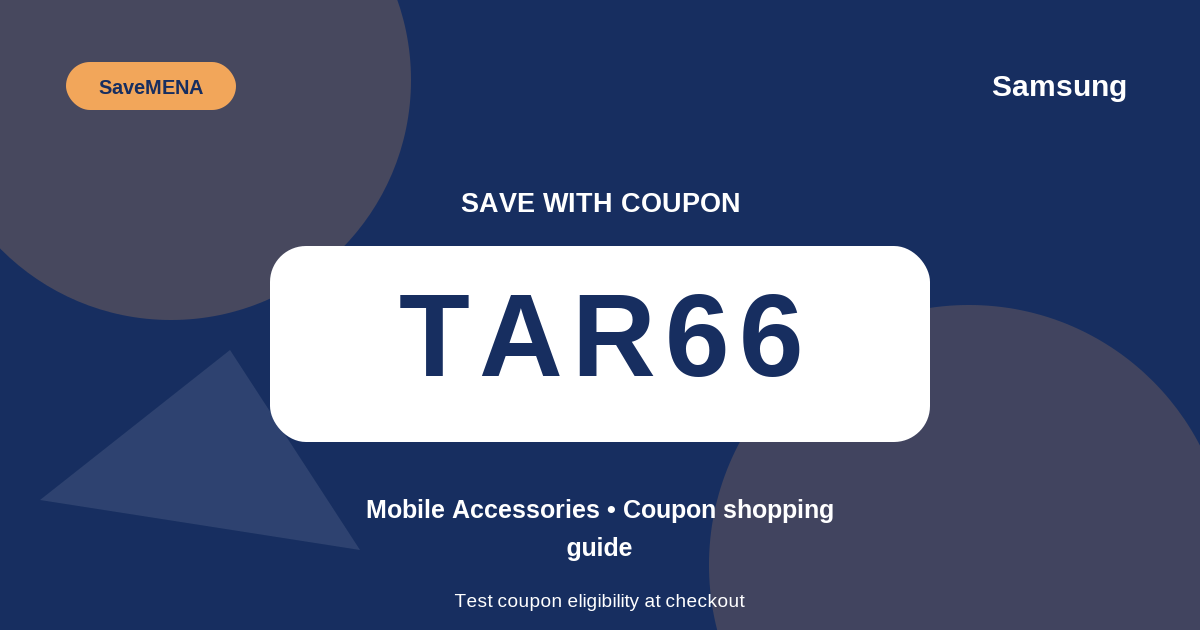
Codes available to try while comparing
These codes are not guaranteed for the article topic or listed brands; test them at checkout and use the live result.
Understanding the Noon UAE Coupon Landscape for Mobile Accessories
Noon UAE offers a variety of coupons and discount codes that can be applied to many product lines, but they often enforce strict rules about which categories can use them and how they interact with various payment methods. As a shopper, you need to confirm that the coupon you possess, in this case TAR66, is technically permissible for a Samsung mobile accessory before you even hit the checkout button. This preliminary check saves you from hunting for the right payment option only to find the coupon is ineffective after you’ve already selected your product.
Because SaveMENA does not partner with Noon, you should treat the coupon recommendation as a suggestion rather than a guaranteed offer. Noon’s own policy page lists eligibility constraints for each coupon code, and you should open the product page for your Samsung accessory to see if there’s any mention of coupon restrictions. If the code is flagged as unsupported or you see a note that it “requires a specific payment method,” then you can move on to the next section, where you examine the payment method angle in depth.
Why the TAR66 Coupon Might Stall Without a Matching Payment Method
The core of the “coupon not working” error frequently lies in the payment method’s compatibility. Noon UAE may limit certain discount codes to use only when a particular payment technique—such as a UAE Visa/Mastercard, Noon Wallet, or Apple Pay—is selected. If you choose, for example, an international debit card from a foreign bank, the system might block the coupon, even though the barcode still appears on the screen.
When you’re shopping for Samsung mobile accessories, the technical specification of the device’s processor or chipset rarely has any bearing on coupon activation; it’s the checkout handler that matters. The payment method you pick triggers a set of validation checks on Noon’s backend. If these checks flag your chosen payment channel as incompatible with TAR66, the coupon will refuse to apply, and you’ll see a generic “coupon not working” pop‑up. Knowing this helps you focus your troubleshooting on the payment side rather than the product selection.
Verifying Payment Method Compatibility Before Applying the Coupon
Start at the product page of your Samsung mobile accessory and add the item to your cart. Then, navigate to the cart page before proceeding to checkout. Here, locate the payment method selection section; it usually lists all available options. Scan the list for any label that says “Special coupons available” or “TAR66 compatible.” If such a label isn’t visible, you can still test by hovering or tapping near each payment icon—some displays a tooltip explaining which coupon codes are usable with that payment method.
If the details are not explicit, contact Noon customer support through the chat widget or email. Ask them directly if TAR66 is valid when paying with a specific method, for instance, a Noon Wallet balance or a UAE‑issued credit card. While you wait for their reply, you may consider leaving the cart accessible and trying each payment option one by one, applying the coupon after you agree to the new payment method. This trial‑and‑error approach quickly highlights which payment gateway silences or permits the coupon.
Step‑by‑Step Guide to Troubleshooting a “Coupon Not Working” Error
Once you’ve tested multiple payment methods and still see the “coupon not working” message, move to the next troubleshooting layer: double‑check the coupon input. Ensure that you entered TAR66 in uppercase, with no spaces or hidden characters. Some browsers may automatically trim spaces or change case. After re‑entering the code, click the “Apply” button again and observe whether the cart total updates. If it does not, revisit the payment method verification step.
Another cause is incomplete checkout data. Noon might reject the coupon if your shipping address or phone number field is incomplete or incorrectly formatted, especially if the address is outside the UAE. Also, verify that your account complies with Noon’s terms for coupon usage; Sellers often set restrictions for new accounts or for accounts that have pending disputes. If any of these conditions are unmet, the coupon will remain unchecked until the issue is resolved.
Samsung Mobile Accessories: What to Check at Checkout
When you arrive at the final checkout screen, review the list of Samsung accessories you’ve added. Confirm that each item is indeed a mobile accessory—cases, chargers, screen protectors—rather than a service or bundled product. Noon sometimes disqualifies certain bundled offers from coupon eligibility regardless of category. If you’ve inadvertently added a Samsung service subscription or an extended warranty, the TOT will refuse to apply the coupon.
While still on the checkout page, look specifically at the coupon display area. If you see a note that says “Coupon requires specific payment method” or a lock symbol next to the coupon field, that’s a clear indicator that the payment gateway is the limiting factor. Focus on selecting or changing the payment method at this stage, patting the notice, and re‑applying the coupon. If the coupon still fails, the issue could be a broader system error or a policy update that Noon has not yet reflected publicly.
Avoiding Common Payment‑Related Pitfalls with Noon
A frequent mistake among UAE shoppers is using a payment method that automatically redirects to a foreign currency conversion. Noon processes all transactions in AED, but if your card is set to auto convert, the payment might fail and block coupon application. Double‑check that your card’s auto‑conversion setting is disabled and that you’re bidding in AED at checkout.
Another pitfall is re‑loading the page or resetting your cart after entering a coupon. Doing so removes the coupon’s state from the session and forces Noon to request your coupon for the second time, which can trigger a duplicate‑use check—even if you’re using the same code for the first time. Therefore, refrain from page refreshes after a coupon is applied; instead, complete the purchase within a single uninterrupted session.
Alternative Discount Strategies When TAR66 Falls Flat
If TAR66 proves stubbornly unavailable even after confirming payment compatibility, consider other avenues to save on Samsung accessories. Noon frequently offers flash sale events, which may feature the same item at a reduced price that doesn’t require a coupon. Keep an eye on the “Deals” section and set a price‑alert if you’re in the market for a particular Samsung case or charger.
Also explore loyalty programs such as Noon Rewards, where points can often be exchanged for discounts on future orders. While this isn’t a direct replacement for the TAR66 coupon, you can still reduce your net spend. Remember, SaveMENA can guide you on maximizing these alternatives, but it’s always best to review the current terms on Noon’s own site before finalizing your strategy.
Final Checklist for a Secure and Successful Purchase
Before you hit “Place Order,” run through this concise verification list: confirm the Samsung accessory is a mobile accessory and not a bundled service; ensure your cart shows the correct quantity and variant; double‑check your shipping details and phone number; verify that your selected payment method is flagged as compatible with TAR66 or other coupons; and clean any session history that could interfere with coupon activation.
Once you’re satisfied with all these checks, proceed with the payment. If the coupon still displays as “not working,” note the exact error message and contact Noon’s customer support with your order ID, the device details, and the specific payment method used. Keep your troubleshooting notes handy; they’ll help validate that the issue is not user‑error but a system limitation. With these steps, you’ll be ready to convert your Samsung mobile accessory into a finalized purchase, even if the initial coupon disallowed a quick discount.
Related SaveMENA pages
Related articles
Official sources to check
Frequently asked questions
What should I do if the TAR66 coupon doesn’t work even after I select a different payment method?
If the coupon still fails after trying all available payment options, it may have expired or come with restrictions not disclosed on the product page. Check Noon’s coupon terms for any hidden constraints or contact customer support for clarification. Alternatively, look for a comparable promotion or a flash sale that offers a similar discount without needing a coupon.
Can I use a Noon wallet balance to apply the TAR66 coupon?
The Noon wallet can be a valid payment method for many coupons, but it depends on the coupon’s eligibility rules posted by Noon. Check for a note near the payment options stating “TAR66 valid with Noon wallet” or consult customer support to confirm wallet compatibility before applying the coupon.
Does the coupon apply to all Samsung mobile accessories, like phones and cables?
Noon lists coupon eligibility per product category. While TAR66 might work on accessories such as cases, chargers, and screen protectors, it isn’t guaranteed to apply to phones or bundled services. Verify the coupon’s category restrictions on the product page or the coupon detail page before placing an order.
What happens if I accidentally refresh the checkout page after applying the coupon?
Refreshing the checkout page can clear the session state, causing the coupon to be removed and marked as unused. This could trigger a duplicate‑use restriction or a “coupon not working” error. Avoid page reloads once the coupon is applied, and complete the purchase in a single continuous session.