Perfumes on Noon UAE: payment method — coupon troubleshooting
If a Noon UAE coupon is not working for perfumes, the first thing you should check is the payment method you plan to use.
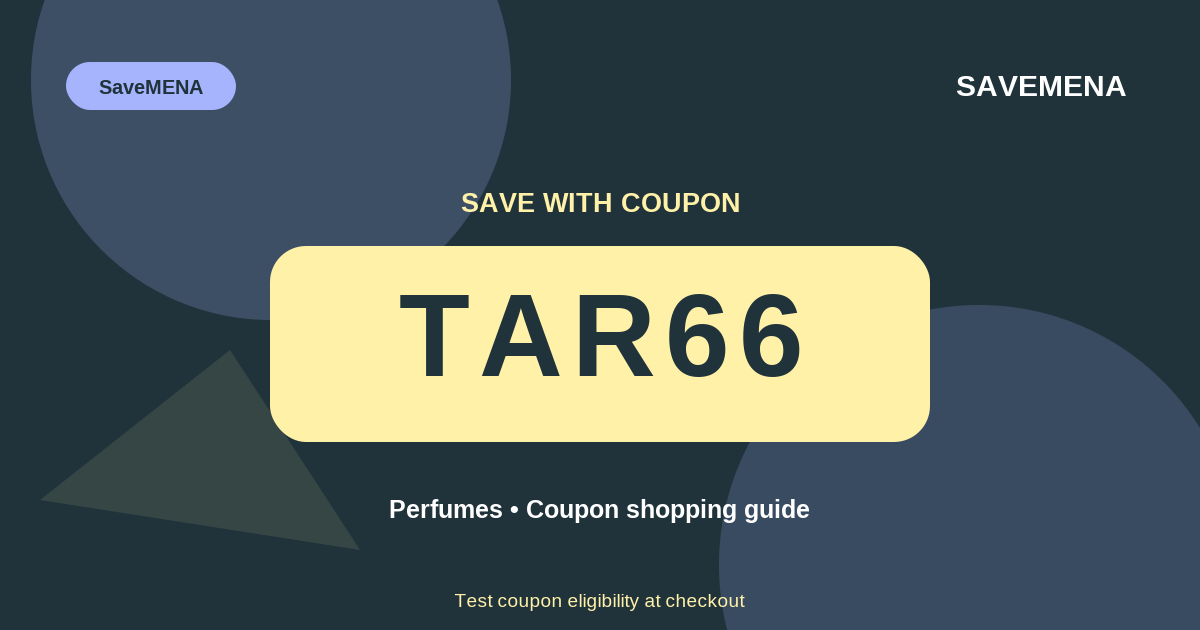
Codes available to try while comparing
These codes are not guaranteed for the article topic or listed brands; test them at checkout and use the live result.
Verify Coupon Eligibility for Perfume Products
The Noon UAE coupon code TAR66 is a general coupon that may be used across many product categories, but its applicability to perfumes depends on the seller’s product listings and Noon’s own coupon restrictions. When you add a perfume to your cart, the site will automatically flag whether the coupon can be applied. If the coupon icon disappears or an error appears, double‑check that the item’s seller has not set a “coupon disabled” flag, which is common in high‑margin scent lines. This simple visual cue is your first indicator before contacting support.
If the platform signals that the coupon is eligible yet you still see a “coupon not working” error, the issue likely lies elsewhere. In that case, move on to testing the payment method. A mismatch between your chosen payment gateway and the coupon policy can invalidate the discount even when the item is permissible. Confirm that the payment option is active, has no pending verification, and is listed among the acceptable methods for applying coupons in that category.
Understand the Payment Methods Accepted by Noon for Perfumes
Noon offers multiple payment avenues: debit/credit cards, saved wallets, and third‑party payment services. Each method may have distinct rules regarding coupon usage. For perfumes, sellers often restrict coupons to card payments only, especially when the product links to a high‑value fragrance. Before adding a coupon, ensure the payment method you intend to use is listed under “expired or unsupported” in the checkout field. A quick toggle switch in the payment section reveals which methods are active for your basket contents.
If you receive a notification that your card is incompatible with the current coupon, you can circumvent this by switching to an alternative method that supports discount codes. This may involve adding a new card, re‑authorizing an existing wallet, or using a mobile payment app that Noon expressly permits. By switching methods, you can test whether the problem persists, thereby isolating the root cause: either the card itself or the coupon restriction tied to that card type.
Check for Additional Coupon Conditions Linked to the Payment Method
Payment methods sometimes carry hidden conditions that bar coupon usage. For example, a 3‑D Secure verification may be mandatory for high‑price perfume orders, and failure to complete this step can render the coupon invalid. Similarly, some wallets require a separate login seed which, if not entered, leads to an automatic coupon reset. Be sure each element of the payment setup—be it biometric approval, security code, or OTP—is completed fully before the coupon is entered.
Also investigate whether your chosen payment plan includes any loyalty tiers or cashback offers that might conflict with coupon deductions. Noon occasionally enforces exclusive rules where a single order cannot combine a coupon with a loyalty discount or a special payment incentive. Identifying such constraints early in the payment selection process can save time and prevent the coupon from being refused at the final stage.
Perform a Step‑by‑Step Coupon Application Test
Begin by adding a single perfume item to your cart and check out with the default payment method your card or wallet is set to use. Pause before submitting the final order and then type the TAR66 code into the coupon field. Observe whether the coupon approval banner appears. If it does not, the payment method is likely at fault. Conversely, if you see a confirmation but the final voucher appears to have been nullified after you choose a new payment method, the card itself might be expired or locked.
If the coupon still fails, clear your browser cache or refresh to ensure there are no lingering session cookies that could interfere. Additionally, test the same order on a different device or through the Noon app; sometimes the site’s web interface misreports coupon status due to platform bugs. A consistent failure across all channels points to payment‑coupon incompatibility, while a discrepancy indicates a device‑specific glitch.
Explore Alternative Payment Options Available for Perfume Orders
Should the initial card return a “coupon not working” warning, consider whether swapping to a different payment method might unlock the discount. Noon often accepts transfer wallets, digital wallets, or even cash‑on‑delivery for certain regions; each comes with its own coupon eligibility profile. By selecting a payment method classified strictly as “card‑based” within the URL parameters of the checkout page, you may avoid the obstacles that prevent the coupon from applying.
If you are using a prepaid card, verify that funds are sufficiently available to cover the perfume’s price, as some payment processors flag coupons if the cash drop differs. Even if the card’s balance is above the product’s price, the transaction’s posture might still be considered a high‑risk card payment, thereby prompting the system to disallow coupon usage. In such cases, using a fully‑verified credit card often resolves the issue.
What to Do When Changing the Payment Method Does Not Resolve the Issue
When persisting difficulties arise despite multiple payment method trials, the next logical step is to review Noon’s coupon terms as displayed on the order confirmation page. This screen will list all active discounts, the subtotal captured, and the final amount due. Q: Does the system acknowledge the coupon but then override it because of a payment restriction? If so, read the error message carefully— it often points to a specific rule such as “Coupons cannot be used with this payment method for perfume orders.”
Should the displayed error remain opaque, contacting Noon’s customer support is the definitive route. Provide them with your cart details, the chosen payment method, and the exact moment the coupon was applied. They can confirm whether the system’s rules currently forbid the coupon with that payment option or if a backend glitch is causing the denial. Such a conversation typically yields a solution— either changing the payment method or receiving a temporary approval override.
Confirm the Coupon’s Commission on the Final Payment Page
After applying the coupon and finalizing payment, the final payment screen will enumerate every deduction: the item price, shipping, tax, coupon discount, and the net payable sum. Validate that the net is less than the pre‑coupon total, even if the displayed “Coupon not working” message earlier. If the discount appears but the payment error persists, double‑check the payment gateway’s pop‑up for security prompts— the discount may be applied but the gateway might still request additional authentication, potentially being misread as a coupon error.
Export any screen captures of the final payment page to verify against Noon’s policy sheet or a reputable user forum that discusses repeat payment failures. Sharing such evidence with support or during community troubleshooting can expedite a resolution. Remember that the final payable amount is sovereign: if you see a reduction that matches the coupon’s expected value, the coupon has indeed applied and the “coupon not working” indicator was a watchdog error rather than a real constraint.
When All Else Fails: Re‑attempting the Order with a Clean Cart
In rare cases, a persistent coupon blockage can stem from session data that lingers in your cart after multiple attempts. Clearing your browser’s cookies or clearing the Noon cart completely can reset the transaction process. Once freshly populated, add the perfume, apply the TAR66 code before any payment selection, and then choose your preferred payment method. With a clean slate, the coupon logic often resets, and any hidden payment restrictions become transparent.
If you still encounter the same error after a cache‑clean and new cart, the coupon code is likely blocked for your account due to a regional or account‑specific rule. While Noon does not publicly list such granular restrictions, user logs often reveal that certain codes fail only for accounts created after a particular date. In such scenarios, reaching out to Noon’s support team or using a different email address may circumvent the problem, or you might rely on a standard sales promotion instead of a coupon code altogether.
Related SaveMENA pages
Related articles
Official sources to check
Frequently asked questions
What is the correct way to check if my payment method supports perfume coupons on Noon?
In the cart, click on the payment options section. Only options listed with an active tick mark are available for coupon use with perfumes. If your card shows a “disabled” icon or a warning, switch to an alternative method confirmed by the site.
A coupon is not guaranteed; verify its result at the retailer checkout.
Not always. Many wallets are excluded from high‑price coupon eligibility. Check that the wallet is marked as “card‑based” or “officially supported” in Noon’s payment options before applying the code.
Can I combine the TAR66 coupon with a loyalty cashback on my perfume order?
Coupons generally cannot be stacked with loyalty or cashback rewards on Noon. Each checkout will display an error if both are selected simultaneously.
What should I do if the coupon still shows as “not working” after changing payment methods?
Contact Noon customer support with your order details and the exact payment method used. They can verify system rules or override restrictions for your transaction.