School & Stationery on Noon UAE: payment method — coupon troubleshooting
Here’s how to troubleshoot a Noon UAE coupon that’s not working when you shop for school and stationery, especially if you rely on a specific payment method.
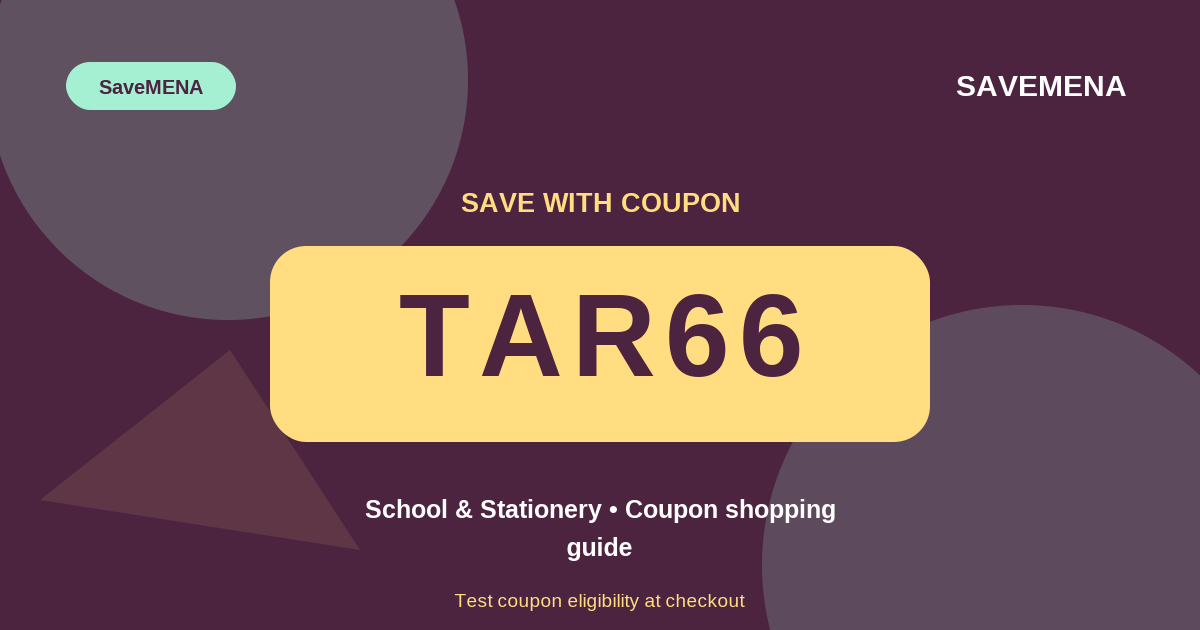
Codes available to try while comparing
These codes are not guaranteed for the article topic or listed brands; test them at checkout and use the live result.
1. Understanding Noon UAE Coupon Mechanics for School & Stationery
When you select a school or stationery item on Noon, the platform checks the coupon against the product’s category and the user’s basket. A coupon labeled as “TAR66” is a simple code you enter during checkout, but it may not automatically cover every product. The system looks for compatibility with the selected category, ensuring that the item a student can buy—such as notebooks, pens, or tablets—fits within the coupon’s rules. If the item falls outside the defined scope, the code will not apply, regardless of how many coupons you try to stack.
Even if the code appears to work in the cart view, the checkout process is the final hurdle. The system re‑validates the coupon against the final order total and selected payment method before accepting it. If any mismatch occurs, the coupon is withheld. Therefore, having the code in your account is not enough; you must confirm that each step of the transaction aligns with the coupon’s eligibility criteria. The checkout page will explicitly flag any incompatibilities, letting you act quickly.
2. The Role of Payment Method in Coupon Eligibility
A key factor in whether a Noon coupon applies is the payment method you pick. Some discounts are valid only when you pay through a particular channel, such as a credit or debit card listed in the UAE, or a bank‑linked e‑wallet. When you opt for an alternative, like cash on delivery, the coupon engine may skip it, assuming that the discount is tied to fee‑based methods that facilitate instant processing. Consequently, a Noon UAE coupon not working can often hinge on the payment type rather than the code itself.
In addition to the method, the vendor’s backend may enforce limits on the transaction value or the type of card (e.g., Visa vs. MasterCard) for coupon application. Checking whether your chosen card falls under the accepted demographic for the coupon is essential. If you are unsure, try a different credit card or a digital wallet that is widely recognized in the UAE. If the coupon then becomes active, the payment method was the root cause of the earlier failure.
3. Why the TAR66 Coupon May Fail for School & Stationery Orders
The TAR66 code is available for test, but it does not come with a guaranteed discount or mandatory usage policy. It will pull through on timeout only if the product matches the general schooling needs—such as notebooks, pens, or calculators. If the selected item is a niche accessory or a brand with a restricted offering, the code may not manifest itself during checkout. Additionally, orders that exceed typical transactional thresholds can lead to automatic rejection of the coupon, as many coupons are geared toward modest purchases.
Another scenario involves the presence of apply‑all discounts already layered in the basket. If a large promotional event is running, the system may prioritize that over a single code. In such cases, the TAR66 coupon may prematurely expire or simply not add to the savings list. The real test ends at checkout, where the payment gateway can halt the code if it matches any system‑level block. If this blockage occurs, the only resolution is to revisit the basket or switch payment path.
4. Checking Card Compatibility and Bank Restrictions
Card eligibility is a frequent stumbling block. Certain UAE banks issue cards that restrict non‑local transaction verifications, which Noon might flag as incompatible when verifying the coupon. If you see an error related to “card verification failure,” attempt a replacement card or an online merchant‑approved card. These payments require an active bank line, and the Noon system may reject the coupon if the bank denies final authorization.
For card types that support contactless or mobile‑enabled payments, do verify the tokenisation status. A failure to issue a valid token can mark the coupon as invalid, even when all other details match. Many banks allow a view-by-value status where you can confirm that the transaction is permissible prior to proceeding to the coupon entry field. If the bank’s verification step fails, the coupon will simply not register.
5. Troubleshooting with Alternative Digital Wallets
If your credit or debit card fails to enable the TAR66 coupon, try an alternative digital wallet that is frequently used in the UAE, such as Apple Pay or Google Pay. These wallets often carry a built‑in merchant‑approved authentication that favors coupons. When you toggle the wallet option early in checkout, the coupon may automatically apply, because the wallet’s pre‑authorization supersedes other payment restrictions.
Sometimes these wallets prompt for additional security, like a biometric stamp or passcode, which may refresh a missing coupon token. If the coupon still doesn’t appear after switching to the digital option, check that the wallet is actively linked to your Noon account. The system’s coupon engine expects a validated voucher source; otherwise it will treat the code as invalid.
6. When to Switch to Cash on Delivery Amid Coupon Issues
If all electronic payment methods keep rejecting the TAR66 coupon, consider the feasibility of cash on delivery. While this method often bypasses instant payment validation, it can also block certain promo codes that tie to card‑based incentives. The key is to confirm whether the coupon’s terms explicitly require an electronic transaction.
When you select cash on delivery, the checkout calculation will finalize the order with a zero‑payment field until the parcel is delivered. Because the coupon is validated prior to confirming payment, the system may still refuse the code if it specifically ties rewards to card payments. In such a case, you might need to cancel the order A+ immediately and restart with an alternative payment that accepts the coupon.
7. Confirmation Steps Before You Finalise Payment
Once you reach the final review screen, every discount and coupon will show under the order summary. This is your only time to verify the dropdown for the coupon. Make sure the TAR66 code has cleared the system and that there are no error notifications next to it. If it is listed without a noticeable savings figure, the code is pending approval and you may need to make a last‑minute change to your payment method.
Always check for a small “Invalid Code” or “Coupon Not Applied” message in the discount area. If present, double‑click the field and re‑enter the code, making certain you typed it correctly and without spaces. The coupon field is case‑sensitive in many cases. If the problem persists, click on “Support” or “Help” to request a live chat that can forward your request to Noon’s service team for transactions involving the TAR66 code.
8. Keeping Your Order Safe with the Right Payment Choice
Your selection of payment method is as significant to the coupon validity as the accessory itself. A payment that has a standardized, open API—for instance, a conventional UAE Visa card—generally offers smoother coupon integration. On the other hand, new users may experience more friction when using bank‑only cards that come with “high‑risk” labels in the marketplace’s internal rules.
Every transaction should follow the same process: add stationery items, apply the TAR66 coupon, select a payment method that the coupon authorizes, and then confirm the total at checkout. If the code still fails after these steps, it is advisable to re‑initialize the order after a short wait or to retune the payment details, ensuring that the chosen gateway remains active in your account credentials. This will protect your order and preserve the integrity of your coupon strategy.
Related SaveMENA pages
Related articles
Official sources to check
Frequently asked questions
What does “TAR66” stand for, and can I combine it with other coupons?
“TAR66” is a promotional code you can enter during checkout. The code is tested in the market but not guaranteed, and official policy limits combined usage. Verify at checkout if it appears as an additional discount or is replaced by the active promotion.
Will using a national UAE bank card always work with Noon coupons?
Not always; some coupons only work with cards that pass specific merchant validation or are linked to certain e‑wallets. If the national bank card does not activate the coupon, try a different card type or a Digital Wallet recognized by Noon.
If the coupon shows “not applied” at checkout, how quickly can I resolve it?
Double‑check the code for typos, change the payment method, or contact Noon support through the help interface. Most problems resolve within a few minutes once the correct method is chosen.
Can I cancel the order after placing it if the coupon was not applied?
Yes, you can cancel the order using the Noon app or website’s order management section. Once deleted, you can restart the process with a different payment method or a validated coupon.