Skincare on Noon UAE: payment method — coupon troubleshooting · TAR64
If your Noon UAE coupon isn’t applying to your skincare order, troubleshooting can feel frustrating and time‑consuming.
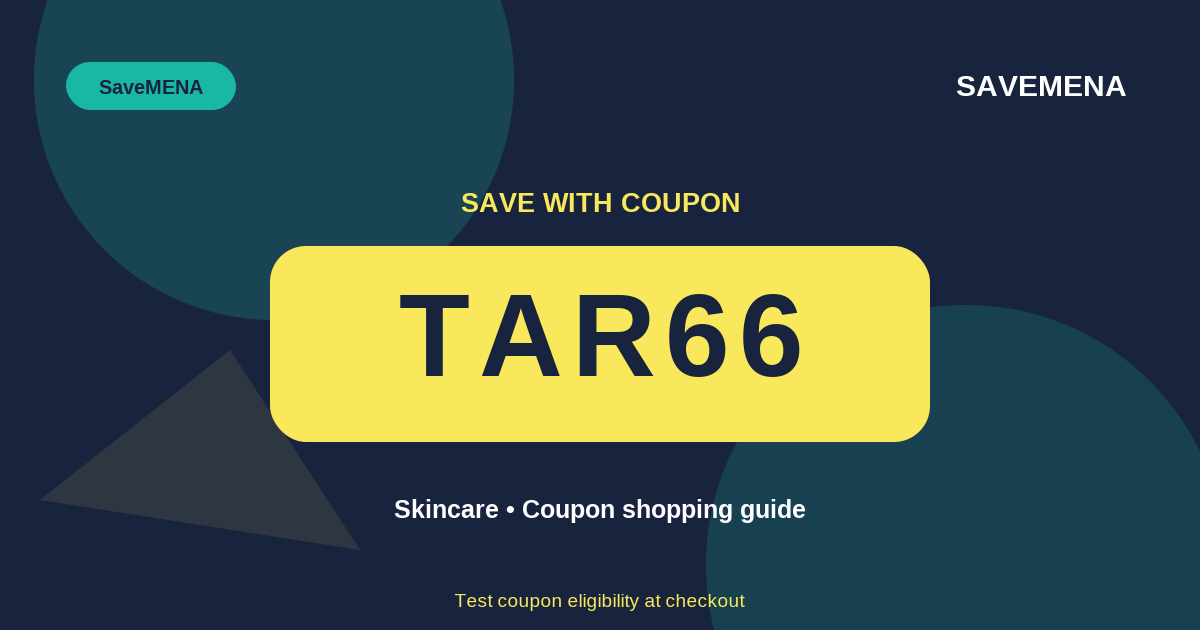
Codes available to try while comparing
These codes are not guaranteed for the article topic or listed brands; test them at checkout and use the live result.
Understand the Coupon Workflow on Noon
Every coupon on Noon follows a specific workflow that begins when you add items to your cart and ends at checkout. The shopping platform automatically evaluates eligibility criteria such as product category, stock status, and minimum spend before applying the code. For a skincare coupon to activate, the selected items must pass all internal checks; otherwise the system will silently reject the code without notifying the customer. Knowing this behind‑the‑scenes process helps you recognize the point at which a coupon stops working and guides you toward the right fix.
It is crucial to remember that Noon’s coupon logic is distinct from other e‑commerce sites. Unlike some merchants that apply discounts immediately when you click “apply,” Noon verifies conditions during the payment step. Therefore, a coupon may look valid in the cart but later fail at payment if any rule changes or the payment method is not accepted for that discount. Understanding this dynamic flow is the first element in troubleshooting a non‑working coupon.
Common Reasons Your Skincare Coupon Fails to Apply
There are several well‑documented reasons why a skincare coupon might not work on Noon. A frequent issue is the seller’s catalog scope; if the selected product is from a third‑party vendor that does not support the coupon, the code will be ignored even if the product seems eligible. Another common problem is the presence of additional fees or taxes that can alter the final amount and render the coupon invalid, because many coupon rules only apply to the base product cost.
Other factors include exceeding the maximum allowable discount per order or having a previous coupon applied that conflicts with the new one. In the UAE, certain payment methods may also incur transaction fees or require currency conversions that can unintentionally push the basket total beyond the coupon’s effective range. While these factors are not specific to Noon, they collectively contribute to why a skincare discount may fail silently.
Verify Your Payment Method Compatibility
The payment method you choose is the decisive element that can either enable or block a coupon’s application. Noon accepts multiple options such as credit/debit cards, PayPal, and local wallets like Noon Wallet. However, each method can trigger different transaction policies. For instance, cards from certain banks might be flagged for higher risk, causing coupon checks to fail as a security precaution. Ensuring your card’s issuer is recognized by Noon helps maintain a smooth discount application.
Additionally, if you are using a prepaid or virtual card, the platform may not retrieve real‑time balance updates, which can prevent the coupon from being validated. Online wallets often apply a nominal transaction charge that is added after coupon calculation, potentially exceeding the coupon’s limit. To troubleshoot, first confirm that the payment method is active and listed correctly under your Noon account settings before proceeding to checkout.
Steps to Rectify Coupon Discrepancies at Checkout
When a coupon is rejected during checkout, recreating the basket can reset the system’s state. Begin by removing the Tritalked items, clearing the cart completely, and then re‑adding the skincare products. Once items are back in the cart, re‑enter the code TAR64 and observe if the discount appears before you proceed to payment. If the coupon is still denied, double‑check whether the product’s seller supports discounts and that no other promotions are active.
If the code fails again, test the payment gateway separately: select a different card or switch to a local wallet, then attempt the same transaction. A successful application on an alternate payment method often pinpoints the pay‑option as the root cause. Should the issue persist, contact Noon’s help center with a screenshot of the error, confirming that the coupon was applied but denied at the payment stage. This level of detail assists support in diagnosing system‑wide conflicts instead of issuing generic advice.
Alternative Skincare Brands and Payment Options
In the face of a persistent coupon issue, exploring other brands that are confirmed to accept Noon discounts is a practical step. Some skincare lines may be exclusive to specific sellers or require a subscription model that automatically includes coupons. By browsing the “Discounts” section on Noon’s skincare category, you can identify products that have a history of successful coupon application.
Parallel to brand selection, evaluate your payment options. Some users report better coupon performance when using cards issued by banks that are partners with Noon, such as Emirates NBD or Abu Dhabi Commercial Bank. If your card is from a foreign bank, consider adding or switching to a local card to avoid currency conversion complications. Switching payment methods can often resolve coupon mysteries without altering product choices.
Using Noon’s Customer Support for Coupon Issues
When self‑troubleshooting does not resolve coupon failure, the most reliable path is to reach out to Noon’s customer support. Prepare by gathering order details: the product listing, seller name, applied coupon code, chosen payment method, and the exact error message displayed. Submit these details through the official support ticket or chat feature under the “Orders” tab, and wait for the response.
In exchange for thorough documentation, support staff can quickly determine whether the problem lies with coupons, payment validations, or broader platform issues. They may also provide a temporary, manually applied discount or guide you to an alternative checkout method. By using the official channels, you stay within Noon’s policies, avoiding discount exploits that could flag the account for cancellation.
Tips for Future Skincare Purchases on Noon
To minimize the risk of coupon failure in future orders, routinely verify the stored payment information in your Noon account. Remove any expired cards or outdated wallet balances that could trigger automatic re‑authorization alerts. Keep the app updated, as older versions may have glitches in coupon rendering.
Also, monitor any promotional announcements directly through the Noon app’s home banner; these often contain guidance on supported payment methods for specific discounts. By staying informed on campaign rules, you can pre‑emptively avoid purchasing items that would cause coupon conflicts. Regularly checking your order history for duplicated items can reveal systemic issues that might be overriding coupon benefits.
Summary of Best Practices for Coupon Success
In summary, the key to a successful Noon UAE coupon in skincare lies in aligning three critical factors: product eligibility, seller support, and compatible payment method. The best practice is to test your cart in a sandbox mode—clear the basket, re‑add products, and re‑enter the code before touching the payment button. Only after the coupon reflects a discount can you secure it through a verified method.
By following a structured approach—starting with confirming seller policies, checking payment compatibility, and carefully rehearsing the checkout sequence—UAE shoppers can transform the frustration of a non‑working coupon into a predictable, repeatable success. Such diligence ensures that your skincare budget stays intact, and that the TAM64 code, when it does work, enhances rather than hinders your shopping experience.
Related SaveMENA pages
Related articles
Official sources to check
Frequently asked questions
What should I do if the coupon still doesn’t apply after verifying the payment method?
Contact Noon’s customer support with complete order details and a screenshot of the error. They can identify system‑level conflicts or offer a manually applied discount if the issue is temporary or isolated.
Do I need a Noon Wallet to use the TAR64 coupon on skincare items?
Noon’s coupon system does not mandate a specific wallet, but some payment methods might add conversion fees that affect eligibility. It’s safest to use a local bank card that Noon verifies for discount processing.
Will using a different seller for the same skincare product affect the coupon?
Yes, different sellers may have varying discount acceptance policies.A coupon is not guaranteed; verify its result at the retailer checkout.
Can I combine TAR64 with other promotional codes?
Noon generally disallows multiple coupon codes on a single order. Refer to the terms in the coupon description; if not explicitly forbidden, you may combine only if the platform allows it at checkout.